

Introduction
RSA algorithm is an asymmetric cryptography algorithm. Asymmetric actually means that it works on two different keys, i.e., public key and private key. As the name describes, the public key is given to everyone, and the private key is kept private.
In the below sample, I have used the BouncyCastle package for RSA encryption and decryption.
Notes
- Key Size: The example uses a 2048-bit key, which is a common and secure size for RSA.
- Encoding: Data is encoded as UTF-8 before encryption and decoded back after decryption.
- Security: Always handle and store keys securely. Exposing private keys or mishandling encrypted data can compromise security.
Step 1. First, you need to install the BouncyCastle package. You can do this via NuGet.
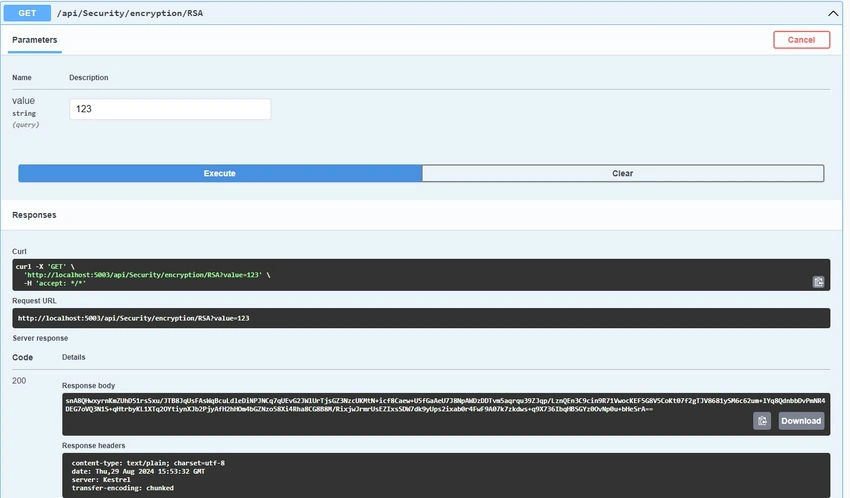
Step 2. Import the required package into the service.
using Org.BouncyCastle.Crypto;
using Org.BouncyCastle.Crypto.Encodings;
using Org.BouncyCastle.Crypto.Engines;
using Org.BouncyCastle.Crypto.Parameters;
using Org.BouncyCastle.OpenSsl;
using Org.BouncyCastle.Security;
Encryption Complete method
        public  string EncryptRSA(string plaintext)
        {
            string encryptedText = "";
            byte[] plaintextBytes = Encoding.UTF8.GetBytes(plaintext);

            // Load the public key from a PEM string or file
            string publicKeyPem = @""; // Replace your public key here
            AsymmetricKeyParameter publicKey;
            using (var reader = new StringReader(publicKeyPem))
            {
                PemReader pemReader = new PemReader(reader);
                publicKey = (AsymmetricKeyParameter)pemReader.ReadObject();
            }
            // Initialize the RSA engine for encryption with the public key
            IAsymmetricBlockCipher rsaEngine = new Pkcs1Encoding(new RsaEngine());
            rsaEngine.Init(true, publicKey); // true for encryption
            // Encrypt the data
            byte[] encryptedData = rsaEngine.ProcessBlock(plaintextBytes, 0, plaintextBytes.Length);
            // Convert the encrypted data to a Base64 string for easy transmission/storage
            encryptedText = Convert.ToBase64String(encryptedData);
            return encryptedText;
        }
Breakdown of the encryption method
Step 1
plaintextBytes: The input string is converted to a byte array using UTF-8 encoding. This byte array represents the data to be encrypted.
byte[] plaintextBytes = Encoding.UTF8.GetBytes(plaintext);
Step 2
- StringReader: The publicKeyPem string is passed to a StringReader to create a text reader.
- PemReader: This reads the PEM-formatted key and converts it into an AsymmetricKeyParameter object.
using (var reader = new StringReader(publicKeyPem))
{
    PemReader pemReader = new PemReader(reader);
    publicKey = (AsymmetricKeyParameter)pemReader.ReadObject();
}
Step 3
- IAsymmetricBlockCipher: This interface represents the RSA encryption engine.
- Pkcs1Encoding: This wraps the RsaEngine to add PKCS#1 padding, which is commonly used in RSA encryption.
- Init Method: The RSA engine is initialized for encryption by passing true along with the public key.
IAsymmetricBlockCipher rsaEngine = new Pkcs1Encoding(new RsaEngine());
rsaEngine.Init(true, publicKey); // true for encryption
Step 4
- ProcessBlock: This method processes the data (encrypts it) using the initialized RSA engine. It takes the plaintext bytes and returns the encrypted byte array.
- Convert.ToBase64String: The encrypted byte array is converted to a Base64 string. Base64 encoding is used to make the encrypted data easier to transmit or store, as it converts binary data into ASCII string format.
byte[] encryptedData = rsaEngine.ProcessBlock(plaintextBytes, 0, plaintextBytes.Length);
encryptedText = Convert.ToBase64String(encryptedData);
Output Sample for RSA Encryption
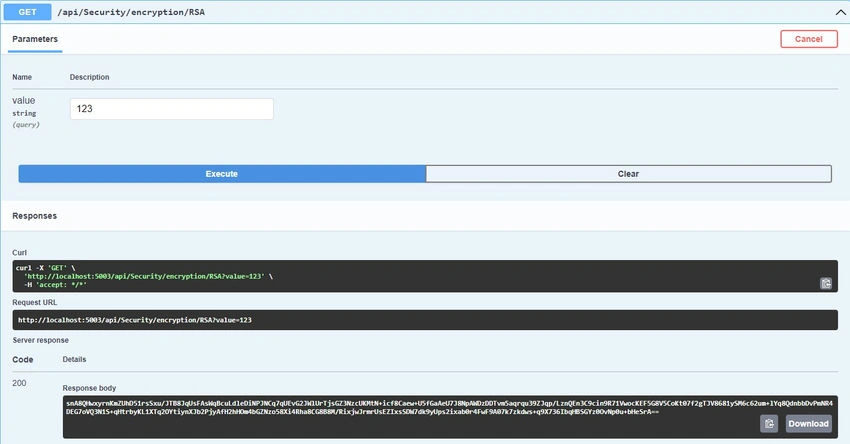
Decryption Complete method
        public string DecryptRSA(string encryptedText)
        {
            string decryptedText = "";
            try
            {

                string pemPrivateKey = @""; // Replace your private key here
                RsaPrivateCrtKeyParameters keyPair;
                using (var reader = new StringReader(pemPrivateKey))
                {
                    keyPair = (RsaPrivateCrtKeyParameters)new PemReader(reader).ReadObject();
                }
                var rsaParams = DotNetUtilities.ToRSAParameters(keyPair);
                using (var rsa = new RSACryptoServiceProvider())
                {
                    rsa.ImportParameters(rsaParams);
                    // Convert encrypted text from Base64
                    byte[] encryptedData = Convert.FromBase64String(encryptedText);
                    // Decrypt the data
                    byte[] decryptedData = rsa.Decrypt(encryptedData, RSAEncryptionPadding.Pkcs1);
                    return Encoding.UTF8.GetString(decryptedData);
                }
            }
            catch { }
            return decryptedText;
        }
Output sample for decryption
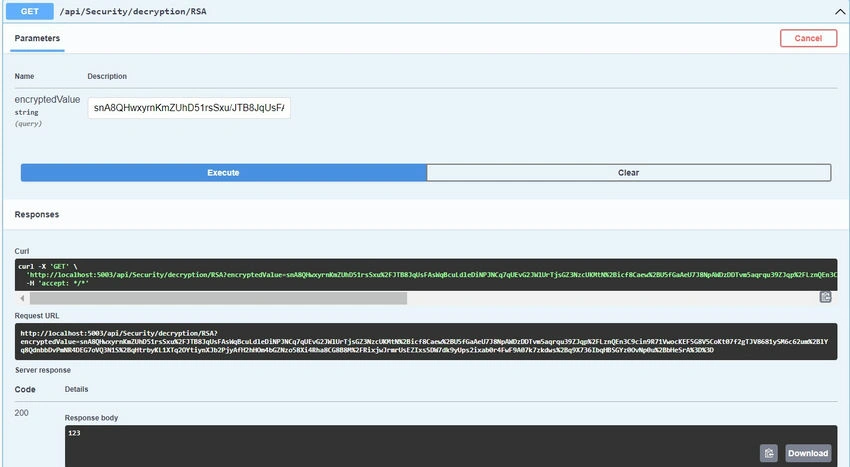
Summary
- The method loads a public RSA key from a PEM string.
- It initializes an RSA encryption engine using BouncyCastle.
- The plaintext is encrypted using the public key, and the resulting encrypted data is returned as a Base64-encoded string.
This encryption method ensures that the plaintext is securely transformed into an encrypted format using the RSA algorithm, which can then only be decrypted by the corresponding private key.
Join the conversation! Your thoughts help the community grow.