

Overview
In previous parts We saw what SQL Server Replication is. In this part, we will be looking on the types of replication, architecture and how they works.
Types of SQL Server Replication:
- Snapshot Replication.
- Transactional Replication.
- Merge Replication.
- Peer-to-Peer Replication.
Let’s see each type by an example so we will get a clear gist what each and every replication is doing, starting with Snapshot Replication.
1. Snapshot Replication
- The snapshot process is commonly used to provide the initial set of data and database objects for transactional and merge publications.
- It is mainly used when data is not changing frequently.
- Replicate small amount of data.
- To replicate look-up tables not changing frequently.
Architecture
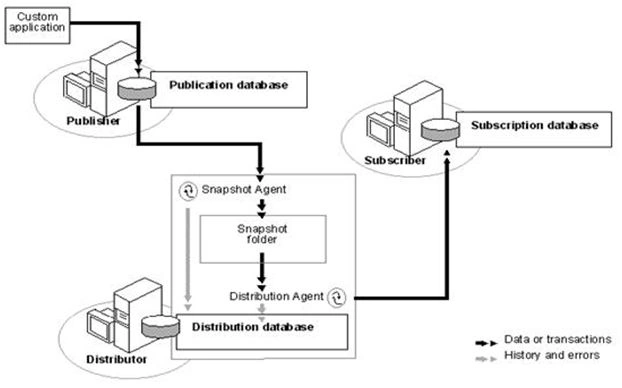
How It Works?
- Snapshot Agent establishes a connection from distributor to publisher and generates a fresh snapshot into snapshot folder by placing locks.
- Snapshot agent writes copy of the table schema for each article to .sch file.
- Copies data from published table at the Publisher and writes data to the snapshot folder in the form of.bcp file.
- Appends rows to the Msrepl_commands and Msrepl_transactions.
- Releases any locks on published tables.
Let’s Start:
Logically it is advisable to take three instances. Here I am explaining snapshot replication local server (SQL).
Note: To Configure and to check on your local PC you need to install SQL Server (2008, 2008R2, 2012, 2014 and so on). Express Edition will have less features in local PC.
- Open SQL Server Management Studio.
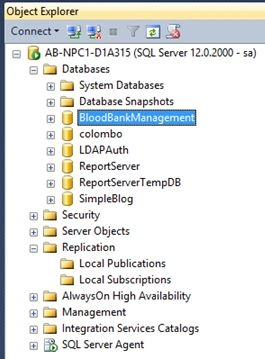
- Click on Replication.
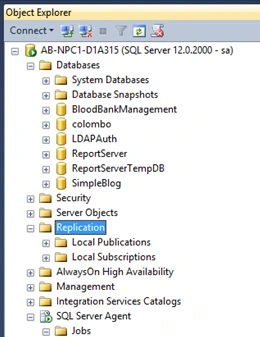
- Configure Distribution.
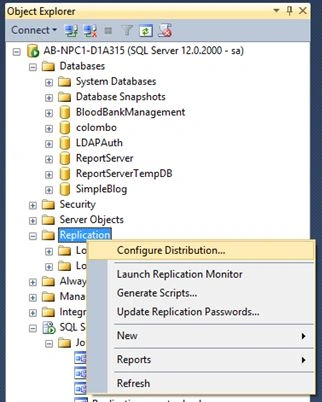
- Click on Configure Distribution -> Next ->.
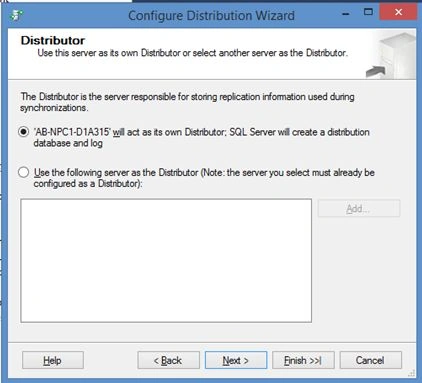
Select the Server or PC Hostname it will act as its own distributor and click next.
- Path Selection.
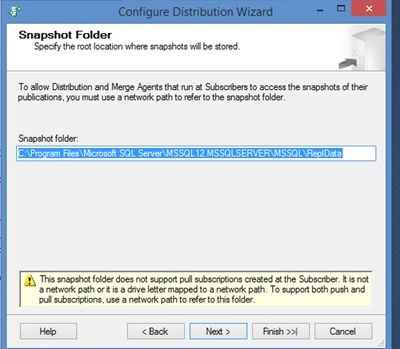
Next,
- Configure Database Name (Distributor).
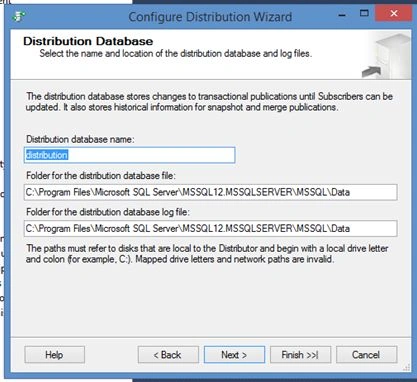
In this Case I had kept by default database name as distributor.
Click Next.
- Configuring Instances
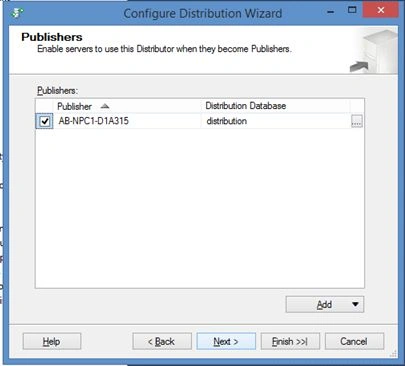
If you are running on multiple instances you can do it by clicking on ADD.
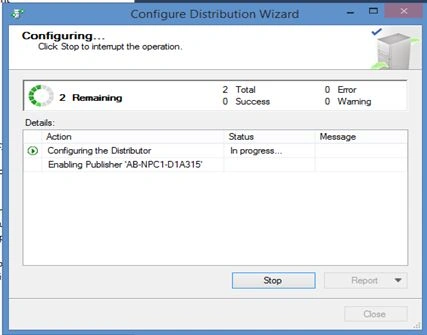
Here, in this case using everything in local Server. Hence the checkbox is checked. Click Next and check Configure distribution Option -> Finish.
- Executing.
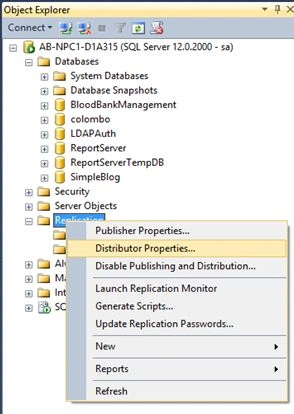
- Click on Replication ->Distributor Properties.
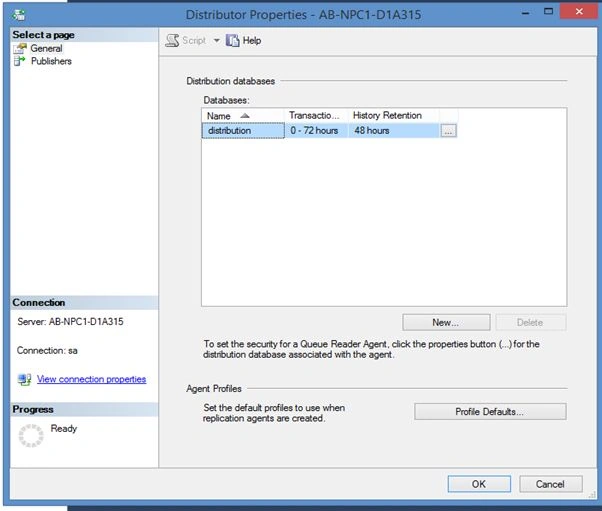
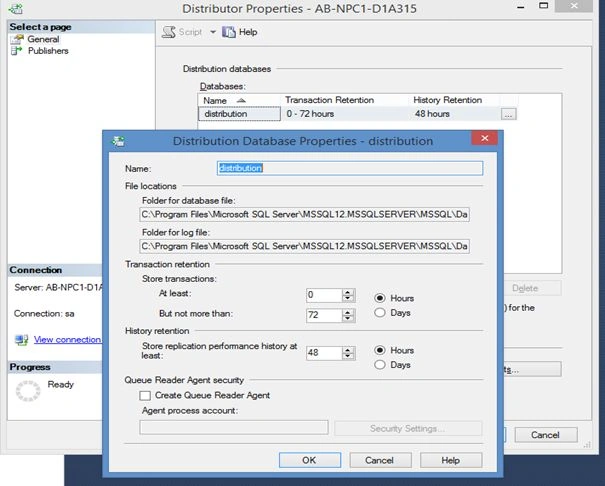
Now here you will see transaction Retention are removed after 72 hours and agent history is removed after 48 hours. On Click of tab you will able to see the complete log path respectively.
- Go to Jobs.
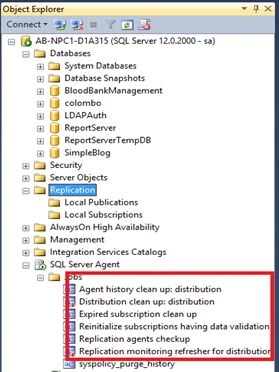
Here you will see the highlighted section you will see new jobs got created.
- Creating Snapshot Publisher.
Click on Replication, Local Publication, then click New publication
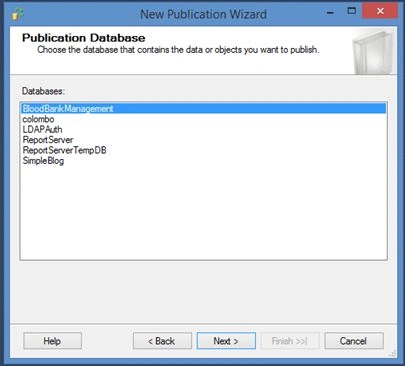
It prompts you to select database which you want to make as a publisher.
Here in this scenario, selecting BloodBankManagement database.
Click Next
- Select Replication Type.
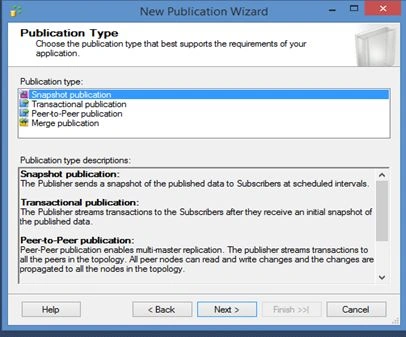
In this case we need to select Snapshot Replication, then click Next.
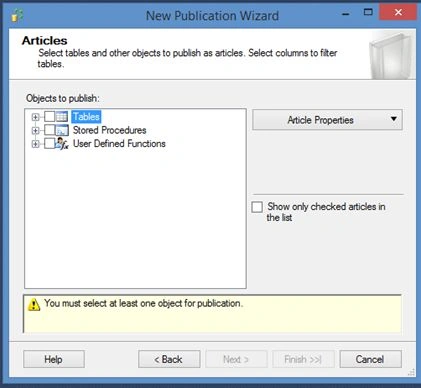
Select tables, storedprocedures, user defined functions and on.
In this case, selected tables ->Next ->.
- Creating Snapshot and scheduler.
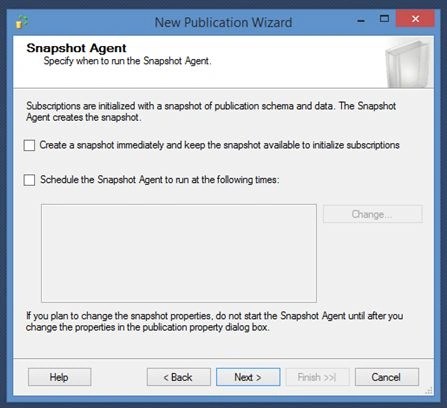
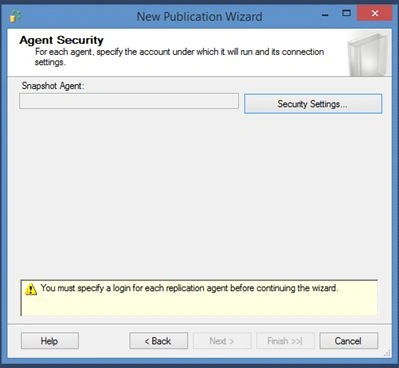
Click on create Snapshot immediately ->Click security Settings.
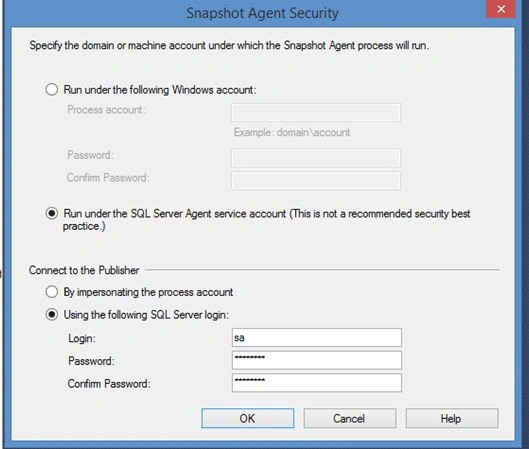
Use SQL server Authentication.>OK -> Next ->Create publication ->Give publication name as “”TEST” -> Finish.
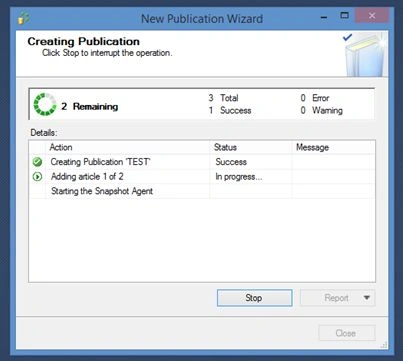
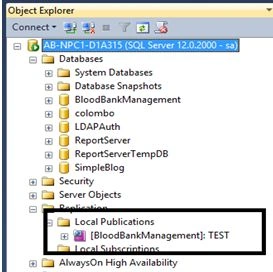
You will see TEST publisher in Local Publications.
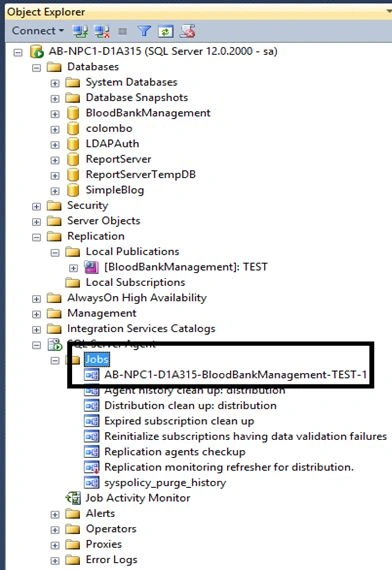
You will see job as TEST appearing in SQL Server Jobs.
Creating Subscription
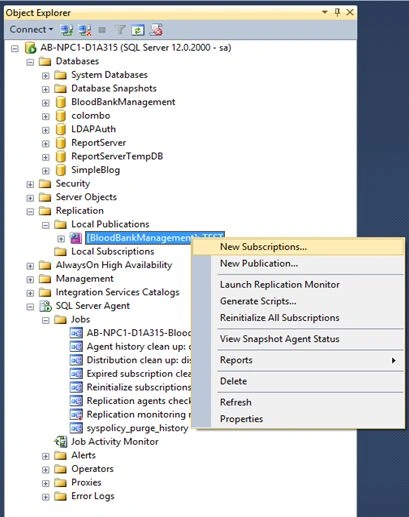
Click Next.
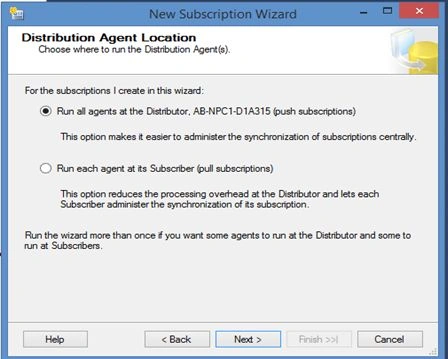
Click Next ->.
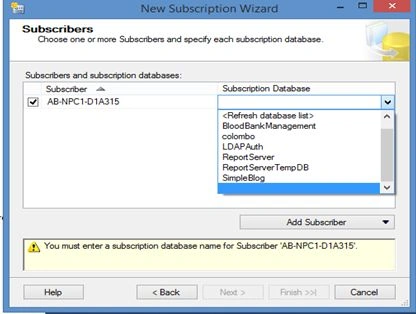
Select subscriber database will be selection simple blog database->Next.
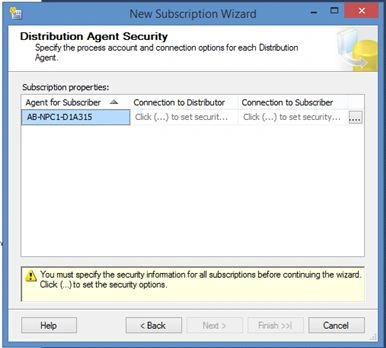
Configure Security setting for subscriber.
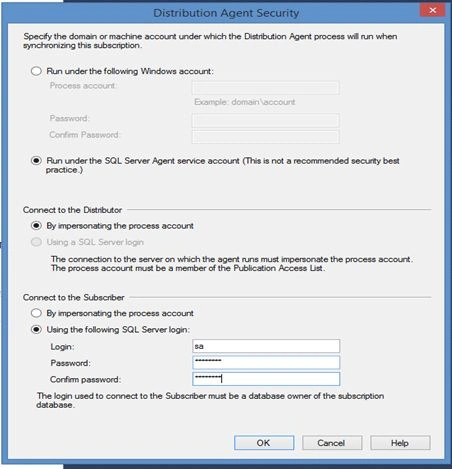
Click Ok ->Next.
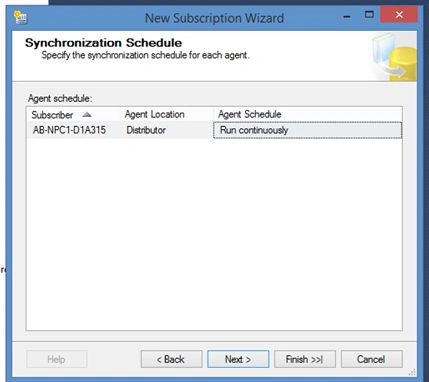
Now,it’s asking agent to run continuously, run on demand or schedule it. This depends on your business requirements, how you want your data. Here am continuing with default selection running continuously. ->click Next ->Run immediately ->Create the subscription -> Finish
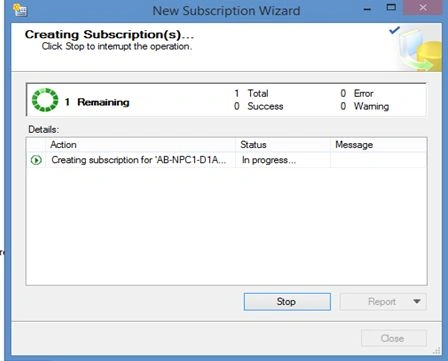
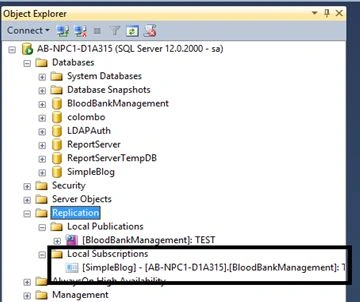
See the Local Subscriber Simple Blog Subscriber appeared.
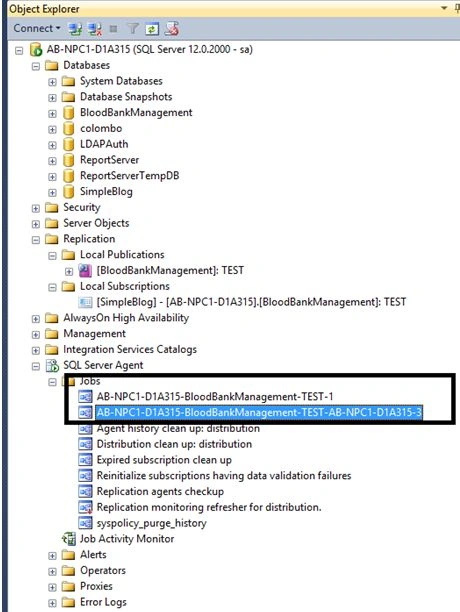
Job created in SQL server Jobs ->Right Click ->Start Job as Step.
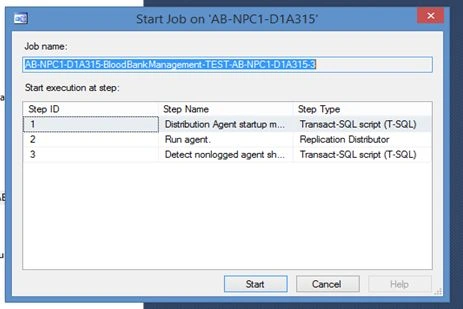
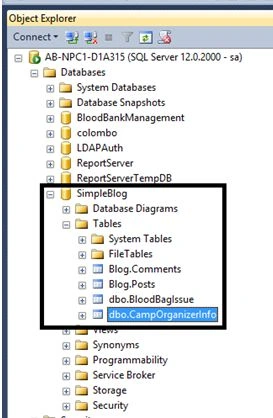
After Successful completion of job you will able to see tables of Blood bank management database which we selected appear in Simple blog
Conclusion
Snapshot Replication is suitable for small databases where replication is needed. For huge databases(TB) on server make sure you have plenty of resources available for replication (Snapshot) running efficiently.
Refer: Replication In SQL Server: Part One.
Kuppurasu NagarajPosted May 17, 2016, 11:19 AM
Nice sharing..
Raja TPosted May 17, 2016, 3:04 AM
Nice, Thanks for sharing
Pradeep SahooPosted May 16, 2016, 11:32 PM
Good share ...
Sonu ChaudharyPosted May 16, 2016, 3:26 PM
good one...
Prasanna MuraliPosted May 16, 2016, 11:55 AM
Nice one....
Yashwant VishwakarmaPosted May 16, 2016, 2:02 AM
Very nicely explained !! Keep writing !!
Debasis SahaPosted May 16, 2016, 12:59 AM
Nice one..
Akshay PhadkePosted May 15, 2016, 11:48 PM
Pankaj Kumar Choudhary Thanku Sir
Pankaj Kumar ChoudharyPosted May 15, 2016, 2:04 PM
Nice Information......