

Overview
Earlier, in previous parts we saw types of replication in transactional replication.
Earlier, in previous parts we saw two types of replications in snapshot.
- Replication in SQL Server: Part One
- Replication in SQL Server: Part Two
- Replication In SQL Server: Part Three
Types of SQL Server Replication:
- Snapshot Replication. (Explained in Part Two)
- Transactional Replication.(Part Three )
- Merge Replication.(Part Four)
- Peer-to-Peer Replication.
Let’s see each type by an example so we will get a clear gist what each and every replication is doing, starting with Merge Replication.
Merge Replication
- Merge replication is when two or more databases are in sync; when changes are applied to one database similarly changes occur tosecondary database also.
- For those who are familiar with primary and standby database i.e DC and DR; here DR (Disaster Recovery ) changes are happening in DC(Production Server ) and the same changes happen in the DR server respectively. With the help of merge replication we can achieve synchronization .
Note: For Merge replication and implementing DC and DR standard you need to have good resources available on servers . Databases mostly in TB’s require a good amount of resources in order to run efficiently.
- Merge replication is implemented by using snapshot agent and merge agent . Snapshot Agent creates a single copy snapshot and passes that snapshot to publisher and then it passes to subscriber in this way a synchronization is possible.
The following diagram shows the components used in merge replication.
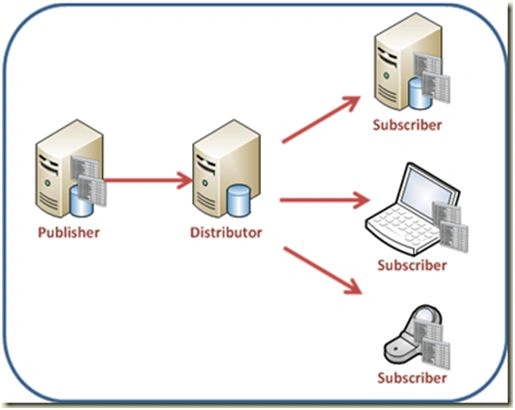
Image Source: msdn.microsoft.com
Logically it is advisable to take three instances. Here I am explaining Merge replication local server (SQL).
Note: To Configure and to check on your local PC you need to install SQL Server (2008, 2008R2, 2012, 2014 and so on). Express Edition will have less features in local PC.
- Open SQL Server Management Studio.
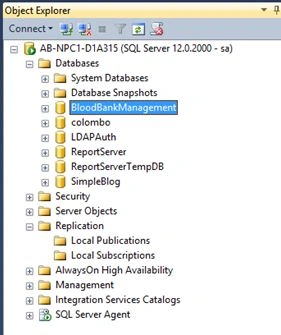
- Click on Replication.
- Configure Distribution.
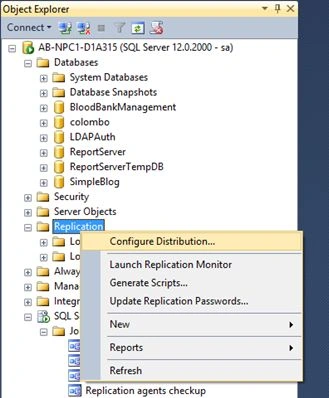
- Click on Configure Distribution -> Next ->.
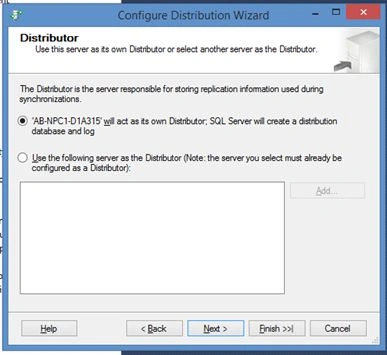
Select the Server or PC Hostname it will act as its own distributor and click next.
- Path Selection.
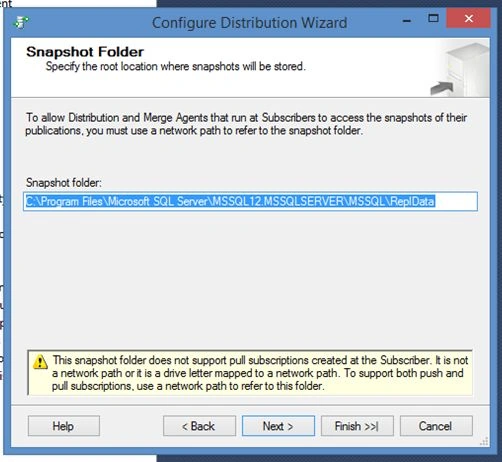
Next,
- Configure Database Name (Distributor).
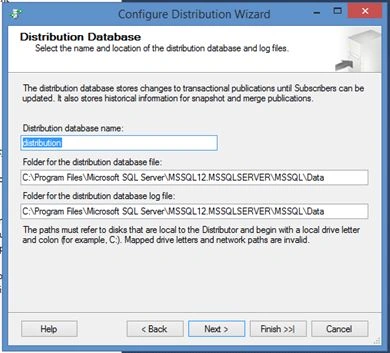
In this Case I had kept by default databasename as distributor .Click Next.
- Configuring Instances.
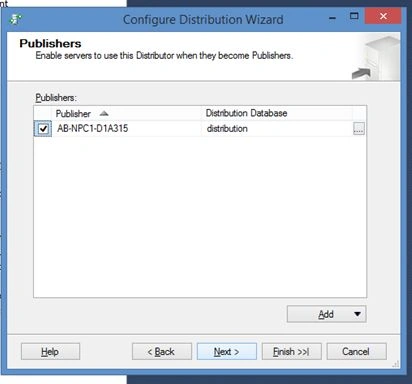
If you are running on multiple instances you can do it by clicking on ADD.
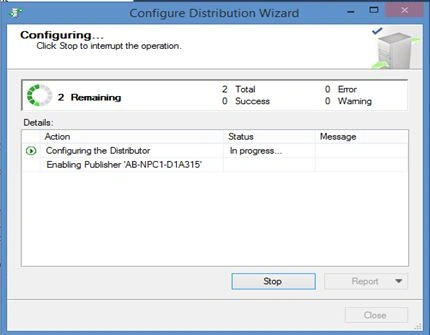
Here, in this case using everything in local Server. Hence the checkbox is checked. Click Next and check Configure distribution Option -> Finish.
- Executing,
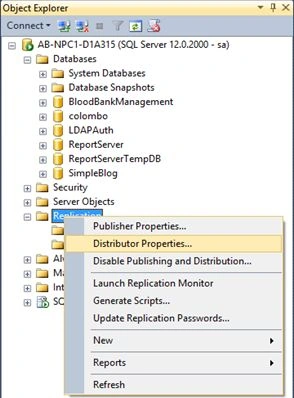
- Click on Replication ->Distributor Properties.
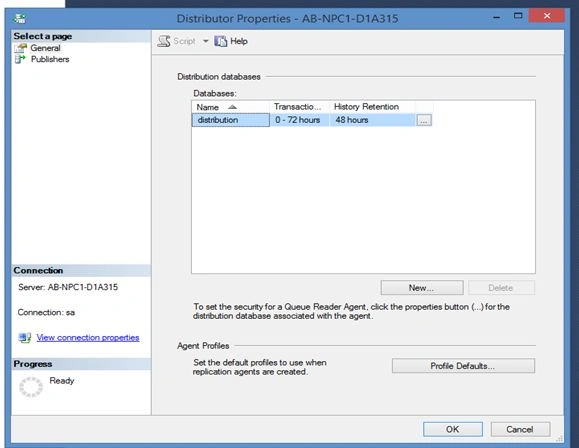
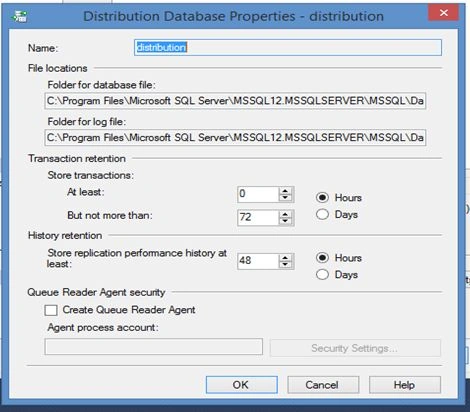
Now here you will see transaction Retention are removed after 72 hours and agent history is removed after 48 hours. On Click of tab you will able to see the complete log path respectively .
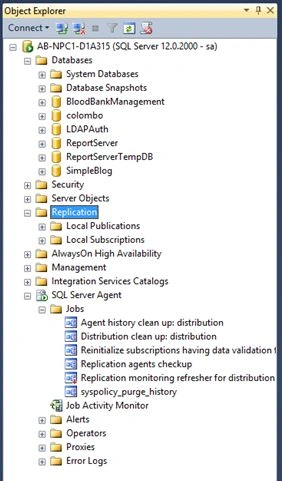
- Go to Jobs.
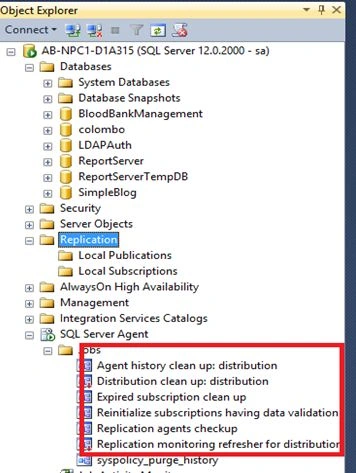
Here you will see the highlighted section you will see new jobs got created.
Creating Snapshot Publisher.
Click on Replication ->Local Publication ->New publication
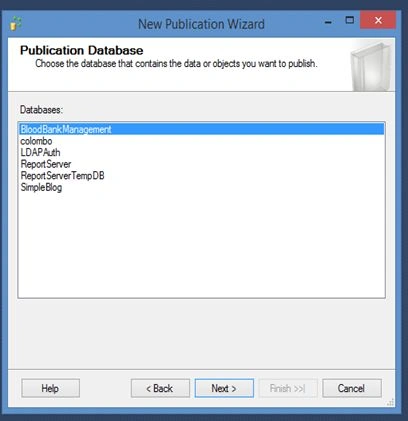
It prompts you to select database which you want to make as a publisher.
Here in this scenario, selecting Colombo database.
Click Next.
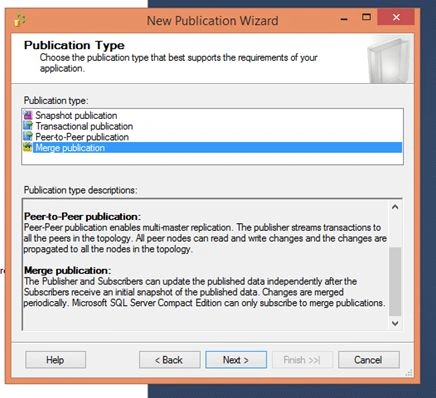
In this case we need to select Transactional Replication->Next.
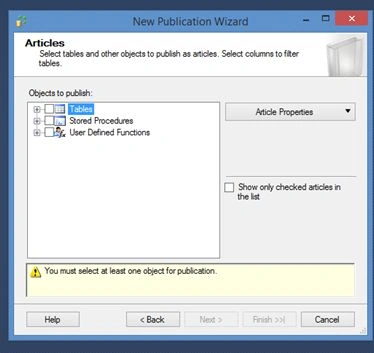
Select tables, stored procedures, and user defined functions and on..
In this case, selected tables ->Next ->.
Creating Snapshot and scheduler
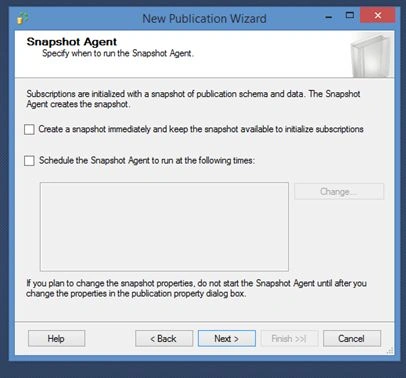
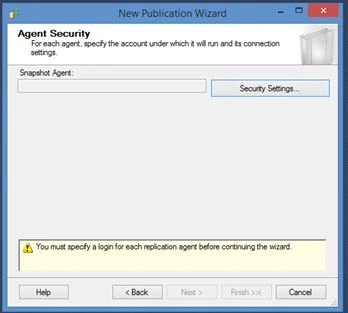
Click on create Snapshot immediately ->Click security Settings.
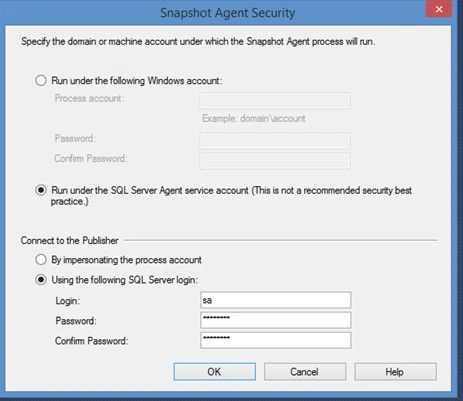
Use SQL server Authentication.>OK -> Next ->Create publication ->Give publication name as “”TEST” -> Finish.
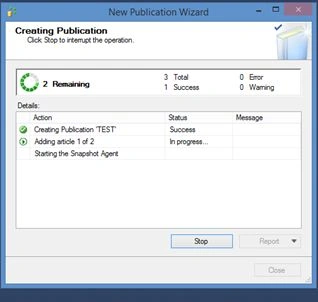
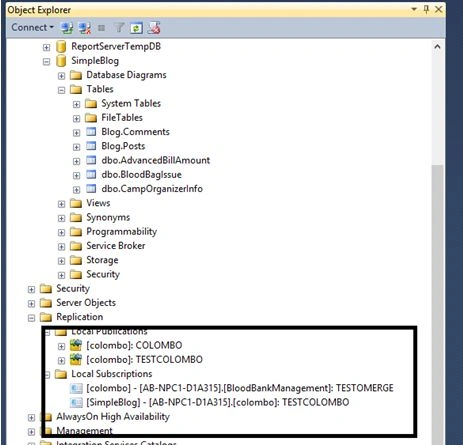
You will see TEST publisher in Local Publications.
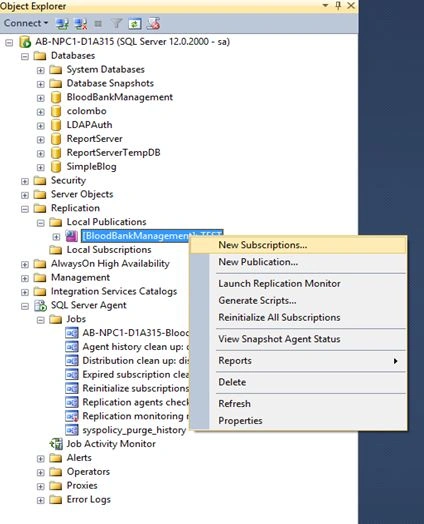
Creating Subscription
Click Next.
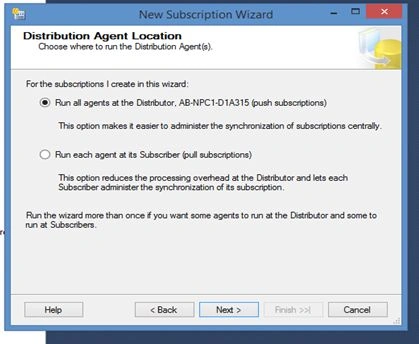
Click Next ->
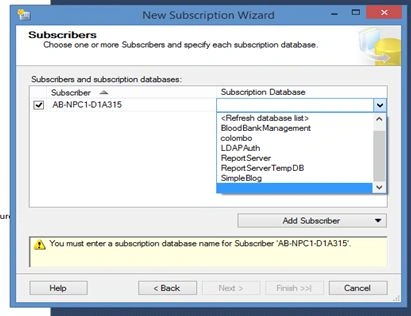
Select subscriber database will be selection Colombo database->Next.
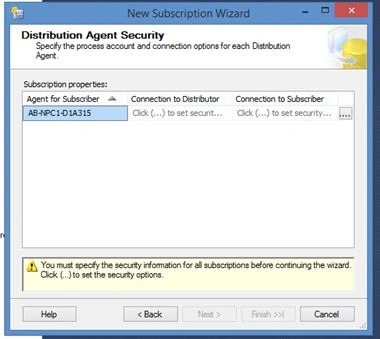
Configure Security setting for subscriber.
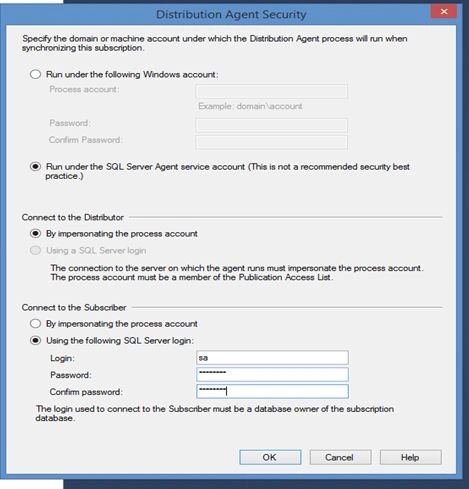
Click Ok ->Next.
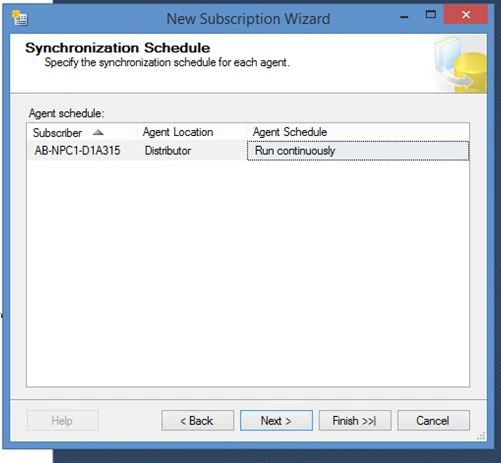
Now, it’s asking agent to run continuously, run on demand or schedule it. This depends on your business requirements how you want your data. Here I am continuing with default selection run continuously. ->click Next ->Run immediately ->Create the subscription -> Finish.
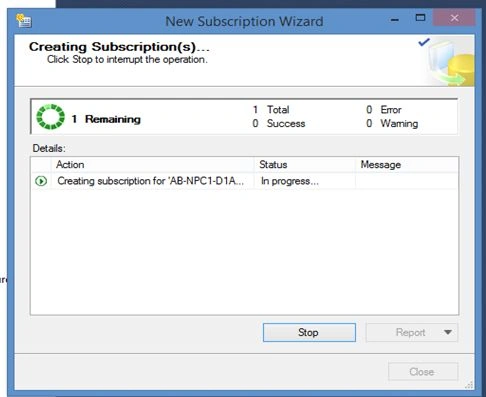
See the Local Subscriber Colombo Subscriber appeared.
Job created in SQL server Jobs ->Right Click ->Start Job as Step.
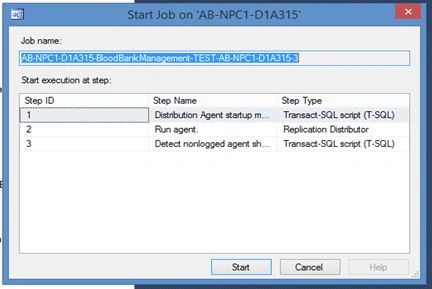
After Successful completion of job. You will able to see tables of Blood bank management database which we selected appeared in Colombo.
What are the advantages and disadvantages of merge replication?
Advantages
- It provides built-in and custom conflict resolution capabilities.
- It allows for the synchronization of data from multiple tables at one time.
It provides rich data replication options like selection of article types and filtering and identity range management.
Disadvantages
Merge replication requires more configuration and maintenance at the server.
Conclusion
Merge Replication is suitable for large database where replication is needed. For huge database (TB) on server make sure you have plenty of resources available for replication (Transactional) running efficiently. And merge replication is possible in a huge organization.
Munesh SharmaPosted May 22, 2016, 10:54 AM
good one
Kuppurasu NagarajPosted May 22, 2016, 5:17 AM
Nice Sharing..
Pradeep SahooPosted May 21, 2016, 6:37 PM
Good share....
Vignesh ManiPosted May 21, 2016, 9:20 AM
Nice
Debasis SahaPosted May 21, 2016, 2:24 AM
Good One..
Neeraj KumarPosted May 20, 2016, 1:50 PM
Nice article