

Introduction
In this blog post, we'll cover the Remove and RemoveIf functions in PowerApps. These functions delete records from a data source or collection, but they differ in how they determine which records to remove.
Both functions take:
A data source or collection from which records are to be deleted.
A record reference or condition to determine which records to remove.
Remove Function
The Remove function deletes a specific record from a data source or collection.
Syntax
Remove(DataSourceName, Record)Example Scenario
We have a collection named EmployeeDetails, which contains 4 employee records. The Remove function can be used to delete a selected record from this collection.
Create Collection
ClearCollect(EmployeeDetails,
    { ID: 101, Name: "Alice", Department: "HR", Location: "New York" },
    { ID: 102, Name: "Bob", Department: "Finance", Location: "London" },
    { ID: 103, Name: "Charlie", Department: "IT", Location: "Sydney" },
    { ID: 104, Name: "Diana", Department: "Marketing", Location: "Toronto" }
)
Now, add a gallery connected to the EmployeeDetails collection.
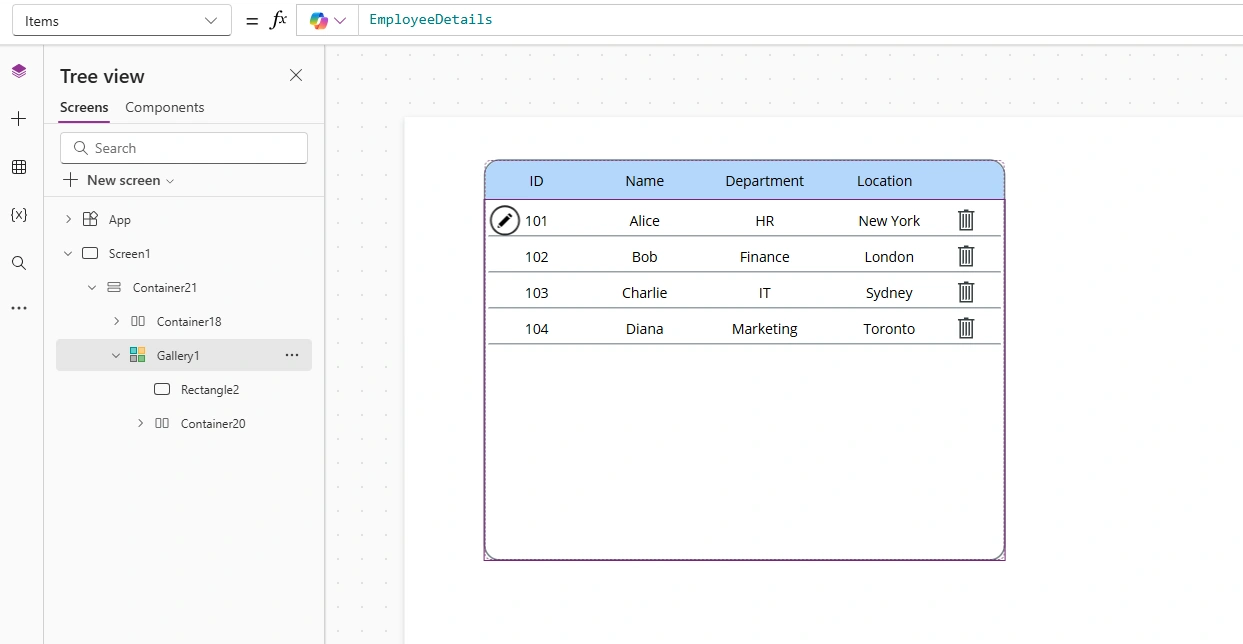
Remove Function Example
To remove the selected record from the gallery, add a Delete icon or button inside the gallery.
Set the OnSelect property of the Delete icon or button to:
Remove(EmployeeDetails, ThisItem)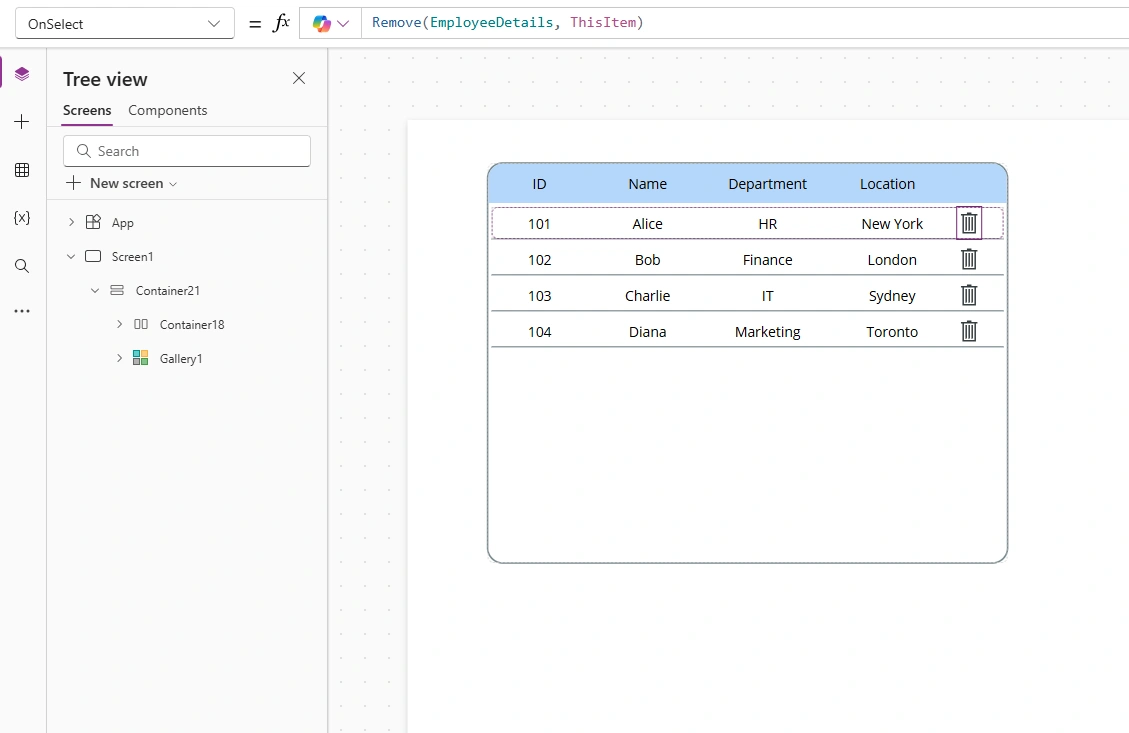
✅ Explanation:
ThisItem refers to the current record in the gallery.
When the user clicks the Delete icon, the corresponding record will be removed from the EmployeeDetails collection.
RemoveIf Function
The RemoveIf function deletes one or more records that match a condition from a data source or collection.
Syntax
RemoveIf(DataSourceName, Condition)Example
To remove all records where the Department is "IT":
RemoveIf(EmployeeDetails, Department = "IT")Output:
The first formula removes the selected employee from the gallery.
The second formula removes all employees from the IT department.
Key Differences
| Feature | Remove | RemoveIf |
|---|---|---|
| Target | Specific record | Multiple records based on condition |
| Syntax | Requires record reference | Requires condition expression |
Conclusion
The Remove and RemoveIf functions are essential for managing data in PowerApps.
Use Remove when you know the exact record to delete.
Use RemoveIf when you want to delete records based on a condition.
These functions help keep your app clean and efficient, especially when working with collections or connected data sources.
Join the conversation! Your thoughts help the community grow.