

Introduction
Visual Studio 2017 RC has been released by Microsoft with lots of new features and improvements.
Here, we are going to get hands on experience with a first look at this new version.
System Requirements
The minimum system requirements are mentioned below.
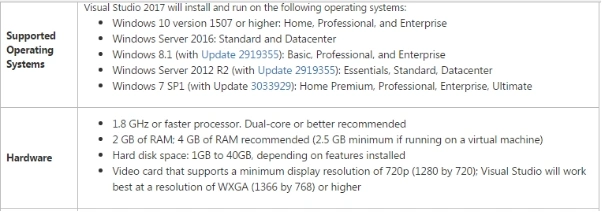
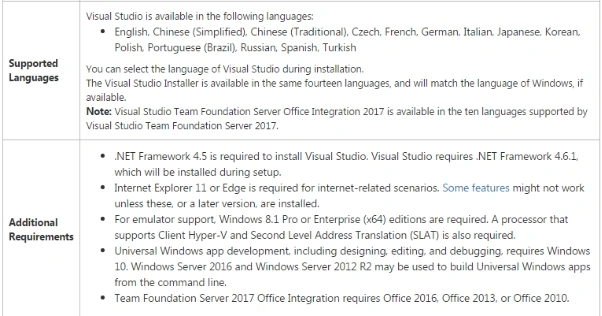
For more details, click here
Platform Targeting and Compatibility
The major supporting platforms are mentioned below.
- Windows
- Android
- iOS
- Linux
- macOS
- Other technologies and platforms
For more details on this, please have a look here
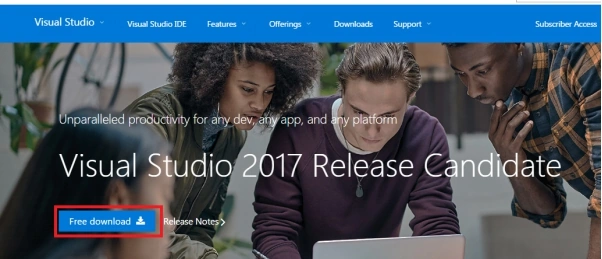
Download Visual Studio 2017
From the given URL, we can download the new version.
Installation steps
Once the system is ready click on the downloaded EXE file.
,

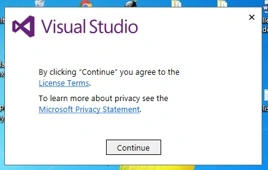
Click Continue.
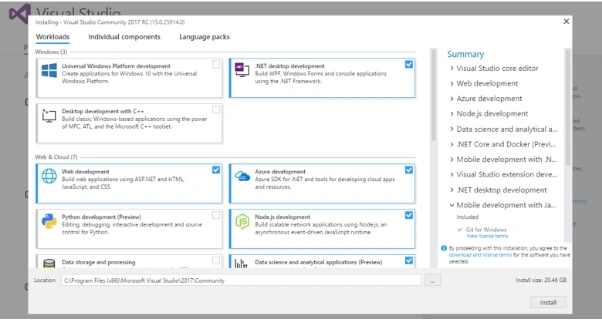
Here, we have three tabs on the screen
- Workloads
- Individual components
- Language packs
Workloads
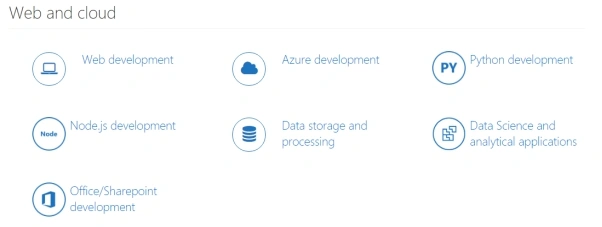
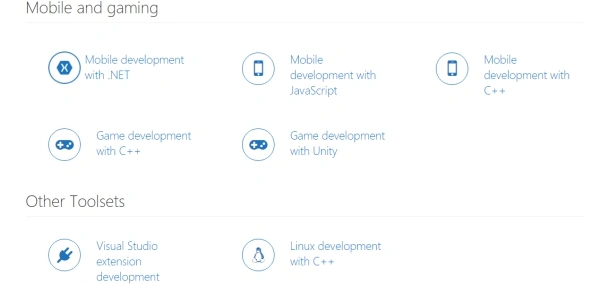
This is the one of the new features, here we have to customize the installation with the items which we need to install for different categories in Workloads.

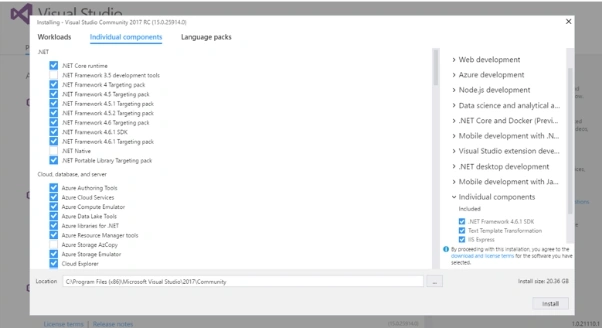
Individual components
We have the options to check and uncheck the required items, which are required to be to installed .
Language packs
Here, we have the option to select the language.
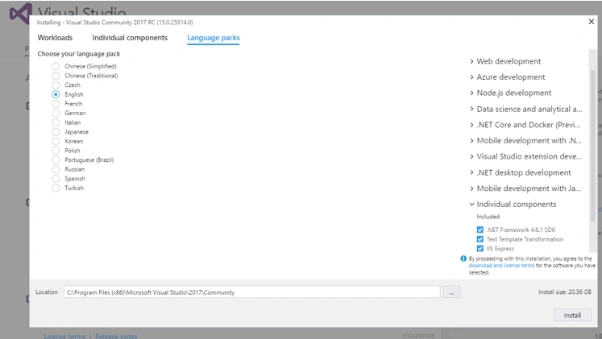
Now, click Install button.
Note
If you have opened any other version of Visual Studio, please close it otherwise the installation shows an error for you.
There are three types of products available.
- Visual Studio Community 2017 RC.
- Visual Studio Enterprise 2017 RC.
- Visual Studio Professional 2017 RC
.Note
Visual Studio Community 2017 RC is a free version.
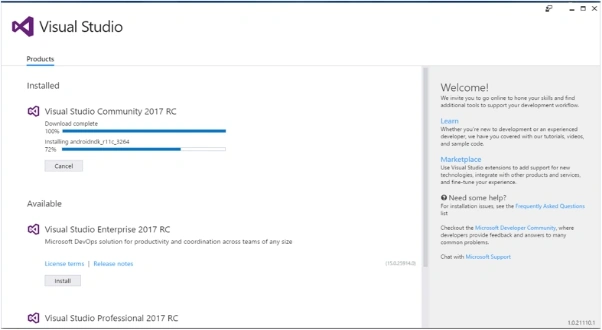
Here, we are installing the Community version.
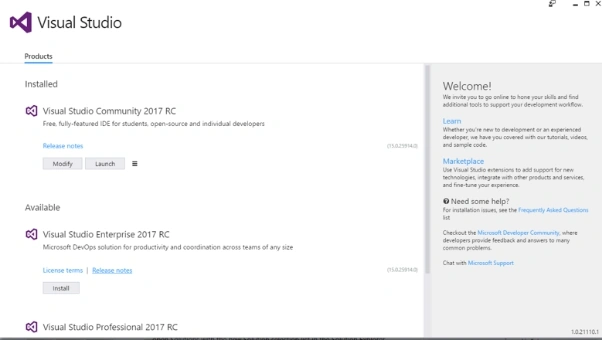
Now, the installation is completed. Here, we have the options to modify and launch.
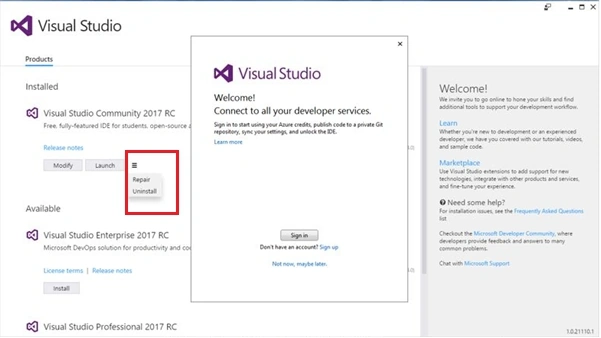
Also, we have the Repair and Uninstall option.
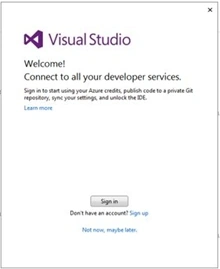
I just skip the sign in option.
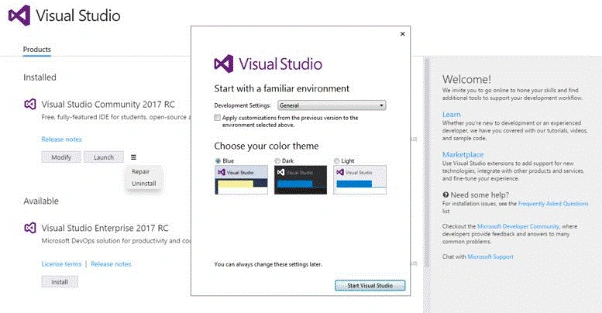
Please select the color theme here.
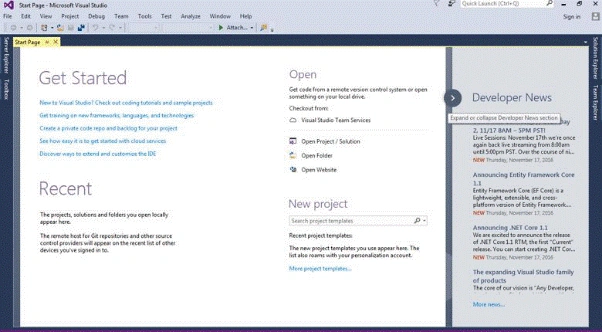
Yes, our installation completed successfully and it opened.
Thus, let’s create a simple project.
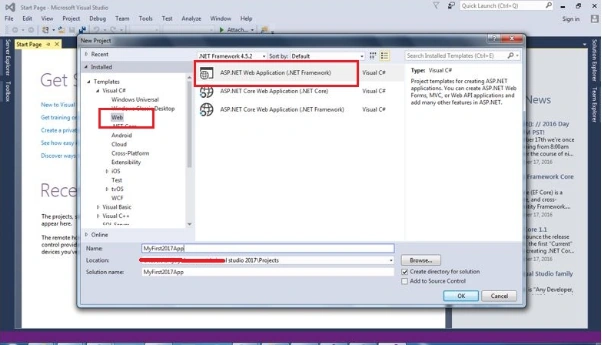
Create a new MVC project.
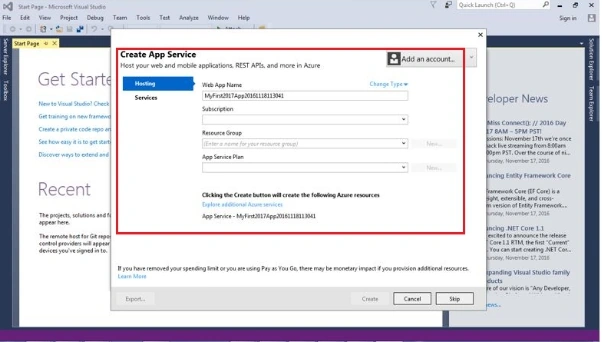
New Window is required to create an app Service option.
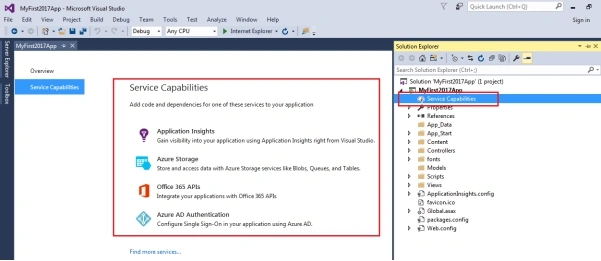
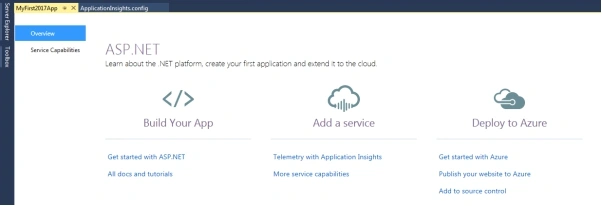
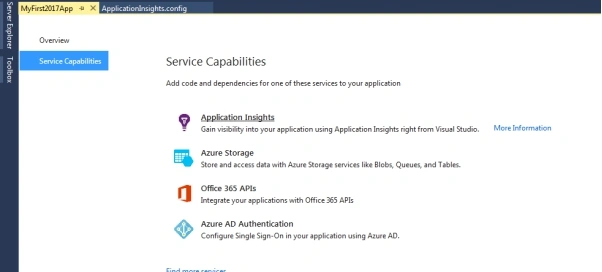
We need to have a look at our new solution. Here is one of the new items, Service Capabilities.
This is nothing but we have to add our storage account from Cloud.
Right click on this and we can create a new storage account.
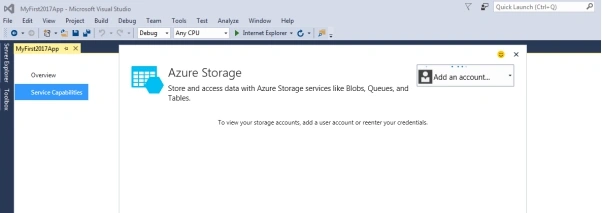
I just add my account details.
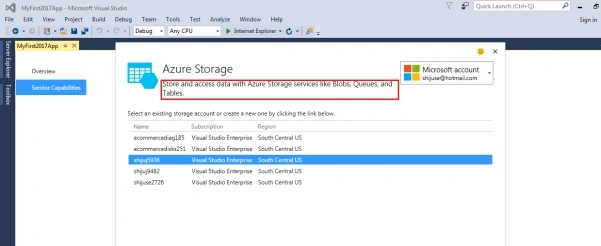
It’s showing all my storage details here.
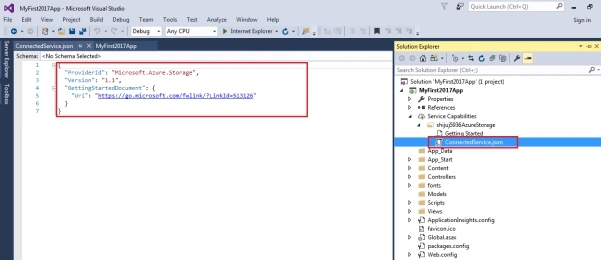
Now, it’s connected with my storage and created a new ConnectedService.json file here.
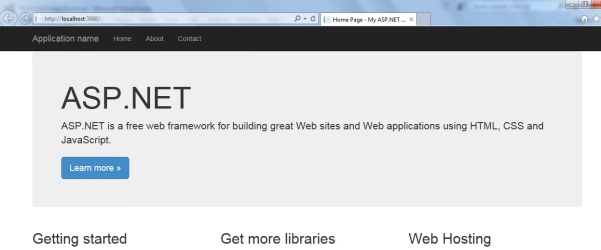
I just run the Application and it's working fine.
What are the major new features in this release?
New experience with installation
- Install more quickly.
- Less system impact.
- Easy to uninstall.
- Customize the installation with your required features.
- Offline Installation and new Command-Line Installation Support.
What was my experience?
Yes …it is overall nice and I like that workload feature.
It is very useful and time saving.
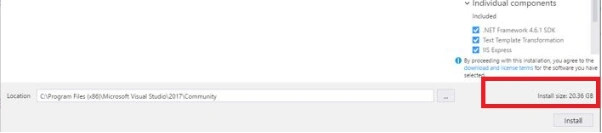
In the workload, I selected most of the items, so it takes more than 20 GB disk space and maybe due to the fact that my internet connection is slow, the installation takes around one hour.
Visual Studio IDE Changes
- GitHub extension for Visual Studio can be selected in the new Visual Studio installer.
- Reduce start up time and solution load time up to 50%.
- File globbing capabilities for .NET Core and ASP.NET Core projects have been enhanced.
- You are now automatically taken to the folder view of your repository after cloning.
- License expiration messages.
- The Account Settings dialog is more readable.
- The version control status bar changes.
- Create a new project directly from the Start page with the searchable templates and a list of recently used templates.
- Sign in and Identity improved in this version.
- Debugger Accessibility Improvements.
- IntelliTrace Events for .NET Core.
- Diagnostic Tools Window Updates.
- Performance Profiler Updates.
- CPU Usage Tool Updates.
- Chrome Debugging Support.
- Find All References (Shift+F12) have modifications.
- New refactoring to allow you to organize source code with one action.
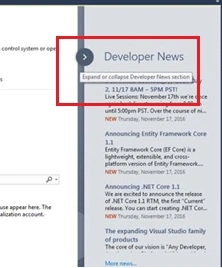
Expand and collapse option for news
Quick search option-use Ctrl+T to easily find files, types, methods and other items in your code.
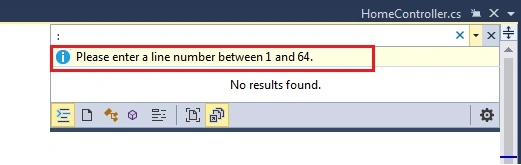
For the Go to line, use Ctrl+G. Now, it shows the total line number in that file.
Structure Guidelines are now drawn in the editor.
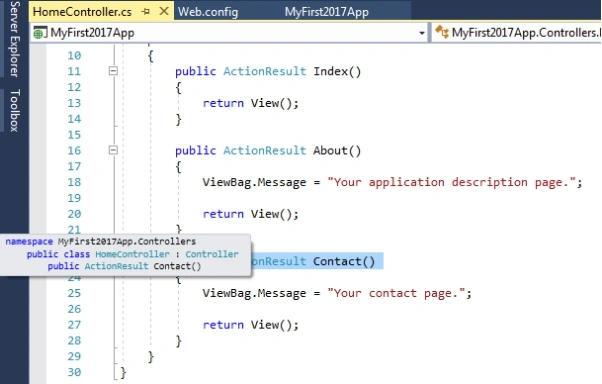
Extensions have new options to scheduled
You can schedule more than one extension for installation, update and uninstallation before needing to restart Visual Studio.
Roaming Extension Manager
The Roaming Extension Manager helps you to keep track of all your favorite extensions across all your development environments.
Open Folder
Open Folder is a convenient way for you to work with code bases without projects and solutions.
Project Overview Pages
Connecting to Services Using Service Capabilities
We have to add our storage account from Cloud.
Live Unit Testing
Live Unit Testing is a new feature and is only present in the Enterprise edition of Visual Studio.
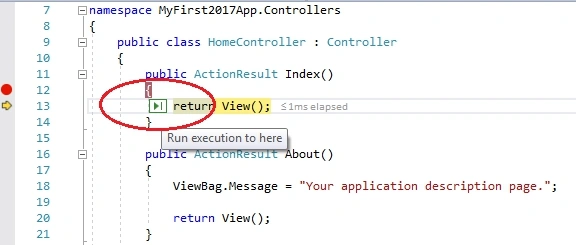
Run to Click
Simply, click the icon next to a line of code while debugging to run to that line
Language Extensions and Analysers (For C#)
- Task-like return types for async methods.
- Value tuples.
- Nested local functions.
- Pattern matching extensions.
- Ref returns.
The other major updated area mentioned by Microsoft are mentioned below.
- Live Architecture Dependency Validation
- Developer Command Prompt
- Visual C++
- F#
- Python
- R
- JavaScript and TypeScript
- Tools for XAML Apps
- Tools for Universal Windows App Development
- Visual Studio Tools for Apache Cordova
- Xamarin (Preview)
- NuGet
- Developer Analytics Tools
- Team Explorer
- SQL Server Data Tools
- Office Developer Tools for Visual Studio
- Visual Studio Software Development Kit
- Azure SDK for .NET
- Node.js Tools for Visual Studio
- Visual Studio Tools for Unity
- .NET Core and Docker(Preview)
For more details, please Click here
Conclusion
In this article, we learned how to install Visual Studio 2017 RC and looked at some new features of the new release.
Joe WilsonPosted Dec 3, 2016, 1:08 PM
Thank you very much for sharing this.
Madhanmohan DevarajanPosted Dec 2, 2016, 11:14 AM
Thanks for sharing this useful info.,
Nigel FernandesPosted Dec 1, 2016, 8:24 PM
I was asking if Visual Studio 2017 Community would work with Visual Studio 2015 community installed on same machine
Nigel FernandesPosted Dec 1, 2016, 8:09 PM
Thanks for sharing , will this work alongside Visual Studio 2015 ??
Mahesh ChandPosted Dec 1, 2016, 7:12 PM
Nice to see more and more articles on Visual Studio 2017. Agree. VS 2017 (RC right now) has to be "the best" developer IDE out there.