

Scope
The following article demonstrates how unstructured data and relational data can be queried, joined and processed in a single query using Polybase, a new feature in SQL Server 2016.
Pre-Requisites
Introduction
Traditionally, Big Data is processed using Apache Hadoop which is totally fine. But what if the result of this needs to be linked to the traditional Relation Database? For example, assume that from the analysis of tons of application logs, marketing needs to contact some customs that faced problems in an application following a failure in the application.
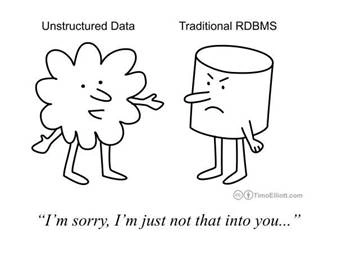
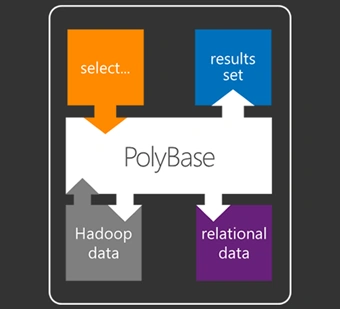
This problem is solved with PolyBase. PolyBase allows you to use Transact-SQL (T-SQL) statements to access data stored in Hadoop or Azure Blob Storage and query it in an ad-hoc fashion. It also lets you query semi-structured data and join the results with relational data sets stored in SQL Server. PolyBase is optimized for data warehousing workloads and intended for analytical query scenarios.
Moreover, the user querying from T-SQL does not have to worry about Map-Reduce jobs processing the unstructured data, all this processing is transparent to the user.
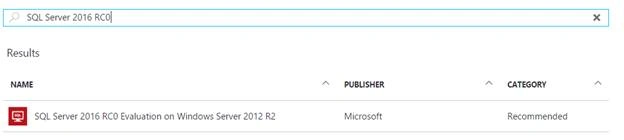
In this article, SQL Server 2016 RC0 is used and it is used in an Azure VM that is already pre-configured and can be provisioned at any time.
1. Ensure all the required software are installed:
- 64-bit SQL Server Evaluation edition.
- An external data source, either Windows Azure blob storage, or a supported Hadoop version (see Choose a Hadoop version or Azure Blob storage using sp_configure).
- Microsoft .NET Framework 4.0. Go to the download center
- Oracle Java SE RunTime Environment (JRE) version 7.51 or higher (64-bit). Go to downloads. The installer will fail if JRE is not present.
- Minimum memory: 4GB
- Minimum hard disk space: 2GB
2. Install PolyBase
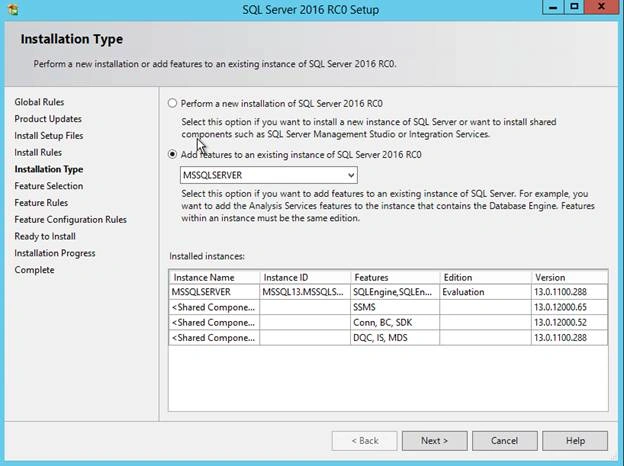
Go to control panel > Add/Remove programs > Microsoft SQL Server 2016 and click on Uninstall/ change. Then click on Add and browse to the setup of SQL Server 2016 (64-bit).

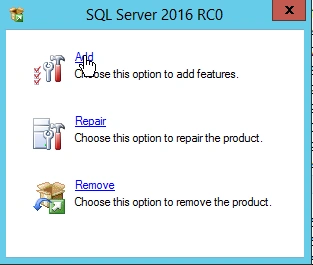
3. Add feature to the existing SQL Server installation
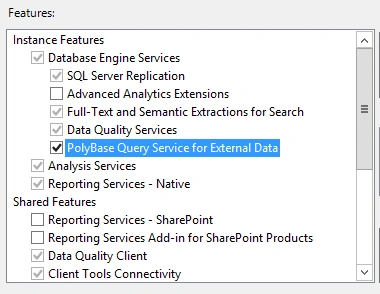
Then install Polybase Query Service for Extarnal Data
4. Verify installation
a. In services.msc, the 2 services below should be running

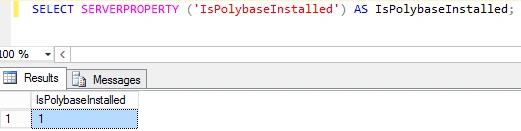
Run the following query to view the status of the Polybase installation.
1 = Installed
0= Not installed
1. Create a Master Key Encryption
The database master key is a symmetric key used to protect the private keys of certificates and asymmetric keys that are present in the database. When it is created, the master key is encrypted by using the AES_256 algorithm and a user-supplied password.
- CREATEMASTERKEYENCRYPTIONBYPASSWORD=’MyP@ssword31’;
2. Create a Database-Scoped Credential
The credential is used by the database to access to the external location anytime the database is performing an operation that requires access.
- CREATEDATABASESCOPEDCREDENTIAL HadoopUser1
- WITHIDENTITY=‘xxxx’,
- Secret=‘xxxxxx’;
- Identity= Storage Account Name
- Secret = Storage Account Key
Reconfigure updates the currently configured value (the config_value column in the sp_configure result set) of a configuration option changed with the sp_configure system stored procedure.
In this example, it will change the global configuration settings for PolyBase Hadoop and Azure blob storage connectivity.
Below are the connections that can be used at the time of writing:
- Option 0: Disable Hadoop connectivity
- Option 1: Hortonworks HDP 1.3 on Windows Server
- Option 1: Azure blob storage (WASB[S])
- Option 2: Hortonworks HDP 1.3 on Linux
- Option 3: Cloudera CDH 4.3 on Linux
- Option 4: Hortonworks HDP 2.0 on Windows Server
- Option 4: Azure blob storage (WASB[S])
- Option 5: Hortonworks HDP 2.0 on Linux
- Option 6: Cloudera 5.1, 5.2, 5.3, 5.4, and 5.5 on Linux
- Option 7: Hortonworks 2.1, 2.2, and 2.3 on Linux
- Option 7: Hortonworks 2.1, 2.2, and 2.3 on Windows Server
- Option 7: Azure blob storage (WASB[S])
- Sp_configure‘hadoop connectivity’, 1;
- reconfigure;
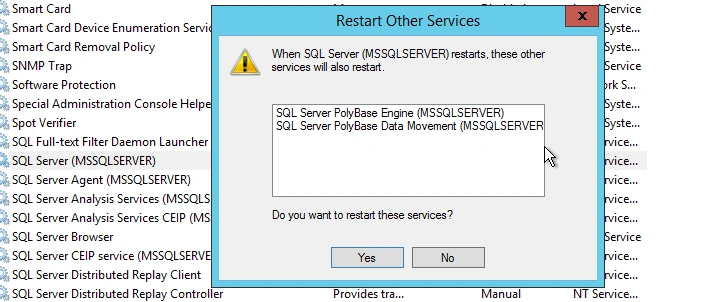
The next step is to restart the MSSQLSERVER service. If this is not done, several errors will be encountered during the next steps.
When this service is being restarted, the Polybase services will also be restarted.
This defines from which source to fetch and process the data.
- CREATEEXTERNALDATASOURCE AzureDs1
- WITH(TYPE = HADOOP,
- --Specifiy the container name and account name LOCATION = ‘wasbs: //[email protected]/’,
- --Specify the credential that we created earlier CREDENTIAL = HadoopUser1);
- X = Hadoop cluster name
- Z = Storage account name
This is a prerequisite for creating the actual layout of the data in the external table and defines the structure of the file to be read.
- CREATEEXTERNALFILEFORMAT CommaFormat
- WITH(FORMAT_TYPE = DELIMITEDTEXT, FORMAT_OPTIONS(FIELD_TERMINATOR = ’, ’));
PolyBase supports these file formats:
- Delimited text,
- Hive RCFile, and
- Hive ORC
- CREATEEXTERNALTABLE Hvac(
- Datevarchar(10),
- Timevarchar(10),
- TargetTemp smallint,
- ActualTemp smallint,
- SystemID smallint,
- SystemAge smallint,
- BuildingID smallint
- )
- WITH (
- --Set the file to be the HVAC sensor sample file
- LOCATION=’/HdiSamples/SensorSampleData/hvac/HVAC.csv’,
- DATA_SOURCE= AzureDs,
- FILE_FORMAT= CommaFormat,
- --We will allow the header to be rejected
- REJECT_TYPE=VALUE,
- REJECT_VALUE= 1
- );
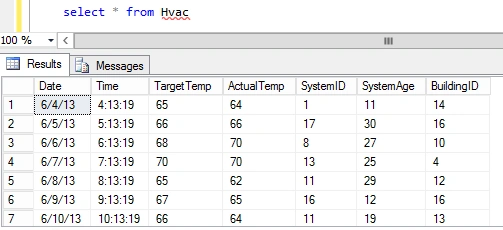
Assume someone has a business running and has been storing all his application logs.
Someday, the application got a severe error on one of the most critical areas and the management decides to contact all the customers that tries to access the Application at that time.
Since, the database down, the only way to track these customers were through the logs. But now, how to get the details of these customers?
This problem can be easily solved with Polybase.
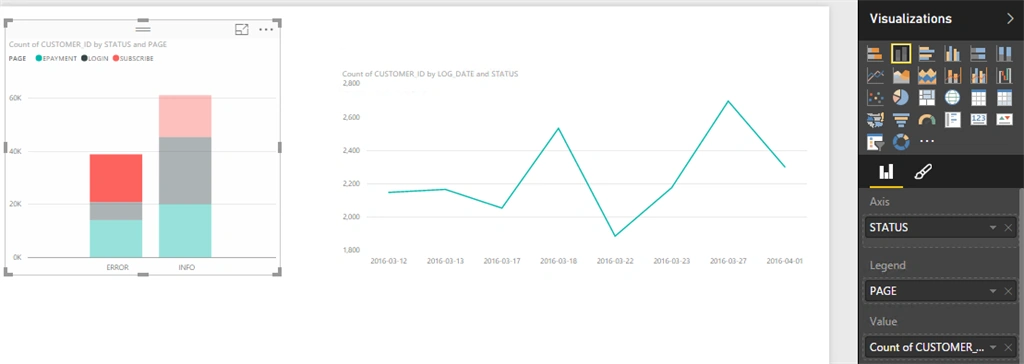
The following example demonstrates the analytics and BI capabilities of joining both the relational and unstructured data using Polybase.
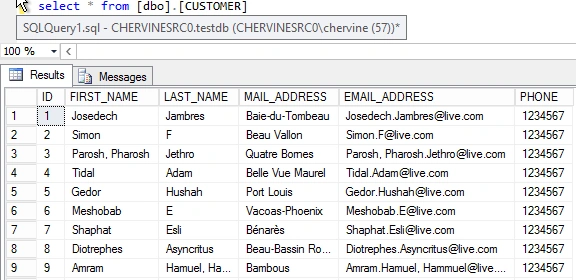

1. Create external table for the logs
- CREATEEXTERNALTABLE APPLICATION_LOGS(
- [LOG_DATE] varchar(50),
- [LOG_TIME] varchar(50),
- [CUSTOMER_ID] int,
- [PAGE] varchar(50),
- [ACTION] varchar(50),
- [STATUS] varchar(50)
- )
- WITH (
- --Set the file to be the HVAC sensor sample file
- LOCATION='/ApplicationLogSample.txt',
- DATA_SOURCE= AzureDs,
- FILE_FORMAT= CommaFormat,
- --We will allow the header to be rejected
- REJECT_TYPE=VALUE,
- REJECT_VALUE= 1
- );
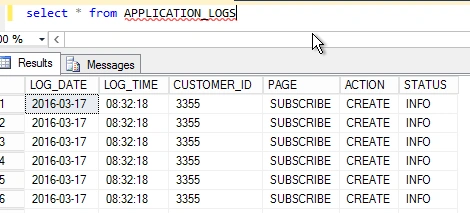
- select
- CUST.[FIRST_NAME],
- CUST.LAST_NAME,
- CUST.PHONE,
- COUNT(1)
- from APPLICATION_LOGS APPLO
- innerjoin [dbo].[CUSTOMER] CUST
- ON CUST.[ID] = APPLO.CUSTOMER_ID
- WHERE APPLO.STATUS='ERROR'
- ANDPAGE='EPAYMENT'
- GROUPBY CUST.[FIRST_NAME],
- CUST.LAST_NAME,
- CUST.PHONE
- HAVINGCOUNT(1)>3
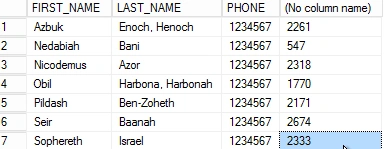
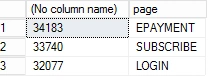
- select
- count(1),
- page
- from APPLICATION_LOGS
- groupbypage
- havingcount(1)> 10
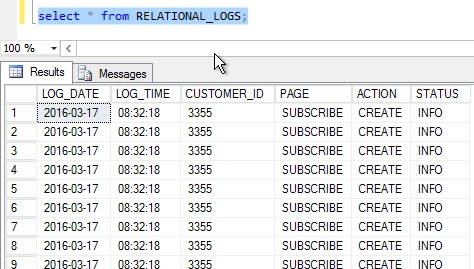
- SELECT*INTO
- RELATIONAL_LOGS
- FROM
- APPLICATION_LOGS;
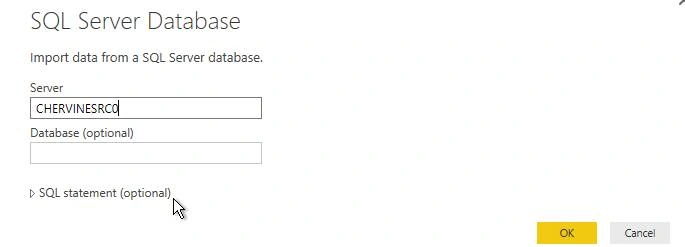
a. Connect to SQL Server Database
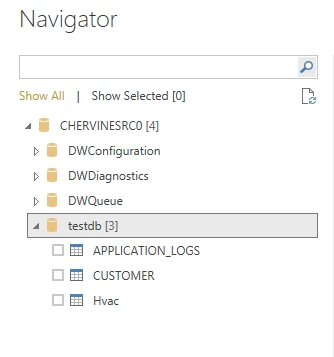
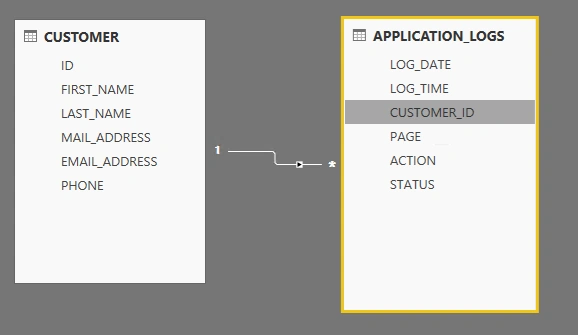
b. Data can be imported both from the structured and external unstructured tables
c. Relationships can also be defined between the tables
References
- https://msdn.microsoft.com/en-us/library/mt143171.aspx
- https://msdn.microsoft.com/en-us/library/mt163689.aspx
- https://msdn.microsoft.com/en-us/library/ms174382.aspx
- https://msdn.microsoft.com/en-us/library/mt270260.aspx
- https://msdn.microsoft.com/en-us/library/mt143174.aspx
- https://msdn.microsoft.com/en-us/library/dn935022.aspx
SubashPosted Jul 28, 2016, 4:10 AM
Nice Sir.
Humayun Kabir MamunPosted May 22, 2016, 7:19 AM
Nice...
Kuppurasu NagarajPosted Apr 18, 2016, 1:12 PM
Nice Sharing...
Debasis SahaPosted Apr 17, 2016, 1:19 PM
Good One..
Humayun Kabir MamunPosted Apr 17, 2016, 8:08 AM
Nice...
Rahul Kumar SaxenaPosted Apr 17, 2016, 7:52 AM
Good Show
Vignesh ManiPosted Apr 17, 2016, 7:20 AM
Nice one
Pankaj Kumar ChoudharyPosted Apr 17, 2016, 5:43 AM
Great Article Sir..........