

Introduction
In this article, I will explain the python variables.
Creating variable
Variables are boxes for storing facts values. Unlike different programming languages, Python has no command for affirming a variable. A variable is created the instant you first assign a cost to it.
Example
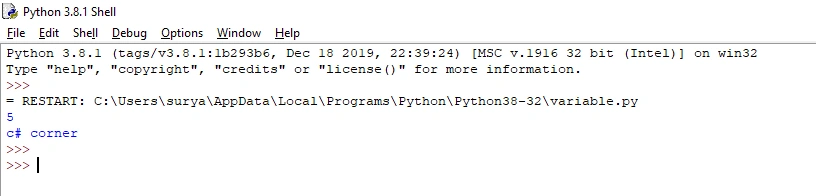
- x = 5 #int variable
- y = "c# corner" #string variable
- print(x)
- print(y)
Output
String
String variables use single or double quotes.
Example
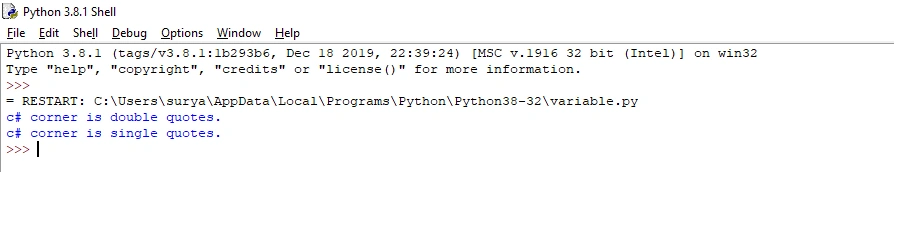
- x = "c# corner is double quotes."#double quotes.
- print(x)
- x = 'c# corner is single quotes.'#single quotes.
- print(x)
Output
Variables names
Variables are used (age, char name, total volume, etc..). Rules for Python variables.
-
The variable name must start with a letter (a, b, c...).
-
The variable name is the underscore character(_variable_).
-
The variable name cannot start with a number (0,1,2, 3...).
-
The Variable names are case-sensitive. (variable, Variable and VARIABLE are three different variables)
Example
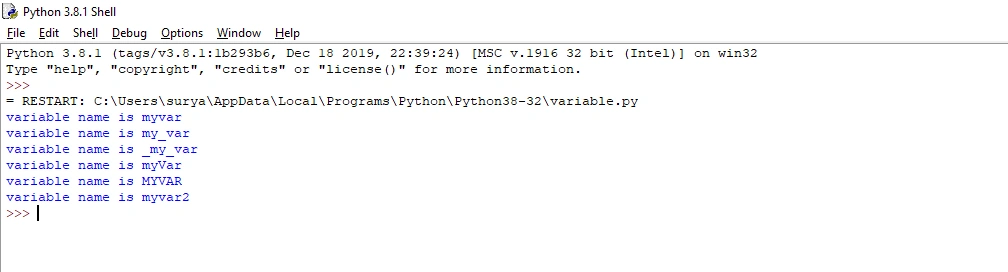
- #Legal variable names are displayed in the output screen.
- myvar = "variable name is myvar"
- my_var = "variable name is my_var"
- _my_var = "variable name is _my_var"
- myVar = "variable name is myVar"
- MYVAR = "variable name is MYVAR"
- myvar2 = "variable name is myvar2"
- print(myvar)
- print(my_var)
- print(_my_var)
- print(myVar)
- print(MYVAR)
- print(myvar2)
- #Illegal variable names are not displayed in the output screen.
- #2myvar = "variable name is 2myvar"
- #my-var = "variable name is my-var"
- #my var = "variable name is my var"
Output
Multiple variables
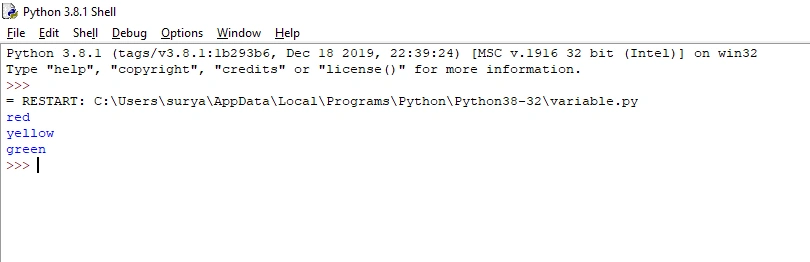
Python allows one or more variables in one line.
Example
- a, b, c = "red", "yellow", "green"#more variables in one line.
- print(a)
- print(b)
- print(c)
Output
Multiple variables in one line
The same value is used for multiple variables in one line.
To combine both string and an int, we use the + character.
Example
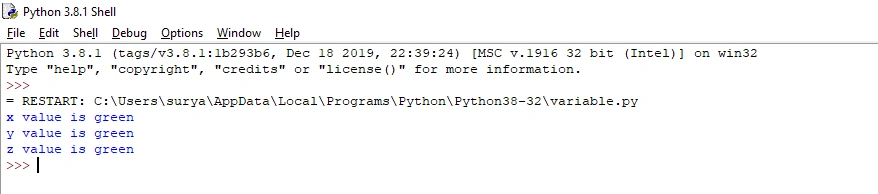
- x = y = z = "green"#The same value is multiple variables.
- print("x value is "+x)#+ character is used to combine two variables.
- print("y value is "+y)
- print("z value is "+z)
Output
Global variables
Variables created outside of a function are known as global variables. Global variables are used both inside and outside of the function.
Example
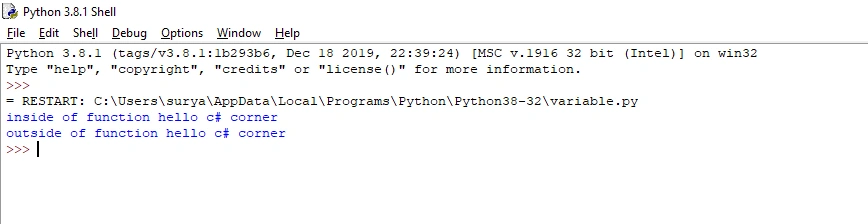
- x = "hello c# corner"#global variables
- def myfunc():
- print("inside of function " + x)#inside of function
- myfunc()
- print("outside of function " + x)#outside of function
Output
How to find variable type
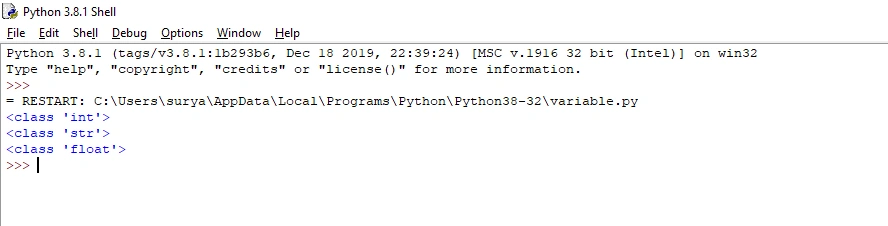
In Python, the “type” keyword is used to find the variable type.
Example
- a = 5
- b ="c# corner"
- c=3.3
- print(type(a))#variable type is displayed in the output screen
- print(type(b))#variable type is displayed in the output screen
- print(type(c))#variable type is displayed in the output screen
Output
Conclusion
In this article, we have seen python variables. I hope this article was useful to you. Thanks for reading!
Join the conversation! Your thoughts help the community grow.