

Introduction
In this article, I will explain Python classes and objects.
Definition
Python allows object-oriented programming languages. A Class is like a” blueprint" (Class Example: human). An object is like an instance (object Example: man, woman, children). In Python the object is another number is the method.
Create a class
Class is declared one time. In Python class keyword is used to create a class.
Syntax
- class New_Class:
- # any code
Example
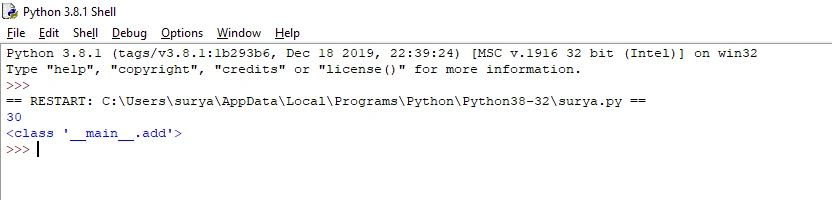
- class add:#class name
- a=10
- b=20
- c=a+b
- print(c)
- print(add)#call the class
Output
Create a class named add.
Create object
Objects are created many times. We create the class named “new_class” to create objects named “new_object”. In Object last line we must use this symbol ().
Syntax
- class New_class:
- #any code
- object=New_class()
Example
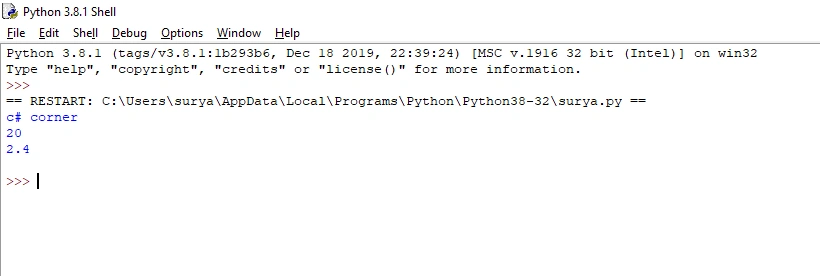
- class new_class:#class
- a="c# corner"
- b=20
- c=2.4
- new_object=new_class()#object
- print(new_object.a)
- print(new_object.b)
- print(new_object.c)
Output
Create a class and object.
Object method
Create a method in the “new_class” class. In Python the object is another number is the method. Objects can also contain methods.
Example
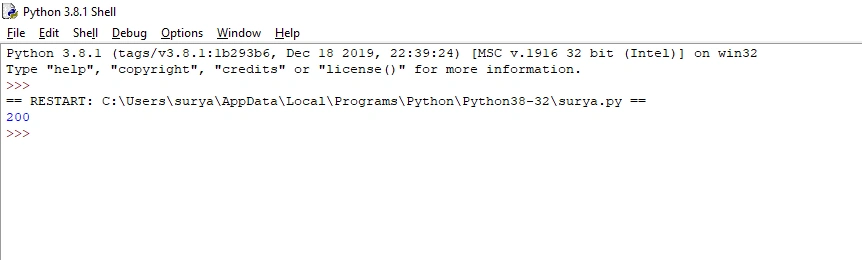
- class maths:#class name
- def add(self):#function name
- a=10
- b=20
- c=a*b
- print(c)
- obj =maths()
- obj.add()
Output
Create an object method.
The __init__ () function
The __init__ () function is used automatically every time in the class. That means for training we have to understand the built in __init__ () feature. All lessons have a function called __init__ (), which is usually finished while the elegance is being initiated. Use the__init__ () function to assign values to item properties.
Example
- class computer:#class name
- def __init__(self,computer_name,process,ram,storage):# __init__ ()function
- self.computer_name =computer_name
- self.process =process
- self.ram = ram
- self.storage = storage
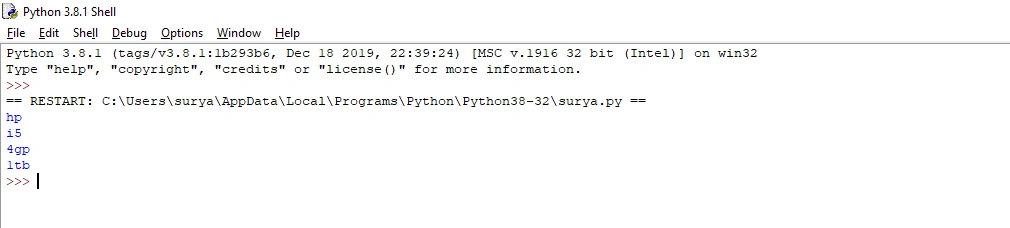
- obj= computer("hp","i5","4gp","1tb")#object name
- print(obj.computer_name)
- print(obj.process)
- print(obj.ram)
- print(obj.storage)
Output
Create an __init__ () function.
The self-parameter
The self-parameter refers to the current instance of the class. If you give any parameter you must use a self-keyword.
Example
- class student:#class
- def __init__(self, name,tamil,english,maths,social,science):# __init__ and self keyword
- self.name = name
- self.tamil = tamil
- self.english = english
- self.maths= maths
- self.social=social
- self.science= science
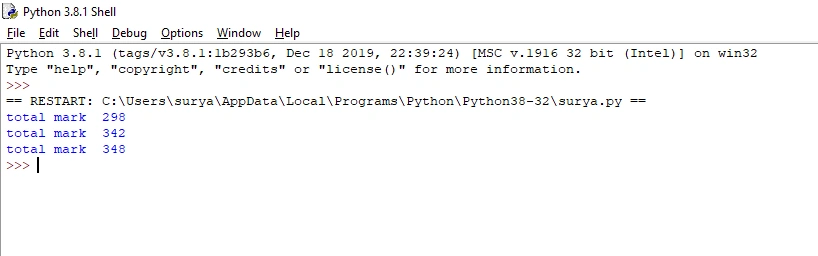
- def total_mark(self):#self
- print("total mark ",end="")
- print("total mark ",
- self.tamil+self.english+self.maths+self.social+self.science)
- obj =student("surya", 36,83,45,67,67)#object
- obj1 =student("naveen", 36,67,85,57,97)
- obj2=student("vijay", 56,83,75,47,87)
- obj.total_mark()
- obj1.total_mark()
- obj2.total_mark()
Output
Self-keyword usage.
Modify object properties
Modify objects are used to change object properties.
Example
- class car:#class
- def __init__(self, car_name, mil):
- self.car_name = car_name
- self.mil = mil
- def myfunc(self):
- print(self.car_name,self.mil)
- car1= car("Lamborghini", 20)#object
- car2= car("ford",30)
- car3= car("bmw", 40)
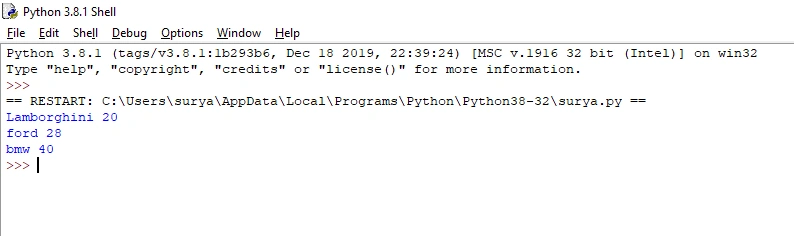
- car2.mil=28#modify object
- car1.myfunc()
- car2.myfunc()
- car3.myfunc()
Output
Modify object.
Conclusion
In this article, we have seen Python classes and objects. I hope this article was useful to you. Thanks for reading!
Join the conversation! Your thoughts help the community grow.