

Introduction
Push Notification is the technology that allows the users to engage with the particular site or application. It can be any kind of chat, discussion or anything. It engages the users to the particular content or activity.
Push notification is the combination of two words. The term push is kind of information that is supplied by the server and notification is the action that is performed by the web through a script that is the information available to the user.
This article will demonstrate how you can subscribe to a data stream and receive data pushed at the same time on the server-side using Web API. In this demo, you as a client will subscribe to a service allowed by Web API and send the kind of chat message, that will be notified to the all the clients subscribed and you will see the messages of chat having numbers of client subscribed.
Let us have a brief introduction to the technology we used here to achieve the notification.
ConcurrentBag
It is nothing but the collection of values. It allows us to safely add and retrieve the result from a collection of values. This collection is useful when multiple threads access it.
StreamWriter
It is a class required to writes text data and files. It enables easy and efficient text output to the stream.
EventSource
It’s a web content’s interface to server-sent events. It opens a persistent connection to the HTTP server which sends events in text/event-stream format. Connection opens until we call EventSource.close() method.
Prerequisite
- Programming of C#.
- Knowledge of JavaScript and Jquery.
Implementation
- Open Visual Studio.
- Create a new project.
- Enter the project name and select location.
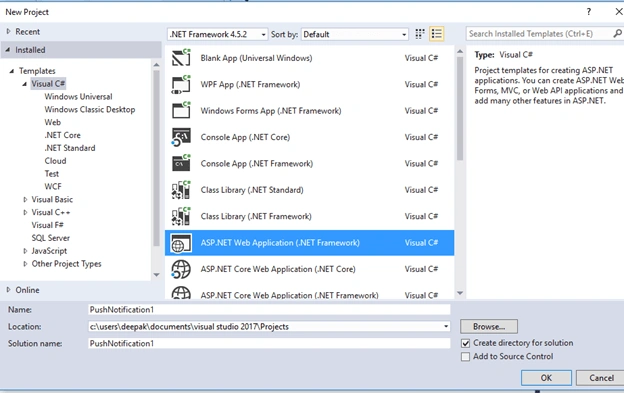
- Select Web API from the template.
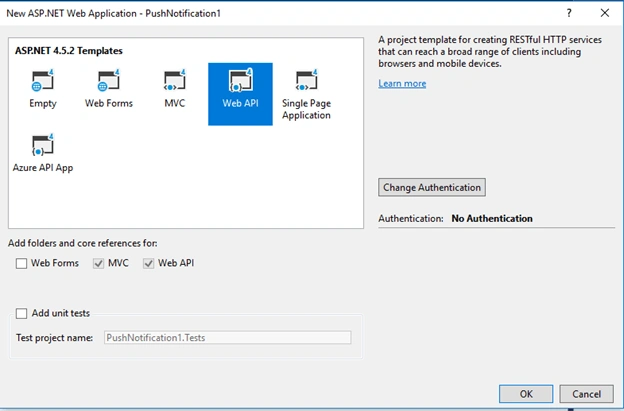
- Add ChatMessage Class inside Models directory.
- namespace PushNotification1.Models
- {
- public class ChatMessage
- {
- public string username { get; set; }
- public string text { get; set; }
- public string dt { get; set; }
- }
- }
- Add web API Controller name – ChatController.
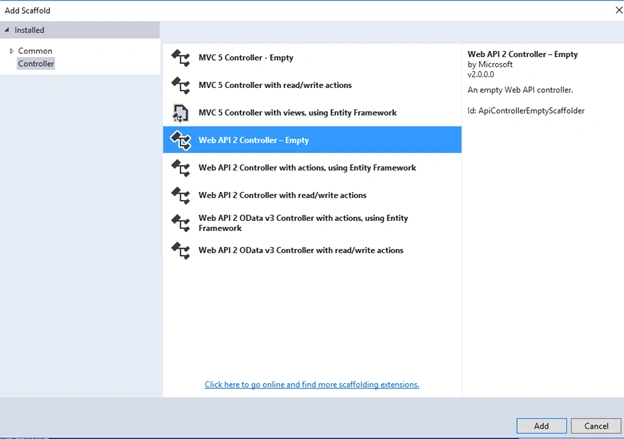
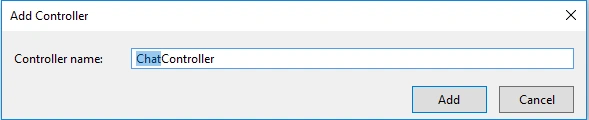
- Write the below content inside ChatController.cs.
- using System;
- using System.Collections.Concurrent;
- using System.Diagnostics;
- using System.IO;
- using System.Linq;
- using System.Management;
- using System.Net;
- using System.Net.Http;
- using System.Threading.Tasks;
- using System.Timers;
- using System.Web.Http;
- using Newtonsoft.Json;
- using PushNotification1.Models;
- namespace PushNotification1.Controllers
- {
- public class ChatController : ApiController
- {
- private static ConcurrentBag<StreamWriter> clients;
- static ChatController()
- {
- clients = new ConcurrentBag<StreamWriter>();
- }
- public async Task PostAsync(ChatMessage m)
- {
- m.dt = DateTime.Now.ToString("MM/dd/yyyy HH:mm:ss");
- await ChatCallbackMsg(m);
- }
- private async Task ChatCallbackMsg(ChatMessage m)
- {
- foreach (var client in clients)
- {
- try
- {
- var data = string.Format("data:{0}|{1}|{2}\n\n", m.username, m.text, m.dt);
- await client.WriteAsync(data);
- await client.FlushAsync();
- client.Dispose();
- }
- catch (Exception)
- {
- StreamWriter ignore;
- clients.TryTake(out ignore);
- }
- }
- }
- [HttpGet]
- public HttpResponseMessage Subscribe(HttpRequestMessage request)
- {
- var response = request.CreateResponse();
- response.Content = new PushStreamContent((a, b, c) =>
- { OnStreamAvailable(a, b, c); }, "text/event-stream");
- return response;
- }
- private void OnStreamAvailable(Stream stream, HttpContent content,
- TransportContext context)
- {
- var client = new StreamWriter(stream);
- clients.Add(client);
- }
- }
- }
- Create a JavaScript file named ChatScript.js under Scripts directory and write the below contents.
- $(document).ready(function () {
- $('#chatControl').hide();
- });
- var message = { username: '', text: '', dt: '' };
- function setUser() {
- var username = document.getElementById("username").value;
- if (username == "" || username == undefined) {
- alert('please enter username');
- return;
- }
- else {
- message.username = username;
- $('#chatControl').show();
- $('#chatTemplate').empty();
- $('#start').hide();
- $('#message').text("Welcome to Just chat :" + message.username).css("font-weight", "Bold");
- }
- }
- function Send() {
- message.text = document.getElementById("push").value;
- $.ajax({
- url: "http://localhost:50536/api/Chat/",
- data: JSON.stringify(message),
- cache: false,
- type: 'POST',
- dataType: "json",
- contentType: 'application/json; charset=utf-8'
- });
- $("#push").val('');
- }
- var source = new EventSource('http://localhost:50536/api/Chat/');
- source.onmessage = function (e) {
- var data = e.data.split('|');
- var username = $("<strong></strong>").text(data[0] + " : ");
- var text = $("<i></i>").text(data[1]);
- var dt = $("<div></div>").text(data[2]);
- var chatTemp = document.createElement("p");
- chatTemp.append(dt[0], username[0], text[0], document.createElement("br"));
- $('#chatTemplate').append(chatTemp);
- };
- Modify the content of Index.cs under Views\Home directory.
- <script src="@Url.Content("~/Scripts/jquery-1.10.2.js")" type="text/javascript"></script>
- <script src="@Url.Content("~/Scripts/ChatScript.js")" type="text/javascript"></script>
- <h2>Just Chat</h2>
- <body style="background-color: chartreuse">
- <div id="body">
- <section>
- <div id="chatTemplate">
- </div>
- <div id="start">
- <label for="username">Enter username to start chatting</label>
- <input type="text" id="username" />
- <input type="button" value="set user" onclick="setUser()" />
- </div>
- <div id="message"></div>
- <div id="chatControl">
- <textarea type="text" id="push"></textarea>
- <button id="pushbtn" onclick="Send()">Send</button>
- </div>
- </section>
- </div>
- </body>
Let us run the application and see what we have achieved.
Note
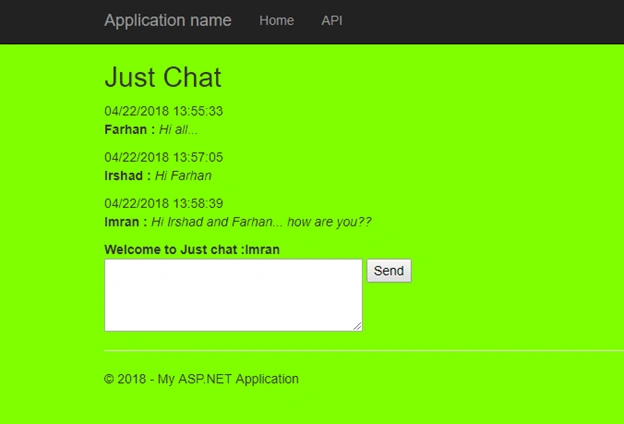
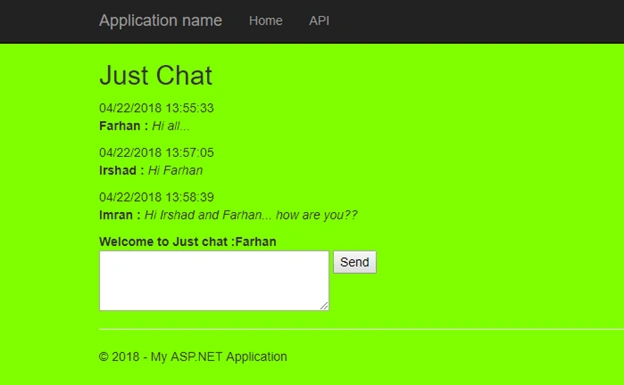
- For testing purpose, open the same URL in three tabs.
- Enter three different names and click on "set user" for each tab.
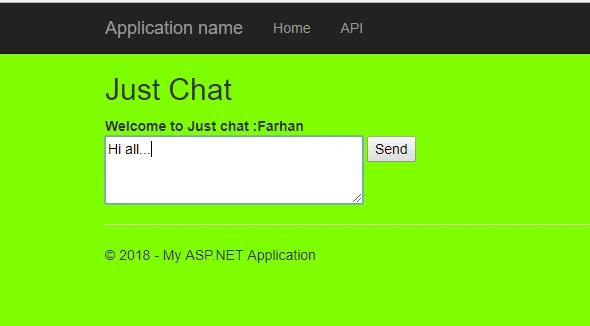
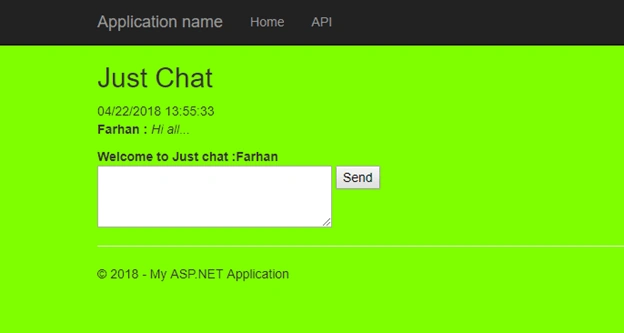
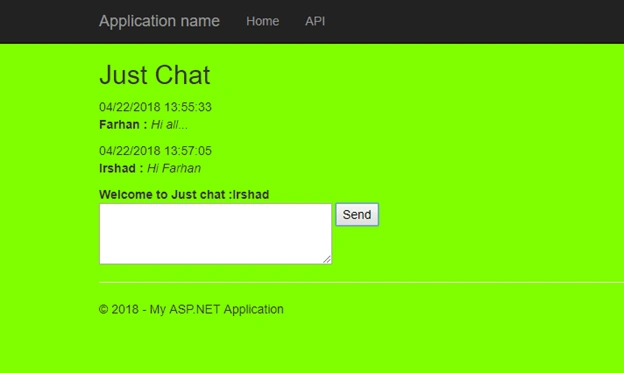
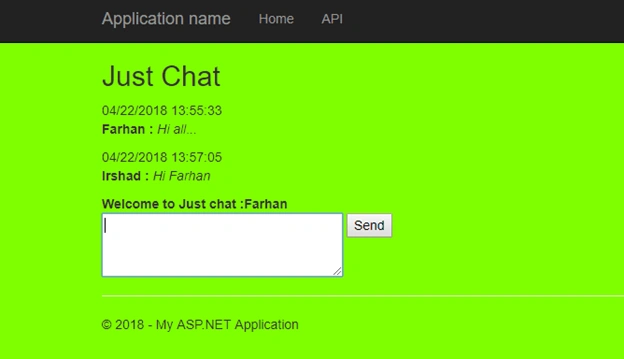
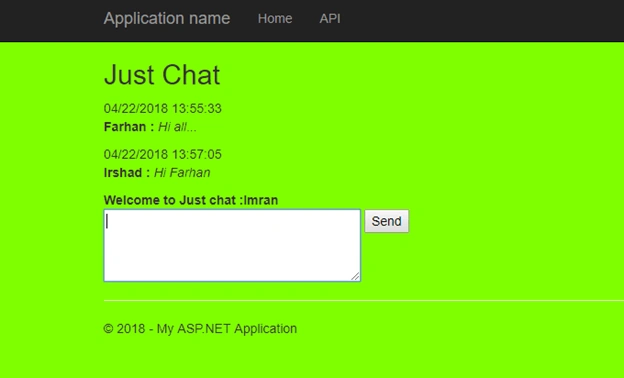
- Send a message from any user. It will be broadcast to all the users in open tabbed that are subscribed for notification.
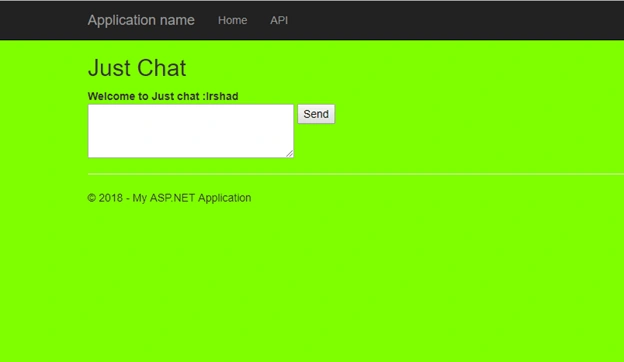
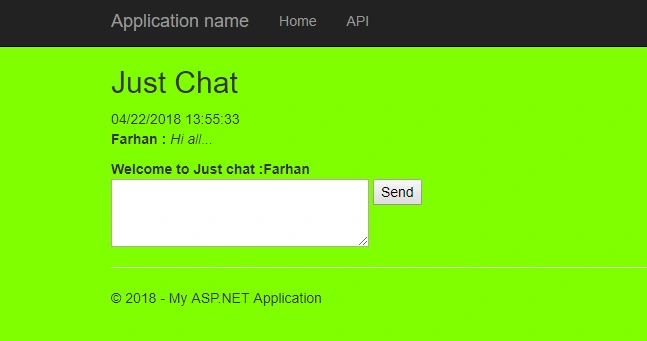
- You can see the below images for its working.
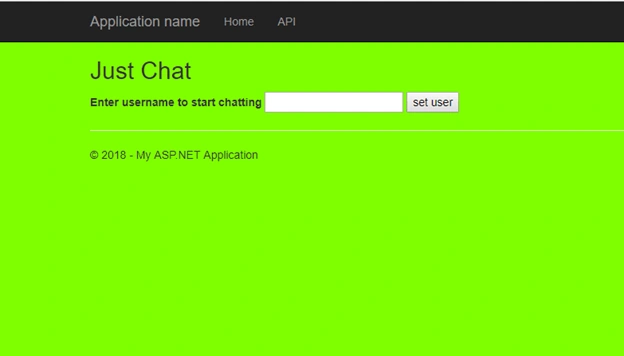
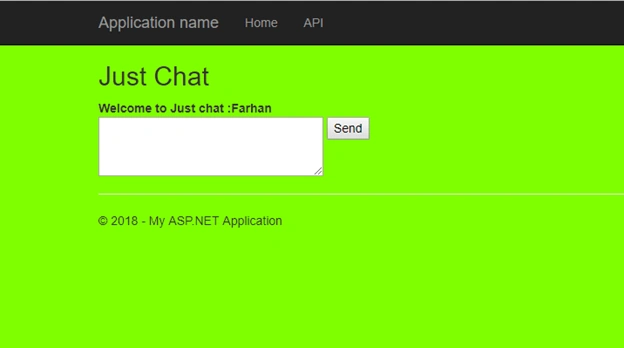
Enter a Username and click on "set user".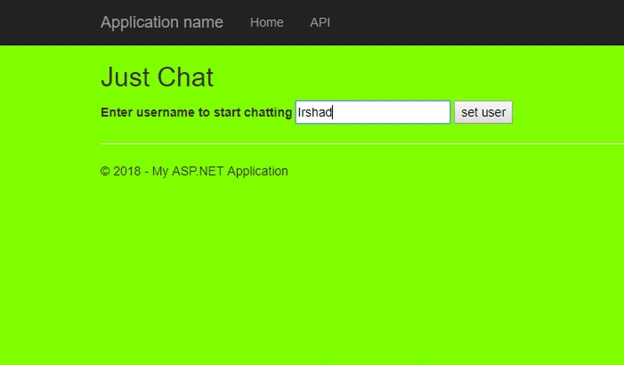
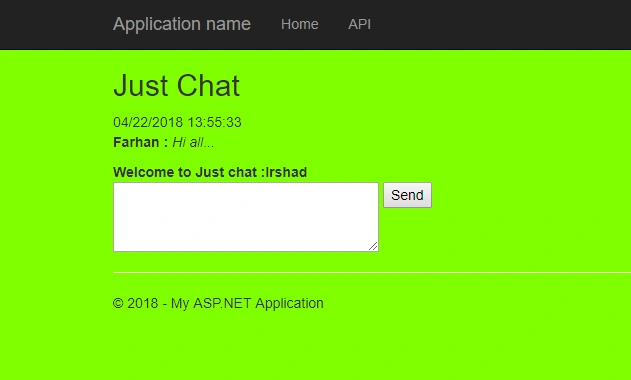
The same is set for other two users.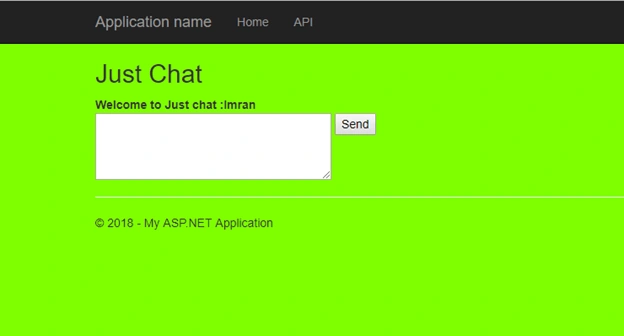
Manish UpadhyayPosted Feb 9, 2024, 1:09 PM
No call for Subscribe server side function which add client to collection after inactive browsers....so how Subscribe is going to be invoked and who will invoke? I am calling api post method from a different applicaiton and it is getting called but OnStreamAvailable, Subscribe method is not being called so in ChatCallbackMsg there are no available client so msg is not being forwarded to browsers.
elmira bmPosted Oct 11, 2022, 5:47 PM
Mohammad Irshad thank you for the code , the get api , how does is called I cant see anywhere we call it but it is getting triggered ?
Mohammad ImranPosted Jan 20, 2022, 3:05 PM
Nice Article, But I am new in C# and Web API, Could you please explain if my web application have separate URL and API hosted on different URL then what changes required to make it functional as it is not working in this scenario. Thanks
Amir NavedPosted Apr 18, 2019, 3:57 AM
Nice Article ,I want to know that how we can use it without WebApi?
Amir NavedPosted Apr 18, 2019, 3:56 AM
Thanks @Mohammad Irshad
Tom RubyPosted Feb 28, 2019, 2:12 PM
And the reason was my jquery was "~/Scripts/jquery-3.3.1.js" not "~/Scripts/jquery-1.10.2.js.
Tom RubyPosted Feb 28, 2019, 1:06 PM
Hi Mohammad, The $(document).ready function does not seem to fire. Also, none of the lines in setUser() after the else seem to do anything. I put an alert to see if the else is executing, and that shows. Essentially, none of the page seems to do anything in firefox or chrome. VS insisted I put === to compare the strings in setUser instead of ==.
Mohammad IrshadPosted Nov 25, 2018, 4:43 AM
Can you check The references used. Is there any reference that is not found?
oz aviPosted Nov 25, 2018, 4:39 AM
Hi mohammed, i got that error message in VS 2017: "Error This project references NuGet package(s) that are missing on this computer. Use NuGet Package Restore to download them. For more information, see http://go.microsoft.com/fwlink/?LinkID=322105. The missing file is ..\packages\Microsoft.Net.Compilers.1.3.2\build\Microsoft.Net.Compilers.props." what i need to install in my computer to make your code run? thanks
sai kiranPosted Sep 14, 2018, 12:01 PM
The EventSource is not supported in IE. Can you provide the equivalent one which can be used.
Thomas JacobPosted Aug 4, 2018, 8:52 PM
Nice article. The messages does not broadcast from one edge broweser window to another edge browser window. However, it broadcasts to other windows open in Google Chrome broweser. Messages from Google Chrome also does not broadcast back to Edge. But broadcats well among all Chrome windows.
Thomas JacobPosted Aug 4, 2018, 8:51 PM
Nice Article.
Yeswanth ChintapalliPosted Jul 16, 2018, 1:05 AM
HI, I have the small issue Regarding the MVC GRID. The problem is When I enter the details i.e; first name and last name based on the last name I need to generate the Random PAN CARD Number i.e AAAAY0000A in This String first 4 letters I need to generate random letter up to ZZZZ and 5th letter must have come from the SURNAME and remaining 4 digits generate random numbers from 0000 to 9999 n 10th letter must be generated RANDOM IN A Sequence i.e A TO Z ...Can You Please Help me from this Problem???
Edzio AuditorePosted Jul 9, 2018, 7:45 AM
How to implement this service in android client ?
Yeswanth ChintapalliPosted Jun 26, 2018, 1:58 AM
How to run this by using get method
Tridip BhattacharjeePosted May 7, 2018, 8:31 AM
There is no call for Subscribe server side function which add client to collection....so how Subscribe is going to be invoked and who will invoke?
Tridip BhattacharjeePosted May 7, 2018, 8:30 AM
This line not clearresponse.Content = new PushStreamContent((a, b, c) => { OnStreamAvailable(a, b, c); }, "text/event-stream");
Tridip BhattacharjeePosted May 7, 2018, 8:30 AM
Await client.FlushAsync(); What this line will do ?