

Primitive Types in TypeScript
Number Type
- var variablename:number;
- var q=anyNumericValue;
Example of Number Type
NumberType.ts
- class NumberTypeOfTypeScript {
- MyFunction() {
- var p: number;
- p = 1;
- var q = 2;
- var r = 3.33;
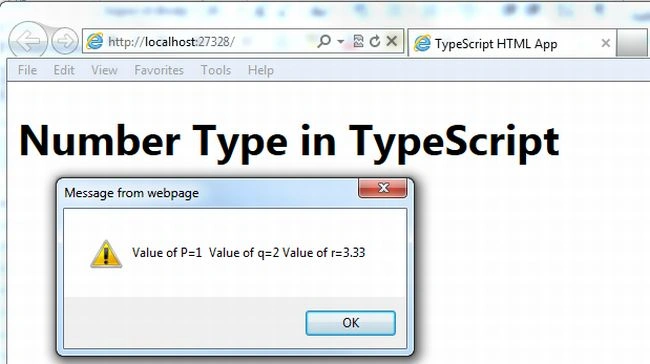
- alert("Value of P=" + p + " Value of q=" + q + " Value of r=" + r);
- }
- }
- window.onload = () => {
- var value = new NumberTypeOfTypeScript();
- value.MyFunction();
- }
default.html
- <!DOCTYPE html>
- <html lang="en"
- xmlns="http://www.w3.org/1999/xhtml">
- <head>
- <meta charset="utf-8" />
- <title>TypeScript HTML App</title>
- <link rel="stylesheet" href="app.css" type="text/css" />
- <script src="app.js"></script>
- </head>
- <body>
- <h1>Number Type in TypeScript</h1>
- <div id="content"/>
- </body>
- </html>
app.js
- var NumberTypeOfTypeScript = (function() {
- function NumberTypeOfTypeScript() {}
- NumberTypeOfTypeScript.prototype.MyFunction = function() {
- var p;
- p = 1;
- var q = 2;
- var r = 3.33;
- alert("Value of P=" + p + " Value of q=" + q + " Value of r=" + r);
- };
- return NumberTypeOfTypeScript;
- })();
- window.onload = function() {
- var value = new NumberTypeOfTypeScript();
- value.MyFunction();
- };
Output
 The string primitive type is the same as the JavaScript primitive type and it represents a sequence of characters stored as Unicode UTF-16 code.
Syntax
The string primitive type is the same as the JavaScript primitive type and it represents a sequence of characters stored as Unicode UTF-16 code.
Syntax
String Type
- var variable:string;
- var q="someString";
Example of String Type
StringType.ts
- class StringTypeOfTypeScript {
- Myfunction() {
- var s: string;
- s = "TypeScript"
- var empty = "";
- var abc = "abc";
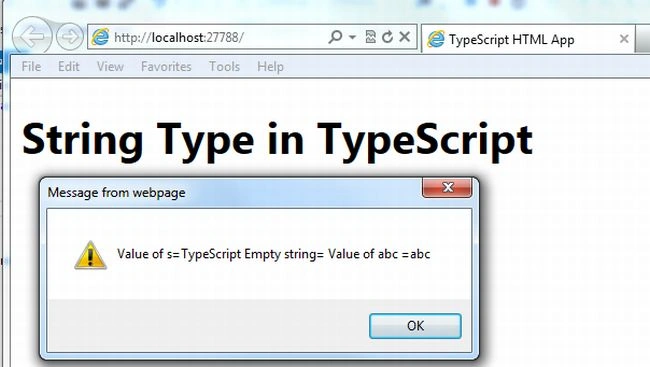
- alert("Value of s=" + s + " Empty string=" + empty + " Value of abc =" + abc);
- }
- }
- window.onload = () => {
- var value = new StringTypeOfTypeScript();
- value.Myfunction();
- }
default.html
- <!DOCTYPE html>
- <html lang="en"
- xmlns="http://www.w3.org/1999/xhtml">
- <head>
- <meta charset="utf-8" />
- <title>TypeScript HTML App</title>
- <link rel="stylesheet" href="app.css" type="text/css" />
- <script src="app.js"></script>
- </head>
- <body>
- <h1>String Type in TypeScript</h1>
- <div id="content"/>
- </body>
- </html>
app.js
- var StringTypeOfTypeScript = (function() {
- function StringTypeOfTypeScript() {}
- StringTypeOfTypeScript.prototype.Myfunction = function() {
- var s;
- s = "TypeScript";
- var empty = "";
- var abc = "abc";
- alert("Value of s=" + s + " Empty string=" + empty + " Value of abc =" + abc);
- };
- return StringTypeOfTypeScript;
- })();
- window.onload = function() {
- var value = new StringTypeOfTypeScript();
- value.Myfunction();
- };
Output:
Boolean Type
- var p:bool;
- var q=true;
Example of Boolean Type
BooleanType.ts
- class booleanTypeofTypeScript {
- MyFunction() {
- var lie: bool;
- lie = false;
- var a = 12;
- if (typeof(lie) == "boolean" && typeof(a) == "boolean") {
- alert("Both is boolean type");
- }
- if (typeof(lie) == "boolean" && typeof(a) != "boolean") {
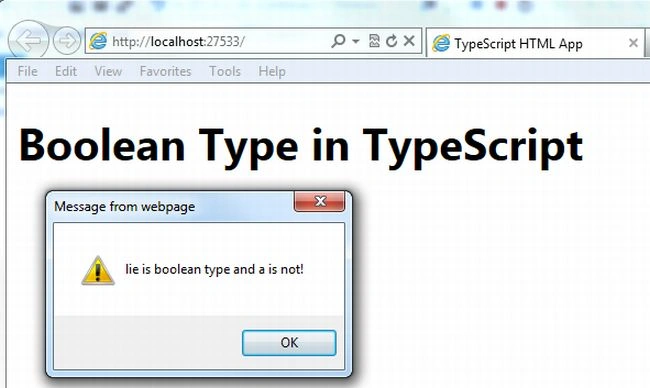
- alert("lie is boolean type and a is not!")
- } else {
- alert("a is boolean type and lie is not!");
- }
- }
- }
- window.onload = () => {
- var access = new booleanTypeofTypeScript();
- access.MyFunction();
- }
default.html
- <!DOCTYPE html>
- <html lang="en"
- xmlns="http://www.w3.org/1999/xhtml">
- <head>
- <meta charset="utf-8" />
- <title>TypeScript HTML App</title>
- <link rel="stylesheet" href="app.css" type="text/css" />
- <script src="app.js"></script>
- </head>
- <body>
- <h1>Boolean Type in TypeScript</h1>
- <div id="content"/>
- </body>
- </html>
app.js
- var booleanTypeofTypeScript = (function() {
- function booleanTypeofTypeScript() {}
- booleanTypeofTypeScript.prototype.MyFunction = function() {
- var lie;
- lie = false;
- var a = 12;
- if (typeof(lie) == "boolean" && typeof(a) == "boolean") {
- alert("Both is boolean type");
- }
- if (typeof(lie) == "boolean" && typeof(a) != "boolean") {
- alert("lie is boolean type and a is not!");
- } else {
- alert("a is boolean type and lie is not!");
- }
- };
- return booleanTypeofTypeScript;
- })();
- window.onload = function() {
- var access = new booleanTypeofTypeScript();
- access.MyFunction();
- };
Output:
Null Type
- var vaiablename:number=null;
- var q=null;
Example of Null Type
NullType.ts
- class NullTypeinTypeScript {
- MyFunction() {
- var p: number = null;
- var x = null;
- if (p == null) {
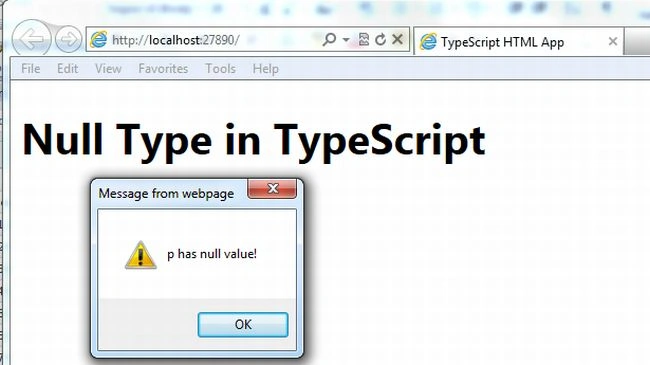
- alert("p has null value!");
- } else {
- alert("p has a value");
- }
- }
- }
- window.onload = () => {
- var value = new NullTypeinTypeScript();
- value.MyFunction();
- }
default.html
- <!DOCTYPE html>
- <html lang="en"
- xmlns="http://www.w3.org/1999/xhtml">
- <head>
- <meta charset="utf-8" />
- <title>TypeScript HTML App</title>
- <link rel="stylesheet" href="app.css" type="text/css" />
- <script src="app.js"></script>
- </head>
- <body>
- <h1>Null Type in TypeScript</h1>
- <div id="content"/>
- </body>
- </html>
app.js
- var NullTypeinTypeScript = (function() {
- function NullTypeinTypeScript() {}
- NullTypeinTypeScript.prototype.MyFunction = function() {
- var p = null;
- var x = null;
- if (p == null) {
- alert("p has null value!");
- } else {
- alert("p has a value");
- }
- };
- return NullTypeinTypeScript;
- })();
- window.onload = function() {
- var value = new NullTypeinTypeScript();
- value.MyFunction();
- };
Output:
 The Undefined type is the same as the JavaScript primitive type and is the type of the undefined literal. The undefined type is a sub-type of all types.
Syntax
The Undefined type is the same as the JavaScript primitive type and is the type of the undefined literal. The undefined type is a sub-type of all types.
Syntax
Undefined Type
- var p:number=undefined;
- var q=undefined;
Example of Undefined Type
UndefinedType.ts
- class UndefinedTypeOfTypeScript {
- Myfunction() {
- var p: number;
- var x = undefined;
- if (p == undefined && x == undefined) {
- alert("p and x is undefined");
- } else {
- alert("p and c cannot undefined");
- }
- }
- }
- window.onload = () => {
- var value = new UndefinedTypeOfTypeScript();
- value.Myfunction();
- }
default.html
- <!DOCTYPE html>
- <html lang="en"
- xmlns="http://www.w3.org/1999/xhtml">
- <head>
- <meta charset="utf-8" />
- <title>TypeScript HTML App</title>
- <link rel="stylesheet" href="app.css" type="text/css" />
- <script src="app.js"></script>
- </head>
- <body>
- <h1>Default Type in TypeScript</h1>
- <div id="content"/>
- </body>
- </html>
app.js
- var UndefinedTypeOfTypeScript = (function() {
- function UndefinedTypeOfTypeScript() {}
- UndefinedTypeOfTypeScript.prototype.Myfunction = function() {
- var p;
- var x = undefined;
- if (p == undefined && x == undefined) {
- alert("p and x is undefined");
- } else {
- alert("p and c cannot undefined");
- }
- };
- return UndefinedTypeOfTypeScript;
- })();
- window.onload = function() {
- var value = new UndefinedTypeOfTypeScript();
- value.Myfunction();
- };
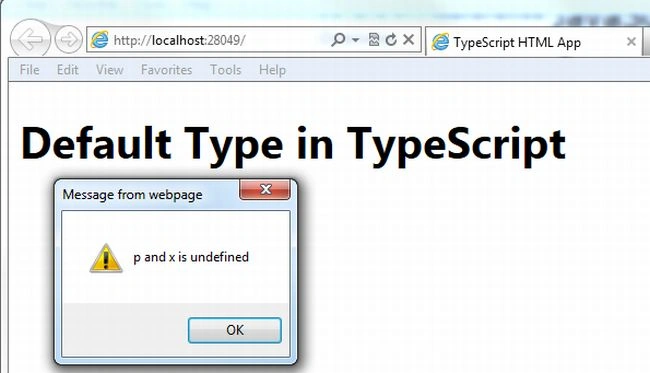
Output:
Prabhakar MauryaPosted Nov 2, 2012, 12:36 PM
Nice Article....
Nitin BhardwajPosted Nov 2, 2012, 6:40 AM
Nice Article....