

Let's start.
Let's say that you want to open a website of your choice when you start your computer browser, or you wish a specific process to start when you commit an action on a specific program. All that can be done using PowerShell scripts and the purpose of this article is to show how to do that.
Let's say you wish to open a webpage (or a specific URL) in your system's default browser, you can use that specific URL as an "executable" in the following PowerShell Script for that purpose.
The following shows how to open a browser with a default browser.
PowerShell Script
- Start-Process -FilePath www.c-sharpcorner.com

Output
It will open the preceding mentioned website (c-sharpcorner.com) on your default browser that is Mozilla Firefox here.
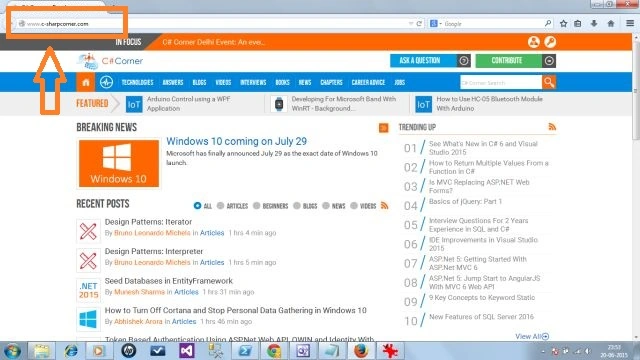
It is opening a webpage with a browser of your choice.
PowerShell Script
In this case you can specify the browser name of your choice, thereby specifying the URL.
Browser of choice: Google Chrome.
- Start-Process -FilePath Chrome -ArgumentList www.c-sharpcorner.com

Output
The following will open www.c-sharpcorner.com in Google Chrome.
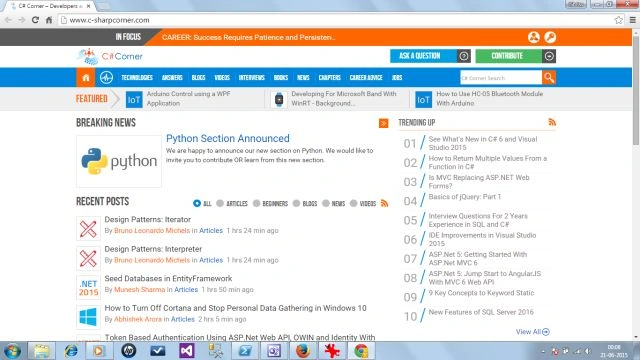
Closure
In this article we had fun with PowerShell scripts. I hope you will like it.
Mike SchulmanPosted May 17, 2021, 11:26 PM
This is great. You gave me a good start to troubleshooting some intermittent 500 errors we're getting from newly migrated sites. I'm opening multiple sites immediately, but my problem is I still have to go to each tab to see if the site opened or if it got a 500 error. Any way to have PowerShell check for a 500 error response?
Dinesh GabhanePosted Nov 11, 2019, 1:28 AM
Thanks for sharing
Kumaresh RajalingamPosted Feb 14, 2016, 5:12 AM
Gud one
Santhakumar MunuswamyPosted Jun 22, 2015, 2:21 PM
Thanks for sharing
Shridhar SharmaPosted Jun 22, 2015, 10:30 AM
Thank you so much Gopi and Sibeesh Pros. :)
Sibeesh VenuPosted Jun 22, 2015, 5:01 AM
Good One.
Gopi ChandPosted Jun 22, 2015, 3:22 AM
Its nice
Abhishek AroraPosted Jun 22, 2015, 3:04 AM
Good one Shridhar Sharma