

Note: This article is originally published on 11/28/2022.
Postman is an API platform for building and using APIs. Postman simplifies each step of the API lifecycle and streamlines collaboration so you can create better APIs—faster.
We consider Postman as one of the popular REST Web API's client, the others are Swagger and Fiddler (you can get related info from references below), which are what I am familiar with and used. Therefore, I will include this article in my Swagger series articles:
- Swagger (1), for .NET MVC Web API
- Swagger (2). for .NET Core MVC Web API
- Swagger (3), Customized for REST Web API
- Postman: Setup Workspace and Collection --- This article
Introduction
This article will not cover how to use Postman, I assume we have been familiar with that. In this article, we will discuss four parts:
- Create a Workspace
- Delete a Workspace
- Import a Collection
- Export a Collection
Create a Workspace
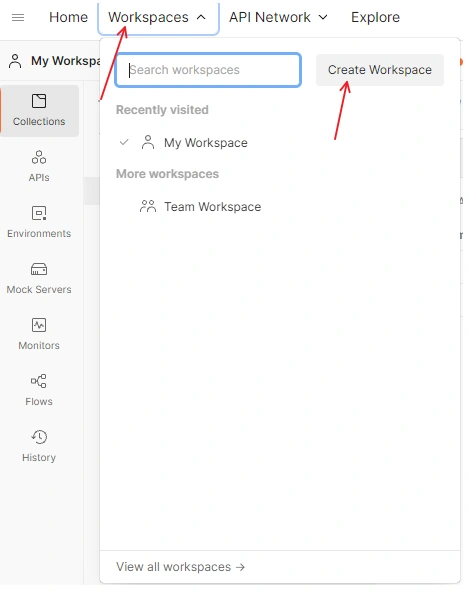
Click Tab Workspaces => Create Workspace:
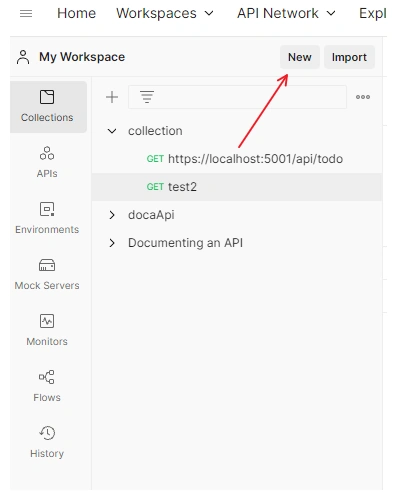
Or, from a workspace, Click New:
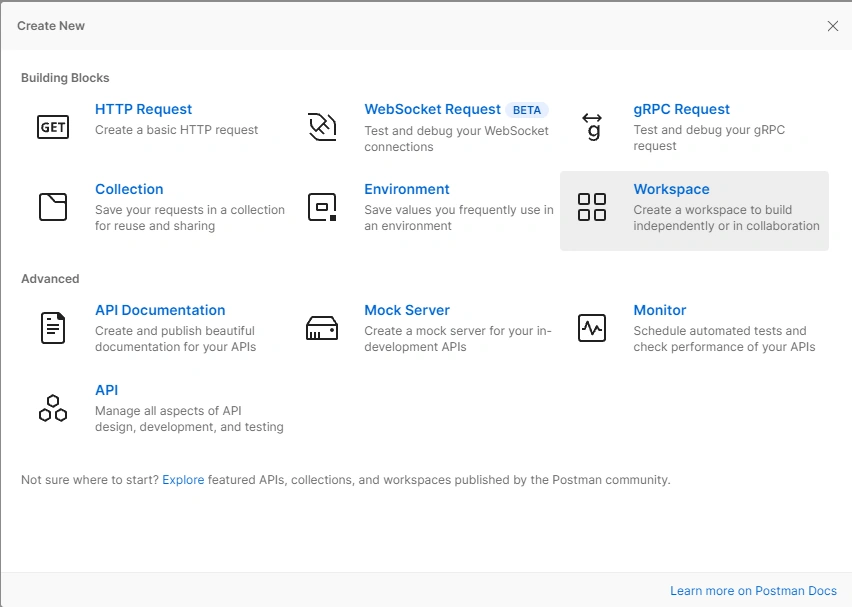
In Create New Window, Choose Workspace.
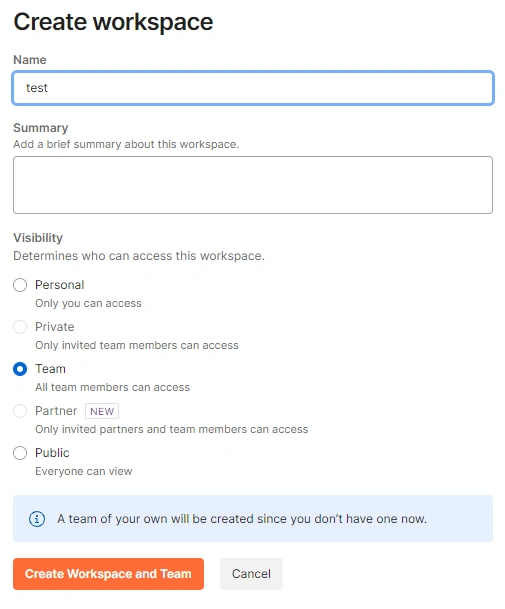
Type Name, then Click Create Workspace and Team.
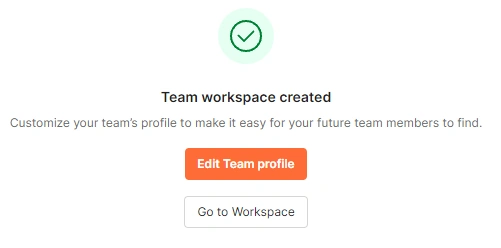
You will get confirmation.
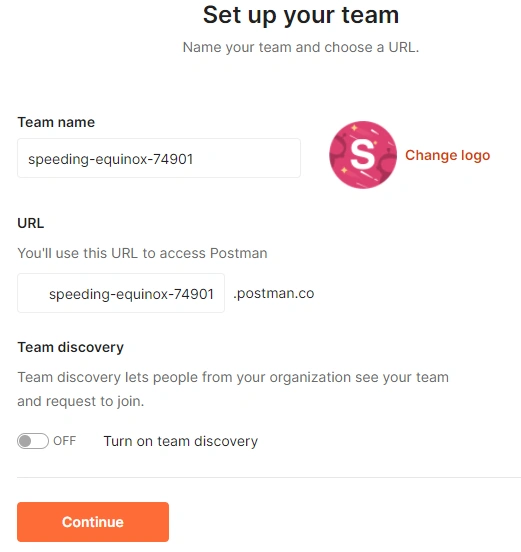
Set up your team: Click Continue
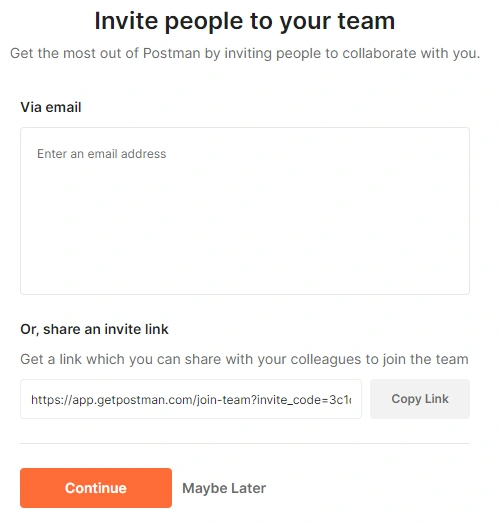
Invite people to your team: Click Continue
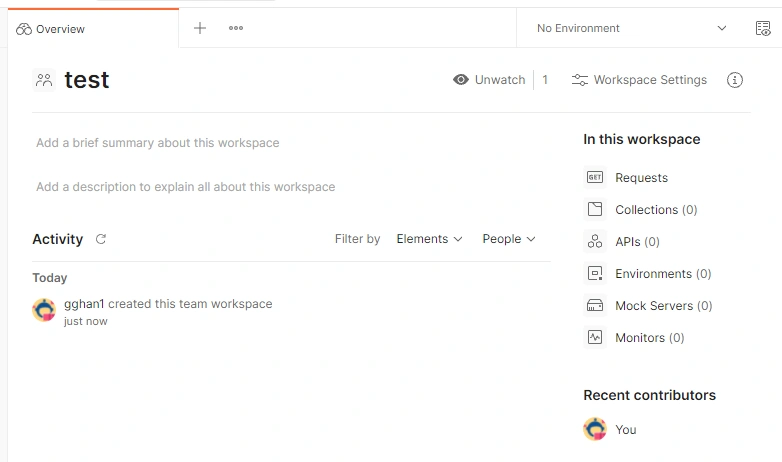
You get your workspace.
Delete a Workspace
We want to delete Workspace test.
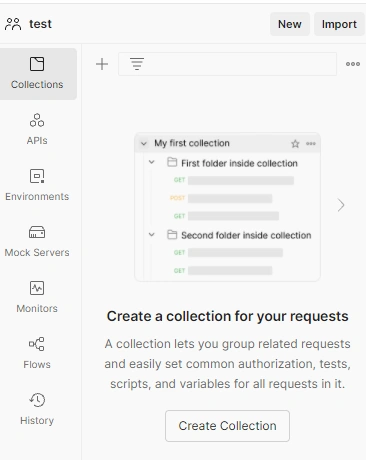
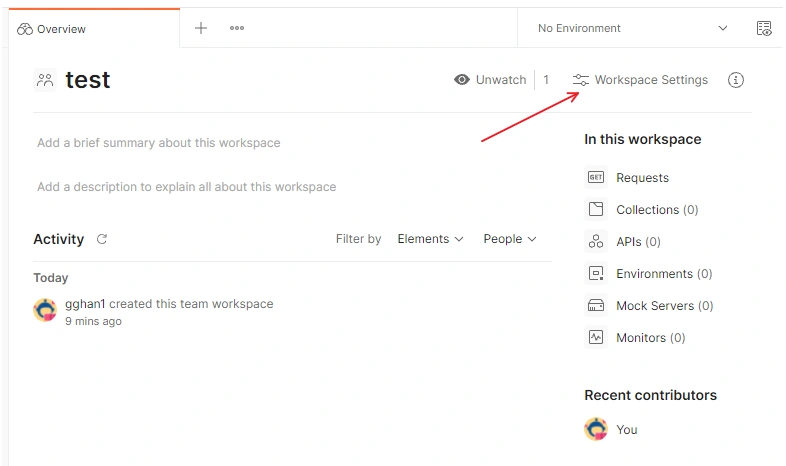
From main panel, Click Workspace Settings.
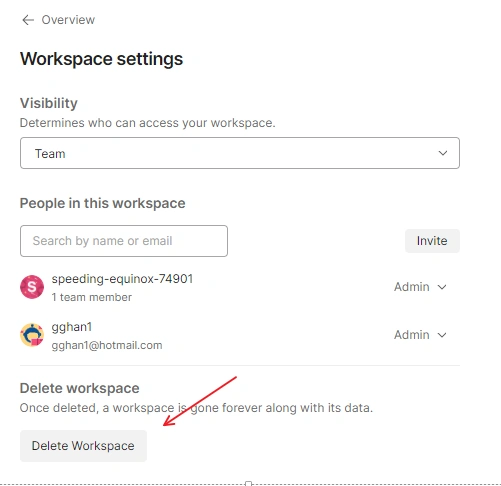
Click Delete Workspace.
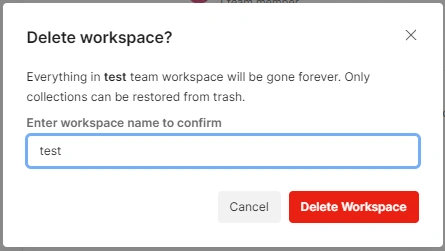
Get the Delete Workspance Window.
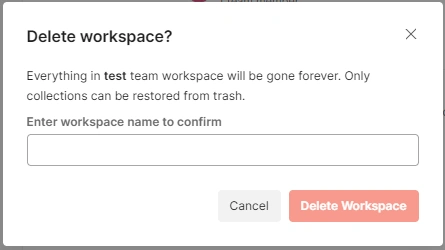
Enter the Workspace Name you want to delete, Click Delete Workspace.
Import a Collection
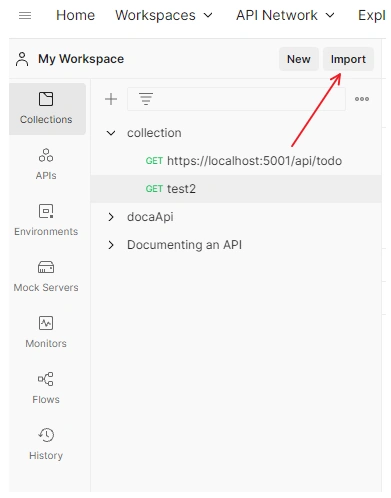
From a Workspace, Click Import button.
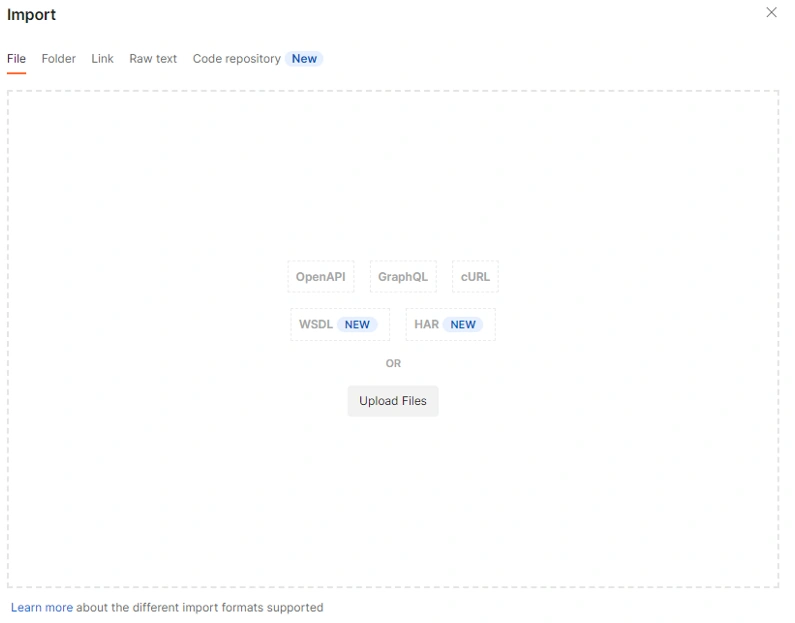
In the Import window, Click Upload Files
Choose the files
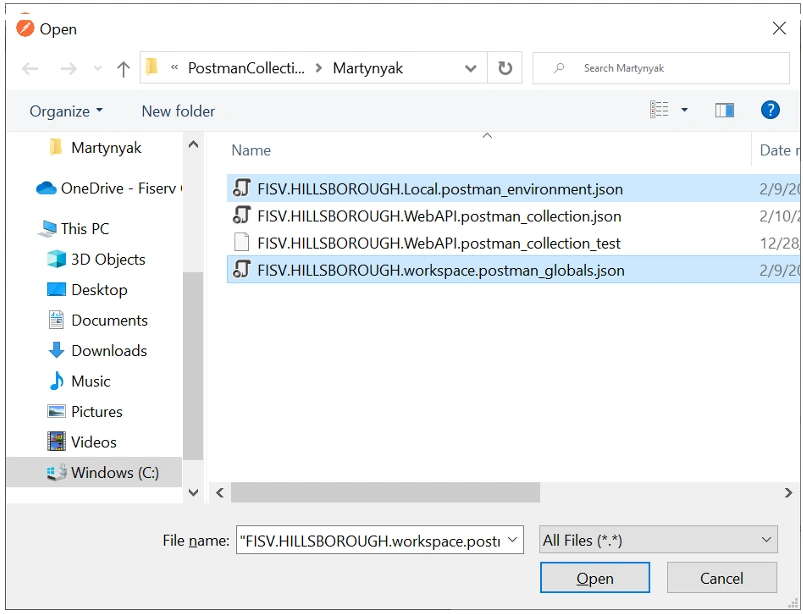
Back to the Import Window to choose files, then Click Import
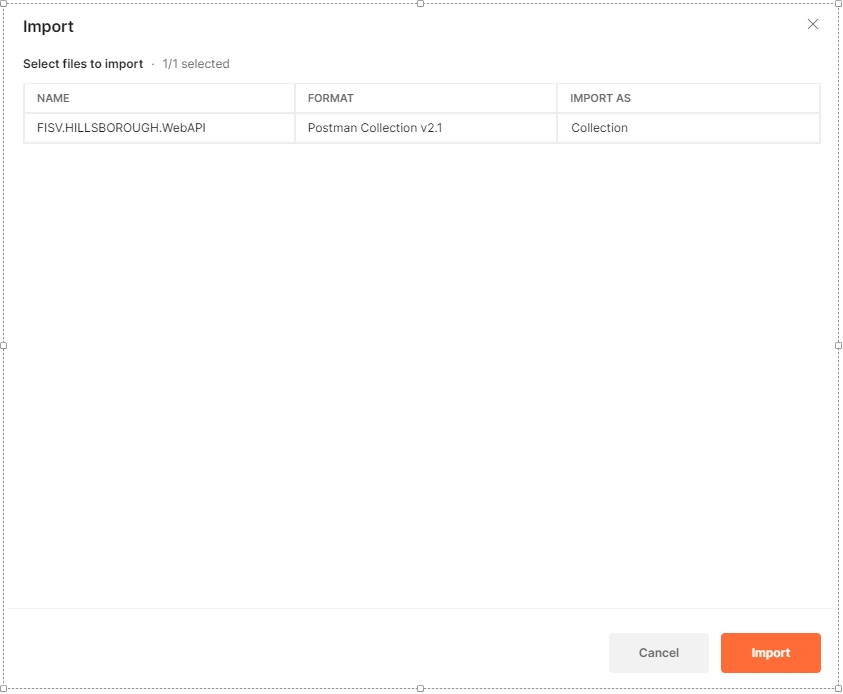
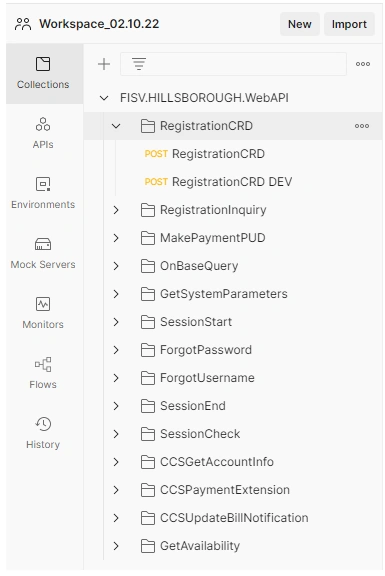
The Collection has been imported
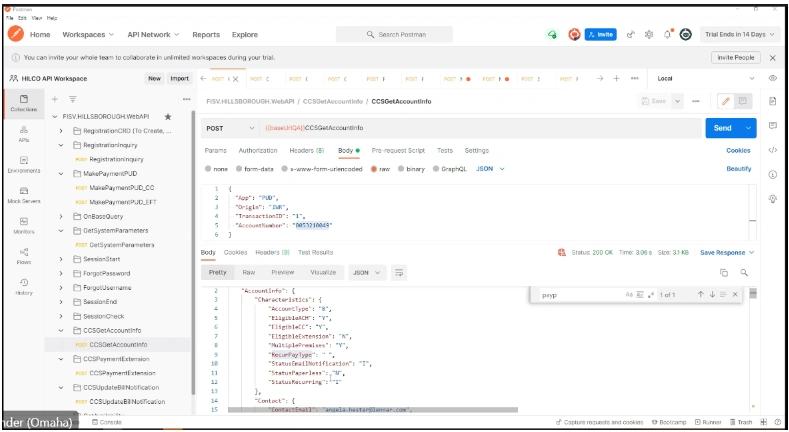
Run
Export a Collection
Right Click the Collection => Export.
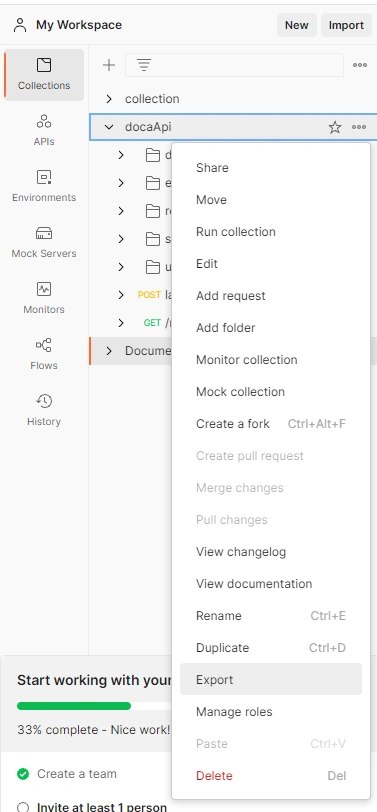
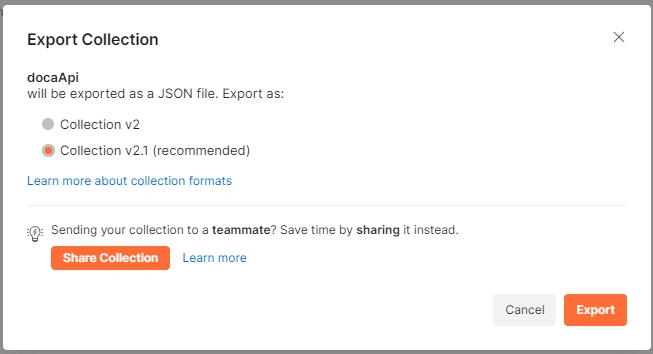
Open the Export Collection window => Export
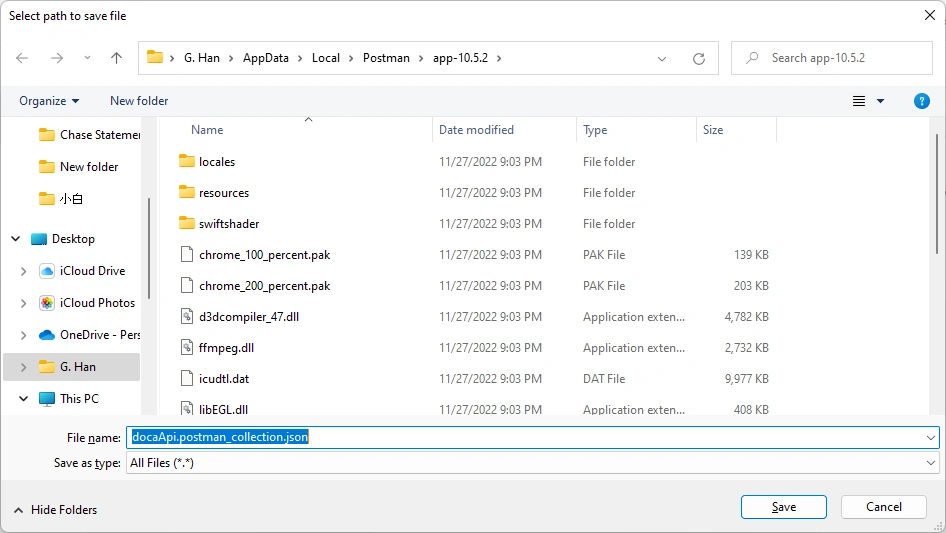
Save it (in json format)
Summary
This article briefly summarizes the processes of Create/Delete Workspace for Postman, and Import/Export Collection in a Workspace.
References
- Introduction for three popular Web API clients:
- Ranks in articles:
- The 9 Best Online API Testing Tools (makeuseof.com)
- Postman --- 1
- Swagger --- 6
- Fiddler--- 8
- 10 Best API Testing Tools in 2022 (SOAP and REST Tools) (softwaretestinghelp.com)
- Postman --- 4
- Swagger --- 6
- 6 Best REST API Tools for Testing, Design, and Development | by javinpaul | Javarevisited | Medium
- Postman --- 1
- Swagger --- 3
- Top 15 API Testing Tools For 2022 - InterviewBit
- Postman --- 2
- Swagger --- 10
- 25 Best API Testing Tools for Building Functional, Secure Applications in 2022 (hubspot.com)
- Postman --- 1
- Swagger --- 8
- Top 25+ API Testing Tools | Nordic APIs |
- Postman --- 3
- Fiddler --- 24
- The 9 Best Online API Testing Tools (makeuseof.com)
- Postman vs Swagger UI | What are the differences? (stackshare.io)
Join the conversation! Your thoughts help the community grow.