

Introduction
In this article, we will look at how to perform Data Driven Testing using Postman Tool.
Pre-requisite
- Postman collection with API request should be created.
Data driven Testing
Data Driven Testing is a Test design and execution strategy where the test scripts read test data from data sources (file or database) such as ADO objects, ODBC sources, CSV files, etc. rather than using hardcoded values
Advantages of Data-Driven Testing
- It will provide the possibility to create Test Scripts at the early stage of development
- Redundancy and duplication of Test Scripts are reduced
- We can generate Test scripts with less amount of code.
- All information like inputs, outputs, and the expected result is stored in the form of excel, CSV or JSON files
- Provides flexibility in Test Scripts maintenance
Steps to perform Data Driven Testing in postman
- Create a collection and create the API requests inside the collection.
- Add your tests to the API request. I have covered this topic in a separate Article on how to write tests in Postman.
- Create the data file in this example I am showing you with example of data driven from JSON file to the API request.
- I have shown example of the Post Request.
- JSON file looks like this. As you know the JSON file contains data in key value pair
[{
    "name": "hugo",
    "job": "leader"
},
{
    "name": "mike",
    "job": "developer"
},
{
    "name": "elis",
    "job": "designer"
}
]
- Now we need to run the collection using collection runner option.
- In the collection runner option click select file button.
Select the JSON test data file. (screenshot below),
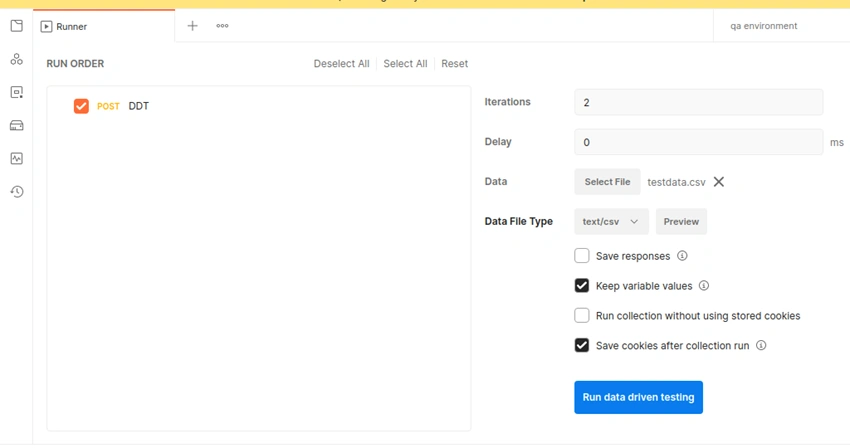
- Before running the collection you need to refer the testdata in your post body,
How to refer,
- We need to refer the key of the testdata as a variable in your post body within braces as shown below.
Note
This step applies when you read data from CSV file or excel as well.
{
    "name": "{{name}}",
    "job": "{{job}}"
}
If your test data contains any numeric value then refer the key of the testdata as a variable without any quotes
Example
{
    "name": "{{name}}",
    "job": "{{job}}"
    "age":{{age}}
}
Screenshot on how to refer the test key variable
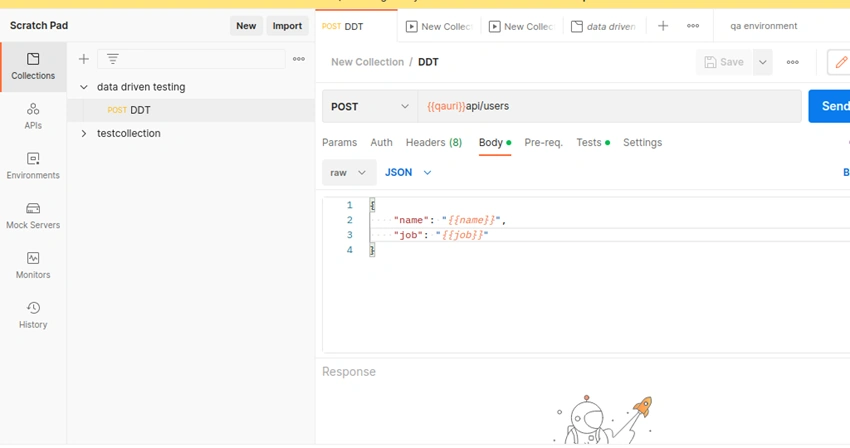
- Now save your request
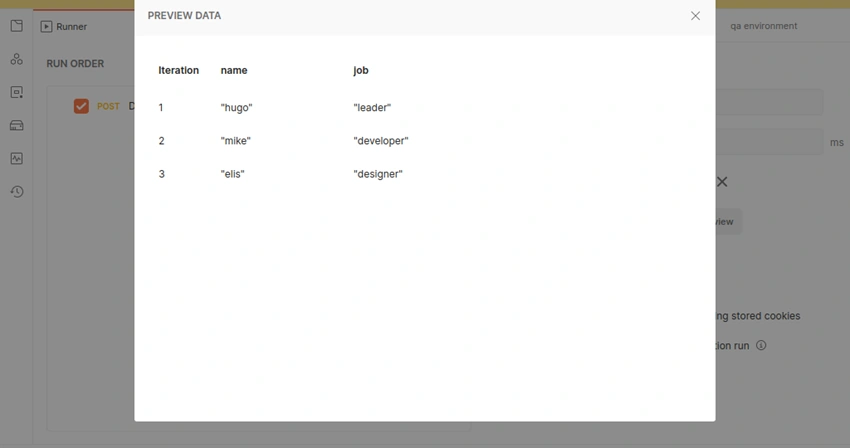
- Once you provide the JSON Test Data File, you can Preview the data.
- If any error is present in your JSON file, while uploading itself Postman will identify the errors present in your JSON data.
- And you can notice that the iteration will also change as per the number of testdata that is present in your JSON data.
Screenshot of preview
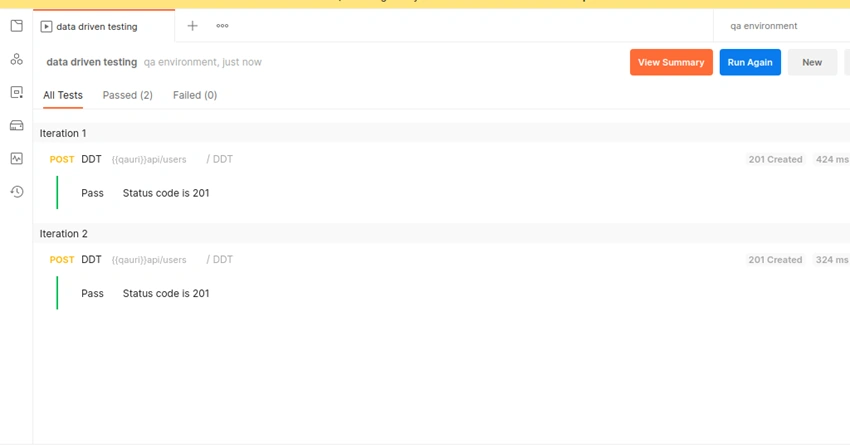
- Now click the run collection button. Your collection will run as per the test data present in your JSON data file.
- Result window will be displayed(Screenshot)
Data Driven Tests Using CSV file
- Create a collection and the API request you need to run.
- Create a CSV file.
- Add test data into the CSV file using commas.
Example of CSV file,
name,email
test,qaengineer
testertwo,developer
- Click the three dot icon besides the collection and select the run collection option to open up collection runner
- Collection Runner window will appear.
- In the collection runner option click select file button.
- Refer the CSV file(screenshot)
- Add your tests to the API request.
- Iterations are the no. of data rows in CSV file.
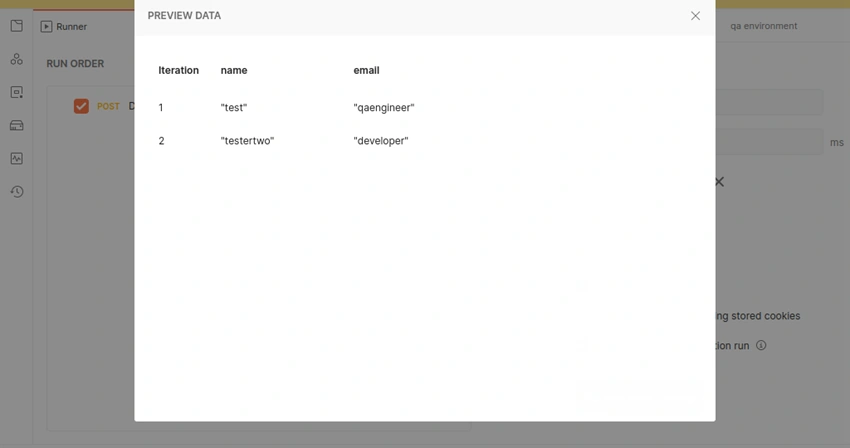
- Preview button will display the preview of CSV file.
Screenshot of the CSV file preview,
- Click on Run button in blue color.
- Result window will be displayed.
Screenshot of run,
Summary
Hope this article will help you in performing Data Driven Testing using Postman Tool.
Thanks............
Join the conversation! Your thoughts help the community grow.