

Introduction
This article describes how to create a page grid in the ASP.NET Web API. Here the user allows the page size for a grid. We use the "Knockout.js" script file for the page grid.
Now for the procedure for creating the page grid in ASP.NET Web API.
Step 1
First we create the Web API application name as "PageGrid".
- Start Visual Studio 2010 and select "New Project" from the Start Page.
- In the Template window, select "Installed template" -> "Visual C#" -> "Web".
- Choose "ASP. NET MVC 4 Web Application" then change its name.
- Click on the "OK" button.
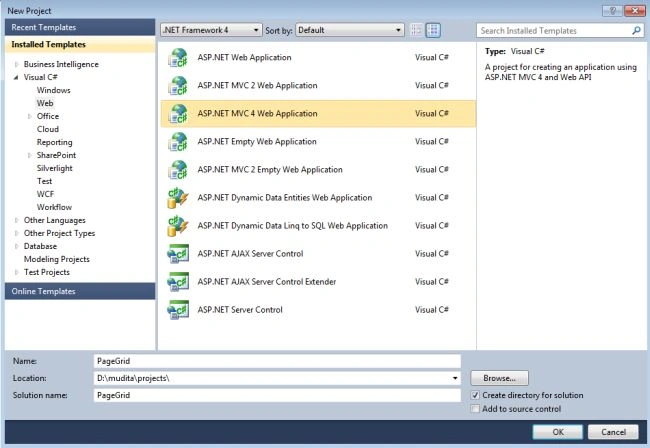
- MVC4 Project Window.
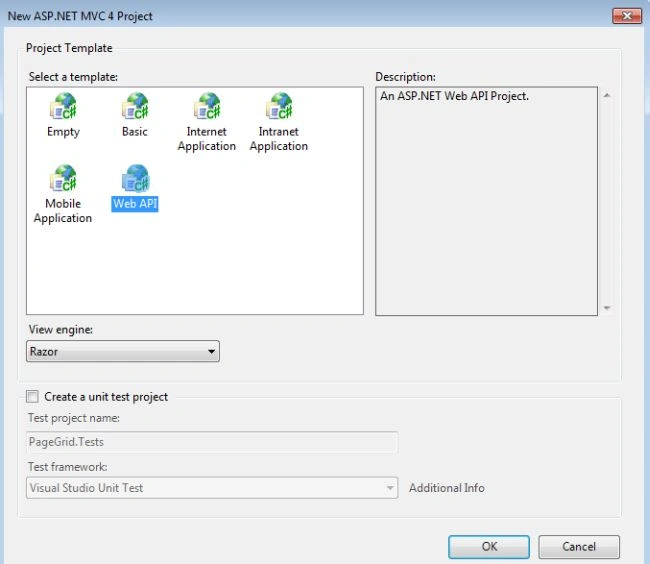
- Select "Web API" and click on the "OK" button.
Step 2
Open the "ValuesController.cs".
- In the "Solution Explorer".
- Select the "Controller Folder" -> "ValuesControllre.cs".
- Write this code:
- using System;
- using System.Collections.Generic;
- using System.Linq;
- using System.Net;
- using System.Net.Http;
- using System.Web.Http;
- namespace PageGrid.Controllers
- {
- public class GridViewModel
- {
- public IEnumerable<String> NameofMonth { get; set; }
- public int PaperNumber { get; set; }
- }
- public class ValuesController : ApiController
- {
- public IList<String> NameofMonth
- {
- get { return new List<String> { "January", "February", "March", "April", "May", "June", "July", "August", "September", "October", "November", "December" }; }
- }
- public GridViewModel Get(int paper, int papersize)
- {
- return new GridViewModel
- {
- NameofMonth = (0 == paper ? null : NameofMonth.Skip((paper - 1) * papersize).Take(papersize).ToArray())
- ,
- PaperNumber = ((int)Math.Ceiling((double)NameofMonth.Count / papersize))
- };
- }
- }
- }
Open the "index.cshtml" file then:
-
In the "Solution Explorer".
-
Select "Views folder" -> "Home folder" -> "index.cshtml".
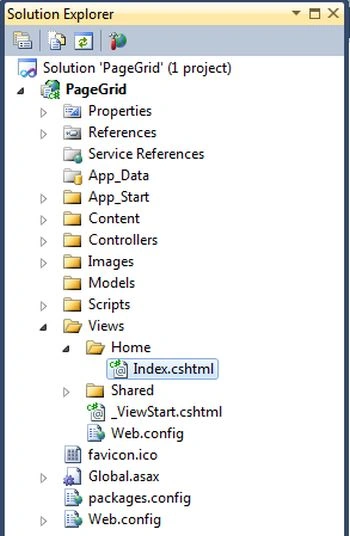
And write this code.
Page size:
- <select data-bind="options: availablePaperSize, optionsText: $data, value: selectedPaperSize"></select>
- <table data-bind="with: GridViewModel">
- <thead>
- <tr>
- <th>Names Of Months
- </th>
- </tr>
- </thead>
- <tbody data-bind="foreach: NameofMonth">
- <tr>
- <td data-bind="text: $data"></td>
- </tr>
- </tbody>
- </table>
- <div id="pager"></div>
- <script type="text/javascript">
- function pageViewModel() {
- var self = this;
- self.GridViewModel = ko.observable();
- self.selectedPaperSize = ko.observable(3); 3
- self.availablePaperSize = ko.observableArray([1, 2, 3, 4, 5]);
- self.selectedPaper = ko.observable(1);
- $("#pager").on("click", ".pageIndex", function (event) {
- self.selectedPaper($(this).text());
- });
- self.navigate = function () {
- $.get("/api/values?paper=" + self.selectedPaper() + "&papersize=" + self.selectedPaperSize(), self.GridViewModel);
- };
- self.SubscribeToEvents = function () {
- self.selectedPaperSize.subscribe(function (newValue) {
- self.selectedPaper(1);
- self.navigate();
- });
- self.selectedPaper.subscribe(function (newValue) {
- self.navigate();
- });
- self.GridViewModel.subscribe(function (newValue) {
- var paperNumber = newValue.PaperNumber;
- var $pager = $("#pager");
- $pager.html("");
- for (var i = 1; i <= paperNumber; i++) {
- var link = $('<a class="pageIndex">' + i + '</a>');
- $pager.append(link);
- }
- }, this);
- };
- self.bind = function () {
- self.SubscribeToEvents();
- self.navigate();
- ko.applyBindings(self);
- }
- }
- $(function () { new pageViewModel().bind(); })
- </script>
Step 4
Now open the "_Layout.cshtml" file and add the "Knockout-2.1.0.js" file.
- In the "Solution Explorer".
- Select "Views" -> "Shared" -> "_Layout.cshtml".
- Now drag and drop the "Knockout-2.1.0.js" file from the "Script" folder.
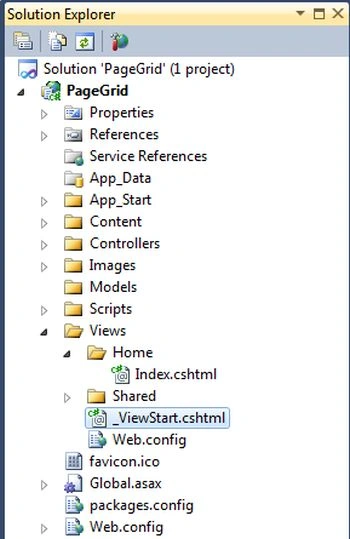
The code looks as in the following:
- <!DOCTYPE html>
- <html>
- <head>
- <meta charset="utf-8" />
- <meta name="viewport" content="width=device-width" />
- <title>@ViewBag.Title</title>
- @Styles.Render("~/Content/css")
- @Scripts.Render("~/bundles/modernizr")
- @Scripts.Render("~/bundles/jquery")
- </head>
- <body>
- @RenderBody()
- @RenderSection("scripts", required: false)
- <script src="../../Scripts/knockout-2.1.0.js" type="text/javascript"></script>
- </body>
- </body>
- </html>
Step 5
Now execute the application. It will look as in the following:
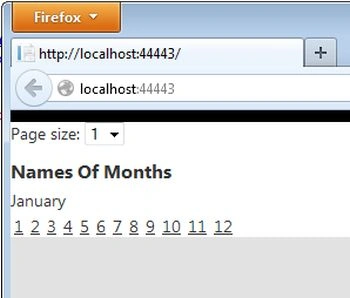
If we select the page size as 2 then there are 2 names of months displayed in one page as in the following:
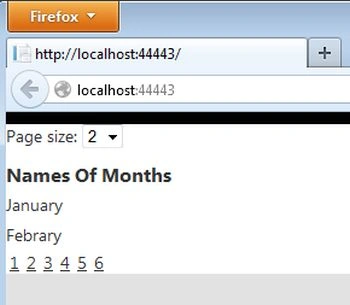
Select the Second page.
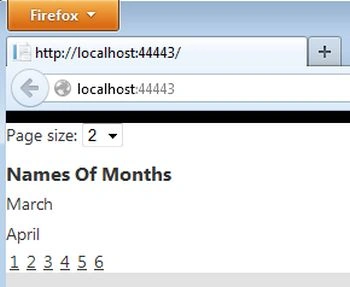
Select the Page Size 4.

Join the conversation! Your thoughts help the community grow.