

ASP.NET Core offers a powerful design pattern called the Options pattern. This pattern allows you to manage and access your application's settings in a way that's both secure and adaptable. It achieves this by using strongly-typed classes to represent your settings, making them less prone to errors and easier to understand. Additionally, the Options pattern provides flexibility for accessing and manipulating these settings.
Before diving into the Options pattern, let's take a look at how to traditionally read the appsettings.json file in an ASP.NET Core web API project. This file is commonly used to store configuration settings for your application. We'll use the IConfiguration interface to achieve this.
Example
var builder = WebApplication.CreateBuilder(args);
var app = builder.Build();

app.MapGet("/api/v1/logging", (IConfiguration configuration) =>
{
    var loggingDefault = configuration
        .GetSection("Logging:LogLevel:Default").Value;

    return Results.Ok(new
    {
        LoggingDefault = loggingDefault
    });
});
app.Run();
This section outlines the creation of a basic ASP.NET Core 8 web API using the minimal API approach. This streamlined method allows for building APIs with fewer lines of code and minimal dependencies. The API includes a single endpoint accessible using the GET HTTP method. This endpoint retrieves the logging level value stored within the application's configuration file, typically named appsettings.json.
The appsettings.json file looks like this.
{
  "Logging": {
    "LogLevel": {
      "Default": "Information"
    }
  }
}
Output

While the IConfiguration interface is a powerful tool for managing application settings in ASP.NET Core, it's essential to use it correctly to avoid common pitfalls. Here are some potential issues.
- Manual String-Based Access: Accessing values directly using string keys can lead to typos, runtime errors, and decreased maintainability.
- Incorrect Key Paths: Double-check the key paths used to access values from the configuration hierarchy.
- Incorrect Configuration Paths: Verify that the paths to your appsettings.json files are specified correctly, especially in production environments.
- Complex Hierarchies: For complex configuration structures, use clear and consistent key paths to avoid errors.
- Optional Values: Handle optional configuration values gracefully to prevent null reference exceptions.
To simplify configuration management and promote type safety, we can utilize the IOptions interface, which provides strongly typed access to configuration settings, rather than the more generic IConfiguration interface.
Step 1. Create 2 classes named LogLevel & Logging as shown below.
public class LogLevel
{
    public string? Default { get; init; }
}
 public class Logging
 {
    public LogLevel? LogLevel { get; init; }
 }
The class nomenclature aligns with the key names in the appsettings.json file, with class properties representing the associated values.
Step 2. Register the configuration.
builder.Services.Configure<Logging>(
    builder.Configuration.GetSection("Logging")
);
- builder.Services: This refers to the service collection within the WebApplicationBuilder instance (builder). The service collection is a container where you register all the services your application needs to function, including logging services.
- .Configure<T>(...): This is an extension method provided by ASP.NET Core. It allows you to configure a specific service type (T in this case). Here, T is the type Logging, which represents the logging configuration options.
- builder.Configuration.GetSection("Logging"): This part retrieves a specific section from the application configuration. builder. Configuration provides access to the overall configuration data, and.GetSection("Logging")extracts the subsection named "Logging" from it. This subsection likely contains key-value pairs related to logging settings in your appsettings.json file (or other configuration sources).
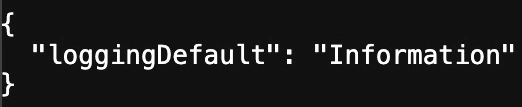
Step 3. Dependency Injection of IOptions<Logging>.
app.MapGet("/api/v2/logging", (IOptions<Logging> loggingOptions) =>
{
    var loggingDefault = loggingOptions.Value.LogLevel?.Default;
    return Results.Ok(new
    {
        LoggingDefault = loggingDefault
    });
});
- Dependency Injection: The IOptions<Logging> interface is injected into the method. This allows the code to access configuration options related to logging.
- loggingOptions.Value.LogLevel?.Default: This expression accesses the default log level from the configuration.
Output
The Options pattern in ASP.NET Core is a powerful way to manage and access configuration settings. It provides several benefits over simply using raw configuration values.
- Strongly Typed Access
- Define classes to represent configuration settings, making code more readable and maintainable.
- Type safety helps prevent errors by ensuring settings are used in the correct format.
- Configurability
- Settings can be loaded from various sources like appsettings.json, environment variables, or command-line arguments.
- Easily switch between different configuration environments (e.g., development, staging, production).
- Validation
- The Options pattern allows for validation configuration settings during application startup.
- It ensures that the application has the correct configuration to function properly.
- Dependency Injection: Settings can be injected into application logic using Dependency Injection (DI), promoting loose coupling and testability.
Conclusion
IOptions<T> is a valuable tool for managing configuration options in ASP.NET Core applications. It promotes strong typing, dependency injection, and code clarity, making your application configuration more robust and maintainable.
Happy Coding!
Join the conversation! Your thoughts help the community grow.