

The Openxml function provides a rowset view over an XML document. This function is the system function which provides a rowset. The OPENXML function allows the data in a XML document to be treated just like the columns and rows of your database table. The function is used with the sp_xml_preparedocument stored system procedure. So let's have a look at a practical example of how to perform an operation using it in SQL Server. The example is developed in SQL Server 2012 using the SQL Server Management Studio.
Syntax
The Syntax of the Openxml system function is as follows:
openxml ( idoc int [ in] , rowpattern nvarchar [ in ],
[ flags byte [ in ] ] )
[ with ( SchemaDeclaration | TableName ) ]
Here, The meaning of each element in the preceding description is as follows:
idoc parameter - Used for the XML document and to handle the XML document.
rowpattern - To identify the nodes of an XML document.
flags - A set of flags indicating how the rowset columns are mapped to the attributes and elements. The flags value can be any of the following:
- 0 - Defaults to the column/attribute mapping
- 1 - Column/attribute mapping
- 2 - Column/element mapping
- 8 - Used with 1 and 2; indicates that the data read must not be copied into the @mp:xmltext meta property
- Inserting from XML is faster when using Openxml.
- OPENXML provides an easy way to use an XML document as a data-source for your procedures.
Example
DECLARE @xmlDtype NVARCHAR(200)
DECLARE @h INT
SET @xmlDtype = N'
<Book>
<Id>1</Id>
<Author>Smith</Author>
<Title>SQL for Beginners</Title>
</Book>'
-- Creating XML Documents
Exec sp_xml_preparedocument @h OUTPUT, @xmlDtype
-- SELECT statement using OPENXML rowset provider
SELECT * FROM OPENXML (@h, '/Book', 2) WITH
(Id VARCHAR(20),
Author NVARCHAR(20),
Title NVARCHAR(20)
)
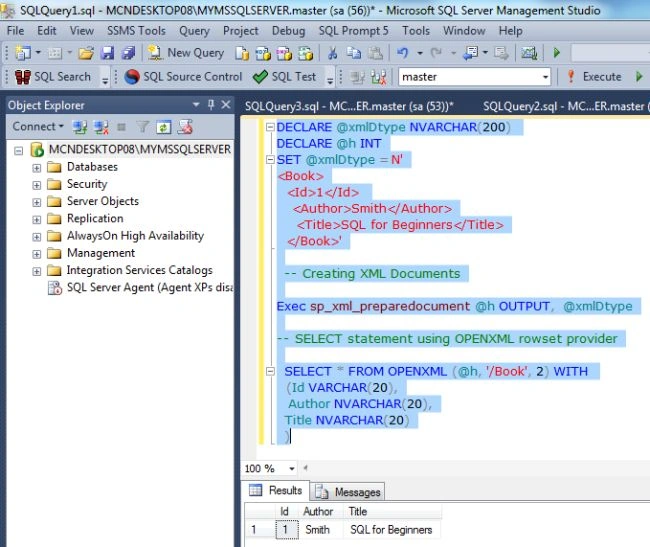
OUTPUT
Inserting Records From XMLDoc to SQL Table
DECLARE @xmlDtype NVARCHAR(200)
DECLARE @h INT
SET @xmlDtype = N'
<Book>
<Id>1</Id>
<Author>Smith</Author>
<Title>SQL for Beginners</Title>
</Book>'
-- Creating XML Documents
Exec sp_xml_preparedocument @h OUTPUT, @xmlDtype
-- SELECT statement using OPENXML rowset provider
insert into Book SELECT * FROM OPENXML (@h, '/Book', 2) WITH
(Id VARCHAR(20),
Author NVARCHAR(20),
Title NVARCHAR(20)
)
Go
Select * from Book
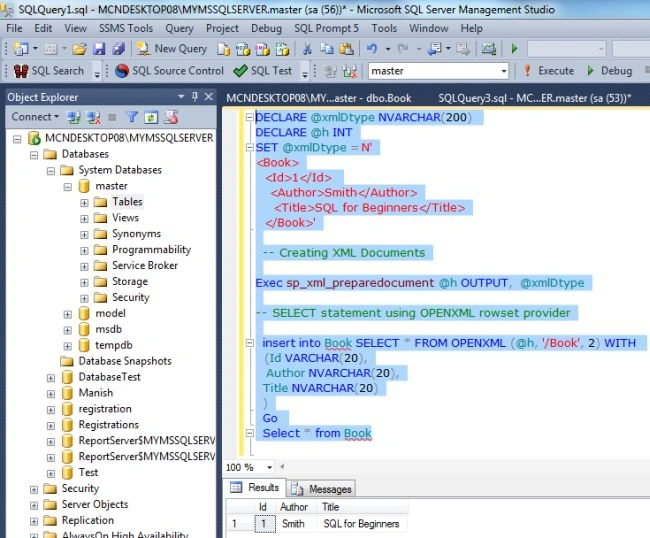
OUTPUT
Join the conversation! Your thoughts help the community grow.