

Introduction
This article explains OData Endpoints in the Web API. OData is a web protocol for accessing the data. It uses web technologies such as Atom Publishing, HTTP and JSON. Atom Publishing is also called AtomPub. We can easily create an OData Endpoint by the Web API OData. We can also controlled the OData operations that are supported by the OData Endpoints.
Use the following procedure to create a sample application.
Step 1
- Start Visual Studio 2013.
- From the Start Window select "New Project".
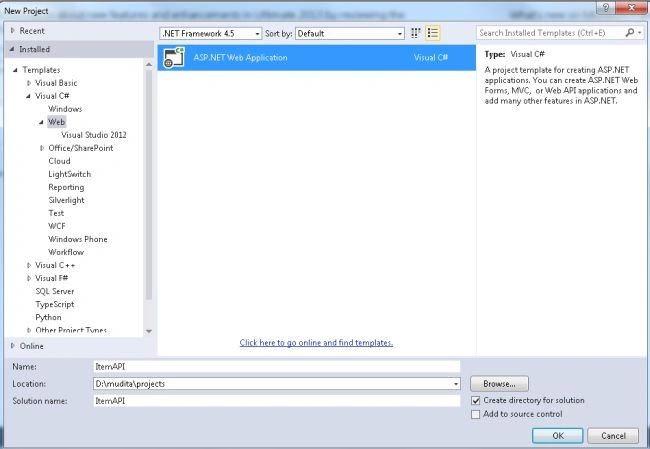
- Select "Installed" -> "Templates" -> "Visual C#" -> "Web" and select ASP.NET Web Application.
- From the ASP.NET project window select "Empty" and select the "Web API" check box.
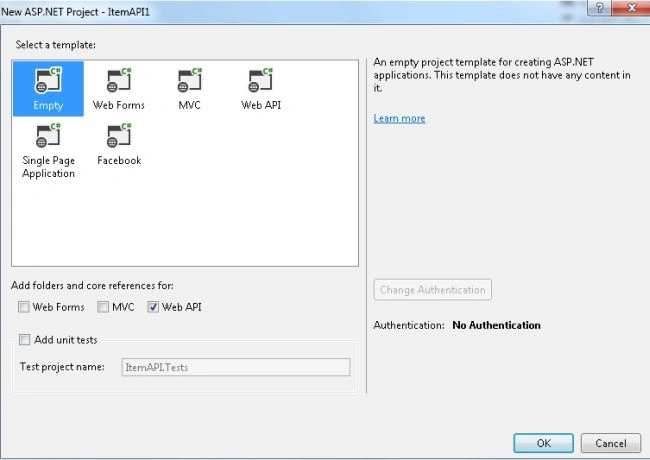
- Click on the "OK" button.
Step 2
Create a Model Class as in the following:
- In the "Solution Explorer".
- Right-click on the Model Folder.
- Select "Add" -> "Class".
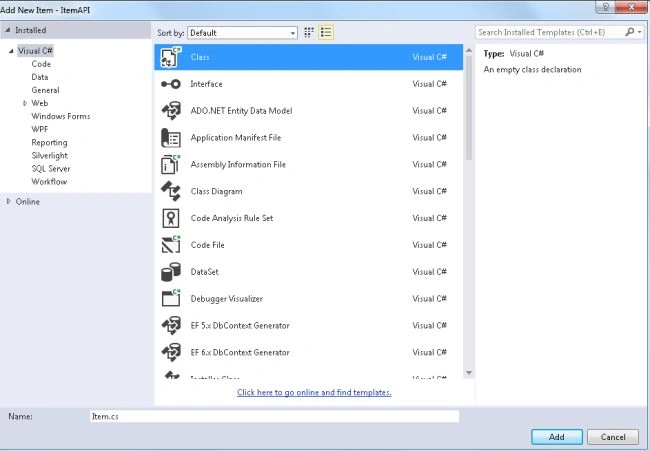
- Select "Installed" -> "Visual C#" and select class.
Add the following code
- using System;
- using System.Collections.Generic;
- using System.Linq;
- using System.Web;
- namespace ItemAPI.Models
- {
- public class Item
- {
- public int ID { get; set; }
- public string Name { get; set; }
- public decimal Cost { get; set;}
- public string Type { get; set; }
- }
- }
Step 3
Now add a OData Controller;
- In the "Solution Explorer".
- Right-click on the Controller folder.
- Select "Controller" -> "Web API2 OData Controller with actions using Entity Framework".
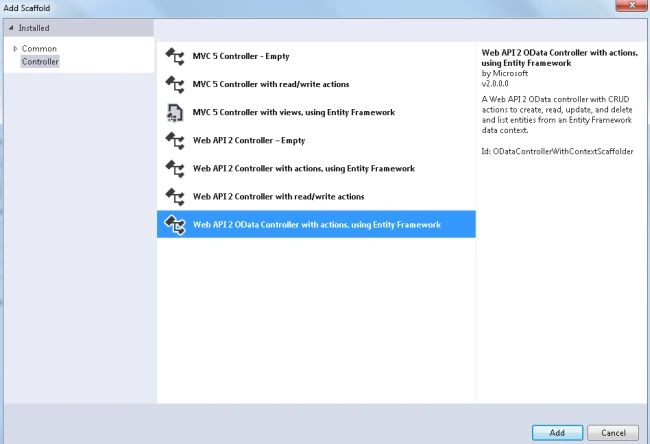
- In the Add Controller Dialog box, name the Controller as "ItemsController" and select the "Use async controller actions" , now form the model dropdown list select model class.
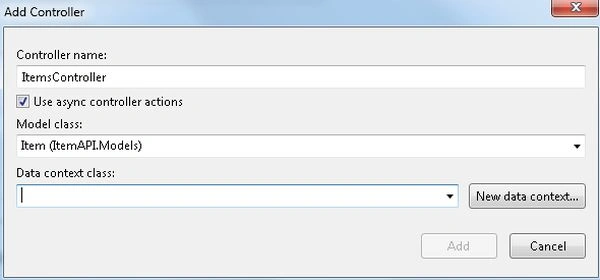
- Click on the "New Data Context".
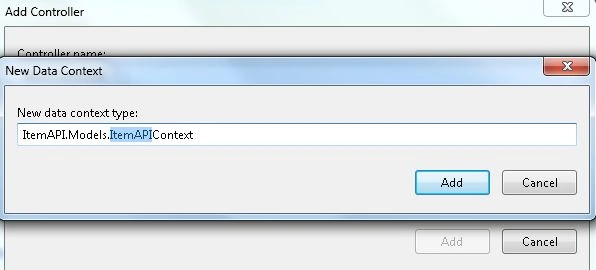
- Click on the "Add" button.
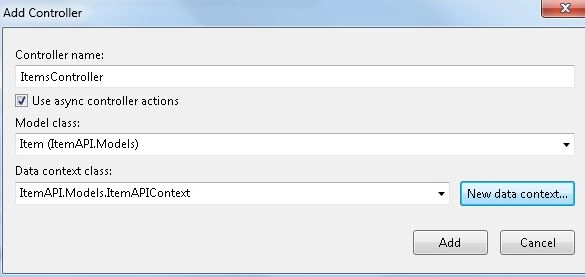
- Now again click on the "Add" button.
If there is an error message generated then before creating the OData controller build the project and then create the controller.
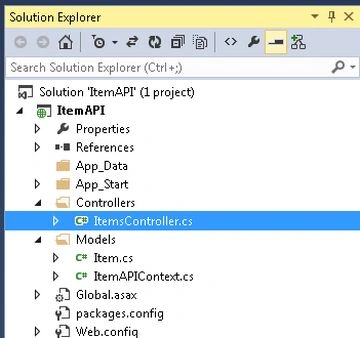
Create two code files as in the following:
- The First is "ItemsController" that defines the Web API Controller.
- The Second is "ItemAPIContext.cs" that defines the methods to query data with Entity Framework.
Step 4
Now add the OData Entity Data Model. When OData creates a system that defines all the entities in the metadata document, this is called EDM. We use the "ODataConventionModelBuilder" for creating the EDM.
- In the "Solution Exploere".
- Select the "App_Start" folder and select the "WebapiConfig.cs" file.
Add the following code in the Register method:
ODataConventionModelBuilder builder = new ODataConventionModelBuilder();
builder.EntitySet<Item>("Items");
config.Routes.MapODataRoute("odata", "odata", builder.GetEdmModel());
Step 5
Now set the port of the application.
- Right-click on the project.
- Select properties and then select "Web".
- Now set the URL in the "Project URL".
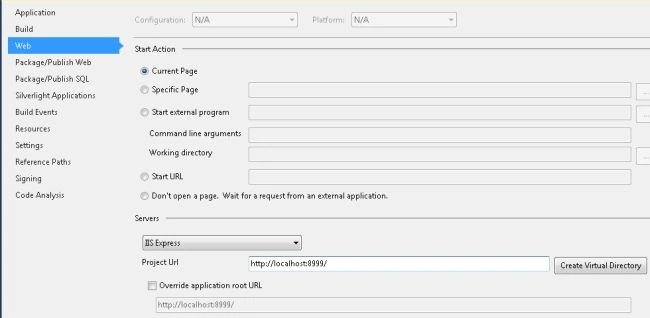
- Click on "Create Virtual Directory".
Step 6
Execute the application by pressing F5.
Open the fiddler, click on the composer tab and type this URL: "" then click on the "execute" button.
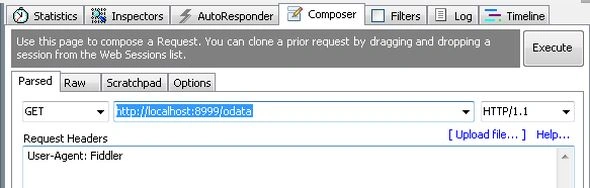
Now Fiddler send the HTTP request to the application. This response is in the left panel of Fiddler.
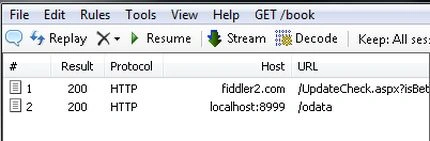
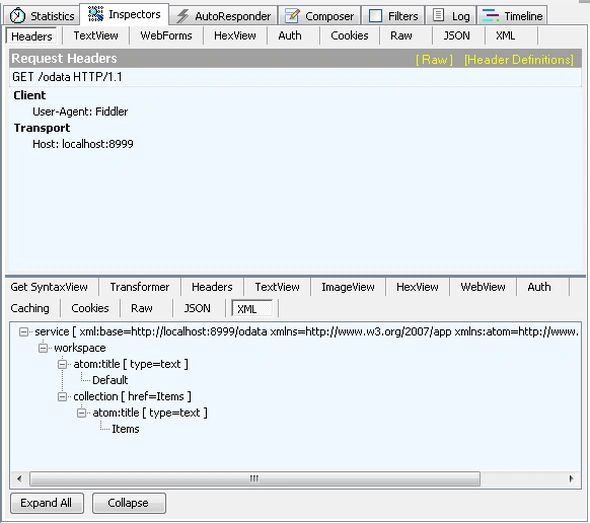
Double-click on the response to see the details in the "Inspectors" tab.
Join the conversation! Your thoughts help the community grow.