

Introduction
In this article, we discuss I/O APIs in Java 7.
I/O APIs in Java
Java provides some libraries for input/output operations, in other words reading and writing to files or network sockets. A number of key classes and packages are provided as part of the JDK for dealing with I/O in Java.
Java Packages for dealing with I/O APIs:
- java.io
- java.net
- java.nio
1. Java.io package
In the beginning, Java had only java.io API working with input and output operations on files. This does data stream I/O in Java applications.
It contains classes like:
- FileInputStream
- FileReader
- FileOutputStream
- FileWriter
- BufferedInputStream
- BufferedOutputStream
- ByteArrayOutputStream
- ByteArrayInputStream
2. java.net package
It provides classes to implement network-related applications.
It contains several classes:
- ContentHandler
- DatagramPacket
- DatagramSocket
- DatagramSocketImpl
- HttpURLConnection
- InetAddress
- MulticastSocket
- Socket
- SocketImpl
- URLConnection
- URLEncoder
- URLStreamHandler
3. Java.nio package
New I/O, also called nio, is a Java package. It was released with J2SE 1.4 used to extend the features of the java.io package. It provides low-level I/O operations on modern operating systems.
It contains several classes:
- Buffer
- ByteBuffer
- ByteOrder
- CharBuffer
- DoubleBuffer
- FloatBuffer
- IntBuffer
- LongBuffer
- MappedByteBuffer
- ShortBuffer
Limitation
The following are limitations of the current I/O API:
- In the current I/O API there is no guarantee of proper deletion of a file, you must check again and again that the file was deleted.
- Some operations are not scalable on directories and run on the parent thread.
- When some changes happen in a file you need to do polling.
Then came Java 7 that provides a way to handle I/O operations on a file with respect to the underlying file system.
What's New
The following are what's new in the Java 7 I/O APIs:
- New File System API
- File Notifications
- Directory Operations
- Asynchronous I/0
Reasons
The following are the reasons behind the change in APIs:
1. In the previous versions, the java.io.File class is:
- inconsistent in handling files from various operating systems.
- also inefficient in catching file attributes.
- it has certain limits in accessing functionality from the filesystem.
- when something goes wrong, some of its methods don't throw informative errors.
2. The work is done in the new I/O API provides fast and scalable I/O.
So, Java provides NIO.2, new APIs that provide better access to the FileSystem.
The new I/O API provides:
- A powerful traversing technique in the file system that helps to perform complex group operations.
- Atomic operations on the file system providing synchronization of processes against the file system.
- Custom file systems defined on certain file organization, like archives.
- Updates of specific file and file system objects and their attributes as links, owners and permissions.
- A convenient method to operate on entire file content such as copy, read, edit and move.
- Monitoring file system modifications.
Example
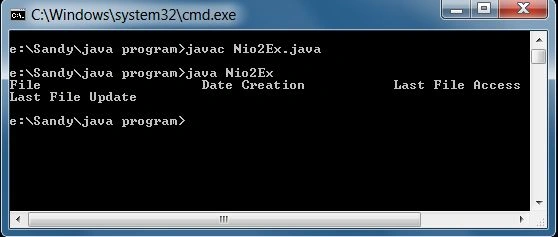
Using JAVA 7 I/O API: we make a program with a .txt file to check the creation date of a file, last access of the file, last update of the file, etc.; see:
- import java.text.*;
- import java.util.*;
- import java.nio.file.*;
- import java.nio.file.attribute.*;
- public class Nio2Ex {
- public static void main(String[] args) throws Exception {
- FileSystem flsystem = FileSystems.getDefault();
- Properties pr = System.getProperties();
- String homePathaddress = pr.get("user.home").toString();
- Path homeaddress = flsystem.getPath(homePathaddress);
- System.out.println("File\t\t\tDate Creation \t\tLast File Access\t\tLast File Update");
- try (DirectoryStream < Path > flow = Files.newDirectoryStream(homeaddress, "*.txt")) {
- for (Path item: flow) {
- BasicFileAttributes atrbs = Files.readAttributes(item, BasicFileAttributes.class);
- Date DateCreate = new Date(atrbs.creationTime().toMillis());
- Date DateAccess = new Date(atrbs.lastAccessTime().toMillis());
- Date DateUpdate = new Date(atrbs.lastModifiedTime().toMillis());
- DateFormat dfrmt = new SimpleDateFormat("MM/dd/yyyy HH:mm:ss");
- System.out.format("%s\t%s\t%s\t%s%n", item, dfrmt.format(DateCreate), dfrmt.format(DateAccess), dfrmt.format(DateUpdate));
- }
- }
- }
- }
Output
Join the conversation! Your thoughts help the community grow.