

Steps
- Create a new project.
- Create Class Library.
- Install Entity Framework.
- Create Model.
- Register context with dependency injection.
- Create database.
Let’s get started.
Create a new project with Visual Studio 2015.
- File > New > Project.
- In the left menu > Visual C# > Web.
- Choose ASP.NET Core Web Application (.NET Core).
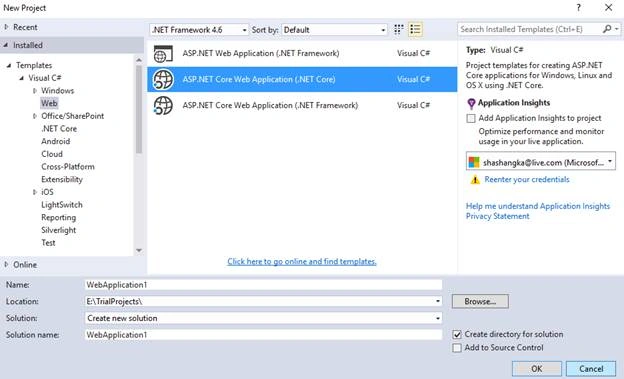
Name it (MVCAngular2) and click OK. In our next step, we will see how to create a .NET Core Class Library & reference it to our application.
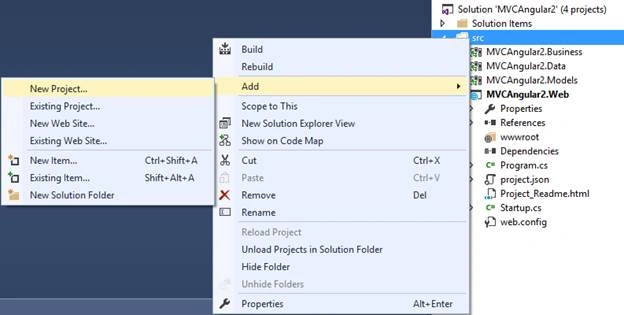
Add Class Library: SRC > Add > New Project.
From the left menu > Visual C# > .NET Core.
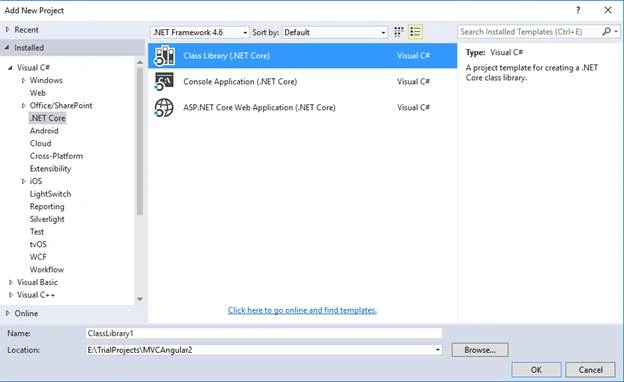
Choose Class Library (.NET Core), name it as MVCAngular2.Models, and click OK.
Project.json default template
- {
- "version": "1.0.0-*",
- "dependencies": {
- "NETStandard.Library": "1.6.0"
- },
- "frameworks": {
- "netstandard1.6": {
- "imports": "dnxcore50"
- }
- }
- }
"Microsoft.EntityFrameworkCore.Tools": "1.0.0-preview2-final"

There is an unsupported issue of EF Core 1.0.0-preview2-final with "NETStandard.Library": "1.6.0", so that we have changed the target framework to netstandard1.6 > netcoreapp1.0.
We have also specified the command line tool in tools section.
- "tools": {
- "Microsoft.EntityFrameworkCore.Tools": "1.0.0-preview2-final"
- },
- {
- "version": "1.0.0-*",
- "dependencies": {
- "Microsoft.EntityFrameworkCore.SqlServer": "1.0.0",
- "Microsoft.EntityFrameworkCore.Tools": "1.0.0-preview2-final"
- },
- "tools": {
- "Microsoft.EntityFrameworkCore.Tools": "1.0.0-preview2-final"
- },
- "frameworks": {
- "netcoreapp1.0": {
- "imports": ["dotnet5.6", "portable-net45+win8"]
- }
- }
- }
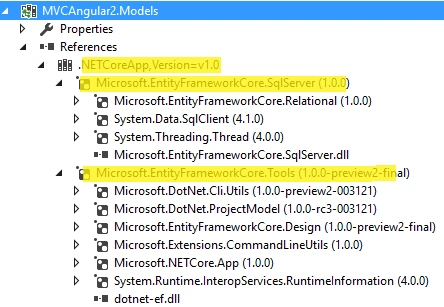
Install Entity Framework
Now, let’s add the folder for context and entities.
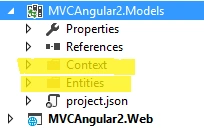
Configuring DbContext
Let’s add a class to our context folder and name it StudentContext which is inherited from the base class DbContext. We need to reference Entity Framework Core library to our class.
- using Microsoft.EntityFrameworkCore;
- public class StudentContext: DbContext
- {
- public StudentContext(DbContextOptions < StudentContext > options): base(options) {}
- }
DbContextOptions<T>.
base(options)
Let’s add Student Model in Entities folder.
- public class Student
- {
- public int StudentID {
- get;
- set;
- }
- public string StudentName {
- get;
- set;
- }
- }
Finally DbContext class
- public class StudentContext: DbContext
- {
- public StudentContext(DbContextOptions < StudentContext > options): base(options) {}
- public DbSet < Student > Students {
- get;
- set;
- }
- }
Before registering the context, let’s reference the library to our Web application project.
- Reference > Add Reference > Solution > MVCAngular2.Models
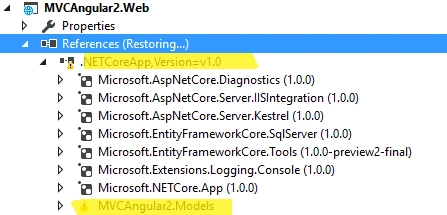
Open Startup.cs file. In ConfigureServices method, we need to add AddDbContext method which uses Microsoft.Extensions.DependencyInjection to register StudentContext as a service.
- public void ConfigureServices(IServiceCollection services)
- {
- var connection = @ "Server=DESKTOP-4T79RA1;Database=EFCoreStudentDb;Trusted_Connection=True;";
- services.AddDbContext < StudentContext > (options => options.UseSqlServer(connection));
- }
- var connection = @"Server=DESKTOP-4T79RA1;Database=EFCoreStudentDb;Trusted_Connection=True;";
- services.AddDbContext<StudentContext>(options => options.UseSqlServer(connection));
Create database
Now, let’s create a database by using migrations.
- Tools > NuGet Package Manager > Package Manager Console.
- Type Add-Migration Initial to scaffold a migration, press Enter
- Type Update-Database to apply the new migration to the database.
Add-Migration Initial

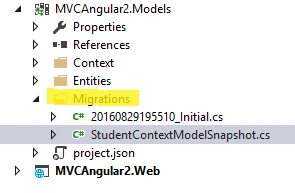
Update-Database
Now, open SSMS in order to explore our newly created database. As you can see from the below image.
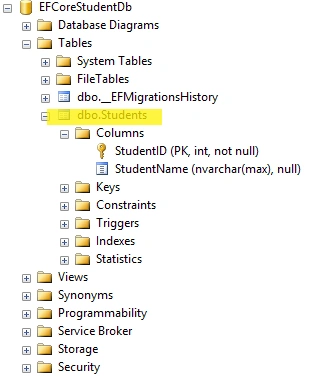
Hope this will help.
Anant DhasPosted Dec 19, 2017, 6:57 AM
Thank you for sharing. Please tell me '.net core class library' OR '.net standard class library' which one to use? or What are differences between them?
Sandeep Singh ShekhawatPosted Oct 23, 2016, 12:25 AM
Great! It's big open issue in EF with stranded version. update project.json this way------ { "dependencies": { "Microsoft.EntityFrameworkCore.SqlServer": "1.0.1", "Microsoft.EntityFrameworkCore.Design": "1.0.0-preview2-final" }, "frameworks": { "netcoreapp1.0": { "imports": [ "dotnet5.6", "portable-net45+win8" ] } }, "tools": { "Microsoft.EntityFrameworkCore.Tools": "1.0.0-preview2-final" }, "version": "1.0.0-*" }
Shamim UddinPosted Oct 2, 2016, 1:28 AM
Nice
K P Singh ChundawatPosted Sep 1, 2016, 7:19 AM
Thanks for sharing. Can you let me know How to do auto migration like previous version of EF public Configuration(){ AutomaticMigrationsEnabled = false;}
Rajeesh MenothPosted Aug 31, 2016, 6:59 AM
Thanks for sharing :)
Shamim UddinPosted Aug 31, 2016, 3:13 AM
Nice