

Introduction
In this article I am going to talk about MVC CRUD Operations Using Entity Framework 6 without writing any code. First, you should learn about MVC and the basics of Entity Framework.
- The View is responsible for the look and feel.
- Model represents the real world object and provides data to the View.
- The Controller is responsible for taking the end user's request and loading the appropriate Model and View.
- Download Sample
Building the Sample
Step 1
Create sample employee SQL table:
- CREATE TABLE [dbo].[Employee](
- [EmployeeId] [int] primary key identity(1,1),
- [FirstName] [nvarchar](50) NULL,
- [LastName] [nvarchar](50) NULL,
- [Address1] [nvarchar](50) NULL,
- [Address2] [nvarchar](50) NULL,
- [EmailID] [nvarchar](50) NULL,
- )
Step 2
Open Visual studio -> Create New Project Asp.net WebApplication with MVC:
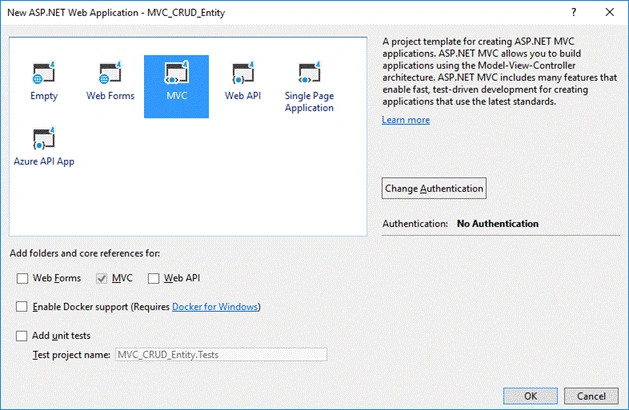
Step 3
Right Click on the Project and go to Manage NuGet Packages..
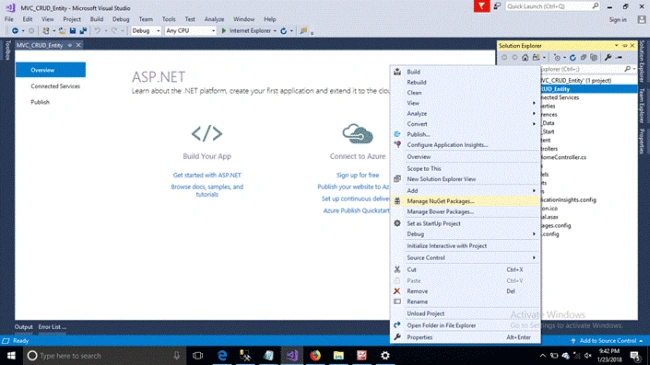
Step 4
Click on the browse button then find entity framework. In this article I have selected framework 6:
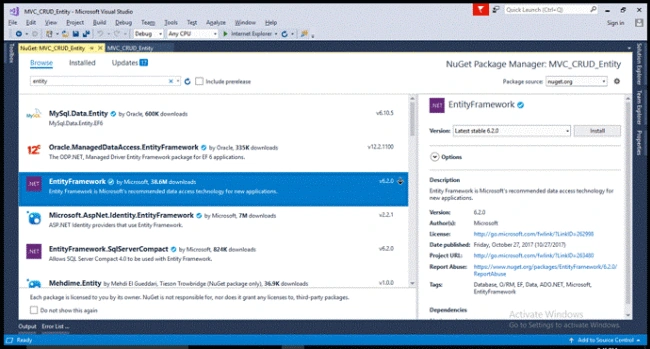
Step 5
Right Click on the project -> go to Add -> New Item - >Select ADO.NET Entity Data Model. Give model name.
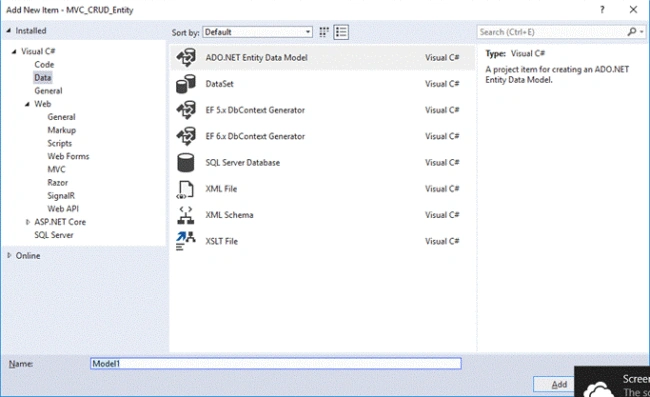
Step 6
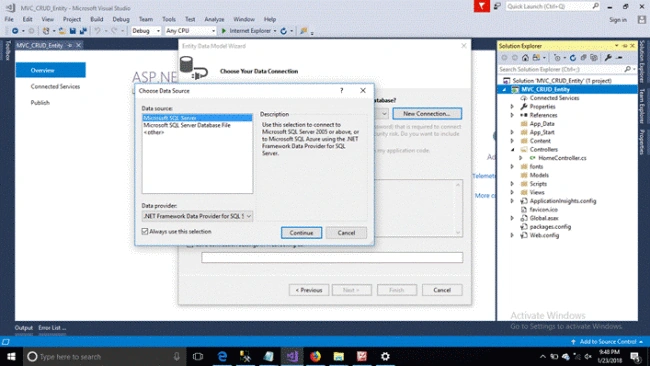
Click on the New Connection -> Select Data Source as Microsoft SQL Server
Step 7
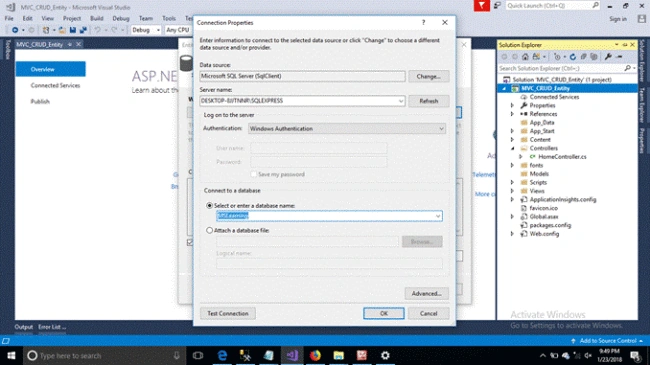
Choose Server Name & Database Name then click OK
Step 8
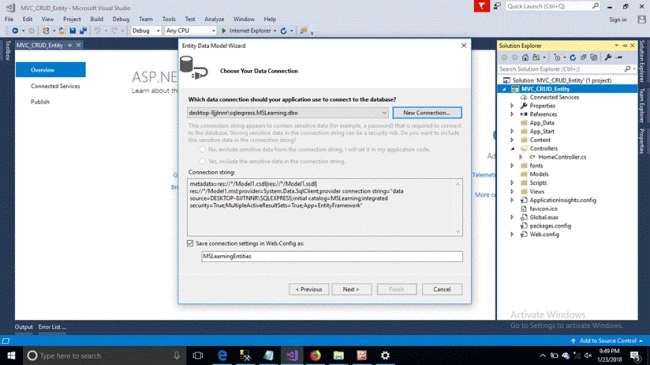
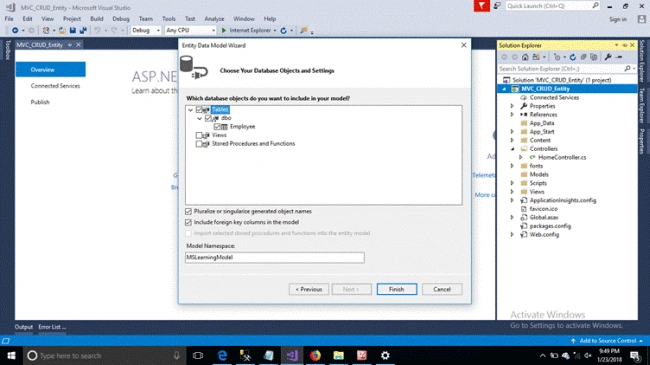
By default connection string will be generated -> Select Table Data
Step 9
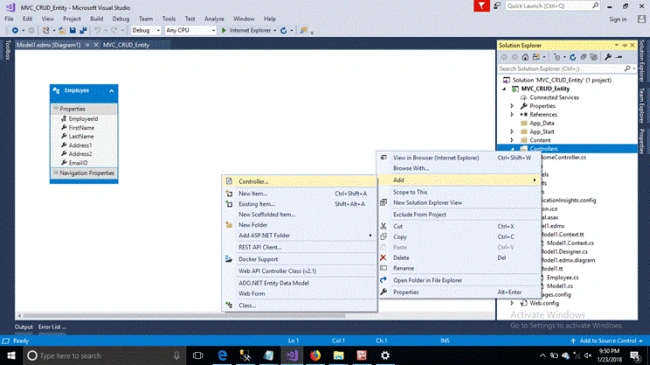
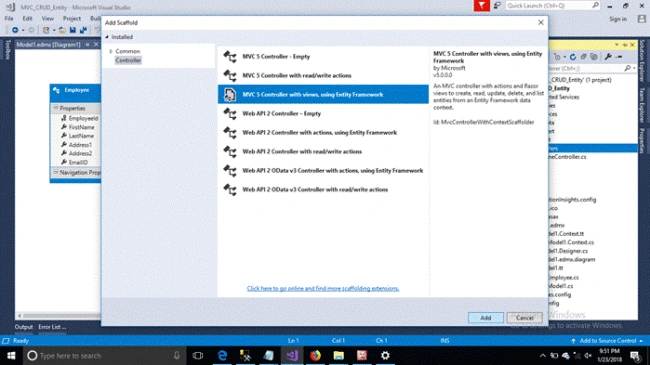
Add new controller with the name "Employee"
Step 10
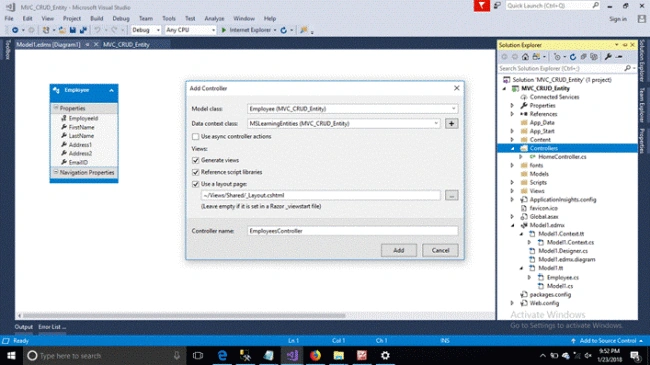
Select Model Class and Data Context cClass from combo box. Select Generate View Checkbox and give controller a name.
Step 11
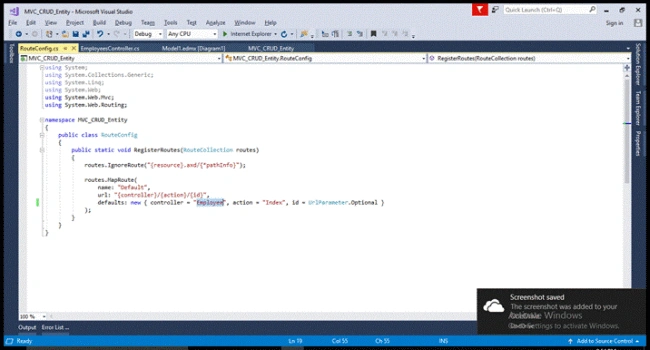
Change default "Home" controller to "Employees" and hit F5 to run the sample.
- public class RouteConfig
- {
- public static void RegisterRoutes(RouteCollection routes)
- {
- routes.IgnoreRoute("{resource}.axd/{*pathInfo}");
- routes.MapRoute(
- name: "Default",
- url: "{controller}/{action}/{id}",
- defaults: new { controller = "Employees", action = "Index", id = UrlParameter.Optional }
- );
- }
- }
Step 12
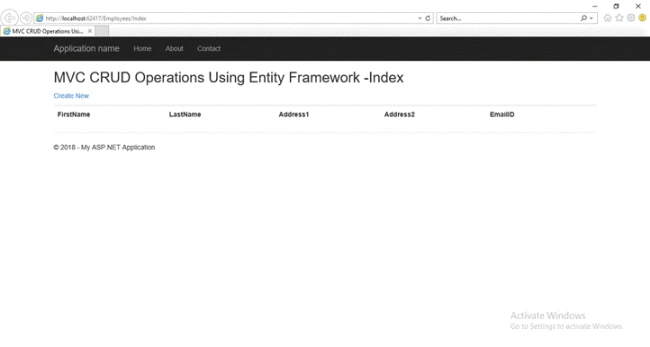
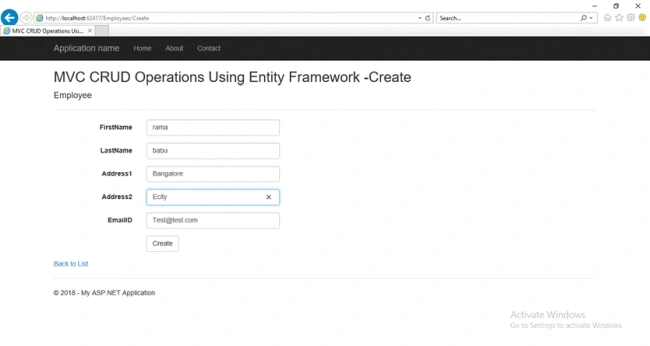
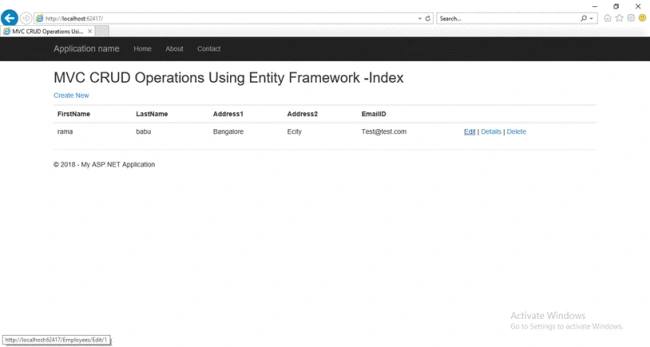
Without writing a single of code the application is created with CRUD views.
Dinesh KumarPosted Dec 21, 2021, 6:58 AM
Nice article. Thanks for sharing !!!
vikash kumarPosted Oct 3, 2021, 3:44 PM
Look and like very good article and good under standing thanks
Alan OrtegaPosted Jan 29, 2021, 5:25 AM
How can i donate some money, you teachme something new today !!
Nilesh MondePosted Jul 10, 2018, 7:42 AM
Which model content use ?
Mohd IrfanPosted Jul 2, 2018, 1:08 AM
Here is missing choose model contents.....like EF Designer,Code First Apporoch etc
Amit Kumar SinghPosted Jun 29, 2018, 5:58 AM
Nice One .... Thanks for sharing !!!
Vishal PrajapatiPosted Mar 28, 2018, 7:41 AM
Nice article............
Bhavesh JadavPosted Mar 28, 2018, 5:23 AM
Good....................