

Introduction
This article explains how to handle multiple button click event handlings in the ASP.NET Web API. These events are present in the same View.
The following is the procedure for creating the application.
Step 1
First create a Web API application.
- Start Visual Studio 2013.
- From the Start Window select "New Project".
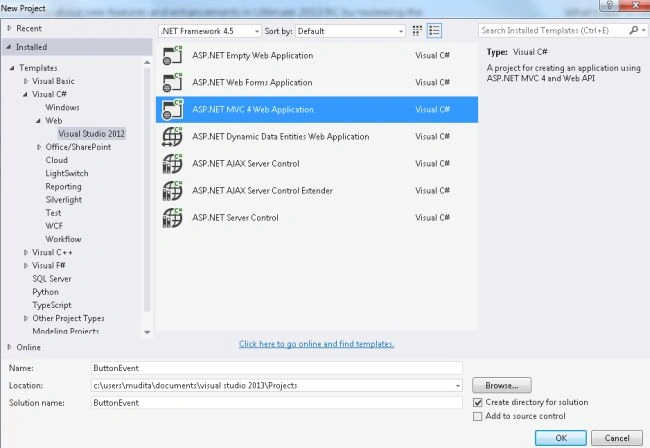
- From the new project window select "Installed" -> "Visual C#" -> "Web" -> "Visual Studio 2012".
- Select "ASP.NET MVC 4 Application" and click the "Ok" button.
- From the "MVC 4 Project" window select "Web API".
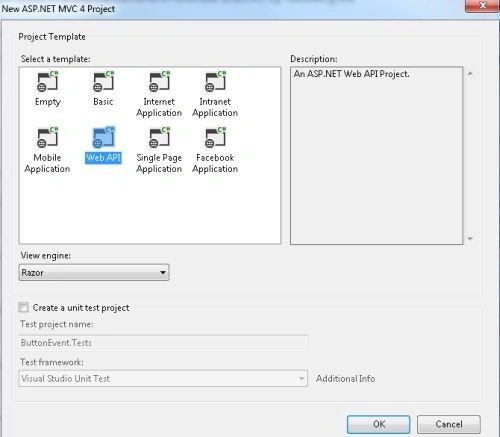
- Click on the "OK" buuton.
Step 2
Add a Model Class as in the following:
- In the "Solution Explorer".
- Right-click on the "Model folder".
- Select "Add" -> "class".
- From the add item window select "Installed" -> "Visual C#".
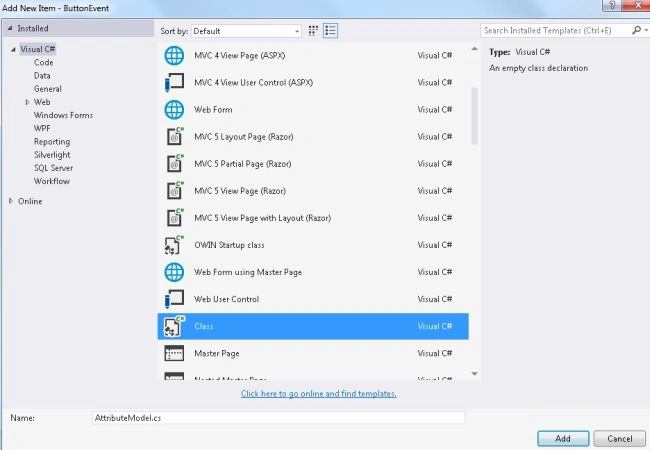
- Select "Class" and click on the "Add" button.
Add the following Code:
- using System;
- using System.Collections.Generic;
- using System.Linq;
- using System.Reflection;
- using System.Web;
- using System.Web.Mvc;
- namespace ButtonEvent.Models
- {
- public class AttributeModel : ActionMethodSelectorAttribute
- {
- public string Name { get; set; }
- public string Data { get; set; }
- public override bool IsValidForRequest(ControllerContext context, MethodInfo Info)
- {
- var request = context.RequestContext.HttpContext.Request;
- return request.Form[this.Name.Trim()] == this.Data;
- }
- }
- }
The "ActionMethoSelectorAttribute" allow the selection of the "action" method. Inherit this abstract class to create the attribute of the "AttributeModel" class.
Step 3
Now in the "Controller" we add the code that uses all the variables of the Model class. This file exists:
- In the "Solution Explorer".
- Expand the "Controller" folder.
- Select the "HomeController".
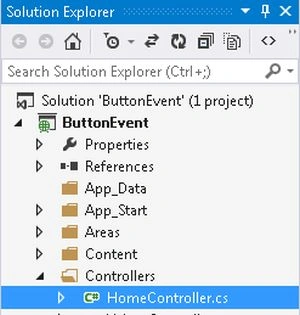
Add the following code:
- using System;
- using System.Collections.Generic;
- using System.Linq;
- using System.Web;
- using System.Web.Mvc;
- using ButtonEvent.Models;
- namespace ButtonEvent.Controllers
- {
- public class HomeController : Controller
- {
- public ActionResult Index()
- {
- return View();
- }
- [ActionName("Index")]
- [AcceptVerbs(HttpVerbs.Post)]
- [AttributeModel(Name = "Number", Data = "ShowEvent1")]
- public ActionResult ShowEvent1()
- {
- ViewBag.EventName = "This is Button 1 Event";
- return View();
- }
- [ActionName("Index")]
- [AcceptVerbs(HttpVerbs.Post)]
- [AttributeModel(Name = "Number", Data = "ShowEvent2")]
- public ActionResult ShowEvent2()
- {
- ViewBag.EventName = "This is Button 2 Event";
- return View();
- }
- }
- }
"[AcceptVerbs(HttpVerbs.Post)]" This is sane as "[HttpPost]". but the difference is that If we want that action respond both Get and Post Then we can not use [HttpGet,HttpPost] on same action. But we can use [AcceptVerbs(HttpVerb.Get|HttpVerb.Post)].
Step 4
In the View write some code as in the following:
-
In the "Solution Explorer".
-
Expand the "Views folder".
-
Select "Home" -> "Index.cshtml".
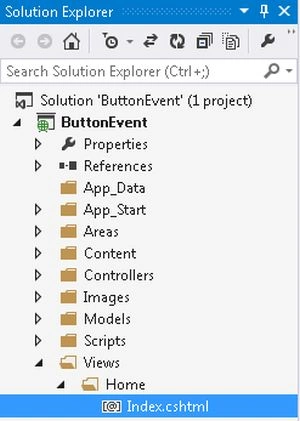
Add the following code:
- @{
- ViewBag.Title = "Index";
- }
- @using (Html.BeginForm("Index", "Home"))
- {
- <h2>@ViewBag.EventName</h2>
- <input type="submit" value="ShowEvent1" name="Number" />
- <input type="submit" value="ShowEvent2" name="Number" />
- }
Step 5
Execute the application:
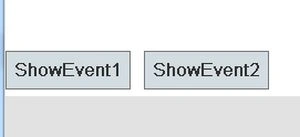
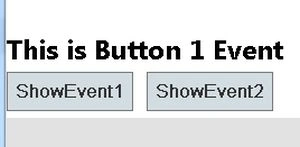
Click on the "ShowEvent1" button.
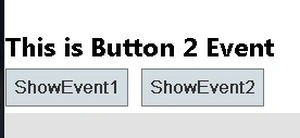
Now click on the "ShowEvent2" button.
Join the conversation! Your thoughts help the community grow.