

Introduction
A model class is an important component in every project. These classes mainly contain properties and validating these properties is a primary goal of developers.
We can enforce the validation by using Data Annotation validators. The advantage of using the Data Annotation validators is that they enable you to perform validation simply by adding one or more attributes – such as the Required or StringLength attribute etc. to a class property.
Before you can use the Data Annotation, you need "System.ComponentModel.DataAnnotations.dll assembly".

To find all the attributes related to data annotation, you can check the following Link. So here, we will learn how to check these property validations using Nunit Unit Test. Create a simple project and add the Nunit reference in this.
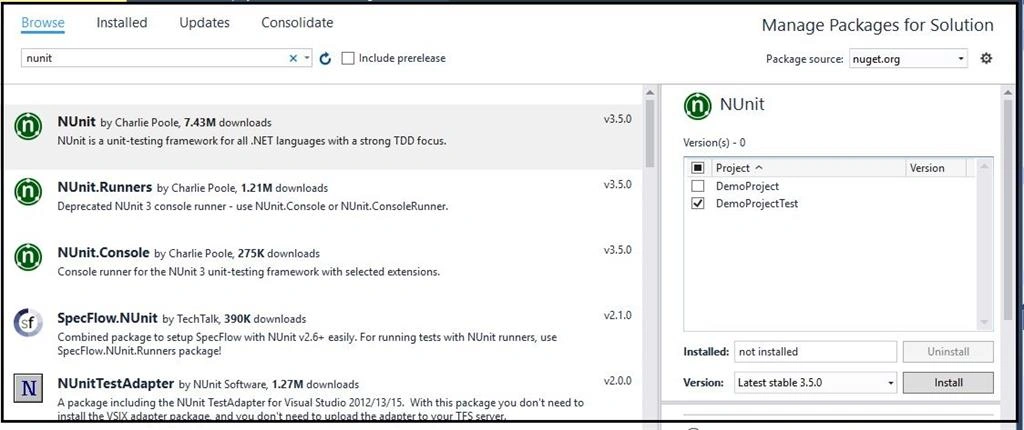
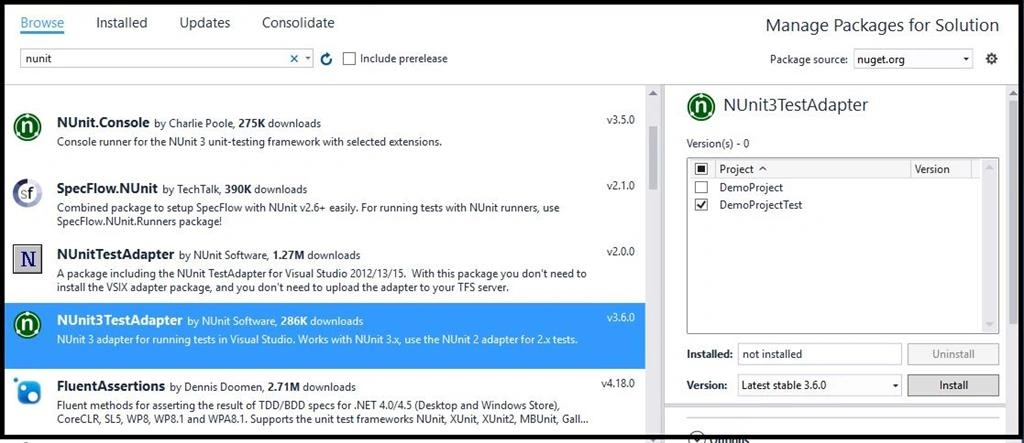
Now, ensure that all the tests will be shown in the Test Explorer. Add a referance of Nunit Test Adapter in the project.
Now, create an Employee model like this.
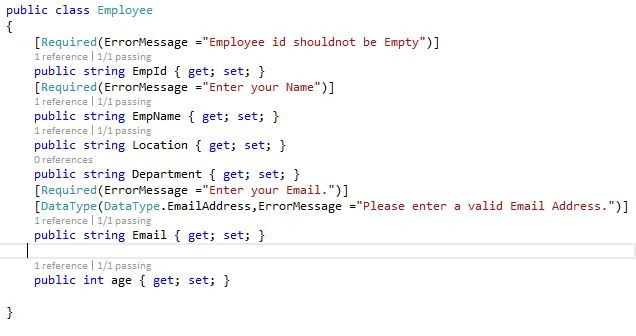
Here is the code snippet of the class.
A model class is an important component in every project. These classes mainly contain properties and validating these properties is a primary goal of developers.
We can enforce the validation by using Data Annotation validators. The advantage of using the Data Annotation validators is that they enable you to perform validation simply by adding one or more attributes – such as the Required or StringLength attribute etc. to a class property.
Before you can use the Data Annotation, you need "System.ComponentModel.DataAnnotations.dll assembly".
To find all the attributes related to data annotation, you can check the following Link. So here, we will learn how to check these property validations using Nunit Unit Test. Create a simple project and add the Nunit reference in this.
Now, ensure that all the tests will be shown in the Test Explorer. Add a referance of Nunit Test Adapter in the project.
Now, create an Employee model like this.
Here is the code snippet of the class.
- public class Employee
- {
- [Required(ErrorMessage ="Employee id shouldnot be Empty")]
- public string EmpId { get; set; }
- [Required(ErrorMessage ="Enter your Name")]
- public string EmpName { get; set; }
- public string Location { get; set; }
- public string Department { get; set; }
- [Required(ErrorMessage ="Enter your Email.")]
- [DataType(DataType.EmailAddress,ErrorMessage ="Please enter a valid Email Address.")]
- public string Email { get; set; }
- public int age { get; set; }
- }
So here, we have added all the Data Annotation Rules. Now, create a new class to check the validation rules or attribute implemented in this model.
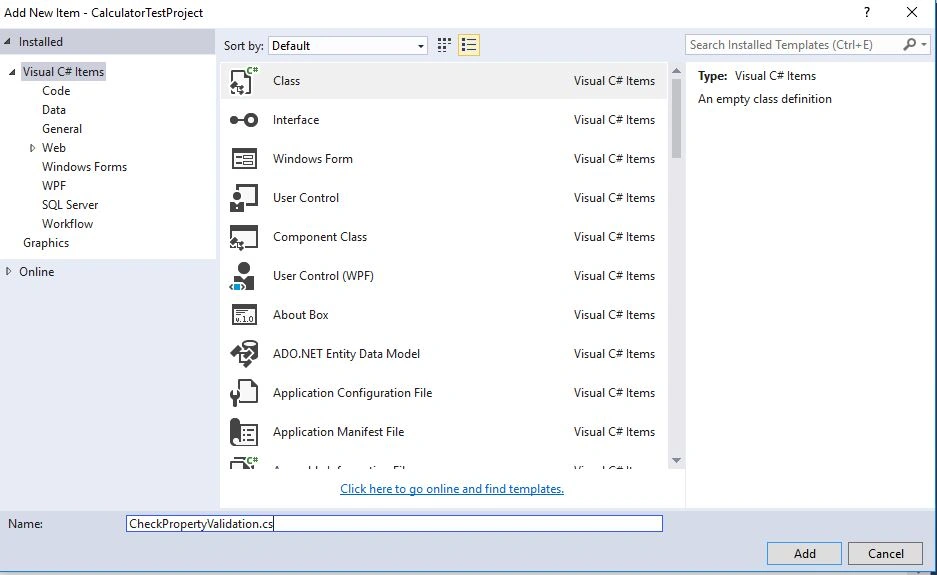
Add the following code in this.
So, let's check what ValidationResult is.
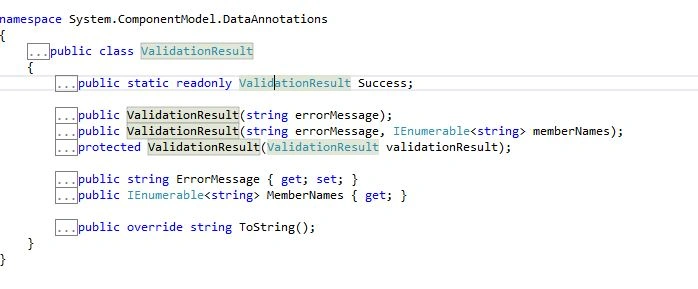
ValidationResult is a class that comes under "System.ComponentModel.DataAnnotations" Namespace. If we go to its definition, we will find these methods inside these.
Validation Context describes the context on which validation is performed. It accepts a parameter as an object on which validation is performed. After that, the Validator.TryValidateObject checks for the validation against the attribute and updates the result.
Add the following code in this.
- using System;
- using System.Collections.Generic;
- using System.Linq;
- using System.Text;
- using System.Threading.Tasks;
- using System.ComponentModel.DataAnnotations;
- namespace CalculatorTestProject
- {
- public class CheckPropertyValidation
- {
- public IList<ValidationResult> myValidation(object model)
- {
- var result = new List<ValidationResult>();
- var validationContext = new ValidationContext(model);
- Validator.TryValidateObject(model, validationContext, result);
- if (model is IValidatableObject) (model as IValidatableObject).Validate(validationContext);
- return result;
- }
- }
- }
ValidationResult is a class that comes under "System.ComponentModel.DataAnnotations" Namespace. If we go to its definition, we will find these methods inside these.
Validation Context describes the context on which validation is performed. It accepts a parameter as an object on which validation is performed. After that, the Validator.TryValidateObject checks for the validation against the attribute and updates the result.
Now, after implementing these things, write a unit test method to validate your class properties.
- using NUnit.Framework;
- using System;
- using System.Collections.Generic;
- using System.Linq;
- using System.Text;
- using System.Threading.Tasks;
- using Moq;
- namespace CalculatorTestProject
- {
- [TestFixture]
- public class CalculatorTestMethods
- {
- [Test]
- public void verifyclassattributes()
- {
- CheckPropertyValidation cpv = new CheckPropertyValidation();
- var emp = new Employee
- {
- EmpId="EID001",
- EmpName="Krishna",
- Location="Bangalore",
- age=26,
- Email="[email protected]"
- };
- var errorcount = cpv.myValidation(emp).Count();
- Assert.AreEqual(0, errorcount);
- }
- }
- }
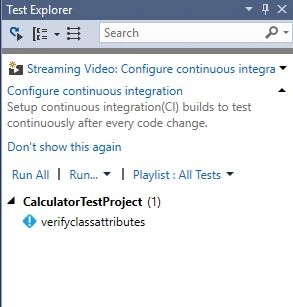
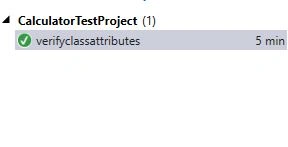
Now, as I have created a valid class object, I am checking if the class properties are valid as per the validation attribute implemented on the model it simply passes. So, just run the Test Case.
Now, let's put an invalid data and check. Now, I am commenting the EmployeeId which is required as per the Model validation and let's see what will happen.
- [TestFixture]
- public class CalculatorTestMethods
- {
- [Test]
- public void verifyclassattributes()
- {
- CheckPropertyValidation cpv = new CheckPropertyValidation();
- var emp = new Employee
- {
- // EmpId="EID001", (Employee Id Is commented)
- EmpName="Krishna",
- Location="Bangalore",
- age=26,
- Email="[email protected]"
- };
- var errorcount = cpv.myValidation(emp).Count();
- Assert.AreEqual(0, errorcount);
- }
- }
Now, save the changes and debug the Test Case.
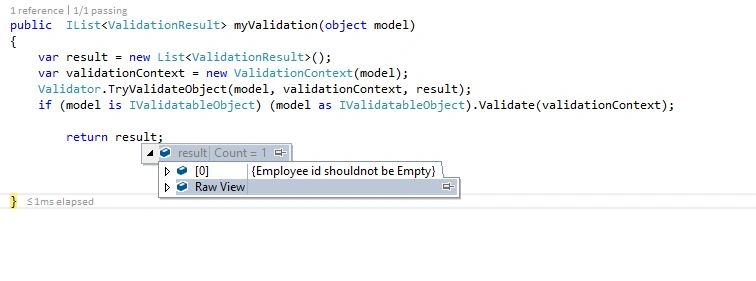
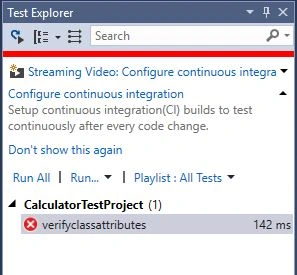
It will return the error and thus the Test Case will fail.
Conclusion
Thus, in this way, we can check or verify our model class property using Nunit. If you have any doubt, please let me know so that I can try to explain and modify it.
It will return the error and thus the Test Case will fail.
Conclusion
Thus, in this way, we can check or verify our model class property using Nunit. If you have any doubt, please let me know so that I can try to explain and modify it.
Kamran RashidPosted Aug 2, 2024, 11:20 AM
What if there is no annotations then also can we write test cases and test our model of yes can you please share it
maaza maazPosted Apr 22, 2020, 1:40 AM
Same thing we can do with MSTest also.
Avinava BasuPosted Jan 27, 2020, 3:17 PM
Thanks, simple and crisp. Is there a way to test the same with TryValidateModel ?
fernando aguilarPosted Jun 10, 2019, 4:46 PM
This looks great but what if I need to localize my model?... how can I do this?
Bhuvan PandeyPosted Feb 15, 2017, 7:46 AM
The way you explain the topic, NUnit is good.
Vishal PrajapatiPosted Feb 15, 2017, 3:27 AM
Thanks for sharing.....
Abhimanyu SinghPosted Feb 15, 2017, 3:01 AM
Very good explanation.