

Introduction
This article explains binding models with events. In Backbone.js the view follows the models. When any data changes in the model the view is automatically updated for displaying the changes in the model. So in this tutorial we will learn about the backbone.js model binding events.
Now let's see the example.
- First we need to create the Web application:
- Start Visual Studio 2013.
- From the Start window select "New Project".
- Select "Installed" -> "Template" -> "Visual C#" -> "Web" -> "Visual Studio 2012" and select "ASP.NET Empty Web Application".
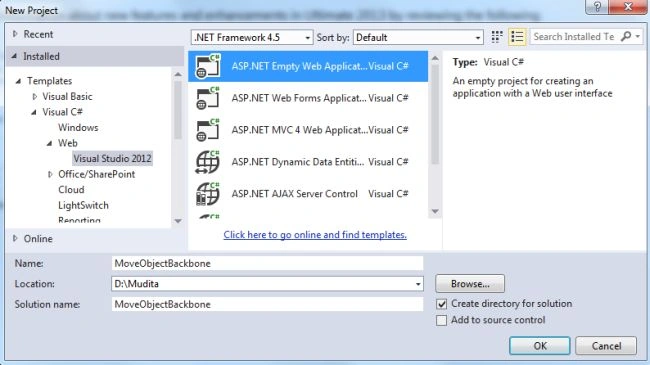
- Click on the "OK" button.
- Now add the HTML Page to the project:
- In the Solution Explorer.
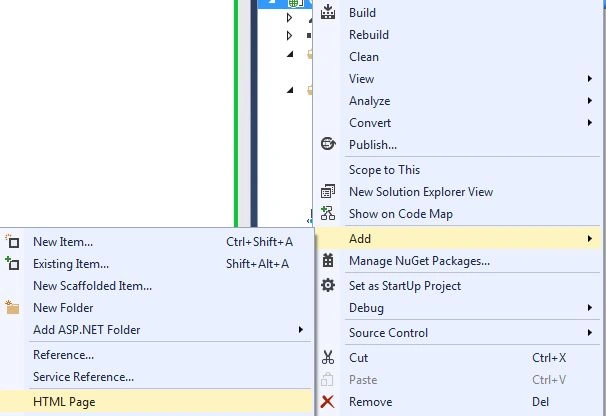
- Right-click on the project and select "Add" -> "HTML Page".
- Change the name.
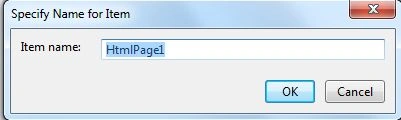
- Then click on the "OK" button.
Add the following code:
<html>
<head>
<title></title>
<script src="js/jquery-1.7.2.js" type="text/javascript"></script>
<script src="js/underscore.js" type="text/javascript"></script>
<script src="js/backbone.js" type="text/javascript"></script>
</head>
<body>
<script type="text/javascript">
var Animal = Backbone.Model.extend({
initialize: function () {
console.log("Animal Name Initialization");
}
});
var animalChanged = function (event) {
console.log("Animal Name Changed - " + event.get("name"));
}
var animal = new Animal({ name: "Tiger", Color: "Brown" });
animal.on("change", animalChanged);
animal.set({ name: "Elephent" });
animal.set({ name: "Tiger" });
</script>
</body>
</html>
In the preceding example we created a model named "Animal". Then we will create a function "animalChanged". This function only accepts the argument that is called an event. At last we will see that the argument of the event is the actual model.
Now we will initiate the Animal class with the "animal" object, it has two properties. The first is "Name" and the other is "Color". The main part of this example is that when we change the "animal" object then it invokes the animalChanged function. Here we will invoke the "on" function for the "animal" object. Then it is passed to the event "changed" that notifies the function that is invoked when the event is triggered.
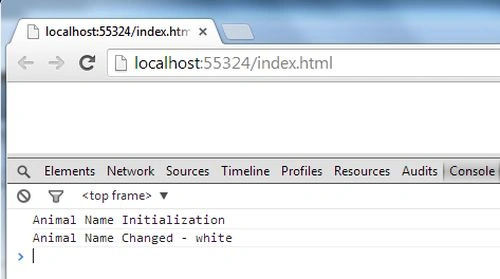
See the output, execute the application in the Chrome browser.
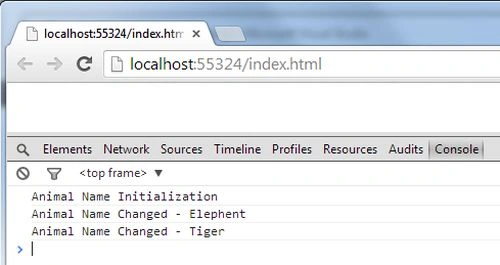
Now let's see another example in which we will show you to follow the specific property of the model. In this example we will change the "Color" property anytime. And we are notified of it.
See the following code:
<html>
<head>
<title></title>
<script src="js/jquery-1.7.2.js" type="text/javascript"></script>
<script src="js/underscore.js" type="text/javascript"></script>
<script src="js/backbone.js" type="text/javascript"></script>
</head>
<body>
<script type="text/javascript">
var Animal = Backbone.Model.extend({
initialize: function () {
console.log("Animal Name Initialization");
}
});
var animalChanged = function (event) {
console.log("Animal Name Changed - " + event.get("Color"));
}
var animal = new Animal({ name: "Tiger", Color: "Brown" });
animal.on("change:Color", animalChanged);
animal.set({ name: "Elephent" });
animal.set({ name: "Tiger" });
animal.set({ Color: "white" });
</script>
</body>
</html>
In this example we will set the event to "changeColor". This specifies that, when changes to the property "Color" occurs then it invokes the "animalChanged" function.
Here, if we change the name of the animal because the event is not connected for the change of the name then the animalChanged function will not be fired.
Now, if we change the value of the Color then it triggers the animalChanged function.
Join the conversation! Your thoughts help the community grow.