

In this article, will use the previous example,
Database migration in Code First Approach: With the database migration feature, we can update our model class information, after it is created initially. The most useful feature it provides is flexibility, the changes are made in the model class and those same changes are reflected in the database.
When we are implementing the database migration, only the model and database will be updated. Controller and view should be regenerated; otherwise manually modify them, based on our changes that we have performed.
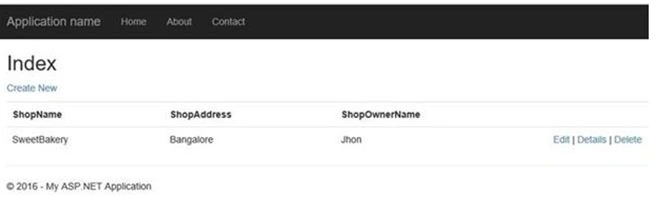
How to use Migration
We have three commands => Enable Migrations, Add Migration, Update Database.
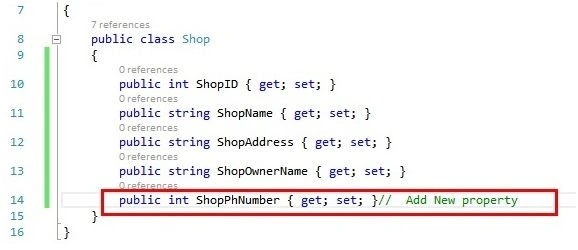
Now, go to Shop.cs Class in Model Folder and add new property.
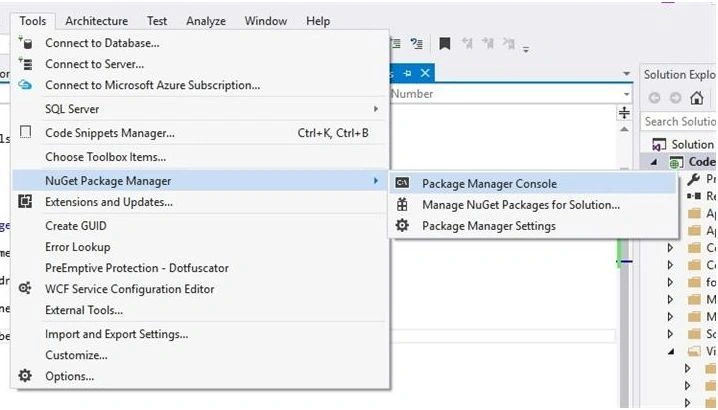
Go to Package Manager Console and type command help migration.

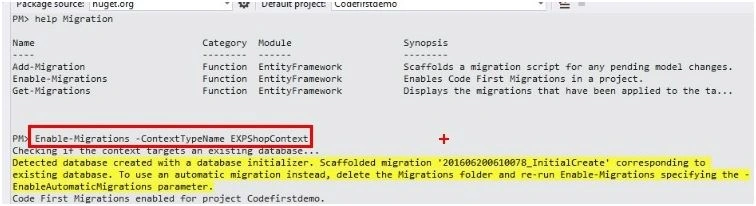
Type Enable-Migrations -ContextTypeName EXPShopContext.
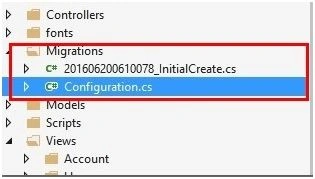
This command creates a migration folder with InitialCreate.cs and Configuration.cs file, where all the code is written for updating. We can see Solution Explorer, given below:
Type Add-Migration <migration name >. The migration name should start with 'm' so that VS can easily understand, this is a migration name.

Therefore, we can see migration folder and another file is created with a name Mshopstatus.cs.
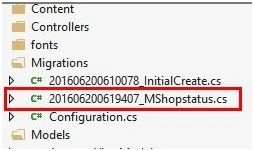
This command records all the changes performed in our model classes.
Now, we will update the database with the help of Update-DataBase command.
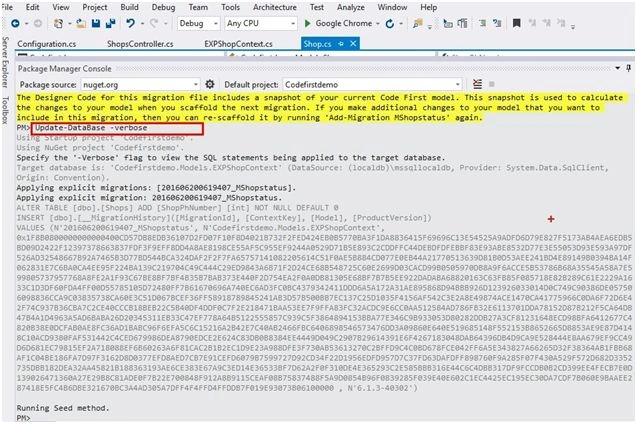
By using '-verbose', we can see in the package manager console what changes are there in the database. Build the project.
Add the new controller and choose the template.
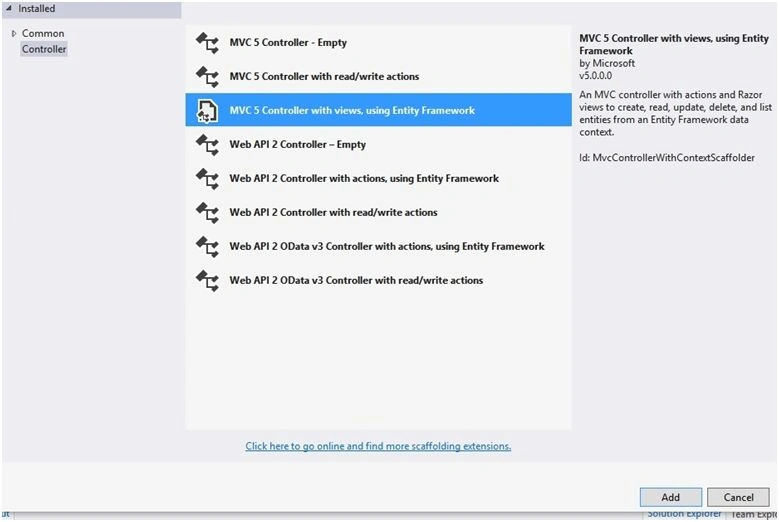
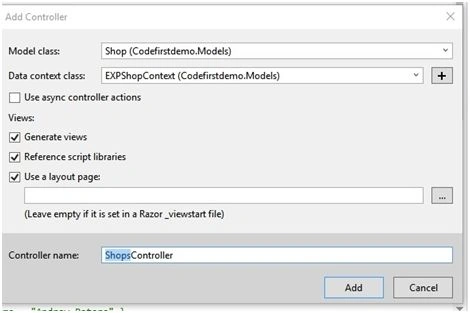
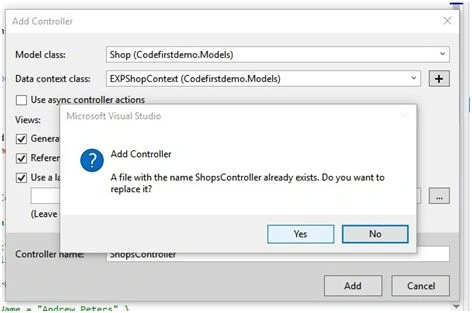
Here, first we ensure whether we have to replace it or not.
Click Yes and run the Application.
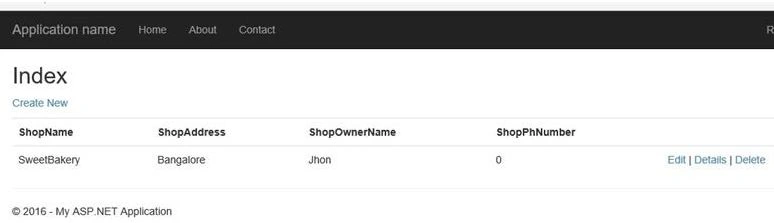
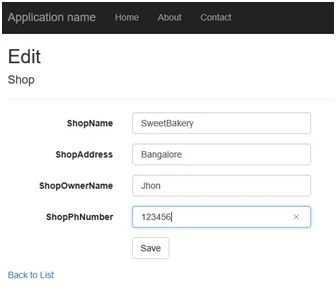
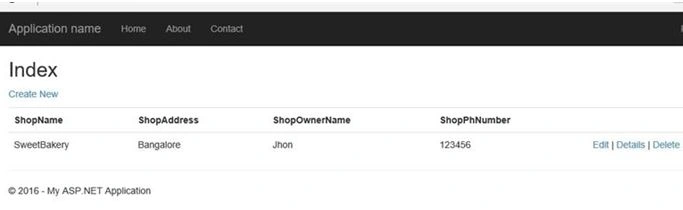
Check all the operations (Create New, Edit, Details and Delete).
Santhakumar MunuswamyPosted Jun 25, 2016, 12:47 AM
Thank you for nice article
Prasanna MuraliPosted Jun 23, 2016, 10:10 AM
Nice one...
Debasis SahaPosted Jun 23, 2016, 2:26 AM
Good One..
Gowtham KPosted Jun 22, 2016, 2:37 AM
Good one, Thanks for sharing:)
RajaPosted Jun 22, 2016, 1:45 AM
Good One...
kalu singh raoPosted Jun 22, 2016, 1:44 AM
Nice...
Vignesh ManiPosted Jun 21, 2016, 4:57 PM
Good one
sreenivasa kPosted Jun 21, 2016, 1:51 PM
xllent
Kuppurasu NagarajPosted Jun 21, 2016, 12:36 PM
Nice Sharing..