

Artificial Intelligence is reshaping how we interact with our PCs—and Windows 11 is leading the charge. According to a recent Microsoft-commissioned report, nearly 60% of users have leveraged generative AI for work, while 64% have explored it for personal passions like music, art, and DIY projects.
As AI becomes part of our daily lives, Windows 11 is evolving to offer smarter, more intuitive tools that simplify your everyday PC experience. From intelligent settings control to AI-powered creativity apps, Windows 11 on Copilot+ PCs is your new productivity powerhouse.
1. Say Hello to Windows' First AI Agent for Settings
Changing settings just got easier. On Copilot+ PCs, a new AI-powered Settings agent allows you to type natural language queries like “turn on quiet hours” or “connect to Bluetooth,” and Windows will guide or complete the action for you.
How to Try
- Open Settings
- Type what you want to do in your own words: "connect Bluetooth device"
- Let the agent guide or apply the change
2. Boost Productivity with "Click to Do" (Preview)
Click to Do lets you take action directly on screen text or images, without switching windows. From prompting Copilot to drafting emails, reading aloud, or scheduling a Teams meeting, it keeps your workflow seamless.
New Actions
- Reading Coach: Practice pronunciation and fluency
- Immersive Reader: Distraction-free reading environment
- Draft with Copilot in Word: Instantly turn snippets into full drafts
- Teams Integration: Message or schedule meetings from an email
3. Bring Light to Photos with Relight Tool
The Photos app now includes a Relight feature, giving your images a professional touch. Add up to three virtual light sources, adjust intensity, and apply presets like “Studio Portrait.”
4. New Creative Powers in Paint
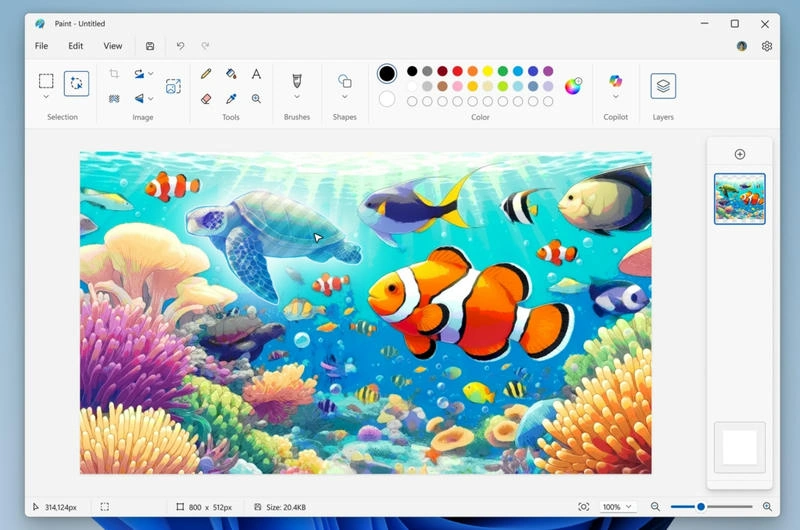
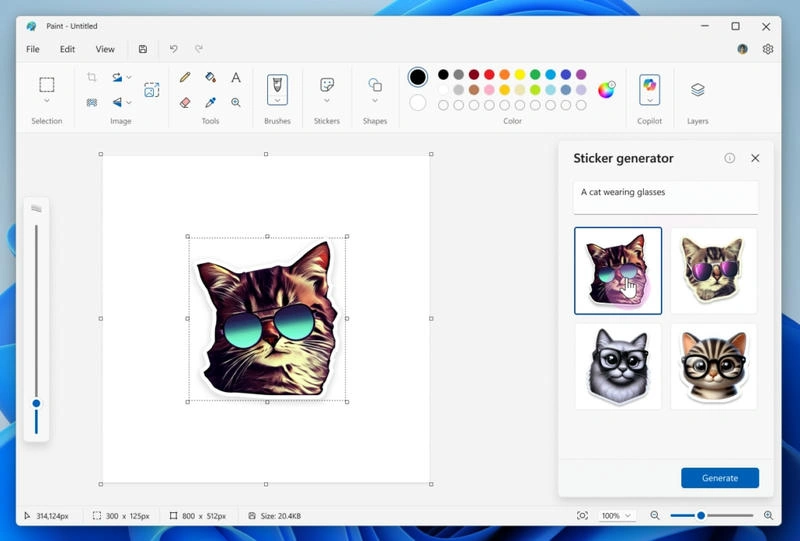
Paint introduces the Sticker Generator—type a prompt and create AI-powered custom stickers instantly. You can also use Object Select to isolate and edit parts of an image smartly.
How to Use
- Open Paint and use the Sticker Generator from Copilot.
- Try Object Select for smart edits
5. Smarter Screenshots with Snipping Tool
Two major features come to Snipping Tool:
- Perfect Screenshot: AI-powered cropping for ideal screen captures
- Color Picker: Instantly identify HEX, RGB, or HSL color values
6. Copilot Vision: See What You See
Copilot Vision enables your PC to see your screen and offer real-time help. Ask questions or request step-by-step assistance via Highlights—it's like having an assistant right inside your workflow.
7. Better Browsing and Gaming with Microsoft Edge
Microsoft Edge integrates deeply with Windows 11. Edge Game Assist offers guides, community links (Discord, Twitch, Spotify), and tips—all inside your game using Win+G.
8. Faster Recovery from Unexpected Restarts
With Quick Machine Recovery, Windows 11 now detects and repairs common issues after a crash. The restart process is reduced from 40 seconds to just 2 on most devices, with a simplified new UI.
9. Prepare for Windows 10 End of Support
Support for Windows 10 ends on October 14, 2025. Microsoft is offering an Extended Security Updates (ESU) program to help users stay protected during the transition.
How to Get These Features
Some features are already available. Others are being rolled out gradually via controlled feature rollout (CFR). To access them early:
- Go to Settings > Windows Update
- Turn on “Get the latest updates as soon as they’re available”
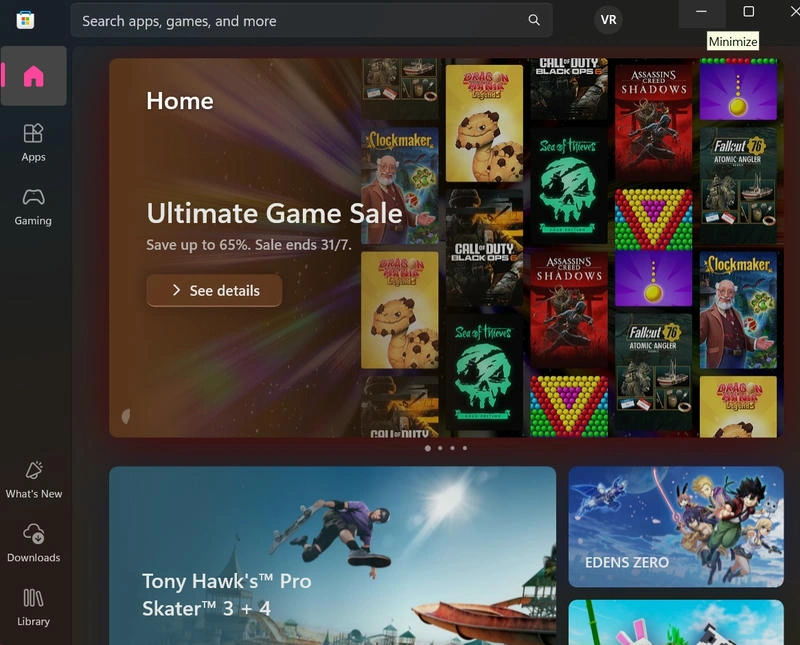
- Ensure apps like Paint, Photos, and Copilot are updated via the Microsoft Store
Final Thoughts
Windows 11 is more than just an upgrade—it’s a powerful, AI-enhanced operating system built for the future of work, creativity, and play. Whether you're a professional, student, or hobbyist, Copilot+ PCs are here to elevate your digital experience.
Join the conversation! Your thoughts help the community grow.