
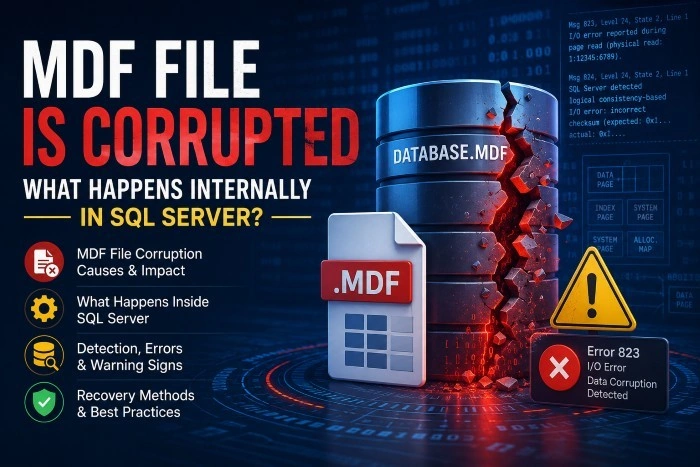
For SQL Server administrators and database professionals, few situations are more alarming than discovering that an MDF file has become corrupted. Since the MDF (Master Data File) is the primary data file of a SQL Server database, corruption can disrupt database operations, trigger downtime, compromise critical business data, and lead to costly recovery efforts.
But what exactly happens inside SQL Server when an MDF file gets corrupted?
Understanding the internal processes helps administrators respond more effectively, identify the source of the issue, and choose the right recovery path before permanent damage occurs.
This article explains what MDF file corruption means, what happens internally when corruption is detected, common causes, warning signs, and ways to recover from such failures.
What Is an MDF File in SQL Server?
An MDF file is the primary database file in Microsoft SQL Server that stores:
User data records
Tables and indexes
Stored procedures
Triggers
Metadata
Allocation maps
System information
Internal page structures
Every SQL Server database has exactly one MDF file. SQL Server uses it as the core structure for data storage and retrieval.
Internally, the MDF file is organized into 8 KB pages, grouped into extents. These pages are connected through allocation maps and metadata structures that help SQL Server locate and manage data efficiently.
When any of these internal structures become damaged, SQL Server may no longer interpret the database correctly.
What Does MDF File Corruption Actually Mean?
Corruption occurs when SQL Server detects inconsistencies or invalid data structures inside the MDF file.
This may involve:
Broken page headers
Invalid page checksums
Corrupted allocation metadata
Torn pages
Damaged object links
Index inconsistencies
Missing or unreadable records
Logical inconsistencies between internal structures
The severity determines whether SQL Server can continue operation or shut down database access entirely.
What Happens Internally When SQL Server Detects MDF Corruption?
1. SQL Server Performs Page Validation
Every page read from disk undergoes integrity checks:
Page ID verification
Header consistency validation
Checksum comparison
Torn-page detection
Allocation linkage verification
If validation fails, SQL Server marks the page as suspicious.
Common related errors:
Error 823 – Physical I/O corruption
Error 824 – Logical consistency issue
Error 825 – Read retry warning
These errors are logged in the SQL Server Error Log.
2. SQL Server Flags the Database as SUSPECT (If Severe)
If corruption affects critical system pages or prevents transaction recovery during startup, SQL Server may mark the database as SUSPECT.
Internally, this means:
Recovery process halts
Database access is restricted
Transaction rollback cannot complete
Metadata consistency cannot be guaranteed
3. Buffer Pool Rejects Corrupted Pages
When corruption is detected:
Corrupted pages are rejected from cache.
Dirty page writes are prevented.
Query execution against affected pages fails.
Buffer consistency rules are enforced.
4. Transaction Recovery Stops or Fails
During startup recovery, SQL Server performs:
Analysis phase
Redo phase
Undo phase
If corruption exists in transaction log dependencies or data pages, recovery cannot complete.
5. Query Execution Encounters Read Failures
Affected operations include:
Clustered index scans
Row pointer resolution
B-tree traversal
Page chain validation
Users may experience query failures, timeouts, or inconsistent output.
6. DBCC CHECKDB Detects Structural Damage
DBCC CHECKDB ('DatabaseName')
This performs deep consistency checks across:
Allocation structures
System catalogs
Index links
Table relationships
Data page consistency
Common Causes of MDF File Corruption
Hardware Failures
Bad sectors
RAID controller faults
Storage firmware bugs
Unexpected SQL Server Shutdown
Power failure
Forced restart
Operating system crashes
Faulty Storage Drivers
Faulty storage drivers can cause partial writes and checksum mismatches.
Memory Corruption
Faulty RAM can corrupt pages before writing them to disk.
Antivirus or Backup Software Interference
File-lock conflicts can damage database consistency.
SQL Server Bugs or Patch Issues
Rare engine-level issues may corrupt metadata structures.
Warning Signs Before Complete MDF Failure
Watch for:
Error 823, 824, or 825 messages
Recovery loops
Slow query performance
DBCC CHECKDBwarningsBackup failures
Database marked as SUSPECT
Early detection improves recovery chances.
How to Recover a Corrupted MDF File
Method 1: Restore from Backup
The safest recovery path is:
Restore the full backup.
Apply the differential backup.
Apply transaction log backups.
Method 2: Run DBCC CHECKDB Repair
For minor corruption:
DBCC CHECKDB ('DatabaseName', REPAIR_REBUILD)
For severe corruption:
DBCC CHECKDB ('DatabaseName', REPAIR_ALLOW_DATA_LOSS)
Warning: Data loss may occur.
Method 3: Emergency Mode Repair
ALTER DATABASE DatabaseName SET EMERGENCY;

ALTER DATABASE DatabaseName SET SINGLE_USER;

DBCC CHECKDB (DatabaseName, REPAIR_ALLOW_DATA_LOSS);

ALTER DATABASE DatabaseName SET MULTI_USER;
Method 4: Use Professional MDF Recovery Software
Advanced recovery tools can recover:
Tables
Views
Triggers
Stored procedures
Deleted records
Schema structures
Solutions like SysTools SQL Recovery Tool help extract recoverable data from severely damaged MDF/NDF files when SQL Server's native repair methods fail.
Best Practices to Prevent MDF Corruption
Monitor SQL Server logs regularly.
Run
DBCC CHECKDBperiodically.Maintain verified backups.
Monitor hardware health.
Apply SQL Server updates.
Use UPS protection.
Business Impact of MDF Corruption
A corrupted MDF file can lead to:
Critical downtime
Revenue loss
Compliance risks
Customer dissatisfaction
Expensive recovery efforts
Conclusion
When an MDF file becomes corrupted, SQL Server activates multiple internal validation and recovery mechanisms to preserve database consistency and minimize damage.
Understanding these internal processes helps administrators diagnose issues faster, select safer repair methods, and reduce the risk of permanent data loss.
The best defense remains proactive monitoring, regular backups, scheduled integrity checks, and dependable recovery planning.
When corruption becomes severe, trusted recovery solutions can make the difference between complete restoration and permanent database loss.
Join the conversation! Your thoughts help the community grow.