

First of all make a new Silverlight project and add some pages and put names of pages according to you.
MainPage.xaml
<UserControl x:Class="SLMasterPageSample.MainPage"
xmlns="http://schemas.microsoft.com/winfx/2006/xaml/presentation"
xmlns:x="http://schemas.microsoft.com/winfx/2006/xaml"
xmlns:d="http://schemas.microsoft.com/expression/blend/2008"
xmlns:mc="http://schemas.openxmlformats.org/markup-compatibility/2006"
xmlns:controls="clr-namespace:SLMasterPageSample"
mc:Ignorable="d">
<Grid x:Name="LayoutRoot" Background="White" Height="500" Width="700" >
<Grid.RowDefinitions>
<RowDefinition Height="110" />
<RowDefinition/>
<RowDefinition Height="30" />
</Grid.RowDefinitions>
<StackPanel Grid.Row="0" Background="Blue">
<Grid x:Name="sdf" Background="White">
<Grid.RowDefinitions>
<RowDefinition Height="80" />
<RowDefinition Height="30" />
</Grid.RowDefinitions>
<StackPanel Grid.Row="0">
<StackPanel.Background>
<LinearGradientBrush EndPoint="0.5,1" StartPoint="0.5,0">
<GradientStop Color="Black" Offset="0"/>
<GradientStop Color="#FF688CC6" Offset="1"/>
</LinearGradientBrush>
</StackPanel.Background>
<Image Source="Assets/CSSiteLogo.JPG" Height="70" Margin="4" VerticalAlignment="Center" HorizontalAlignment="Left">
<Image.OpacityMask>
<LinearGradientBrush EndPoint="0.5,1" StartPoint="0.5,0">
<GradientStop Color="Black" Offset="0"/>
<GradientStop Color="#FF3A729D" Offset="1"/>
</LinearGradientBrush>
</Image.OpacityMask>
</Image>
</StackPanel>
<StackPanel Grid.Row="1">
<StackPanel.Background>
<LinearGradientBrush EndPoint="0.5,1" StartPoint="0.5,0">
<GradientStop Color="Black" Offset="0"/>
<GradientStop Color="#FF7090EF" Offset="1"/>
</LinearGradientBrush>
</StackPanel.Background>
<Grid>
<Grid.RowDefinitions>
<RowDefinition></RowDefinition>
</Grid.RowDefinitions>
<Grid.ColumnDefinitions>
<ColumnDefinition Width="50"></ColumnDefinition>
<ColumnDefinition Width="50"></ColumnDefinition>
<ColumnDefinition Width="50"></ColumnDefinition>
<ColumnDefinition Width="69"></ColumnDefinition>
<ColumnDefinition Width="54"></ColumnDefinition>
<ColumnDefinition Width="127*" />
</Grid.ColumnDefinitions>
<HyperlinkButton x:Name="homehlb" Grid.Row="0" Grid.Column="0" Content="Home" Margin="5,10,0,10" FontSize="13.333" FontFamily="Arial Narrow" FontWeight="Bold" Click="homehlb_Click" /> <HyperlinkButton x:Name="blogshlb" Grid.Row="0" Grid.Column="1" Content="Blogs" Margin="5,10,0,10" FontSize="13.333" FontFamily="Arial Narrow" FontWeight="Bold" Click="blogshlb_Click" />
<HyperlinkButton x:Name="photoshlb" Grid.Row="0" Grid.Column="2" Content="Photos" Margin="5,10,0,10" FontSize="13.333"
FontFamily="Arial Narrow" FontWeight="Bold" Click="photoshlb_Click" />
<HyperlinkButton x:Name="interviewshlb" Grid.Row="0" Grid.Column="3" Content="Interviews" Margin="5,10,0,10"
FontSize="13.333" FontFamily="Arial Narrow" FontWeight="Bold" Click="interviewshlb_Click" />
<HyperlinkButton x:Name="forumshlb" Grid.Column="4" Content="Forums" Margin="5,10,10,10" FontSize="13.333"
FontFamily="Arial Narrow" FontWeight="Bold" Click="forumshlb_Click" />
<HyperlinkButton x:Name="articleshlb" Grid.Column="5" Content="Articles" Margin="5,10,9,10" FontSize="13.333"
FontFamily="Arial Narrow" FontWeight="Bold" Click="articleshlb_Click" />
</Grid>
</StackPanel>
</Grid>
</StackPanel>
<Grid Grid.Row="1" >
<Grid.Background>
<LinearGradientBrush EndPoint="0.5,1" StartPoint="0.5,0">
<GradientStop Color="Black" Offset="0"/>
<GradientStop Color="#FFDAB2B2" Offset="1"/>
</LinearGradientBrush>
</Grid.Background>
<Grid.ColumnDefinitions>
<ColumnDefinition Width="150" />
<ColumnDefinition />
</Grid.ColumnDefinitions>
<StackPanel Grid.Column="0">
<StackPanel.Background>
<LinearGradientBrush EndPoint="0.5,1" StartPoint="0.5,0">
<GradientStop Color="Black" Offset="0"/>
<GradientStop Color="#FFA3ABEB" Offset="1"/>
</LinearGradientBrush>
</StackPanel.Background>
<TextBlock Text="Left Bar" Margin="0,5, 0, 5" Foreground="White" />
</StackPanel>
<Grid x:Name="PageContainer" Grid.Column="1">
<Image Grid.Column="1" Margin="4,0,0,-20" Source="Assets/home.JPG" Stretch="Fill"/>
</Grid>
</Grid>
<Grid Grid.Row="2" >
<Grid.Background>
<LinearGradientBrush EndPoint="0.5,1" StartPoint="0.5,0">
<GradientStop Color="Black" Offset="0"/>
<GradientStop Color="#FFFBF5F5" Offset="1"/>
</LinearGradientBrush>
</Grid.Background>
<TextBlock x:Name="footer" Text="This is Footer" VerticalAlignment="Center" />
</Grid>
</Grid>
</UserControl>
MainPage.xaml.cs
public Home defaultPage { get; set; }
public Photos photos { get; set; }
public Blogs blogs { get; set; }
public Interviews interviews { get; set; }
public Forums forums { get; set; }
public Articles articles { get; set; }
public MainPage()
{
InitializeComponent();
defaultPage = new Home();
photos = new Photos();
blogs = new Blogs();
interviews = new Interviews();
forums = new Forums();
articles = new Articles();
}
private void homehlb_Click(object sender, RoutedEventArgs e)
{
PageContainer.Children.Clear();
PageContainer.Children.Add(defaultPage);
}
private void blogshlb_Click(object sender, RoutedEventArgs e)
{
PageContainer.Children.Clear();
PageContainer.Children.Add(blogs);
}
private void photoshlb_Click(object sender, RoutedEventArgs e)
{
PageContainer.Children.Clear();
PageContainer.Children.Add(photos);
}
private void interviewshlb_Click(object sender, RoutedEventArgs e)
{
PageContainer.Children.Clear();
PageContainer.Children.Add(interviews);
}
private void forumshlb_Click(object sender, RoutedEventArgs e)
{
PageContainer.Children.Clear();
PageContainer.Children.Add(forums);
}
private void articleshlb_Click(object sender, RoutedEventArgs e)
{
PageContainer.Children.Clear();
PageContainer.Children.Add(articles);
}
And now time to run and see the result. Click on header links.
Image1.
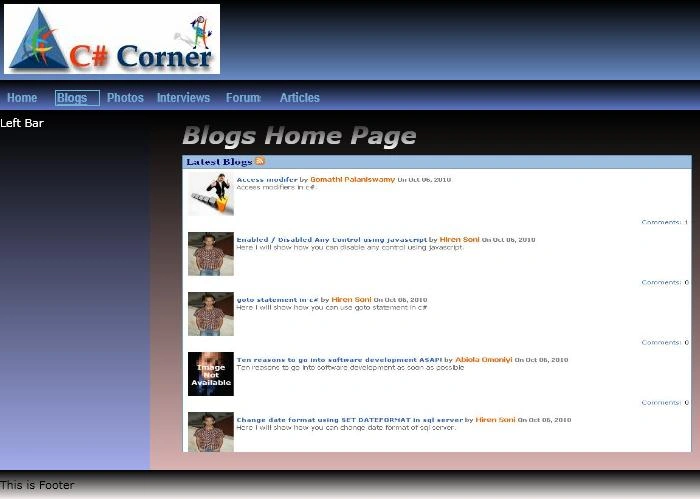
Image2.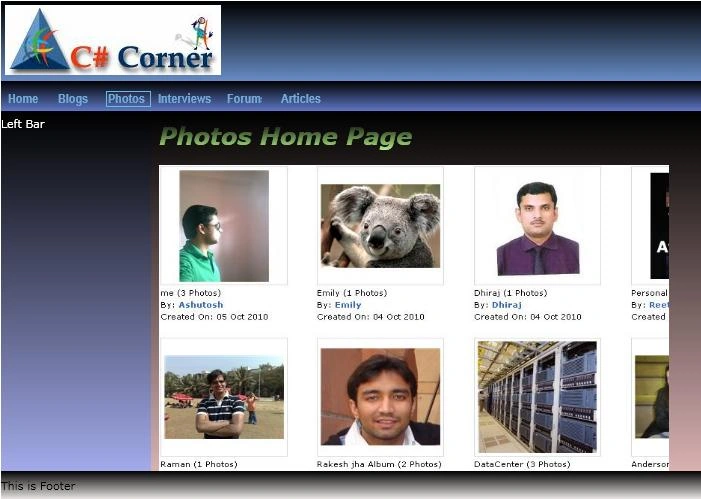
Image3.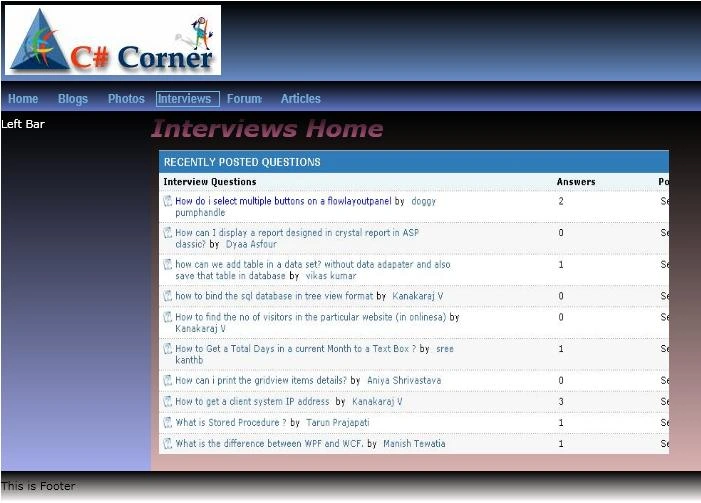
Image4.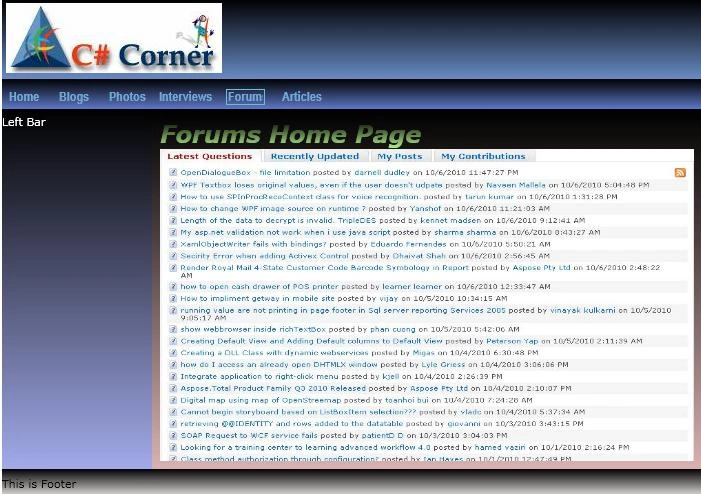
Image5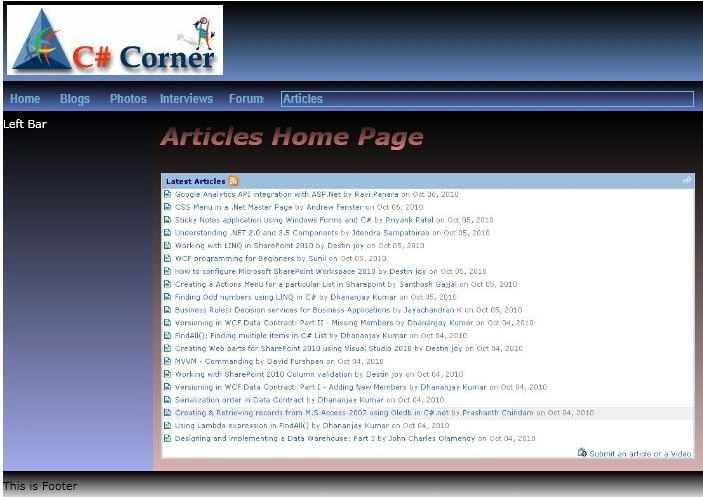
Image6.
Note - I am not sure it is right concept or not if anybody has better solution of this then please add your code on c-sharp corner.
Santosh YadavPosted Feb 24, 2013, 7:57 AM
very nice article indeed. Can you write an article in which we can update datagrid rows/cell with input validation. While datagrid has the records from database using wcf.
Allen zhangPosted Dec 14, 2012, 2:39 AM
so helpful, thx
Santhosh Kumar ChandraneditedPosted Sep 10, 2012, 8:06 AMEdited Sep 10, 2012, 8:13 AM
It only works when the link is in the main page. if it is inside the sub page it doesn't. wat to do? Can u post an article like login page inside the master page like redirect in asp.net and working on it.?
retroPosted Sep 4, 2012, 4:25 AM
very helpful article,thanks :)
mathew uyPosted Feb 4, 2012, 3:47 AM
thank you so much, Effort appreciated.
neeraj chhabraPosted Dec 30, 2010, 5:57 AM
It's Very Good Raj Kumar
John RahnPosted Nov 16, 2010, 2:50 PM
Thank you. Very good and clear article. But I have a different task: I want each of the hyperlink buttons to go to a separate Silverlight animated html page rather than a .jpg photo. Is it possible to place an html page link in the assets folder?
Mike GoldPosted Oct 10, 2010, 12:11 AM
That certainly seems like one approach. I believe PRISM gives you a framework that sort of has a master page concept by allowing you to populate a "Main Region". I believe you can put your master page items in the other regions and swap items out of the main region. You can also define how the regions are laid out in the shell.