

Introduction
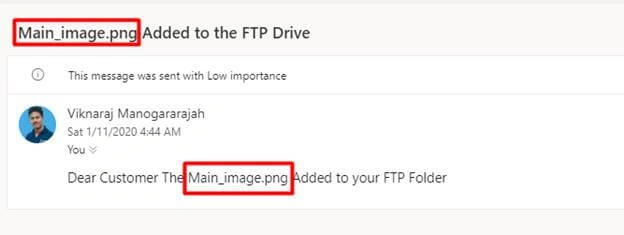
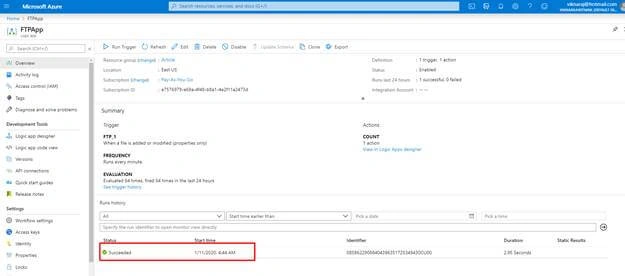
The Azure Logic Apps help us to automate our workflows and integrate data across Azure services. In this demo, we are going to learn how to get an email notification when we upload the files to our FTP Server by using Azure Logic Apps.
Step 1
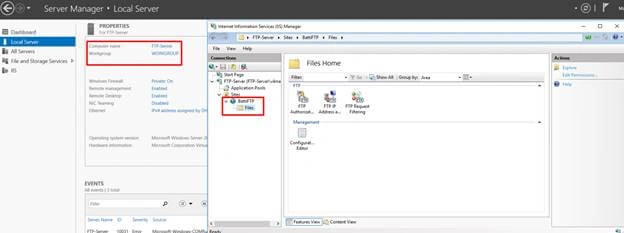
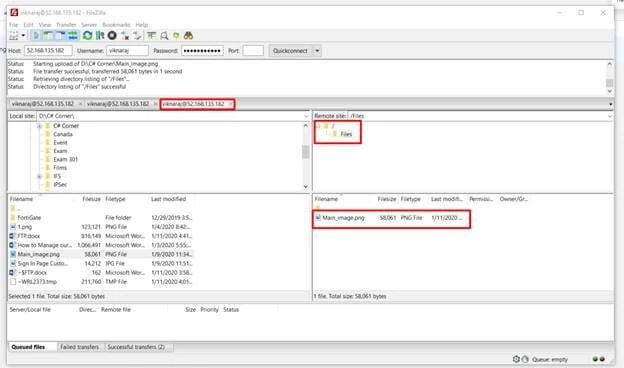
In the Azure Environment, I have already deployed a server named “FTP-Server”. In the FTP server I have already developed IIS Server and then set up the FTP Server. If you want to learn about configuring FTP servers in Microsoft Azure click here.
- FTP Site Name: BattiFTP
- FTP Folder Name: Files
- FTP IP Address: 52.168.135.182
- FTP User Name: viknaraj
Step 2
In this demo, I have already created a Logic App Name “FTPApp”.
Logic App Creating Process
In the Azure Portal Click the “+Create a resource”, and then enter the “Logic App”.
In the Logic App page click “Create” to deploy the Logic App.
In the create Logic App, enter the name for the logic app "FTPApp".
Choose the existing resource group "Article"
Click the “Create” button to start the process.
Step 3
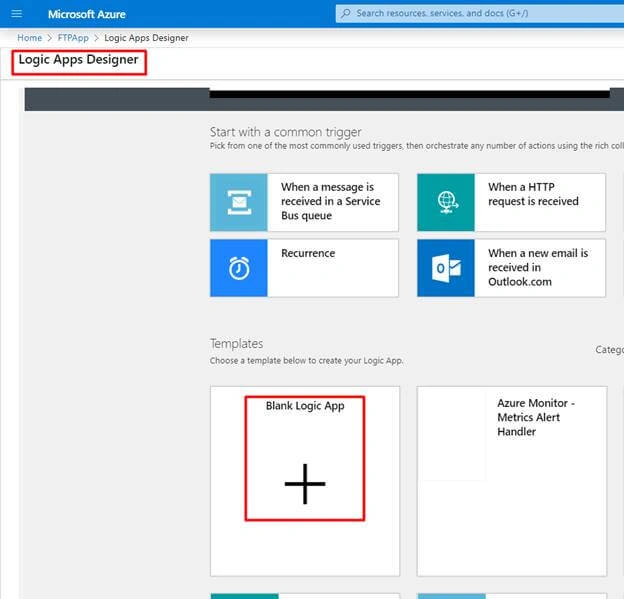
Open the Logic App and then Select “FTPApp” that we have created in Step 2, and then Click “Blank Logic App”.
Step 4
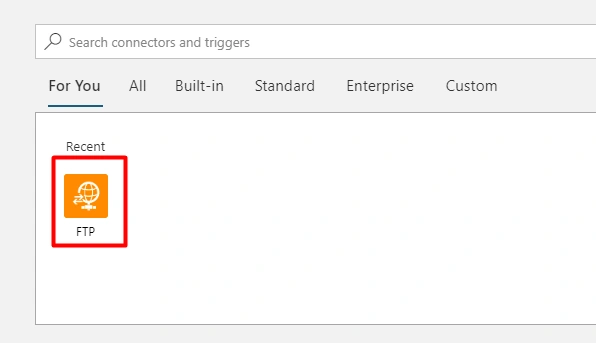
In the Search Box, type “FTP” and then Select “FTP”.
Step 5
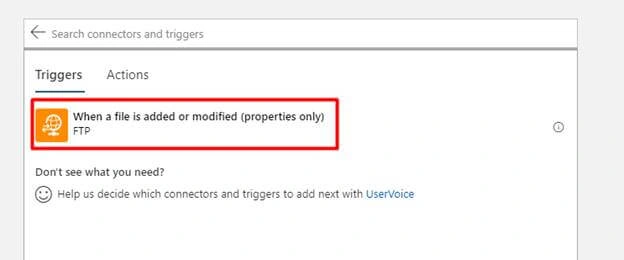
After selecting the FTP then we need to select Triggers, so select “when a file is added or modified (properties only)”.
Step 6
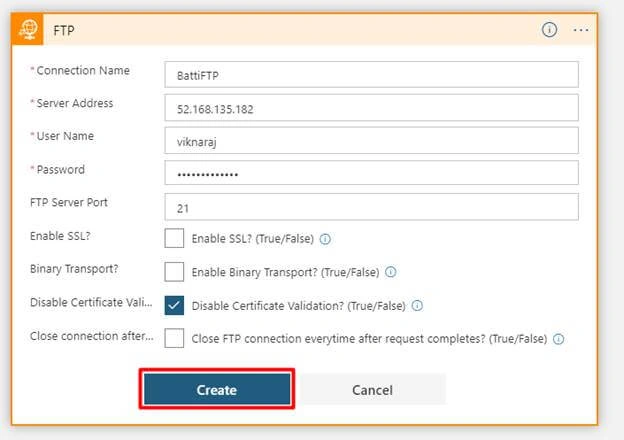
In the FTP Connection Setting enter the FTP account information,
- Connection Name: Name should be the FTP Server Name
- Server Address: FTP Server Public IP Address
- User Name & Password: FTP Server Credential
In this demo we have selected “Disable Certificate Validation”, and then click “Create”.
Step 7
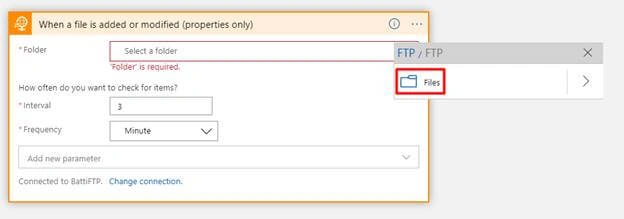
Now we need to select our FTP Folder, so click the button and then select the folder; in this demo our FTP shared folder name is “Files”.
Step 8
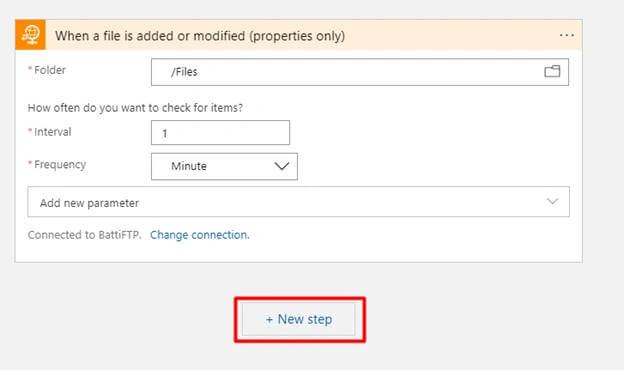
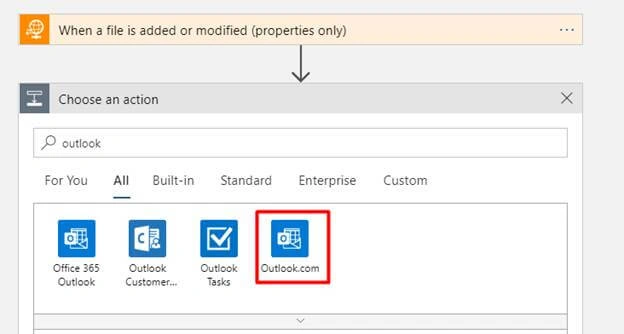
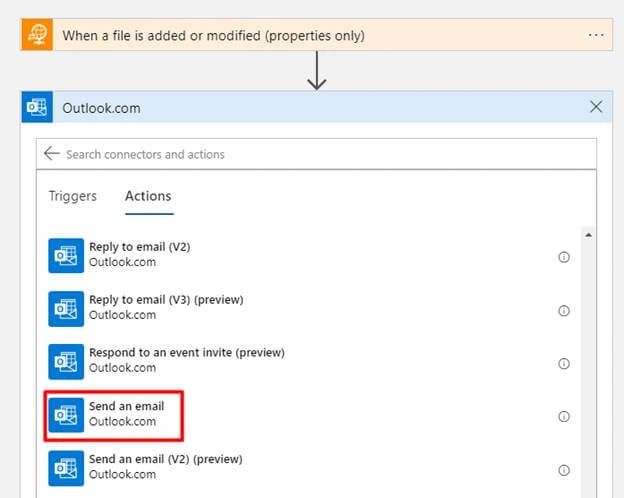
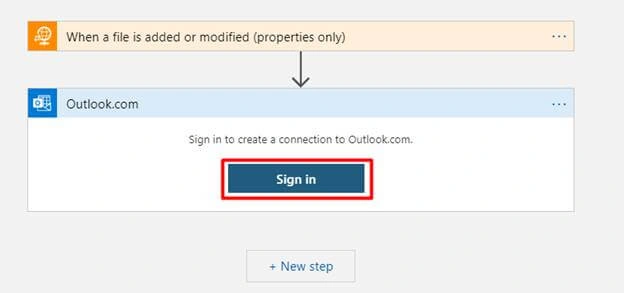
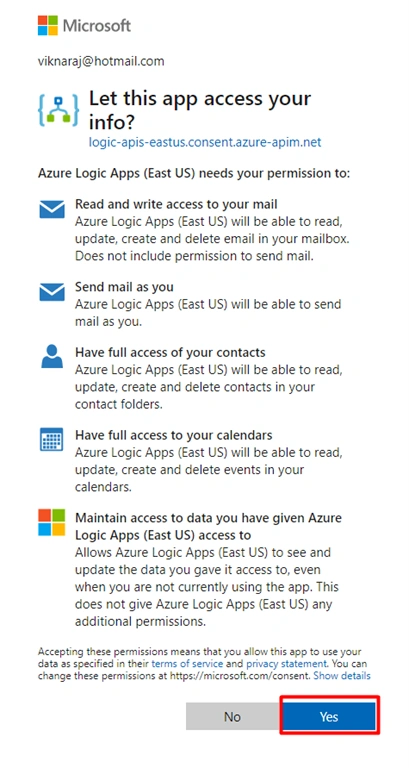
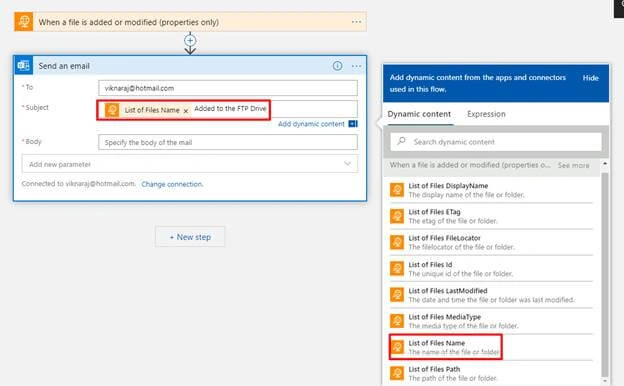
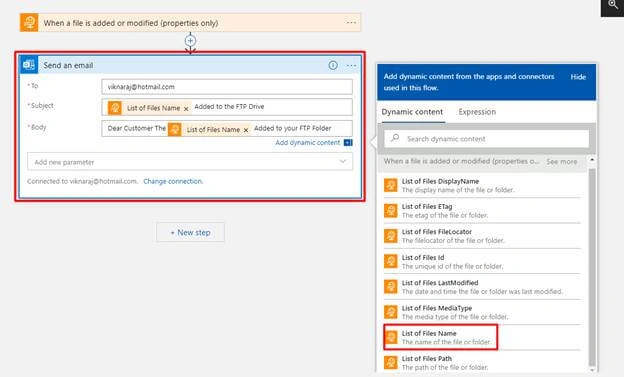
After selecting the FTP Shared folder, then we can assign the Interval time, after assigning the properties, Click “+ New Step”.
Hadshana KamalanathanPosted Sep 28, 2021, 4:21 AM
Excellent Article;
shekhar gPosted Sep 26, 2020, 12:20 PM
Explained very well. Can you please add more scenarios. Thank you. Viknaraj :)
Disne SivalingamPosted Mar 22, 2020, 2:39 AM
It is very useful