

Introduction
In the previous article (DDL Trigger), we have gone through the DDL trigger in detail. In this article, we shall cover Logon Triggers. So, let’s begin.
Logon Trigger
Logon trigger is a special kind of stored procedure that fires automatically when a LOGON event is detected, or a new database connection is established. Logon triggers are similar to DDL triggers and are created at the server level.
Need of Logon Trigger
There are a few use cases as follows where you may need to have a logon trigger.
- Tracking logon activity.
- Restrict connections to the SQL Server.
- Limit the number of sessions for a particular login.
Logon Trigger Syntax
CREATE TRIGGER trigger_name
ON { ALL SERVER }
FOR LOGON
AS
BEGIN
{sql_statement}
END
GO
Now let’s create a logon trigger to understand more.
CREATE TRIGGER OPS_LOGON
   ON ALL SERVER
   AFTER LOGON
   AS
   BEGIN
      PRINT SUSER_SNAME() + 'HAS JUST LOGGED IN TO '+UPPER(LTRIM(@@SERVERNAME))+ 'SQL SERVER AT '+LTRIM(GETDATE())
   END
   GO
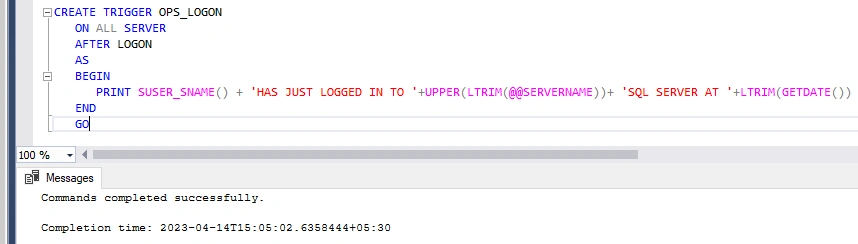
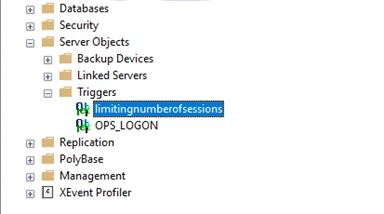
As you can see above that logon trigger “OPS_LOGON” is created.
Creating a LOGON Trigger restricts a user from simultaneously opening more than one connection with the SQL Server.
Let’s take another example.
Limit the number of sessions for a particular login.
CREATE TRIGGER limitingnumberofsessions
ON ALL SERVER WITH EXECUTE AS 'sa'
FOR LOGON
AS
BEGIN
IF ORIGINAL_LOGIN() <> 'sa'
AND
( SELECT COUNT(*)
FROM sys.dm_exec_sessions
WHERE Is_User_Process = 1 AND
Original_Login_Name = ORIGINAL_LOGIN()
) > 2
ROLLBACK
END
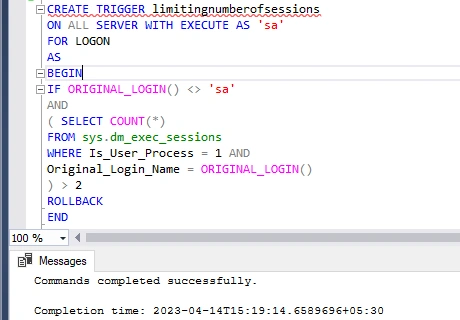
As you can see above the logon trigger “limitingnumberofsessions” is created.
All the LOGON triggers are created under the Server Objects -> Triggers folder, as shown above.
Now let’s go over some useful SQL commands used to manage triggers.
Following Syntax is to Disable Triggers in SQL Server
DISABLE TRIGGER [schema_name].[trigger_name] ON [object_name | DATABASE | ALL SERVER];
Example
DISABLE TRIGGER dbo.insertupdatedelete_trigger ON Employees;
Following Syntax is to Enable Triggers in SQL Server
ENABLE TRIGGER [schema_name.][trigger_name] ON [object_name | DATABASE | ALL SERVER];
Example
ENABLE TRIGGER dbo.insertupdatedelete_trigger ON dbo.Employees;
Following Syntax is to remove/drop DML Triggers
DROP TRIGGER [IF EXISTS] [schema_name.]trigger1, trigger2, ... ];
Example
DROP TRIGGER dbo.insertupdatedelete_trigger;
Following Syntax is to remove/drop DDL or LOGON Triggers
DROP TRIGGER [ IF EXISTS ] trigger_name [ ,...n ] ON { DATABASE | ALL SERVER };
Example (DDL Trigger)
DROP TRIGGER IF EXISTS insertupdatedelete_trigger ON DATABASE;
Example (LOGON Trigger)
DROP TRIGGER IF EXISTS insertupdatedelete_trigger ON ALL Server;
List all the Triggers in SQL Server
Below query lists all the triggers available in the database
SELECT * FROM sys.triggers WHERE type = 'TR';
Advantages of Triggers
Below are the most common advantages of triggers
- Triggers are easy to write as they are similar to stored procedures.
- They allow us to build a basic auditing system.
- We can call other stored procedures and functions inside a trigger.
Disadvantages of Triggers
While creating triggers brings some useful benefits in tracking database events and activities. Below are the most common cons of using triggers.
- Triggers add additional overhead and slow down to DML statements a bit.
- Having a lot of nested triggers and recursive triggers can be difficult to debug and troubleshoot.
- Triggers are a bit difficult to locate as they work in the background.
Summary
Trigger is a very useful database object to keep track of database events. In this article, first, we have gone through the Logon trigger in detail. Post that, we have covered some of the useful queries related to triggers and pros/cons of them.
Join the conversation! Your thoughts help the community grow.