

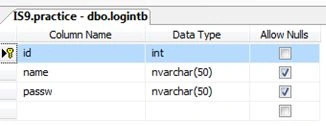
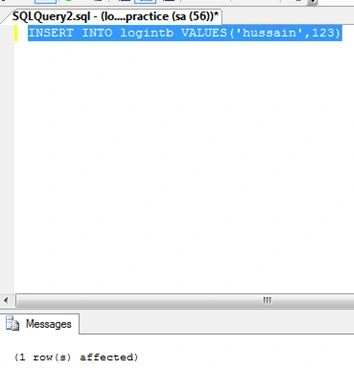
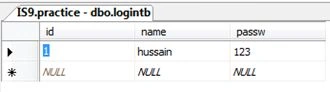
Now insert a name and Password into the logintb table.
Step 2: Open Visual Studio then select "File" -> "New" -> "Project..." then select "Windows Forms".
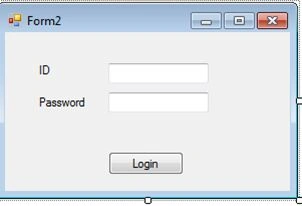
Drag and drop a Label for ID and a Label for password.
Drag and drop a TextBox for txtuser and a TextBox for txtPassword.
Drag and drop a Button for Login.
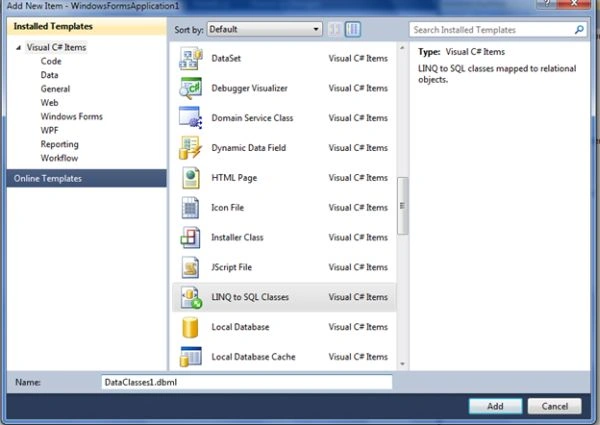
Step 3: Go to the project then right-click and seelct "Add" -> "New Item..." then select "Windows Form" -> "LINQ to SQL Classes" then click on "Add".
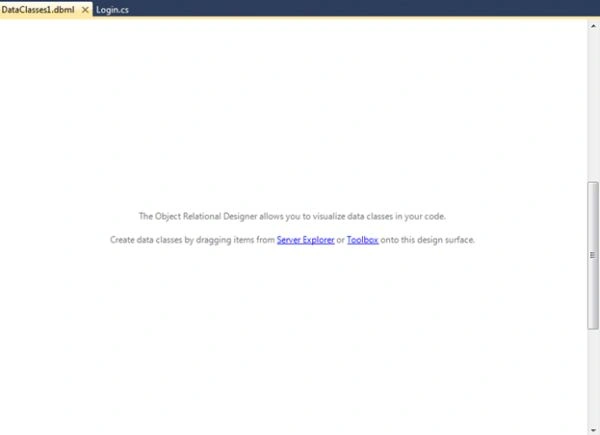
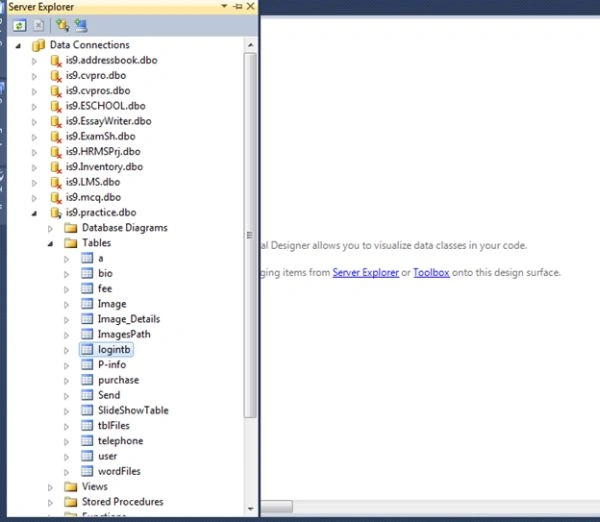
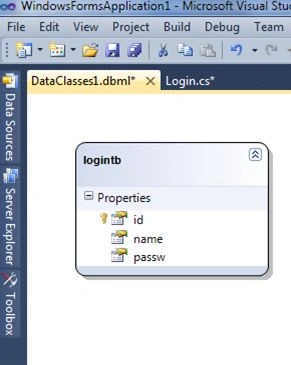
Now go to the Server Explorer, drag and drop the logintb table as in the following:
Open Server Explorer and select the database and then the table.
Step 4 : Now double-click on the button Login in the form and write the following code:
using System;
using System.Collections.Generic;
using System.ComponentModel;
using System.Data;
using System.Drawing;
using System.Linq;
using System.Text;
using System.Windows.Forms;
namespace WindowsFormsApplication1
{
public partial class Login : Form
{
public Login()
{
InitializeComponent();
}
private void button1_Click(object sender, EventArgs e)
{
if (IsvalidUser(txtUser.Text, txtPassw.Text))
{
Form1 F = new Form1();
F.Show();
}
}
private bool IsvalidUser(string userName, string password)
{
DataClasses1DataContext context = new DataClasses1DataContext();
var q = from p in context.logintbs
where p.name == txtUser.Text
&& p.passw == txtPassw.Text
select p;
if (q.Any())
{
return true;
}
else
{
return false;
}
}
}
}
five factsPosted Apr 6, 2021, 11:31 AM
Bro how we can create exe file of the system after deployment connection error appears on client machine
Dinesh DDStarPosted Jan 3, 2018, 12:04 AM
80 % I HAVE UNDERSTAND THIS BUT WHY CAN YOU USED FOR 'context.logintbs' logintbs IS DATABASE TABLE NAME AND WHAT IS THIS 'CONTEXT'
Chandu KumawatPosted Dec 28, 2015, 6:24 AM
nice
Ahmet CanseverPosted Nov 12, 2015, 3:20 PM
var q = from p in context.logintbs where p.name == userName && p.passw == password select p;