

As per the request from one of my followers, I am writing this article which will explain how we can handle errors in an MVC application.
In this article, I am also going to explain how we can log our exception message in our Database.
Below is my Database Table where all the errors will be logged,
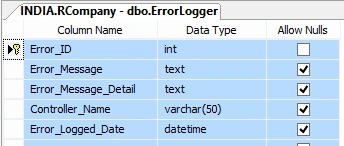
Script of this table is given below.
- CREATE TABLE [dbo].[ErrorLogger](
- [Error_ID] [int] IDENTITY(1,1) NOT NULL,
- [Error_Message] [text] NULL,
- [Error_Message_Detail] [text] NULL,
- [Controller_Name] [varchar](50) NULL,
- [Error_Logged_Date] [datetime] NULL,
- CONSTRAINT [PK_ErrorLogger] PRIMARY KEY CLUSTERED
- (
- [Error_ID] ASC
- )WITH (PAD_INDEX = OFF,
- STATISTICS_NORECOMPUTE = OFF, IGNORE_DUP_KEY = OFF,
- ALLOW_ROW_LOCKS = ON, ALLOW_PAGE_LOCKS = ON) ON [PRIMARY]
- ) ON [PRIMARY] TEXTIMAGE_ON [PRIMARY]
- GO
- SET ANSI_PADDING OFF
- GO
- ALTER TABLE [dbo].[ErrorLogger] ADD CONSTRAINT [DF_ErrorLogger_Error_Logged_Date]
- DEFAULT (getdate()) FOR [Error_Logged_Date]
- GO
Now, open Visual Studio and go to File -> New Project.
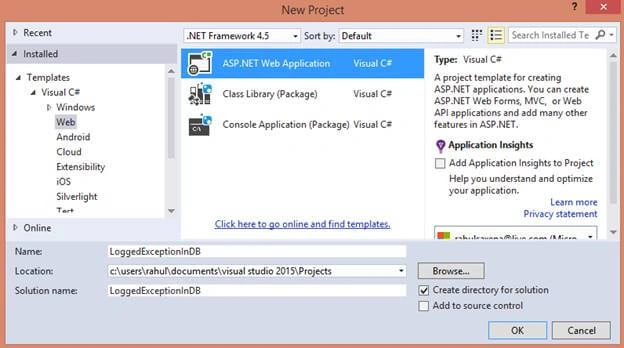
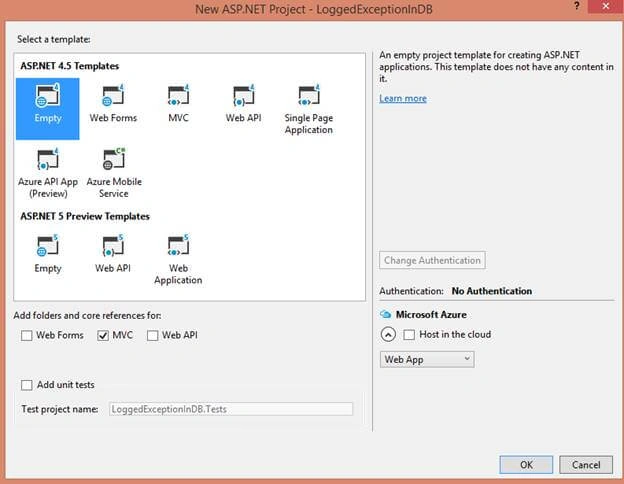
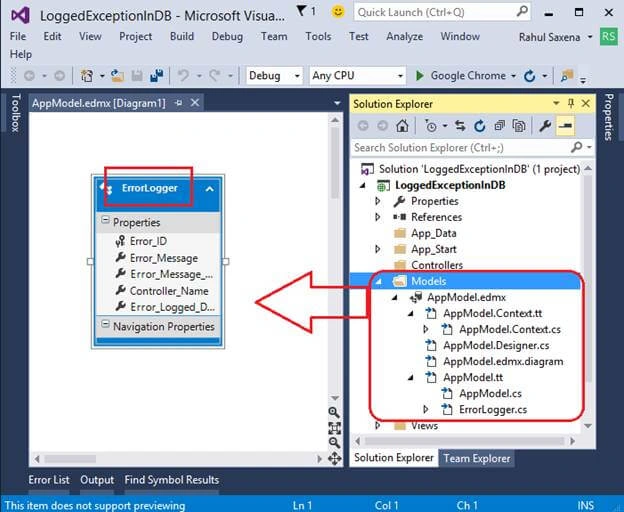
Now eight click on Models => Add New Item=> ADO.NET Entity Data Model. Follow the process given in the pictures.
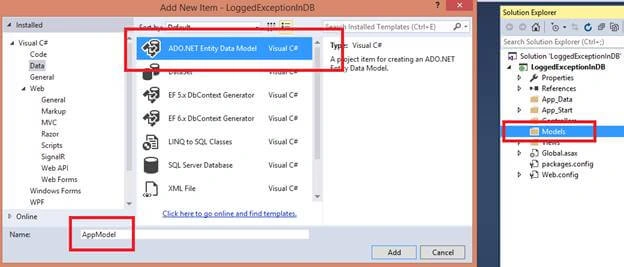
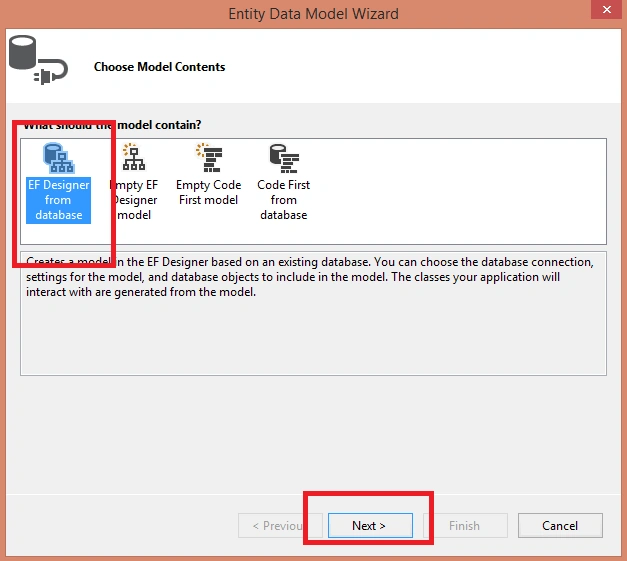
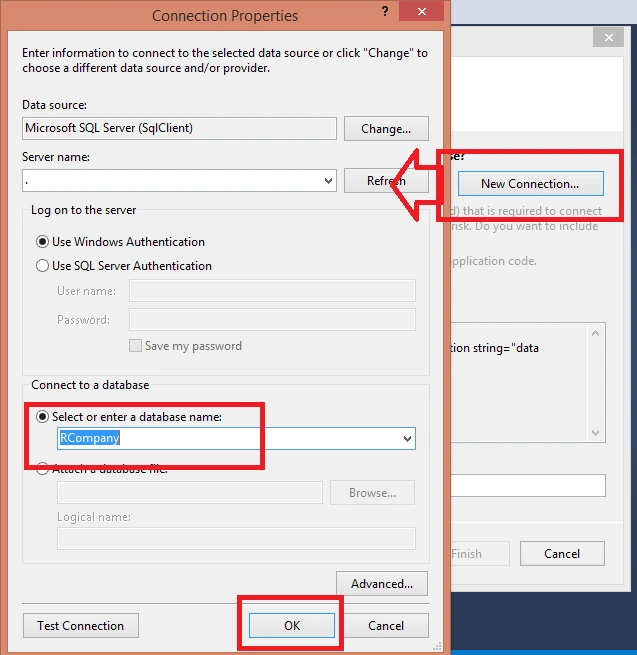
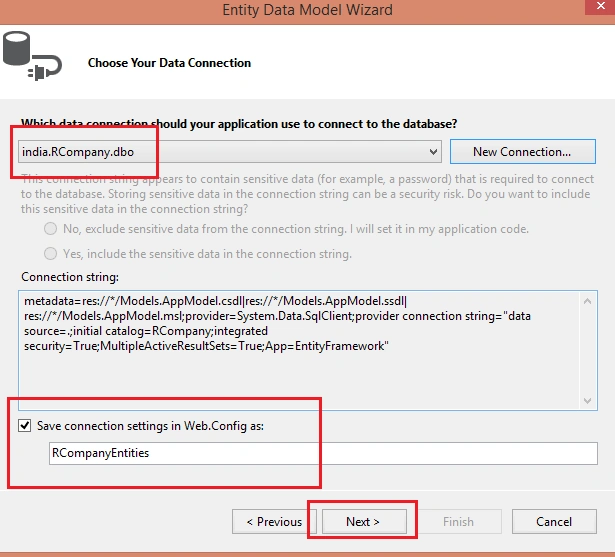
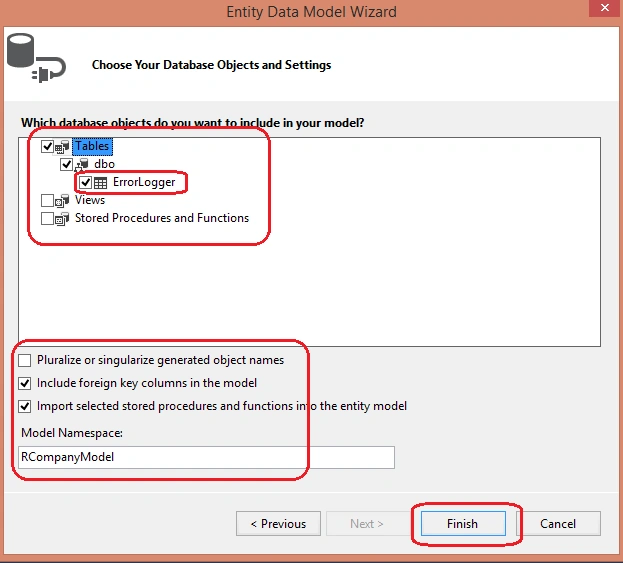
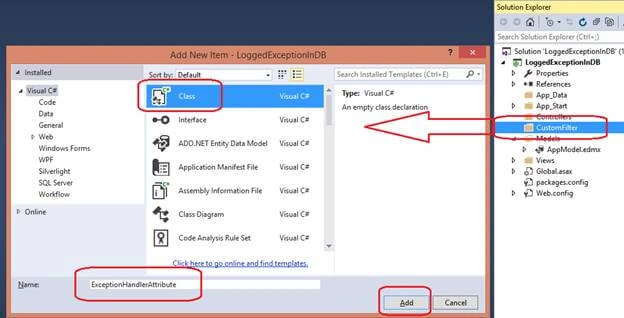
Now, in your Solution, add a new folder named CustomFilter. Here, in this CustomFilter folder, add a new class => ExceptionHandlerAttribute.cs.
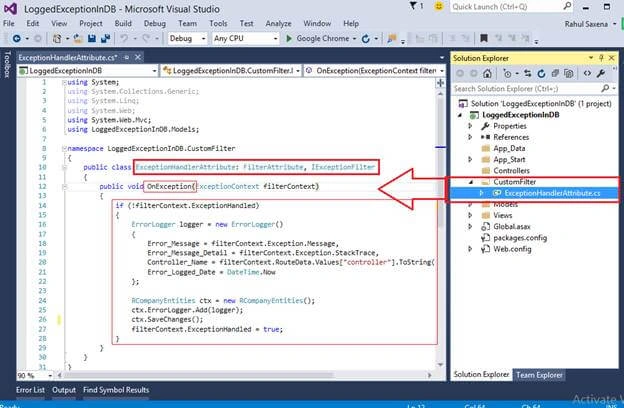
Here, in this class, add the below code.
- using System;
- using System.Collections.Generic;
- using System.Linq;
- using System.Web;
- using System.Web.Mvc;
- using LoggedExceptionInDB.Models;
- namespace LoggedExceptionInDB.CustomFilter
- {
- public class ExceptionHandlerAttribute: FilterAttribute, IExceptionFilter
- {
- public void OnException(ExceptionContext filterContext)
- {
- if (!filterContext.ExceptionHandled)
- {
- ErrorLogger logger = new ErrorLogger()
- {
- Error_Message = filterContext.Exception.Message,
- Error_Message_Detail = filterContext.Exception.StackTrace,
- Controller_Name = filterContext.RouteData.Values["controller"].ToString(),
- Error_Logged_Date = DateTime.Now
- };
- RCompanyEntities ctx = new RCompanyEntities();
- ctx.ErrorLogger.Add(logger);
- ctx.SaveChanges();
- filterContext.ExceptionHandled = true;
- }
- }
- }
- }
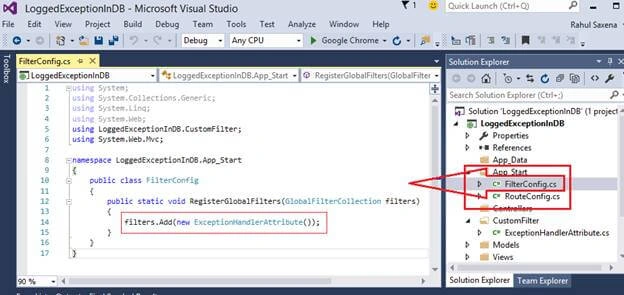
Now, in App_Start, add a new class as FilterConfig. Add the below code.
- using System;
- using System.Collections.Generic;
- using System.Linq;
- using System.Web;
- using LoggedExceptionInDB.CustomFilter;
- using System.Web.Mvc;
- namespace LoggedExceptionInDB.App_Start
- {
- public class FilterConfig
- {
- public static void RegisterGlobalFilters(GlobalFilterCollection filters)
- {
- filters.Add(new ExceptionHandlerAttribute());
- }
- }
- }
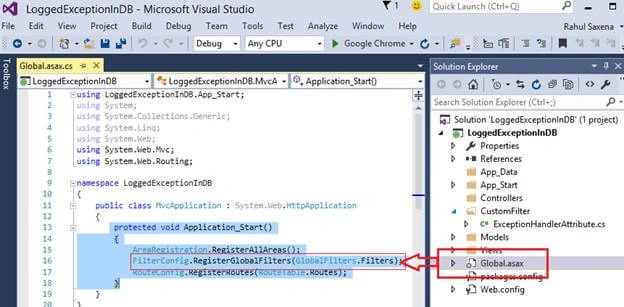
In Global.asax, write the below line of code.
- protected void Application_Start()
- {
- AreaRegistration.RegisterAllAreas();
- FilterConfig.RegisterGlobalFilters(GlobalFilters.Filters);
- RouteConfig.RegisterRoutes(RouteTable.Routes);
- }
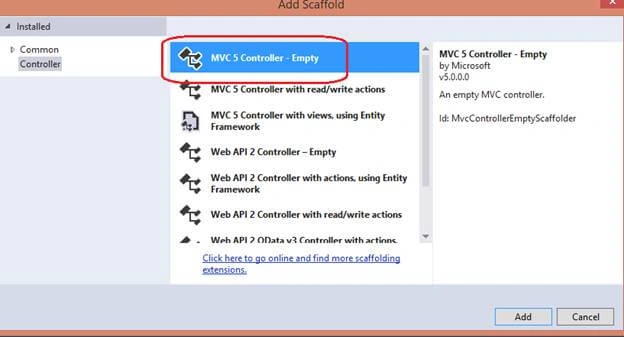
Now, add a new Controller.
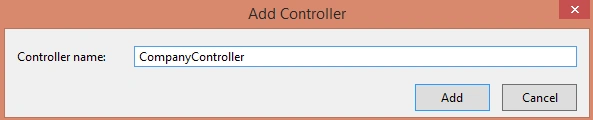
Here, on Company Controller, I am going to add a Method to insert a new record like below.
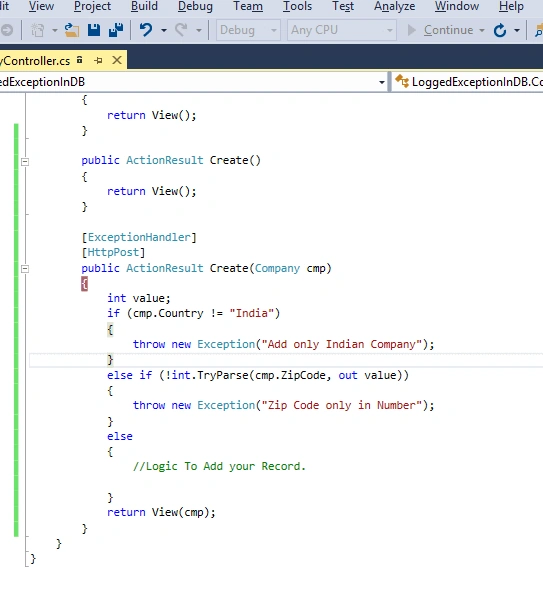
Here, in the above created method I am using [ExceptionHandler] which will be responsible to log the error in the database.
- using System;
- using System.Collections.Generic;
- using System.Linq;
- using System.Web;
- using System.Web.Mvc;
- using LoggedExceptionInDB.Models;
- using LoggedExceptionInDB.CustomFilter;
- namespace LoggedExceptionInDB.Controllers
- {
- public class CompanyController : Controller
- {
- RCompanyEntities ctx = new RCompanyEntities();
- // GET: Company
- public ActionResult Index()
- {
- return View();
- }
- public ActionResult Create()
- {
- return View();
- }
- [ExceptionHandler]
- [HttpPost]
- public ActionResult Create(Company cmp)
- {
- int value;
- if (cmp.Country != "India")
- {
- throw new Exception("Add only Indian Company");
- }
- else if (!int.TryParse(cmp.ZipCode, out value))
- {
- throw new Exception("Zip Code only in Number");
- }
- else
- {
- //Logic To Add your Record.
- }
- return View(cmp);
- }
- }
- }
- @model LoggedExceptionInDB.Models.Company
- @{
- ViewBag.Title = "Create";
- }
- <h2>Create</h2>
- @using (Html.BeginForm())
- {
- @Html.AntiForgeryToken()
- <div class="form-horizontal">
- <h4>Company</h4>
- <hr />
- @Html.ValidationSummary(true, "", new { @class = "text-danger" })
- <div class="form-group">
- @Html.LabelFor(model => model.Name, htmlAttributes: new { @class = "control-label col-md-2" })
- <div class="col-md-10">
- @Html.EditorFor(model => model.Name, new { htmlAttributes = new { @class = "form-control" } })
- @Html.ValidationMessageFor(model => model.Name, "", new { @class = "text-danger" })
- </div>
- </div>
- <div class="form-group">
- @Html.LabelFor(model => model.City, htmlAttributes: new { @class = "control-label col-md-2" })
- <div class="col-md-10">
- @Html.EditorFor(model => model.City, new { htmlAttributes = new { @class = "form-control" } })
- @Html.ValidationMessageFor(model => model.City, "", new { @class = "text-danger" })
- </div>
- </div>
- <div class="form-group">
- @Html.LabelFor(model => model.Country, htmlAttributes: new { @class = "control-label col-md-2" })
- <div class="col-md-10">
- @Html.EditorFor(model => model.Country, new { htmlAttributes = new { @class = "form-control" } })
- @Html.ValidationMessageFor(model => model.Country, "", new { @class = "text-danger" })
- </div>
- </div>
- <div class="form-group">
- @Html.LabelFor(model => model.ZipCode, htmlAttributes: new { @class = "control-label col-md-2" })
- <div class="col-md-10">
- @Html.EditorFor(model => model.ZipCode, new { htmlAttributes = new { @class = "form-control" } })
- @Html.ValidationMessageFor(model => model.ZipCode, "", new { @class = "text-danger" })
- </div>
- </div>
- <div class="form-group">
- <div class="col-md-offset-2 col-md-10">
- <input type="submit" value="Add New Company" class="btn btn-default" />
- </div>
- </div>
- </div>
- }
- <div>
- @Html.ActionLink("Back to List", "Index")
- </div>
Inside Models folder, I have added a class named Company.
- using System;
- using System.Collections.Generic;
- using System.Linq;
- using System.Web;
- namespace LoggedExceptionInDB.Models
- {
- public class Company
- {
- public string Name { get; set; }
- public string City { get; set; }
- public string Country { get; set; }
- public string ZipCode { get; set; }
- }
- }
Now, run your application.
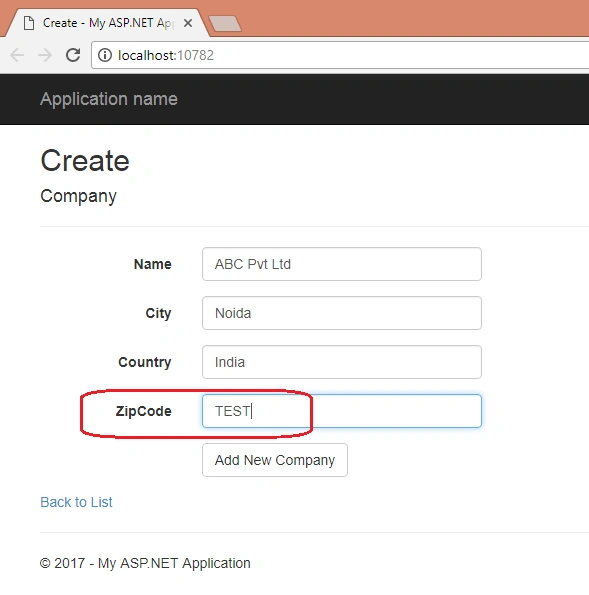
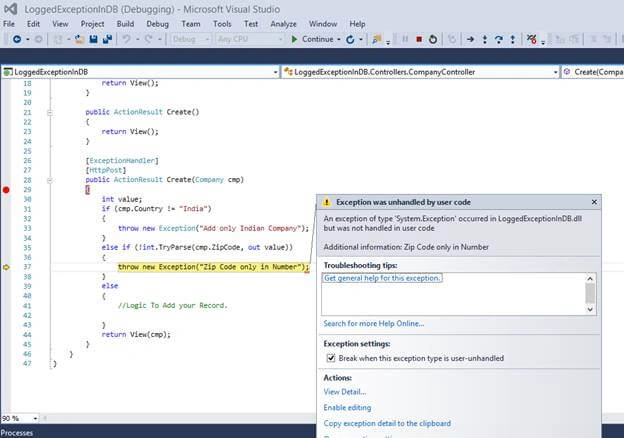
If I enter any string value inside ZipCode, then an exception is thrown.
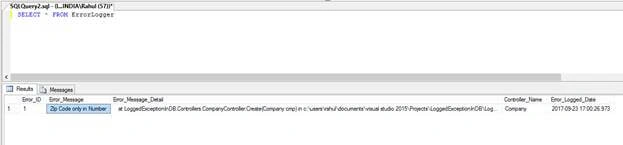
Now, check your database table.
anjani kumar thakurPosted Apr 17, 2019, 7:29 AM
Great writeup rahul