

Introduction
Hi friends, In this article, we will learn about the list and some important methods in Kotlin. The List is one of the important Collections in Kotlin. Collection refers to "a group of individual objects that represent a single entity". For example, "Collection of Students", "Collection of Books" etc. The list is one of the most frequently used Collections in almost every real-time project.

What is a List?
In Kotlin, we have Int, Double, Boolean, and String data types, but these data types can hold only one value. If we want to store more than one value, then we have to move to a list. A list is a collection of items, and a List maintains its insertion order. There are two types of lists in Kotlin:
- ImmutableList in Kotlin
- MutableList in Kotlin
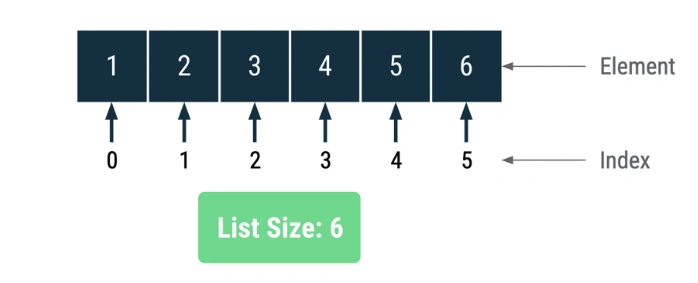
ImmutableList in Kotlin
Immutable means we can not perform a write operation, which means we can not modify the list after creating it. We can only perform the read-only operation. We can create an immutable list using the listOf() method.
Example
    // Immutable List
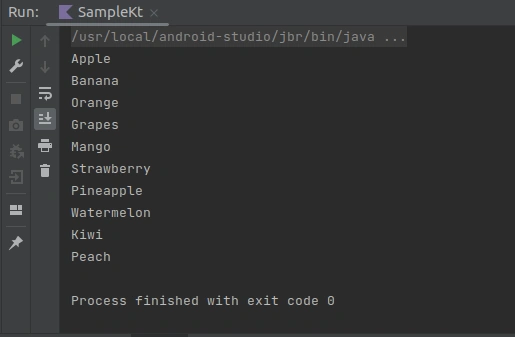
    val fruitList= listOf("Apple", "Banana", "Orange", "Grapes", "Mango", "Strawberry", "Pineapple", "Watermelon", "Kiwi", "Peach")

    for (fruit in fruitList) {
        println(fruit)
    }
Output
Let's try to perform some operations on the Immutable List
fun main() {
    // Immutable List
    val fruitList= listOf("Apple", "Banana", "Orange", "Grapes", "Mango", "Strawberry", "Pineapple", "Watermelon", "Kiwi", "Peach")

    for (fruit in fruitList) {
        println(fruit)
    }

    fruitList.add("Guava") // Error
    fruitList.remove("Apple")// Error
}
Output

I got this above error because we can not modify the immutable list.
MutableList in Kotlin
To overcome the limitation of an immutable list, we can use the MutableList. Using MutableList, we can perform read and write operations. We can create an immutable list using the mutableListOf() method.
Example
fun main() {
    // mutable List
    val fruitList= mutableListOf("Apple", "Banana", "Orange", "Grapes", "Mango", "Strawberry", "Pineapple", "Watermelon", "Kiwi", "Peach")
    // Using mutableList, we can perform read and write operation
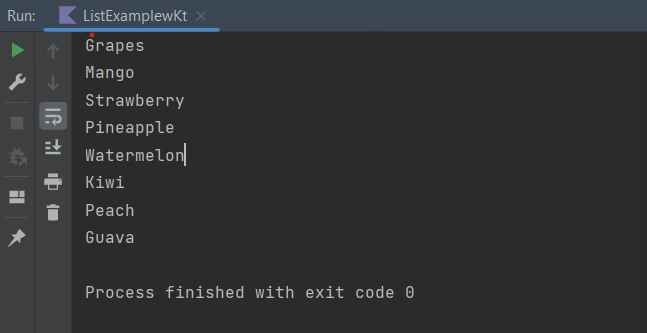
    fruitList.add("Guava")
    fruitList.remove("Apple")

    // print list
    for (fruit in fruitList) {
        println(fruit)
    }

}
Output
Important Method Used In List
Kotlin provides a variety of important methods for working with lists, which are part of the standard library. Here are some commonly used methods and operations for working with lists in Kotlin:
1. Accessing Elements
- list[index]: Accesses the element at the specified index.
- list.first(): Returns the first element of the list.
- list.last(): Returns the last element of the list.
Example
fun main() {
    // Creating a mutable list
    val fruits = mutableListOf("apple", "banana", "cherry", "date")

    // Accessing elements
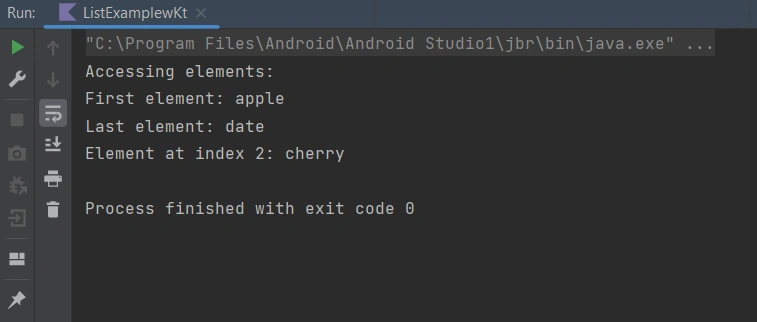
    println("Accessing elements:")
    println("First element: ${fruits.first()}")
    println("Last element: ${fruits.last()}")
    println("Element at index 2: ${fruits[2]}")

}
Output
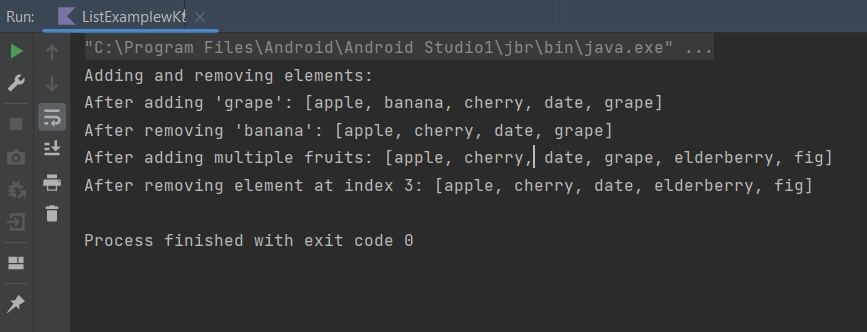
2. Adding and Removing Elements
- list.add(element): Adds an element to a mutable list.
- list.addAll(elements): Adds a collection of elements to a mutable list.
- list.remove(element): Removes the first occurrence of the specified element.
- list.removeAt(index): Removes the element at the specified index.
Example
fun main() {
    // Creating a mutable list
    val fruits = mutableListOf("apple", "banana", "cherry", "date")

    // Adding and removing elements
    println("Adding and removing elements:")
    fruits.add("grape")
    println("After adding 'grape': $fruits")

    fruits.remove("banana")
    println("After removing 'banana': $fruits")

    fruits.addAll(listOf("elderberry", "fig"))
    println("After adding multiple fruits: $fruits")

    fruits.removeAt(3)
    println("After removing element at index 3: $fruits")

}
Output
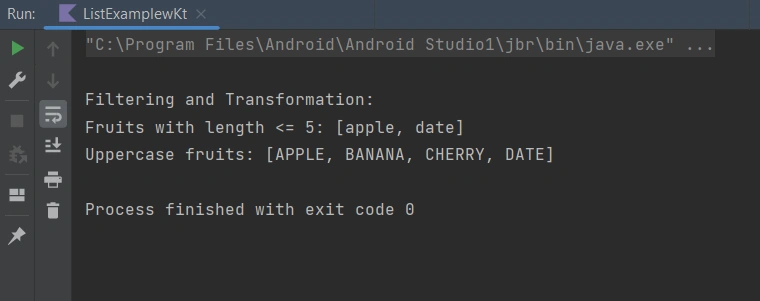
3. Filtering and Transformation
- list.filter(predicate): Returns a new list containing only the elements that satisfy the given predicate.
- list.map(transform): Returns a new list with elements transformed by the given function.
Example
fun main() {
    // Creating a mutable list
    val fruits = mutableListOf("apple", "banana", "cherry", "date")

    // Filtering and Transformation
    println("\nFiltering and Transformation:")
    val filteredFruits = fruits.filter { it.length <= 5 }
    println("Fruits with length <= 5: $filteredFruits")

    val uppercaseFruits = fruits.map { it.uppercase(Locale.getDefault()) }
    println("Uppercase fruits: $uppercaseFruits")
}
Output
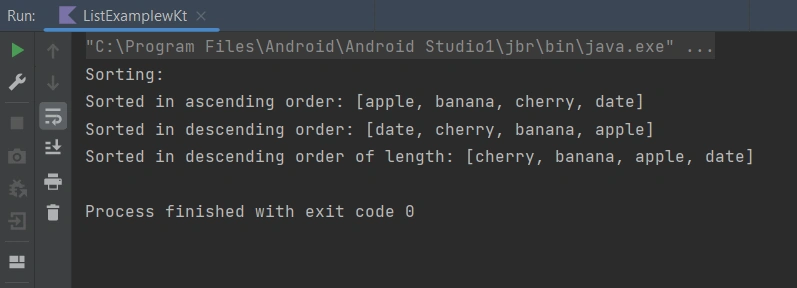
4. Sorting
- list.sort(): Sorts a mutable list in ascending order.
- list.sortBy(selector): Sorts a mutable list based on a selector function.
- list.sortDescending(): Sorts a mutable list in descending order.
- list.sortByDescending(selector): Sorts a mutable list in descending order based on a selector function.
Example
fun main() {
    // Creating a mutable list
    val fruits = mutableListOf("apple", "banana", "cherry", "date")

    // Sorting
    println("Sorting:")

    fruits.sort()
    println("Sorted in ascending order: $fruits")

    fruits.sortDescending()
    println("Sorted in descending order: $fruits")

    fruits.sortByDescending { it.length }
    println("Sorted in descending order of length: $fruits")

}
Output
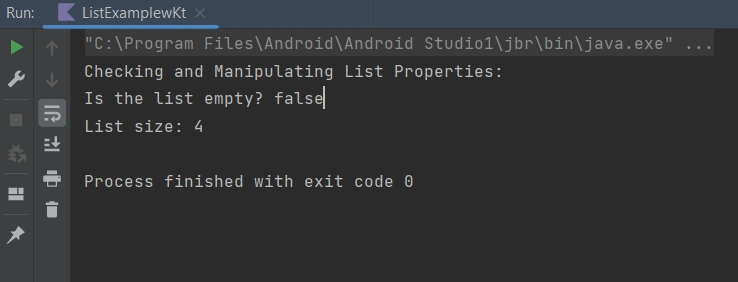
5. Checking and Manipulating List Properties
- list.isEmpty(): Check if the list is empty.
- list.isNotEmpty(): Check if the list is not empty.
- list.size: Returns the number of elements in the list.
Example
fun main() {
    // Creating a mutable list
    val fruits = mutableListOf("apple", "banana", "cherry", "date")

    // Checking and Manipulating List Properties
    println("Checking and Manipulating List Properties:")
    println("Is the list empty? ${fruits.isEmpty()}")
    println("List size: ${fruits.size}")

}
Output
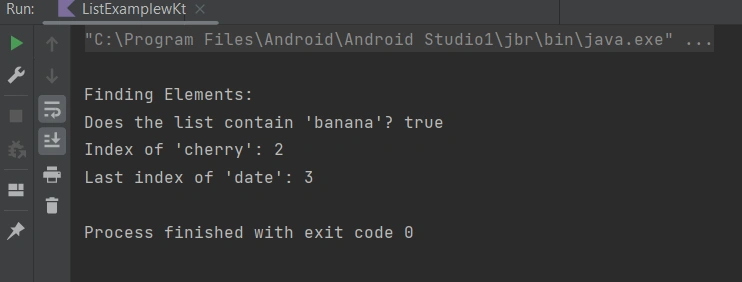
6. Finding Elements
- list.contains(element): Check if the list contains the specified element.
- list.indexOf(element):Returns the index of the first occurrence of the specified element.
- list.lastIndexOf(element): Returns the index of the last occurrence of the specified element.
Example
fun main() {
    // Creating a mutable list
    val fruits = mutableListOf("apple", "banana", "cherry", "date")

    // Finding Elements
    println("\nFinding Elements:")
    println("Does the list contain 'banana'? ${fruits.contains("banana")}")
    println("Index of 'cherry': ${fruits.indexOf("cherry")}")
    println("Last index of 'date': ${fruits.lastIndexOf("date")}")

}
Output
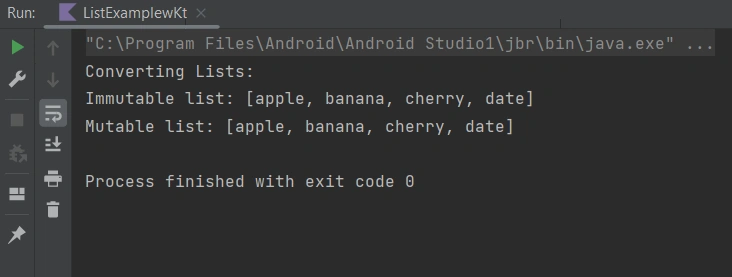
7. Converting Lists
- list.toList(): Converts a mutable list to an immutable list.
- list.toMutableList(): Converts an immutable list to a mutable list.
Example
fun main() {
    // Creating a mutable list
    val fruits = mutableListOf("apple", "banana", "cherry", "date")

    // Converting Lists
    val immutableFruits = fruits.toList()
    val mutableFruits = immutableFruits.toMutableList()
    println("Converting Lists:")
    println("Immutable list: $immutableFruits")
    println("Mutable list: $mutableFruits")
}
Output
Conclusion
In this article, we have seen how to use List and its method in Kotlin. Thanks for reading, and hope you like it. If you have any suggestions or queries about this article, please share your thoughts. You can read my other articles by clicking here.
Happy learning, friends!
Join the conversation! Your thoughts help the community grow.