

This is a very useful article for those who want to learn using Windows 10 IoT Core. We will see how to integrate Windows 10 IoT Core into a Raspberry Pi 3 device.
Prerequisites
- Raspberry Pi
- Internet Connection
- SD Card
- Ethernet (recommend)
- Mouse
- Keyboard
Installing Windows 10 IoT OS to SD Card
First, we need to download the Windows 10 IoT Core Dashboard software on our PC. You can download the IoT Core Dashboard from here.
Connect the SD card to your PC and open the IoT Core Dashboard software. It will look like the picture below.
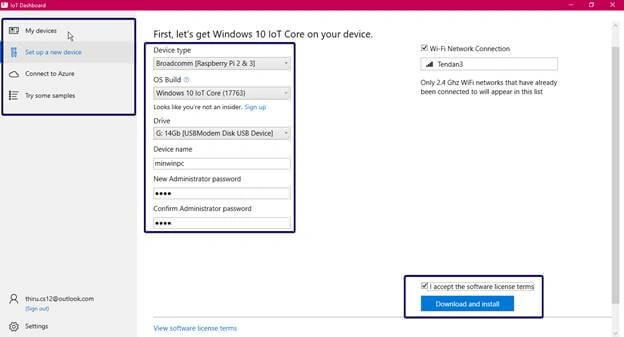
After verifying the device, click the "Download and Install" button. The following will be the download process.

Once the download is completed, it will automatically open the Command Prompt to show the version and Apply image.

Once done, your SD card is ready to use in your Raspberry Pi device.
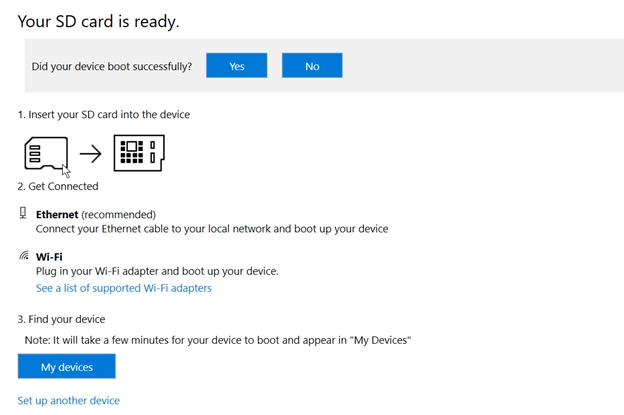
Insert into Raspberry Pi and connect the power supply and Ethernet. Go to IoT Dashboard Software > My Devices. You can find your devices there.
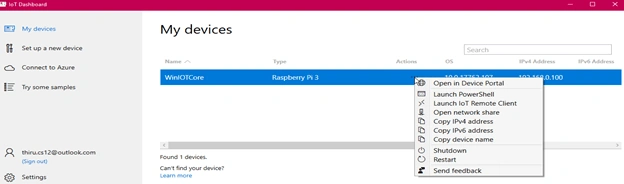
Click the "Actions" menu open the device portal. It will ask for your administrator password that you gave at the time of installation.
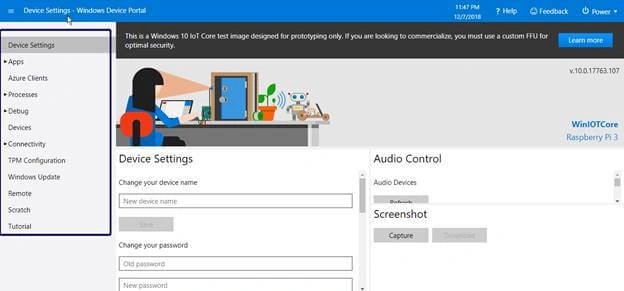
This portal helps you to go inside the Raspberry Pi device without logging in. Now, the device is ready to use.
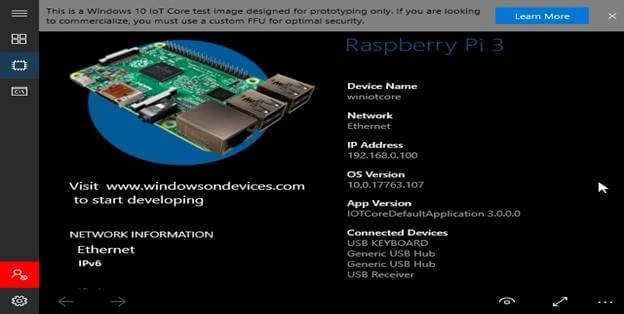
Build a simple "HelloWorld" application
- Open the IoT Core Dashboard and select "Try some samples".
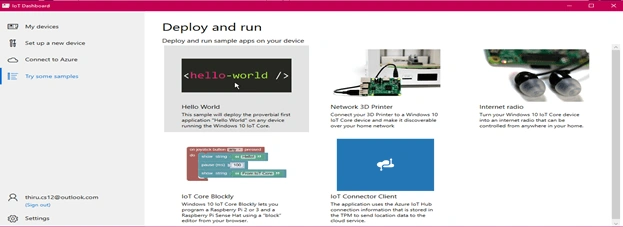
- Select the hello-world program and select your device in the dropdown.
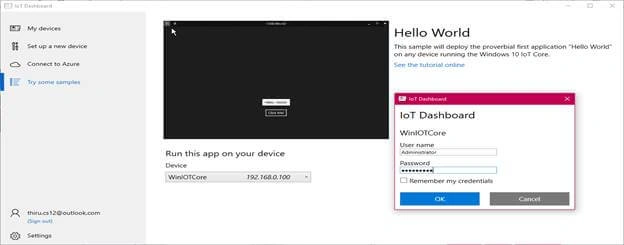
- Enter your device credentials.
- Click the "Deploy and run" button.
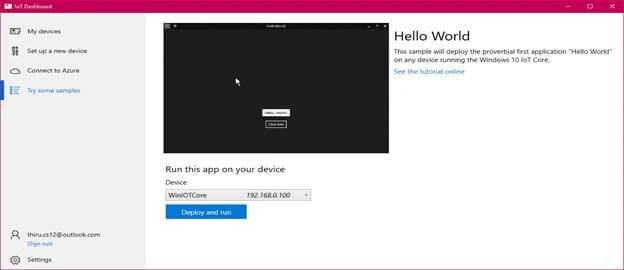
- Once done, you can see all the running applications over the device and the portal.
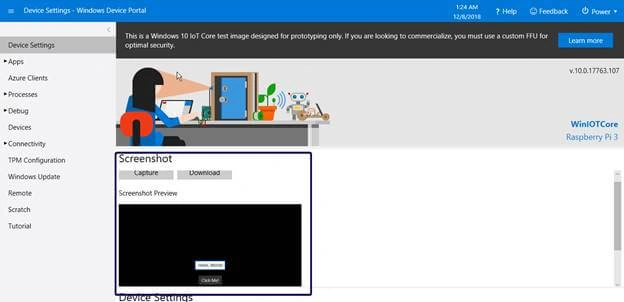
- Select the Apps menu and click "Apps Manager". It will list the names of all the apps.
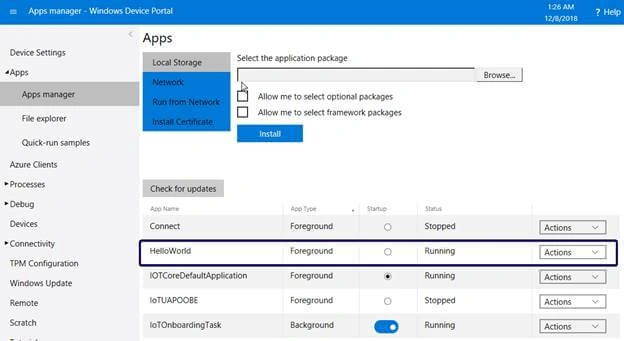
- Currently, the HelloWorld application is running. You can see more options in the actions list.
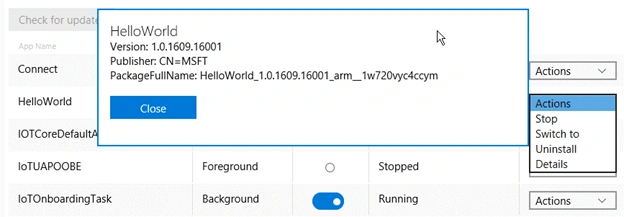
- If you select "Uninstall" and confirm the uninstallation in the pop-up, the application will be removed from the IoT device.
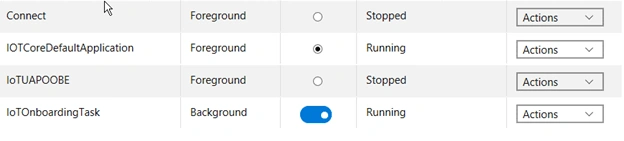
Conclusion
We have learned how to install Windows 10 IoT Core operating system into Raspberry Pi 3 and how to build an application.
Madan ShekarPosted Jan 17, 2019, 11:53 PM
It is very nice ... i request you to write more blogs on this topic