

Before reading this article, I highly recommend reading the previous parts of the series.
- Learn Universal Windows Programming Via Modern C++
- Learn Universal Windows Programming Via Modern C++ (Button Control)
- Learn Universal Windows Programming Via Modern C++ (Stackpanel)
- Learn Universal Windows Programming Via Modern C++ (CheckBox)
- Learn Universal Windows Programming Via Modern C++ (RadioButton)
- Learn Universal Windows Programming Via Modern C++ (Combobox)
- Learn Universal Windows Programming Via Modern C++ (Border)
- Learn Universal Windows Programming Via Modern C++ (CommandBar)
- Learn Universal Windows Programming Via Modern C++ (SplitView)
In this article, we are going to learn about AutoSuggestBox in Modern C++
AutosuggestBox
It’s like a text control that makes suggestions to users as they type. Based on the user input a suggestions list is displayed in the control.
Let see how to implement this control and some of the important events and properties.
Prepare the collection
IVector<IInspectable>
IVector interface is use to prepare the collection.
- IVector<IInspectable> autoCollection = single_threaded_vector<IInspectable>();
- autoCollection.Append(PropertyValue::CreateString(L"sunday"));
- autoCollection.Append(PropertyValue::CreateString(L"Monday"));
- autoCollection.Append(PropertyValue::CreateString(L"Tuesday"));
- autoCollection.Append(PropertyValue::CreateString(L"Wednesday"));
- autoCollection.Append(PropertyValue::CreateString(L"Thursday"));
- autoCollection.Append(PropertyValue::CreateString(L"Friday"));
- autoCollection.Append(PropertyValue::CreateString(L"saturday"));
Assign the collection to the control
Itemsource is use to generate the items content of the itemscontrols(data) and assign the collection to this property, and collection shows as suggestions to the user
- AutoSuggestBox autoBox;
- autoBox.ItemsSource(autoCollection);
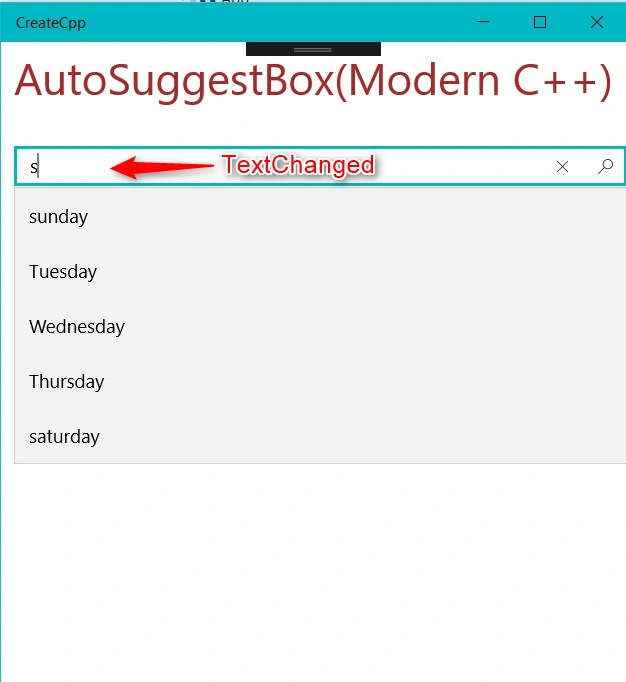
Text changed
- void OnTextChanged(IInspectable const &sender, AutoSuggestBoxTextChangedEventArgs const args)
- {
- AutoSuggestBox autoBox = sender.as<AutoSuggestBox>();
auto userType = autoBox.Text(); - }
AutoSuggestionBoxTextChangeReason
- UserInput: UserInput value is set when the user edited the text
- SuggestionChosen: Items has selected in the chosen list
- ProgrammaticChange: Text has changed via code.
- void OnTextChanged(IInspectable const &sender, AutoSuggestBoxTextChangedEventArgs const args)
- {
- auto argsReason = args.Reason();
- switch (argsReason)
- {
- case AutoSuggestionBoxTextChangeReason::ProgrammaticChange:
- break;
- case AutoSuggestionBoxTextChangeReason::SuggestionChosen:
- break;
- case AutoSuggestionBoxTextChangeReason::UserInput:
- break;
- default:
- break;
- }
- AutoSuggestBox autoBox = sender.as<AutoSuggestBox>();
- auto userType = autoBox.Text();
- }
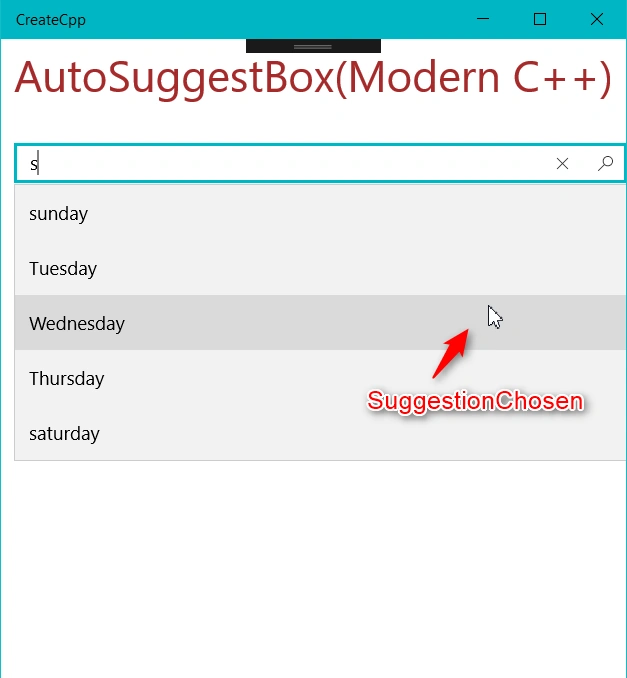
Suggestion chosen
Suggestionchanged event gets triggered when the value is chosen from the suggestion list. The chosen value is read from selectedItem property in AutoSuggestBoxSuggestionChosenEventArgs class.
- void OnSuggestionChanged(IInspectable const &sender, AutoSuggestBoxSuggestionChosenEventArgs const args)
- {
- auto selectItem = args.SelectedItem().as<IPropertyValue>().GetString();
- AutoSuggestBox autoBox = sender.as<AutoSuggestBox>();
- }
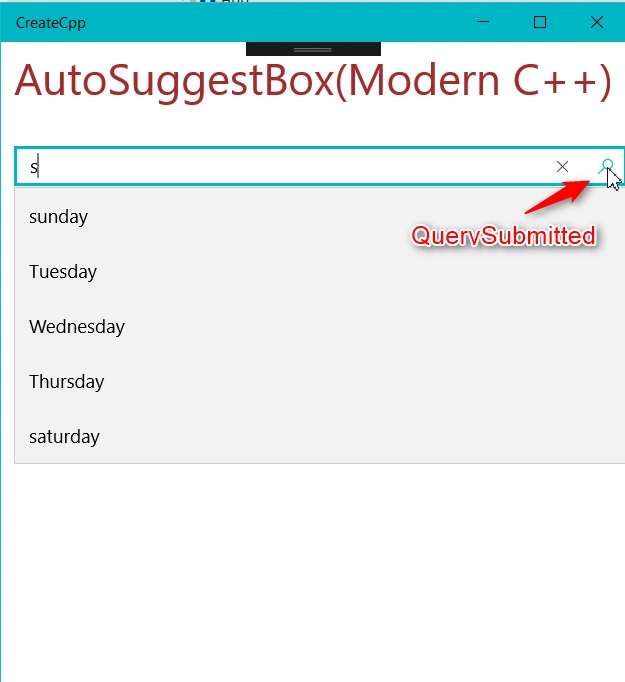
Query submitted
When the user submits a query by the enter key or submits via query button , this event gets triggered
The sumbitted query value is read from the querytext property in AutoSuggestBoxQuerySubmittedEventArgs class
- void OnQuerySubmitted(IInspectable const &sender, AutoSuggestBoxQuerySubmittedEventArgs const args)
- {
- auto value = args.QueryText();
- }
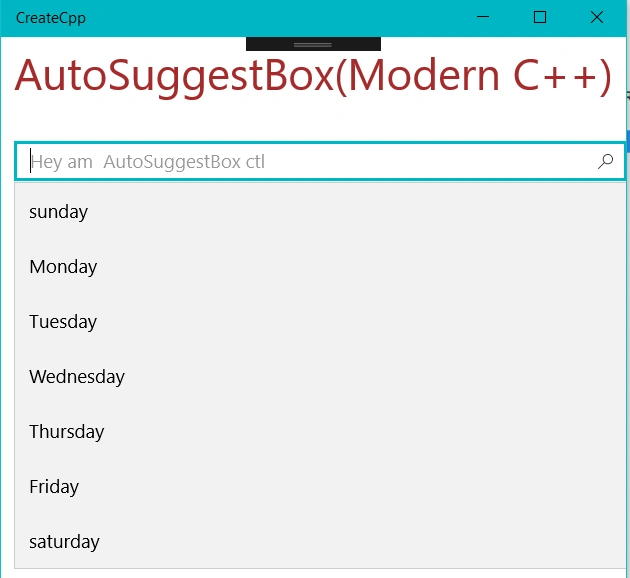
QueryIcon
This property is used to assign the icon to the control ( Icon is used for making the difference between normal textbox and autosuggestionbox )
- AutoSuggestBox autoBox;
- autoBox.QueryIcon(sysIcon);
- #include "pch.h"
- #include "AutoSuggestBox.h"
- using namespace winrt;
- using namespace Windows::ApplicationModel;
- using namespace Windows::ApplicationModel::Activation;
- using namespace Windows::Foundation;
- using namespace Windows::UI;
- using namespace Windows::UI::Xaml;
- using namespace Windows::UI::Xaml::Controls;
- using namespace Windows::UI::Xaml::Controls::Primitives;
- using namespace Windows::UI::Xaml::Interop;
- using namespace Windows::UI::Xaml::Media;
- using namespace Windows::UI::Xaml::Navigation;
- using namespace Windows::UI::Popups;
- using namespace Windows::Storage;
- using namespace Windows::Foundation;
- using namespace Windows::Foundation::Collections;
- using namespace std;
- struct App :ApplicationT<App>
- {
- public:
- IVector<IInspectable> autoCollection = single_threaded_vector<IInspectable>();
- App()
- {
- }
- virtual ~App() = default;
- SymbolIcon CreateSymbolIcon(Symbol icon)
- {
- SymbolIcon sIcon;
- sIcon.Symbol(icon);
- return sIcon;
- }
- void OnTextChanged(IInspectable const &sender, AutoSuggestBoxTextChangedEventArgs const args)
- {
- /*auto argsReason = args.Reason();
- switch (argsReason)
- {
- case AutoSuggestionBoxTextChangeReason::ProgrammaticChange:
- break;
- case AutoSuggestionBoxTextChangeReason::SuggestionChosen:
- break;
- case AutoSuggestionBoxTextChangeReason::UserInput:
- break;
- default:
- break;
- }
- */
- AutoSuggestBox autoBox = sender.as<AutoSuggestBox>();
- auto userType = autoBox.Text();
- FindString(userType, autoBox);
- }
- void OnSuggestionChanged(IInspectable const &sender, AutoSuggestBoxSuggestionChosenEventArgs const args)
- {
- auto selectItem = args.SelectedItem().as<IPropertyValue>().GetString();
- AutoSuggestBox autoBox = sender.as<AutoSuggestBox>();
- FindString(selectItem,autoBox);
- }
- void OnQuerySubmitted(IInspectable const &sender, AutoSuggestBoxQuerySubmittedEventArgs const args)
- {
- auto value = args.QueryText();
- }
- void FindString(winrt::hstring userType, AutoSuggestBox &autoBox)
- {
- IVector<IInspectable> targetItems = single_threaded_vector<IInspectable>();
- for (int i = 0; i < autoCollection.Size(); i++)
- {
- auto value = autoCollection.GetAt(i);
- IPropertyValue item = value.as<IPropertyValue>();
- if (std::wcsstr(item.GetString().c_str(), userType.c_str()))
- {
- targetItems.Append(value);
- }
- }
- autoBox.ItemsSource(targetItems);
- }
- TextBlock CreateTextBlock(hstring text)
- {
- TextBlock txtBlock;
- txtBlock.Text(text);
- txtBlock.FontFamily(FontFamily(L"Segoe UI Semibold"));
- txtBlock.TextAlignment(TextAlignment::Left);
- txtBlock.FontSize(35);
- txtBlock.Foreground(SolidColorBrush(Colors::Brown()));
- txtBlock.Margin(CreateThickness(10, 10, 0, 0));
- return txtBlock;
- }
- Thickness CreateThickness(int left, int top, int right, int bottom)
- {
- Thickness thick;
- thick.Left = left;
- thick.Top = top;
- thick.Right = right;
- thick.Bottom = bottom;
- return thick;
- }
- void OnLaunched(LaunchActivatedEventArgs const&)
- {
- auto sysIcon = CreateSymbolIcon(Symbol::Find);
- AutoSuggestBox autoBox;
- autoBox.QueryIcon(sysIcon);
- autoBox.TextChanged({ this,&App::OnTextChanged });
- autoBox.SuggestionChosen({ this,&App::OnSuggestionChanged });
- autoBox.QuerySubmitted({ this,&App::OnQuerySubmitted });
- autoBox.PlaceholderText(L"Hey am AutoSuggestBox ctl");
- autoCollection.Append(PropertyValue::CreateString(L"sunday"));
- autoCollection.Append(PropertyValue::CreateString(L"Monday"));
- autoCollection.Append(PropertyValue::CreateString(L"Tuesday"));
- autoCollection.Append(PropertyValue::CreateString(L"Wednesday"));
- autoCollection.Append(PropertyValue::CreateString(L"Thursday"));
- autoCollection.Append(PropertyValue::CreateString(L"Friday"));
- autoCollection.Append(PropertyValue::CreateString(L"saturday"));
- autoBox.ItemsSource(autoCollection);
- autoBox.Margin(CreateThickness(10, 30, 0, 0));
- StackPanel panel;
- auto textBlock = CreateTextBlock(L"AutoSuggestBox(Modern C++)");
- panel.Children().Append(textBlock);
- StackPanel childPanel;
- childPanel.Children().Append(autoBox);
- panel.Children().Append(childPanel);
- Window window = Window::Current();
- window.Content(panel);
- window.Activate();
- }
- };
- int __stdcall wWinMain(HINSTANCE, HINSTANCE, PWSTR, int)
- {
- Application::Start([](auto &&) {make<App>(); });
- return 0;
- }
Here I am checking into the collection. User enters text value and finally temporary collection is assgined to the autosuggestion control. This list displays to the user as a suggestion list.
- void FindString(winrt::hstring userType, AutoSuggestBox &autoBox)
- {
- IVector<IInspectable> targetItems = single_threaded_vector<IInspectable>();
- for (int i = 0; i < autoCollection.Size(); i++)
- {
- auto value = autoCollection.GetAt(i);
- IPropertyValue item = value.as<IPropertyValue>();
- if (std::wcsstr(item.GetString().c_str(), userType.c_str()))
- {
- targetItems.Append(value);
- }
- }
- autoBox.ItemsSource(targetItems);
- }

I hope you understood how to use Autosuggestionbox control.
Join the conversation! Your thoughts help the community grow.