


What is Angular UI-Route?
Angular UI is a routing framework for the client side single page Application and navigates between one view to another view. Angular UI-Route is not just the “Route URL” it maintains the application views based on hierarchical tree of the state. uiRoute provides a different approach than ngRoute and it provides it via AngularUI Team.
Why do we use Angular UI Route?
ngRoute is an Angular Core module, which is good for a basic route concept but uiRoute contributes the two different types of concepts, which are given below.
- State of the Application.
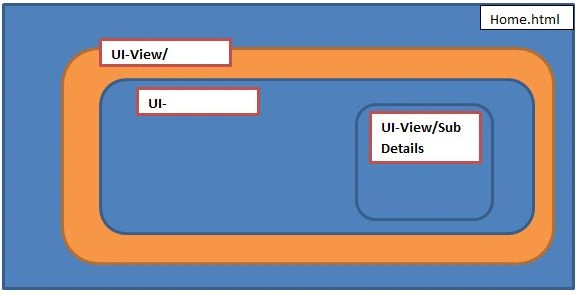
- Nested views of the complex page.
Nested views
How to use UI-Route in ASP.NET MVC?
Step 1
Open Visual Studio 2017 and go to File > New > Project.
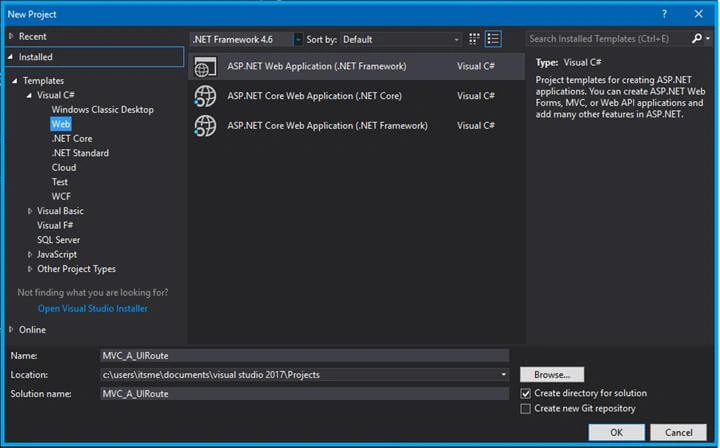
Step 2
Choose MVC in ASP.NET 4.6 templates.
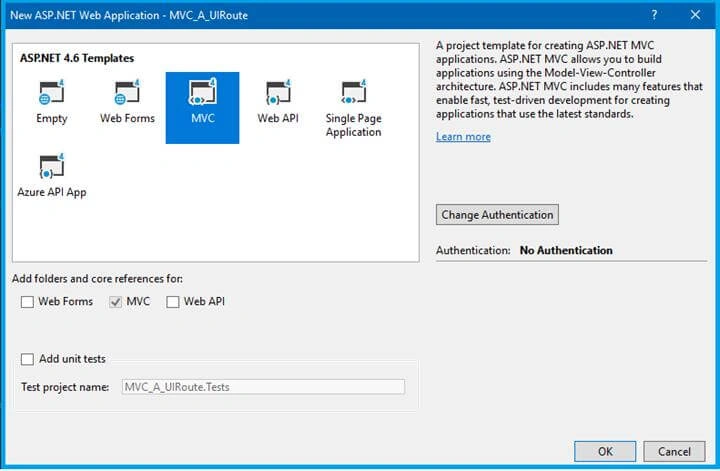
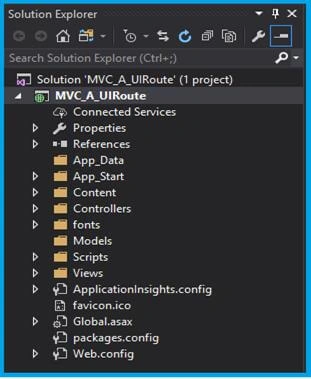
After the popup Window, it will directly open the project solution, as shown below.
Step 3
Download AngularJS and Angular UI-Route file.
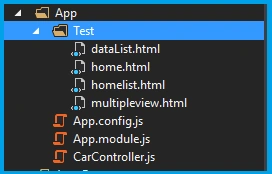
Create the new folder App, add HTML and Javascript file, as shown above.
Let’s show the file name and the code.
home.html
- <div class="jumbotron text-center">
- <h1>AngularJS UI Route</h1>
- <a ui-sref=".template" class="btn btn-primary">Nested State</a>
- <a ui-sref=".list" class="btn btn-primary"> Nested State with Ctrl </a>
- <a class="btn btn-primary" ui-sref="multipleview">Multiple View</a>
- </div>
- <div ui-view></div>
homelist.html
- <div>Language List</div>
- <div>
- <ul>
- <li ng-repeat="Lang in Language">{{ Lang }}</li>
- </ul>
- </div>
datalist.html
- <table class="table table-hover table-striped table-bordered">
- <thead>
- <tr>
- <td>Car List</td>
- </tr>
- </thead>
- <tbody>
- <tr ng-repeat="Car in CarList">
- <td>{{ Car}}</td>
- </tr>
- </tbody>
- </table>
multipleview.html
- <button class="btn btn-primary" ui-sref="home">Home</button>
- <div class="row">
- <div class="col-sm-12">
- <div ui-view="ViewOne"></div>
- </div>
- </div>
- <div class="row">
- <div class="col-sm-6">
- <div ui-view="ViewTwo"></div>
- </div>
- <div class="col-sm-6">
- <div ui-view="ViewThree"></div>
- </div>
- </div>
App.module.js
- var uiroute = angular
- .module('uiroute', ['ui.router']);
App.config.js
- uiroute.config(function ($stateProvider, $urlRouterProvider) {
- $urlRouterProvider.otherwise('/home');
- $stateProvider
- // State managing
- .state('home', {
- url: '/home',
- templateUrl: '/App/Test/home.html'
- })
- // nested list with data
- .state('home.template', {
- url: '/template',
- template: 'Welcome to the C# Corner'
- })
- // nested list with controller
- .state('home.list', {
- url: '/list',
- templateUrl: '/App/Test/homelist.html',
- controller: function ($scope) {
- $scope.Language = ['C#', 'VB', 'JavaScript','PHP'];
- }
- })
- // State with multiple views
- .state('multipleview', {
- url: '/multipleview',
- views: {
- '': { templateUrl: '/App/Test/multipleview.html' },
- 'ViewOne@multipleview': { template: 'Welcome to the C# Corner!' },
- 'ViewTwo@multipleview': {
- templateUrl: '/App/Test/dataList.html',
- controller: 'CarController'
- },
- 'ViewThree@multipleview': {
- templateUrl: '/App/Test/homelist.html',
- controller: function ($scope) {
- $scope.Language = ['C#', 'VB', 'JavaScript', 'PHP'];
- }
- }
- }
- });
- });
CarController.js
- uiroute.controller('CarController', function ($scope) {
- $scope.CarList = ['Audi', 'BMW', 'Bugatti', 'Jaguar'];
- });
Route Module
“ui-router” - dependence module.
“$stateProvider, $urlRouterProvider” –state & Route provider.
“$state”- Getting parameter as a Service.
“$urlRouterProvider.otherwise”-default route provider.
“ui-view” - template view Directive.
“ui-sref” -link Directive.
“uiroute” –this is the module name and mentions ng-app Directive.
Step 4
Link the corresponding files in _Layout.html and mention the ui-view in
index.cshtml
- <div ui-view></div>
_Layout.cshtml
- <!DOCTYPE html>
- <html>
- <head>
- <meta charset="utf-8" />
- <meta name="viewport" content="width=device-width, initial-scale=1.0">
- <title>@ViewBag.Title - My ASP.NET Application</title>
- @Styles.Render("~/Content/css")
- @Scripts.Render("~/bundles/modernizr")
- </head>
- <body>
- <div class="navbar navbar-inverse navbar-fixed-top">
- <div class="container">
- <div class="navbar-header">
- <button type="button" class="navbar-toggle" data-toggle="collapse" data-target=".navbar-collapse">
- <span class="icon-bar"></span>
- <span class="icon-bar"></span>
- <span class="icon-bar"></span>
- </button>
- </div>
- </div>
- </div>
- <div class="container body-content" ng-app="uiroute">
- @RenderBody()
- <hr />
- <footer>
- <p>© @DateTime.Now.Year - My ASP.NET Application</p>
- </footer>
- </div>
- @Scripts.Render("~/bundles/jquery")
- @Scripts.Render("~/bundles/bootstrap")
- <script src="~/Plugin/angular/angular.min.js"></script>
- <script src="~/Plugin/angular-ui-router/release/angular-ui-router.min.js"></script>
- <script src="~/App/App.module.js"></script>
- <script src="~/App/App.config.js"></script>
- <script src="~/App/CarController.js"></script>
- @RenderSection("scripts", required: false)
- </body>
- </html>
Step 5
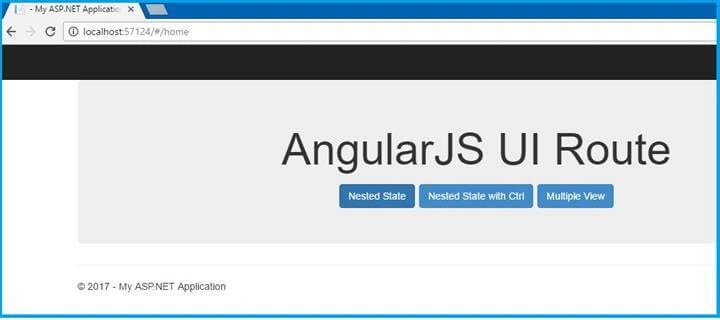
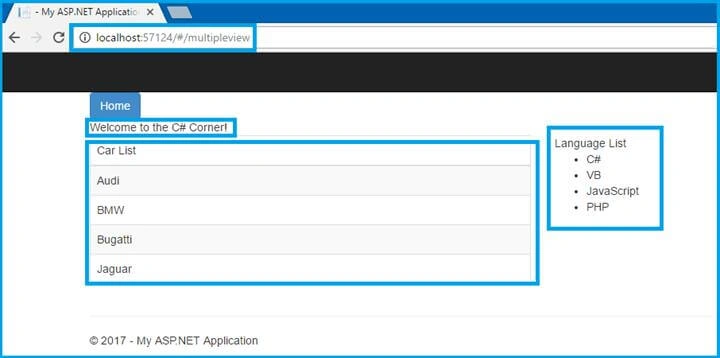
Once the above step completes, run the Application or click F5. The output is opened as a default browser.
Output 1
Output 2
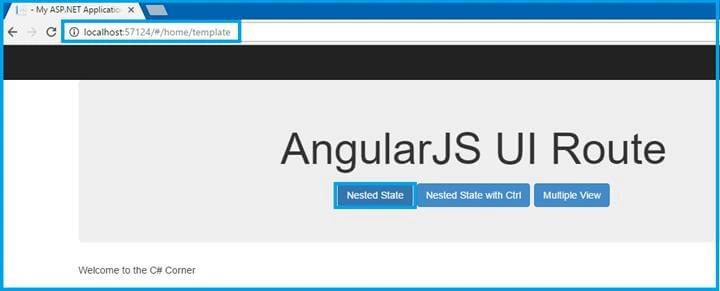
Output 3
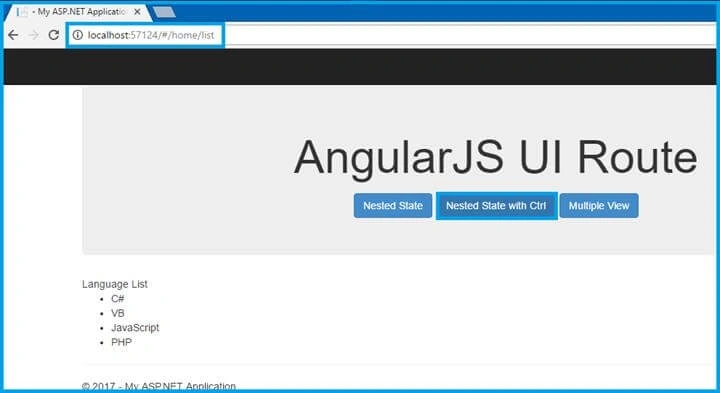
Output 4
Conclusion
In this article, we have seen MVC, using Angular UI-Route. If you have any query, please ask me in C# Corner comments section. Happy coding.
Anu VPosted Mar 27, 2017, 2:05 AM
Nice article.. Thanks for sharing..