

The following topics will be covered in this article,
- Insert Document
- Update Data in collection
- Delete Data in collection
- Get All collections from Database
- Use Equal, Less than, Greater Than, Less than or Equal and Greater than or Equal operators
- And Clause, Or clause, Not clause, Between clause and Like clause
- Sort, Limit, Projection, Sum, Count, Min, Max, Avg, Date time, Join, Group By and Having Clause
Databases originated in the 1960s in order to replace the existing file organization of data.
The first databases that appeared used hierarchical (tree-like) or network structures to store data.
Types of Databases
SQL
Structured Query Language is the standard language for dealing with Relational Databases. In this, data uses schemas and relations and will be scaled vertically.
Important characteristics of the Databases,
- Structured data
- Related data
- Metadata
- Data integrity & Data security
- Data storage, retrieval, and update
NoSQL
Not only is SQL a schema-less database for no-relations (very few) data maintenance, it’s possible to do horizontal and vertical data scaling. It stores and processes huge volumes of data.
Important characteristics of the NoSQL Databases,
- Need to store unstructured data
- Need for scalability and flexibility
- Need for real-time access.
- Types of NoSQL Databases:
The following main types of NoSQL databases can be identified, depending on the data model used:
- Key-value store
- Document store
- Column-oriented
- Graph-oriented
The characteristics of the most popular products from each category are taken into account when performing the analysis. These are,
- Redis for key-value stores;
- MongoDB for document stores;
- Apache Cassandra for column-oriented stores;
- Neo4j for graph-oriented stores.
MongoDB is a No SQL database. It is an open-source, cross-platform, document-oriented database written in C++.
Why Use Mongo DB
Please look into the below snapshot for better understanding,
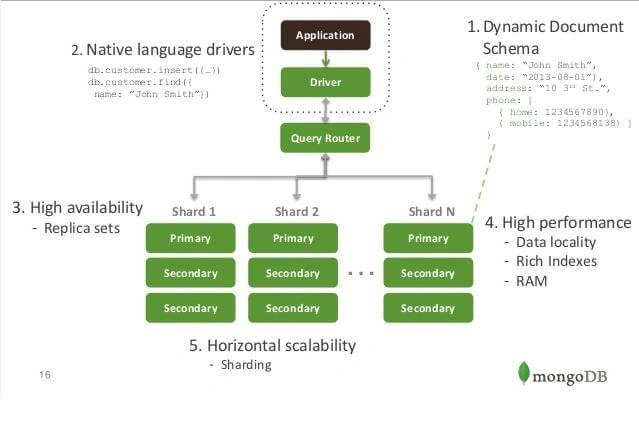
We can interact with MongoDB in different ways, as listed below.
- Use mongo shell to insert data and perform query operations.
- Use MongoDB Compass to connect to insert data and perform query operations.
Here is the link for more details.
- Here is the list of most popular third party MongoDB tools
MongoBooster – RoboMongo – MongoVUE – RockMongo – MongoHub -UMongo-3T Mongo Chef
Configuration through Mongo Shell
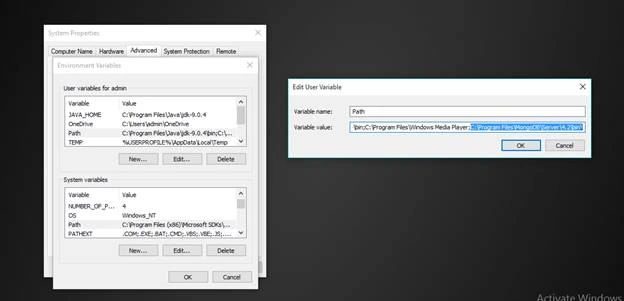
If you use “mongo” in the command prompt without configuring it, then it would give an error. Hence, configure it first.
Step 1
Go to the local disk C and get into Program Files. There you'll find a folder named MongoDB.
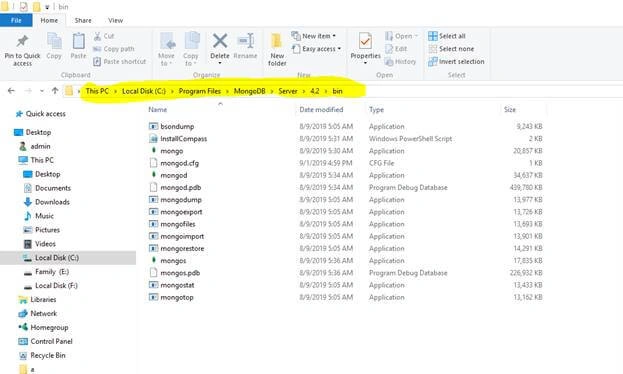
C:\Program Files\MongoDB\Server\3.2\bin\
Open Command prompts and type “mongod” to start the service.
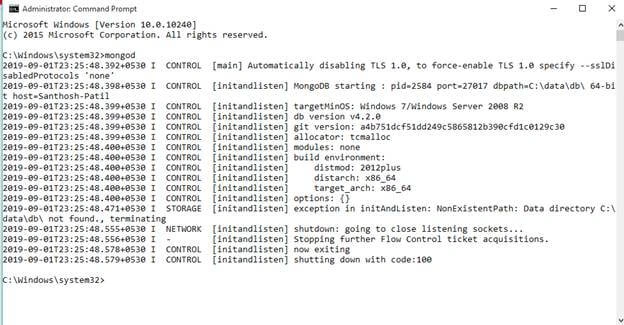
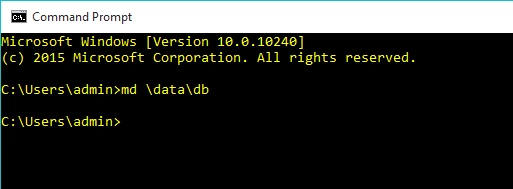
MongoDB requires a data directory to store all data. Mongo DB’s default data directory path is \data\db.
Create this folder,
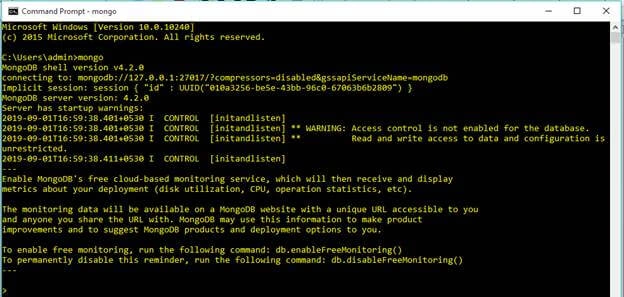
Write command on the command prompt “mongo” to create the connection.
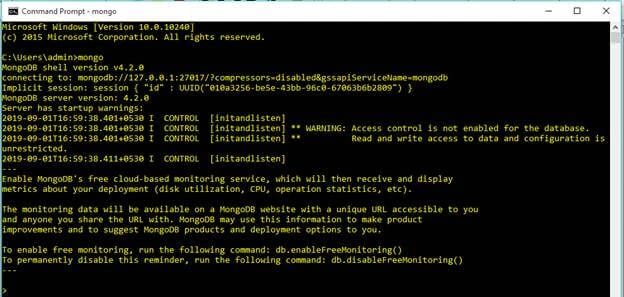
MongoDB – Create Database
Creation of a database is so easy. All you have to do is to put “use” before the name of the database and press Enter.
First Create Connection,
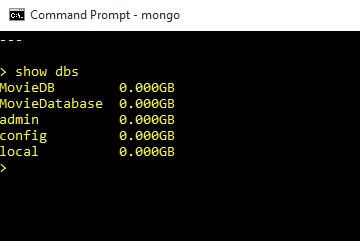
Mongo list collections with the command “Show dbs”
As we have created a database, now, let's create a mongo collection in it. For this purpose, a user must insert certain records which make up a mongo document in collection i.e. via Field Names & Field Values.
Connect to a MongoDB instance running on your local host with default port 27017.
Create a database with the name is MovieDatabase. This database has 2 collections: Movie collection and Product collection. Movie collection and Region collection have a One to Many. One movie can have many products and one region belongs to one and only one category.
- /* Create MovieDatabase database */
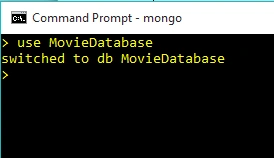
- use MovieDatabase
- /* Create Movie collection */
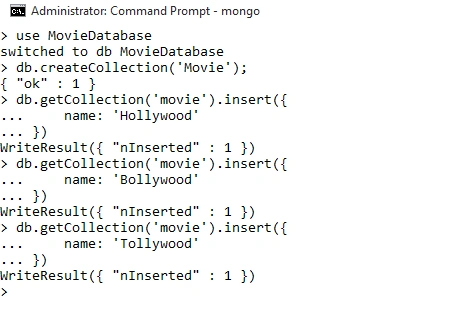
- db.createCollection('Movie');
- /* Dumping data for ` movie ` collection */
- db.getCollection('movie').insert({
- name: 'Hollywood'
- })
- db.getCollection('movie').insert({
- name: 'Bollywood'
- })
- db.getCollection('movie').insert({
- name: 'Tollywood'
- })
- WriteResult({ "nInserted" : 1 })
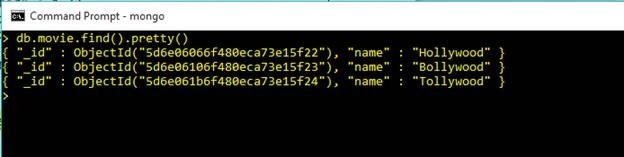
- > db.movie.find()
- { "_id" : ObjectId("5d6e06066f480eca73e15f22"), "name" : "Hollywood" }
- { "_id" : ObjectId("5d6e06106f480eca73e15f23"), "name" : "Bollywood" }
- { "_id" : ObjectId("5d6e061b6f480eca73e15f24"), "name" : "Tollywood" }
- >
- db.movie.find().pretty()
- /* Create Region collection */
- db.createCollection('region');
- /* Dumping data for `` collection */
- db.getCollection('region').insert({
- FileName: 'Sahoo',
- Budget: '350',
- Language: 'Telugu',
- date: ISODate('2019-08-30'),
- movieId: ObjectId('5d6e061b6f480eca73e15f24'),
- Industry: {
- _id: new ObjectId(),
- name: 'Tollywood'
- }
- });
- db.getCollection('region').insert({
- FileName: 'Bahuballi',
- Budget: '200cr',
- Language: 'Hindi',
- date: ISODate('2015-08-30'),
- movieId: ObjectId("5d6e06106f480eca73e15f23"),
- Industry: {
- _id: new ObjectId(),
- name: 'Bollywood'
- }
- });
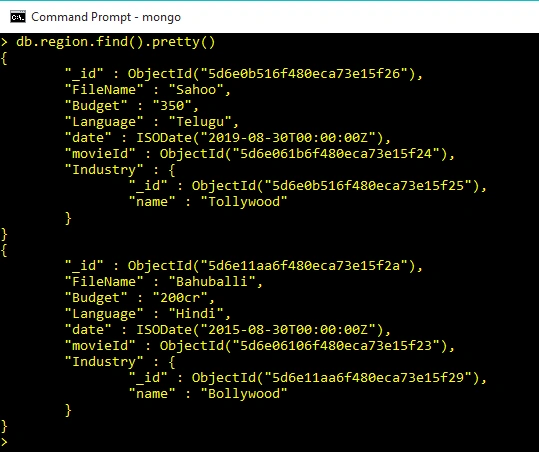
- db.region.find().pretty()
Update Data in collection,
- db.getCollection('region').update(
- {_id: ObjectId('5d6e11aa6f480eca73e15f2a')},
- {
- $set:{Budget : '5000cr'}}
- );
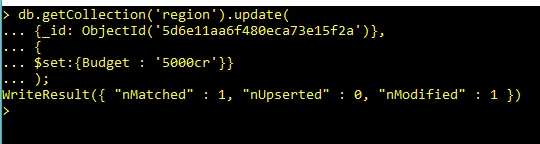
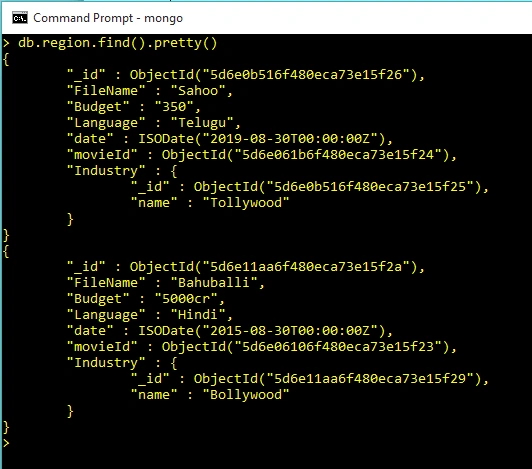
Check now if collection is updated or not
- db.region.find().pretty()
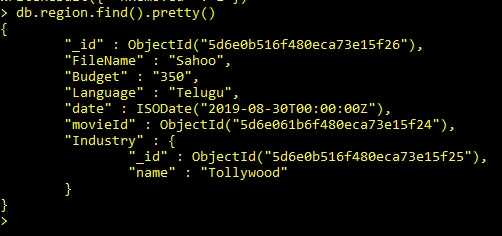
Delete Data in Collection
- db.getCollection('region').remove({_id: ObjectId('5d6e11aa6f480eca73e15f2a')});

Check now if particular id collection is deleted or not,
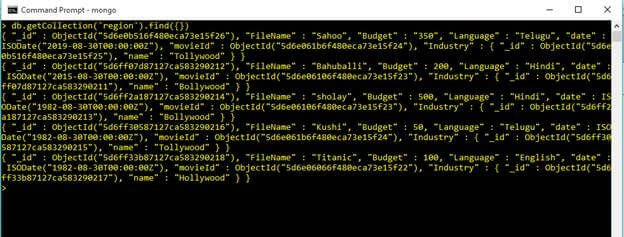
Get All collections from Database
Add some movies to the collections for better understanding.
- db.getCollection('region').find({})
Use find() method to display documents in Region Collection
Use Equal Operator in Query Commands
- db.getCollection('region').find({Language: 'Hindi'})

Use Less Than Operator in Query Commands
- db.getCollection('region').find({ Budget: { $lte: 500 } })
Output
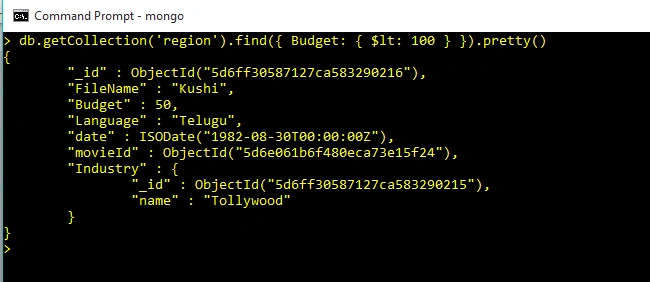
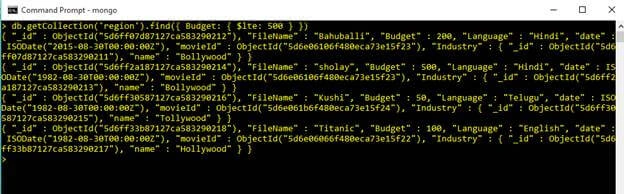
Use Less Than or Equal operator in Query Commands
- db.getCollection('region').find({ Budget: { $lte: 500 } })
Output
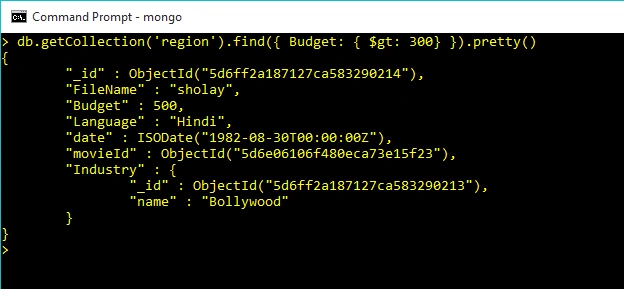
Use Greater Than operator in Query Commands
- db.getCollection('region').find({ Budget: { $gt: 300} })
Output
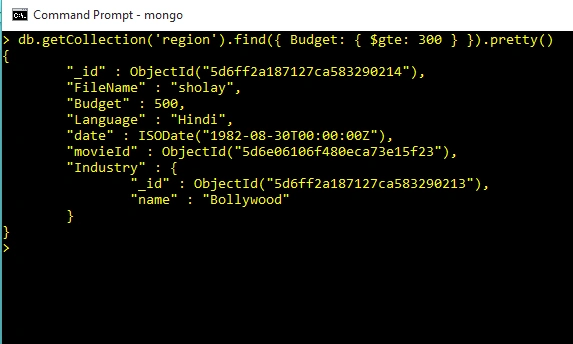
Use Greater Than or Equal Operator in Query Commands
- db.getCollection('region').find({ Budget: { $gte: 300 } })
Output
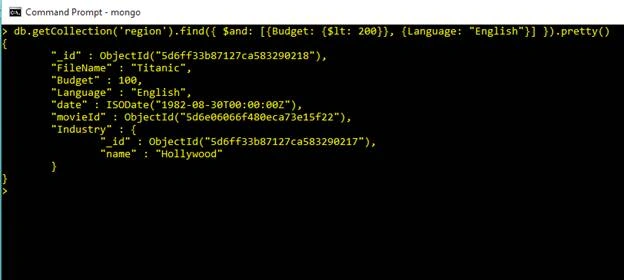
And Clause in Query Commands
- db.getCollection('region').find({ $and: [{Budget: {$lt: 200}}, {Language: "English"}] }).pretty()
Output
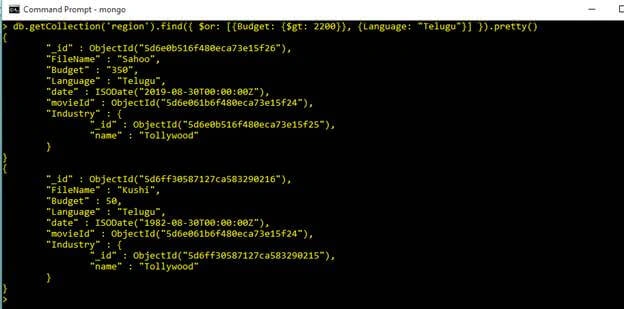
Or Clause in Query Commands
- db.getCollection('region').find({ $or: [{Budget: {$gt: 2200}}, {Language: "Telugu"}] }).pretty()
Output
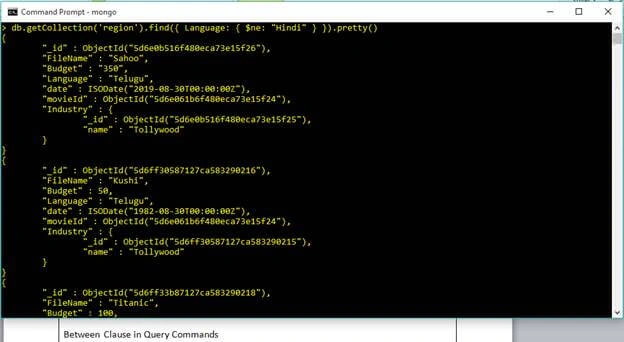
Not Clause in Query Commands
- db.getCollection('region').find({ Language: { $ne: "Hindi" } }).pretty()
Output
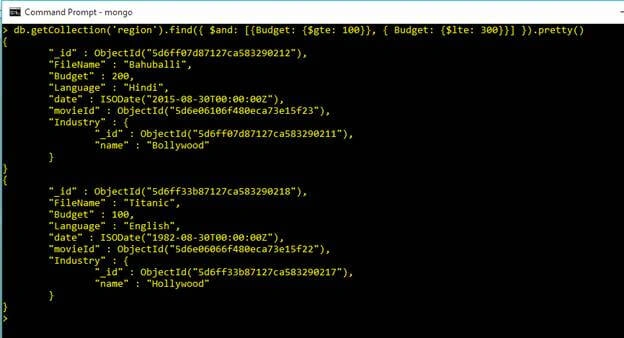
Between Clause in Query Commands
- db.getCollection('region').find({ $and: [{Budget: {$gte: 100}}, { Budget: {$lte: 300}}] }).pretty()
Output
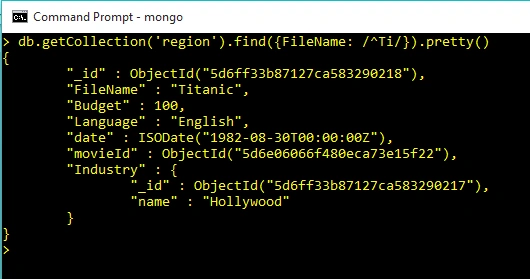
Like Clause in Query Commands
Start with Mob string
- db.getCollection('region').find({FileName: /^Ti/}).pretty()
Output
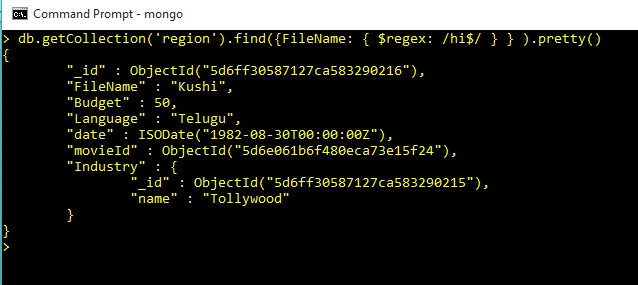
Ends with 2 string
- db.getCollection('region').find({FileName: { $regex: /hi$/ } } ).pretty()
Output
Limit in Query Commands
If we want to fetch the first two documents from the collection "region", the following mongodb command can be used
- db.region.find().limit(2).pretty();
If we want to fetch two documents after the first two documents from the collection 'region', the following mongodb command can be used :
- db.region.find().skip(2).pretty();
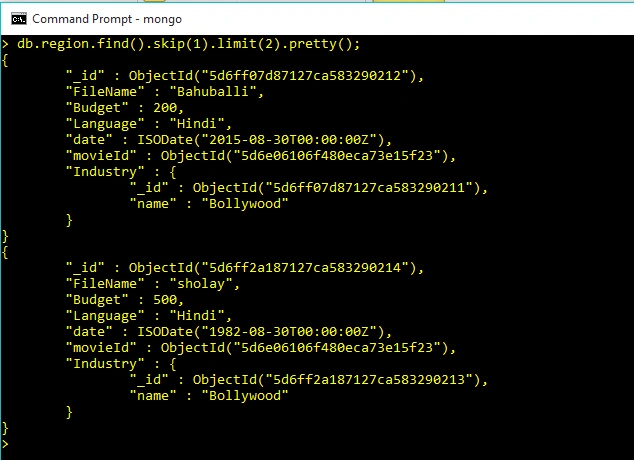
If we want to fetch the two documents after the first document from the collection 'region', the following mongodb command can be used :
- >db.region.find().skip(1).limit(2).pretty();
Output
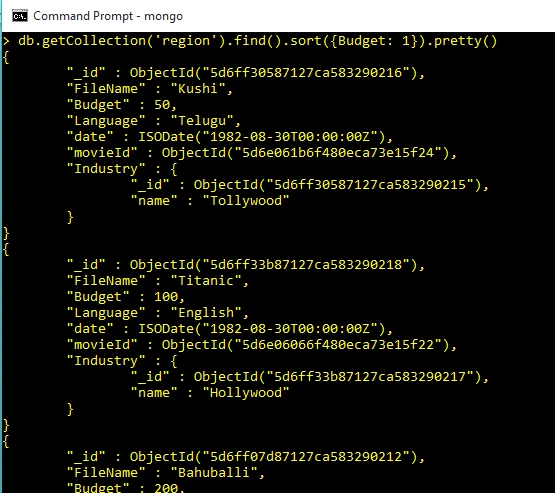
Sort by Budget Ascending
- db.getCollection('region').find().sort({Budget: 1})
Output
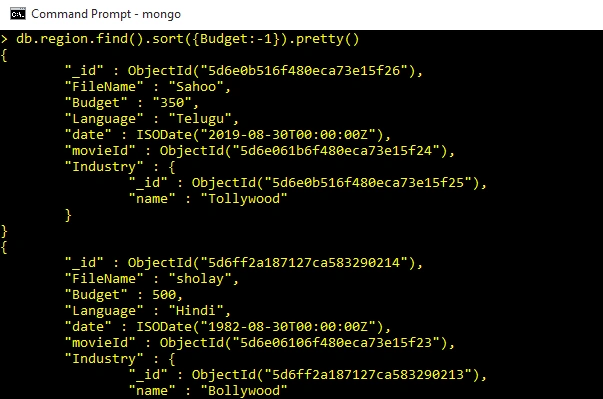
Sort by Budget Descending
- db.region.find().sort({Budget:-1}).pretty()
Output
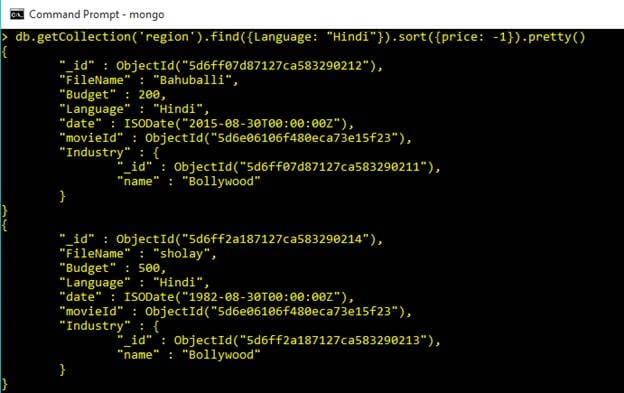
Sort and Condition
- db.getCollection('region').find({Language: "Hindi"}).sort({price: -1})
Output
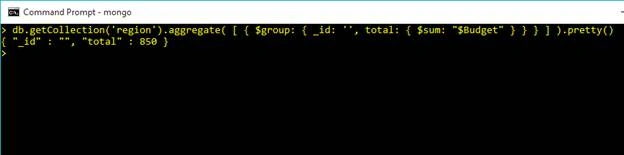
Sum in Query Commands
Sum Budget
- db.getCollection('region').aggregate( [ { $group: { _id: '', total: { $sum: "$Budget" } } } ] ).pretty()
Output
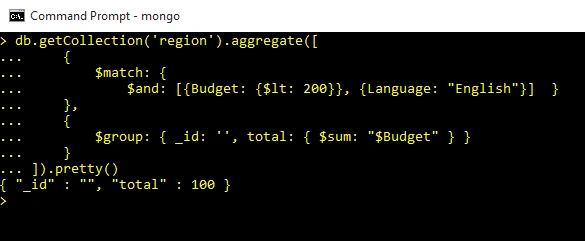
Sum Budget With Conditions
- db.getCollection('region').aggregate([
- {
- $match: {
- $and: [{Budget: {$lt: 200}}, {Language: "English"}] }
- },
- {
- $group: { _id: '', total: { $sum: "$Budget" } }
- }
- ]).pretty()
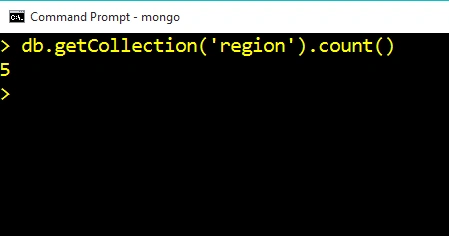
Count Product in Query Command
- db.getCollection('region').count()
Output
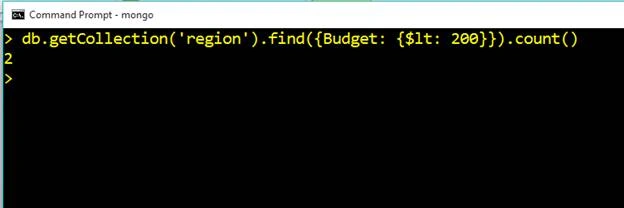
Sum Budget With Conditions
- db.getCollection('region').find({Budget: {$lt: 200}}).count()
Output
Min and Max in Query Commands
The Biggest Price
- db.getCollection('region').aggregate( [ { $group: { _id: '', total: { $max: "$Budget" } } } ] )
Output

The Smallest Budget
- db.getCollection('region').aggregate( [ { $group: { _id: '', total: { $min: "$Budget" } } } ] )
Output

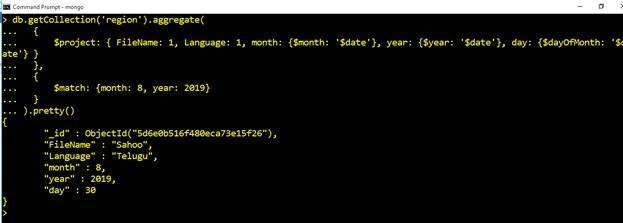
Use Date and Time with Conditions
- db.getCollection('region').aggregate(
- {
- $project: { FileName: 1, Language: 1, month: {$month: '$date'}, year: {$year: '$date'}, day: {$dayOfMonth: '$date'} }
- },
- {
- $match: {month: 8, year: 2019}
- }
- ).pretty()
Output
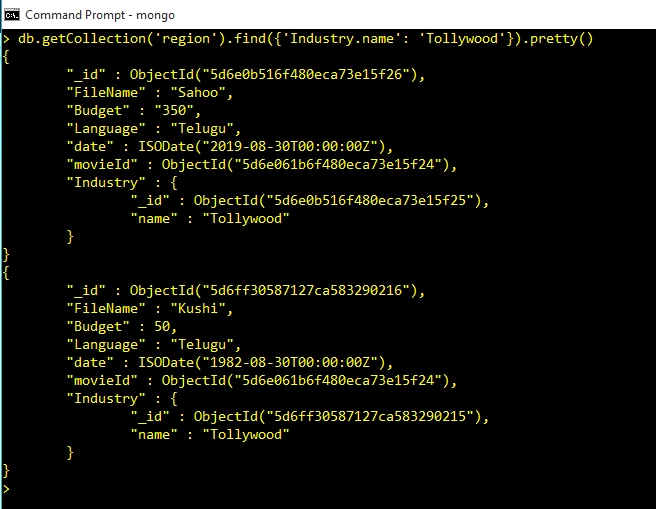
Filter Data with Embed Document in Query Commands,
- db.getCollection('region').find({'Industry.name': 'Tollywood'}).pretty()
Output
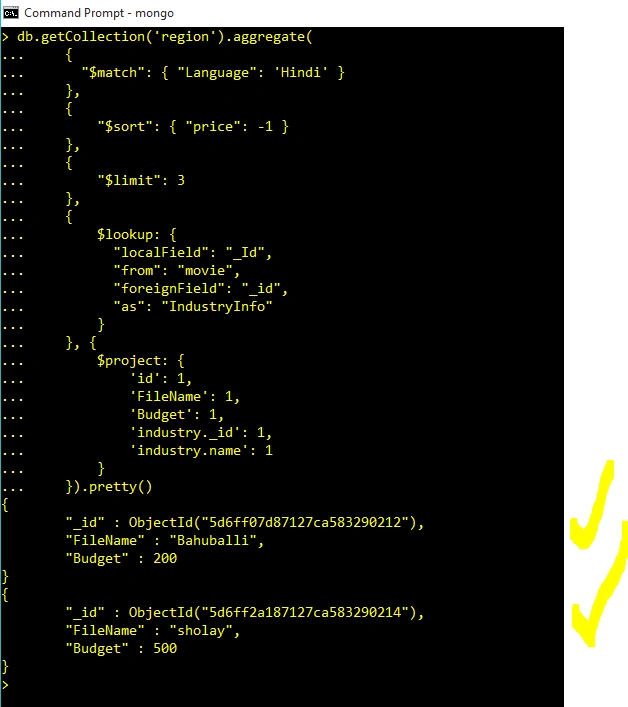
Join and Conditions in Query Commands
- db.getCollection('region').aggregate(
- {
- "$match": { "Language": 'Hindi' }
- },
- {
- "$sort": { "price": -1 }
- },
- {
- "$limit": 3
- },
- {
- $lookup: {
- "localField": "_Id",
- "from": "movie",
- "foreignField": "_id",
- "as": "IndustryInfo"
- }
- }, {
- $project: {
- 'id': 1,
- 'FileName': 1,
- 'Budget': 1,
- 'industry._id': 1,
- 'industry.name': 1
- }
- }).pretty()
Output
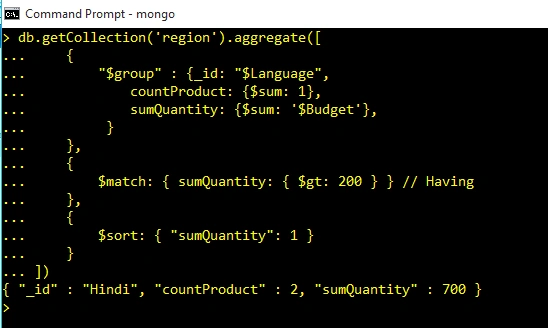
Group By and Having in Query Commands
- db.getCollection('region').aggregate([
- {
- "$group" : {_id: "$Language",
- countProduct: {$sum: 1},
- sumQuantity: {$sum: '$Budget'},
- }
- },
- {
- $match: { sumQuantity: { $gt: 200 } } // Having
- },
- {
- $sort: { "sumQuantity": 1 }
- }
- ]).pretty()
Output
MongoDB Compass GUI
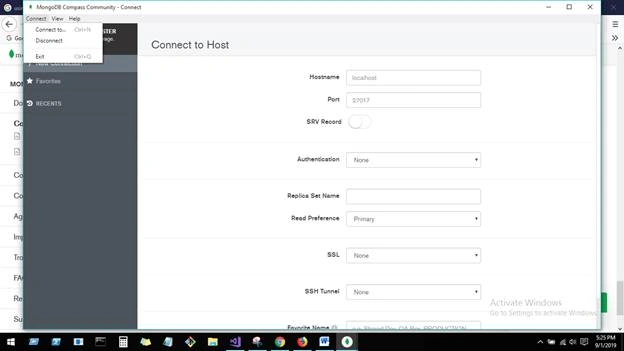
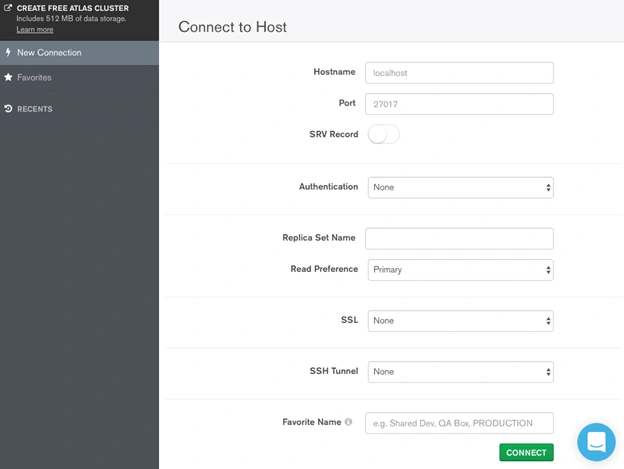
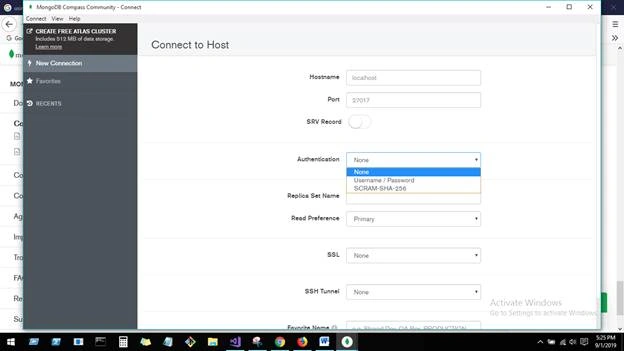
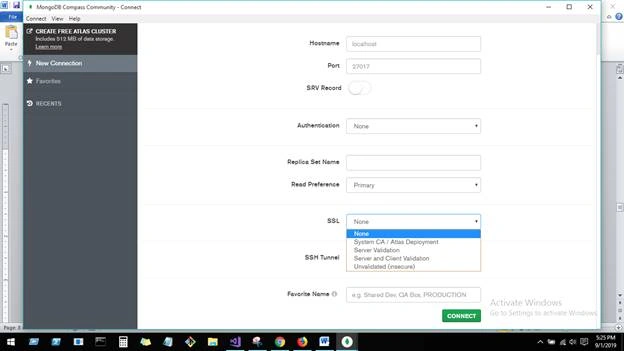
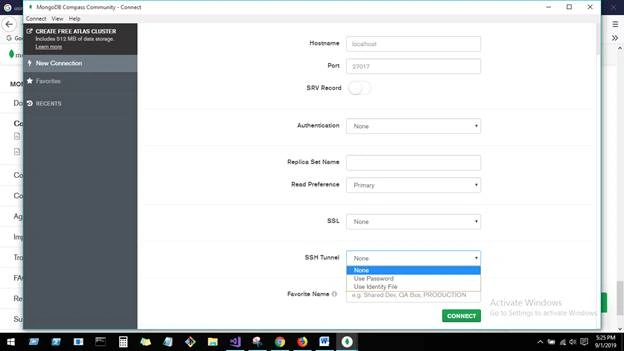
MongoDB Compass to connect to insert data and perform query operations. Once we have downloaded and opened MongoDB Compass, we need to fill the below details for connecting mongo DB host. Here, at the top right corner, we have connection and disconnection options for connecting host.
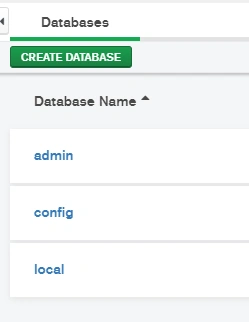
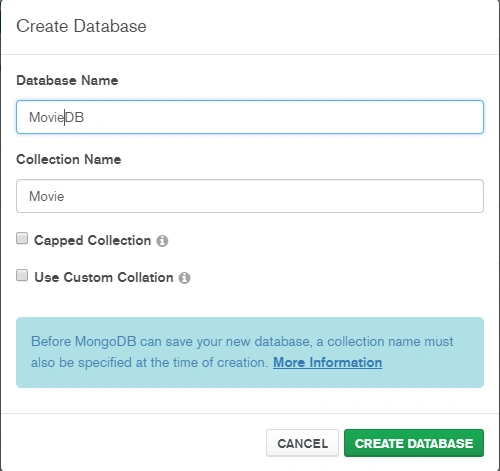
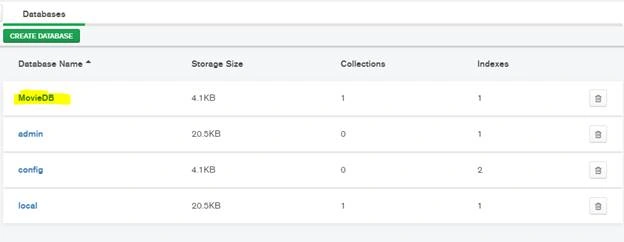
You can create a database from this UI.
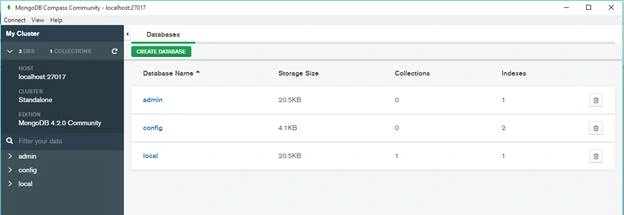
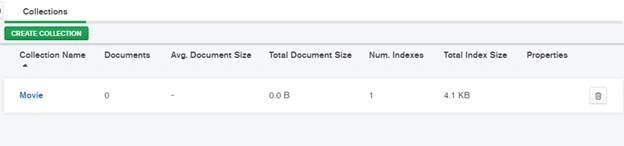
Here you can create collections (tables).
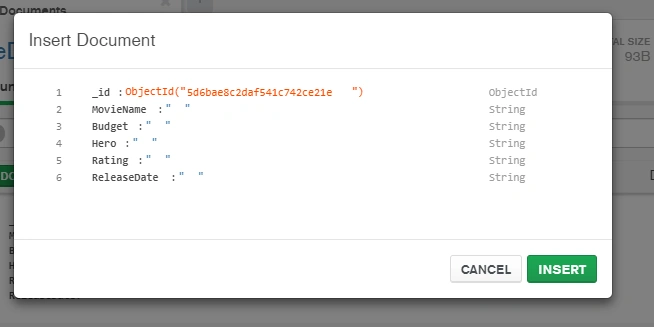
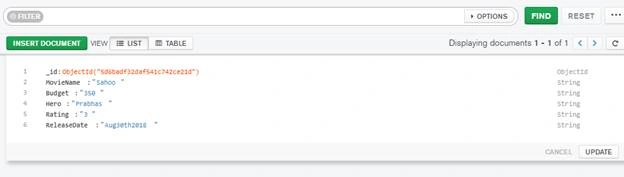
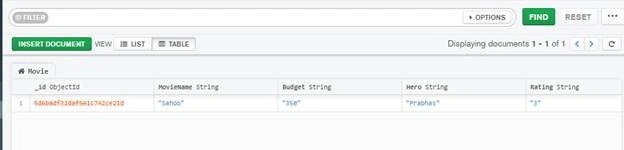
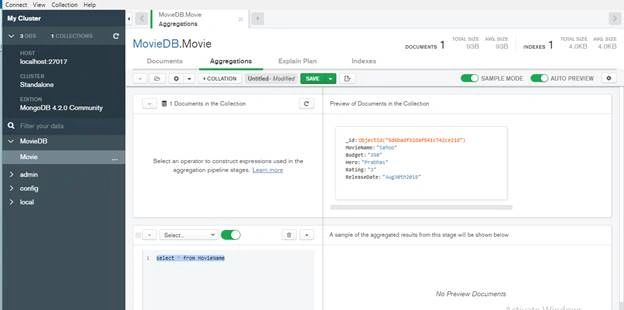
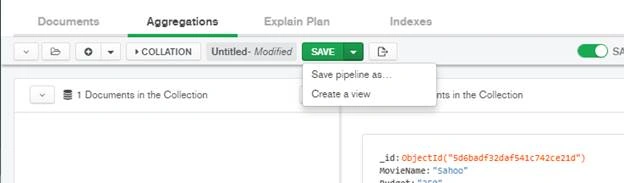
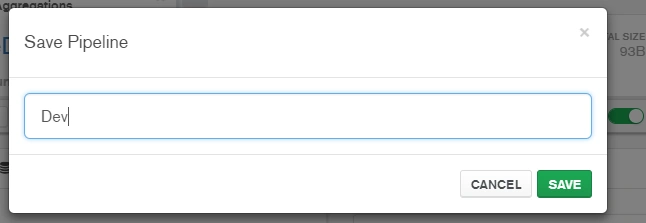
Here point to the environments pipeline,
Join the conversation! Your thoughts help the community grow.