
Introduction
- onStartCommand(): when the component like an Activity requests a service to start by calling the startService() method then the system calls the onStartCommand() method to start the service.
- onCreate(): this method is called by the system when the service is first created.
- onDestroy(): this method is called when the service is no longer needed.
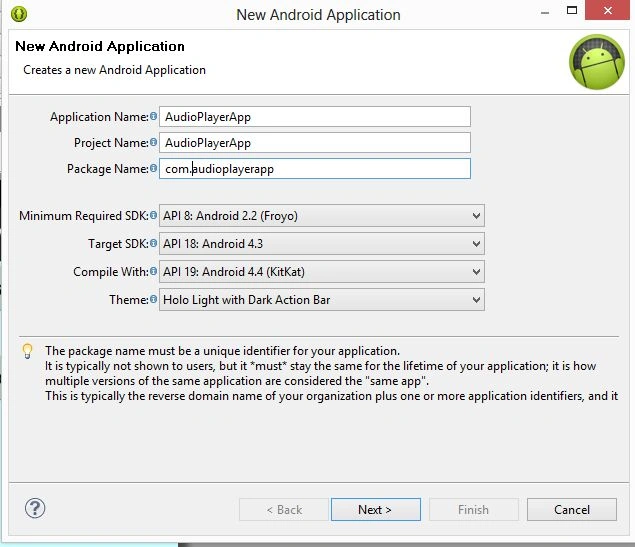
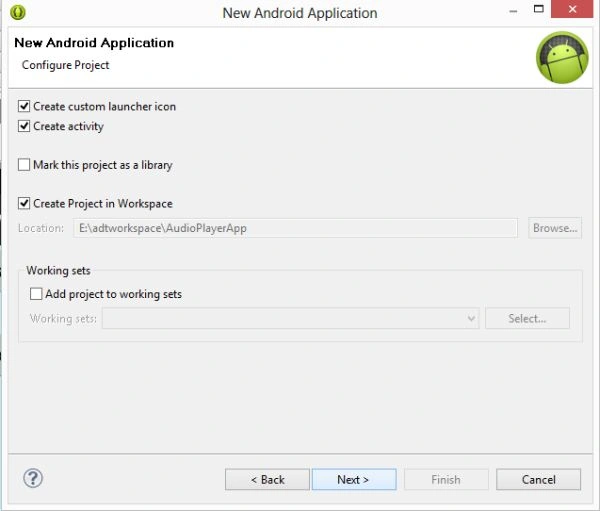
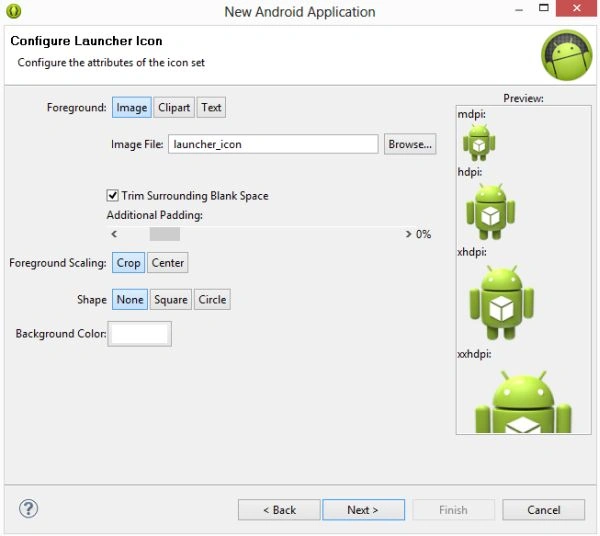
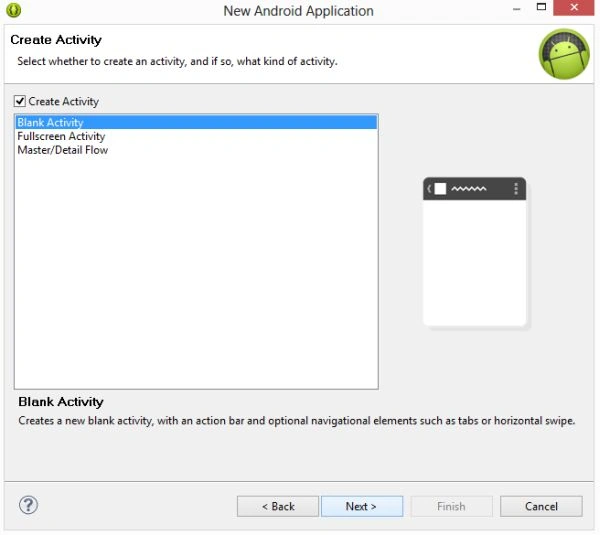
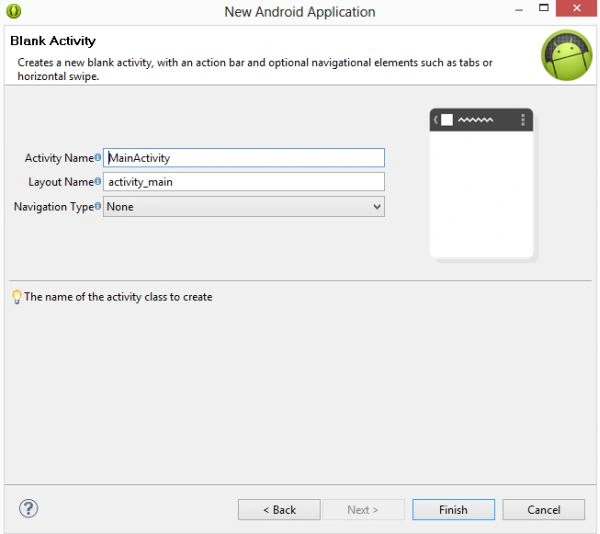
Step 1
- <RelativeLayout xmlns:android="http://schemas.android.com/apk/res/android"
- xmlns:tools="http://schemas.android.com/tools"
- android:layout_width="match_parent"
- android:layout_height="match_parent" >
- <Button
- android:id="@+id/button1"
- android:layout_width="fill_parent"
- android:layout_height="wrap_content"
- android:onClick="pAudio"
- android:text="Play" />
- <Button
- android:layout_marginTop="80dp"
- android:id="@+id/button2"
- android:layout_width="fill_parent"
- android:layout_height="wrap_content"
- android:onClick="sAudio"
- android:text="Stop" />
- </RelativeLayout>
Step 2
Create a Java class file with the following:
- import android.os.Bundle;
- import android.app.Activity;
- import android.view.Menu;
- import android.view.View;
- import android.content.Intent;
- //In this class, you will extend the activity class that provides methods to create the activity
- public class MainActivity extends Activity
- {
- @Override
- public void onCreate(Bundle savedInstanceState)
- {
- super.onCreate(savedInstanceState);
- setContentView(R.layout.activity_main);
- }
- @Override
- public boolean onCreateOptionsMenu(Menu menu)
- {
- getMenuInflater().inflate(R.menu.main, menu);
- return true;
- }
- //, when you click on the play button pAudio() method, will be called and it will call the Audio class that starts the service and startService()
- public void pAudio(View v)
- {
- Intent Intent = new Intent(this, Audio.class);
- startService(Intent);
- }
- //, when you click on the stop button sVideo() method, will be called and it will call the Audio class that starts the service and call stopService()
- public void sAudio(View v)
- {
- Intent Intent = new Intent(this, Audio.class);
- stopService(Intent);
- }
- }
Step 3
Create a Java class file with the following:
- package com.audioplayer;
- import android.app.Service;
- import android.content.Intent;
- import android.media.MediaPlayer;
- import android.os.IBinder;
- import android.util.Log;
- // In this, you will extend the Service class that provides you the service lifecycle methods
- public class Audio extends Service
- {
- private static final String LOGCAT = null;
- MediaPlayer mediaPlayer;
- public void onCreate()
- {
- super.onCreate();
- Log.d(LOGCAT, "Service Started!");
- mediaPlayer = MediaPlayer.create(this, R.raw.beep);
- }
- public int onStartCommand(Intent intent, int flags, int startId)
- {
- mediaPlayer.start();
- Log.d(LOGCAT, "Media Player started!");
- if (mediaPlayer.isLooping() != true)
- {
- Log.d(LOGCAT, "Problem in Playing Audio");
- }
- return 1;
- }
- public void onStop()
- {
- mediaPlayer.stop();
- mediaPlayer.release();
- }
- public void onPause()
- {
- mediaPlayer.stop();
- mediaPlayer.release();
- }
- public void onDestroy()
- {
- mediaPlayer.stop();
- mediaPlayer.release();
- }
- @Override
- public IBinder onBind(Intent objIndent)
- {
- return null;
- }
- }
Step 4
In the Android Manifest.xml file you will declare the service as in the following:
- <service android:name="Audio" android:enabled="true"></service>
Android Manifest.xml file
- <?xml version="1.0" encoding="utf-8"?>
- <manifest xmlns:android="http://schemas.android.com/apk/res/android"
- package="com.audioplayer"
- android:versionCode="1"
- android:versionName="1.0" >
- <uses-sdk
- android:minSdkVersion="8"
- android:targetSdkVersion="18" />
- <application
- android:allowBackup="true"
- android:icon="@drawable/ic_launcher"
- android:label="@string/app_name"
- android:theme="@style/AppTheme" >
- <activity
- android:name="com.audioplayer.MainActivity"
- android:label="@string/app_name" >
- <intent-filter>
- <action android:name="android.intent.action.MAIN" />
- <category android:name="android.intent.category.LAUNCHER" />
- </intent-filter>
- </activity>
- <service android:name="Audio" android:enabled="true"></service>
- </application>
- </manifest>
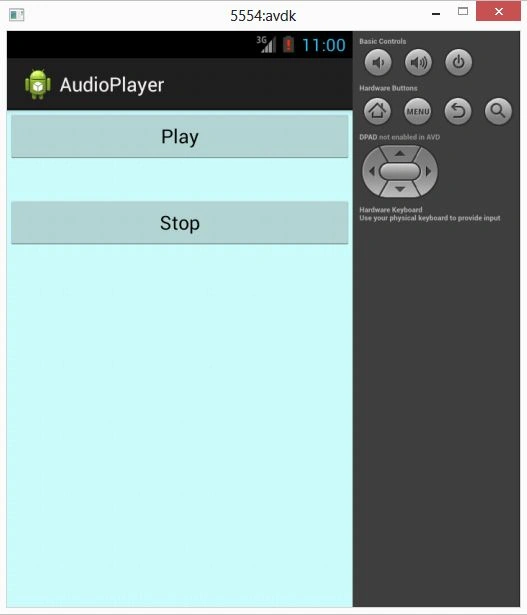
Step 5
Join the conversation! Your thoughts help the community grow.