

The const keyword in JavaScript is used to create variables that cannot be redeclared or changed after their first assignment. This keeps the variable’s value fixed.
Example
const country = "India";
console.log(country); // Output: India
country = "Canada"; // ❌ Error: Assignment to constant variable.
Key Characteristics of const
Must Be Initialized: You must assign a value when declaring a const variable.
const country; // ❌ Error: Missing initializer in const declaration.
const country = "India"; // ✅ Correct
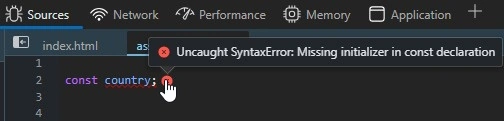
Cannot Be Reassigned: Once a value is assigned to a const variable, it cannot be changed.
const country = "India";
country = "Canada"; // ❌ Error: Assignment to constant variable.
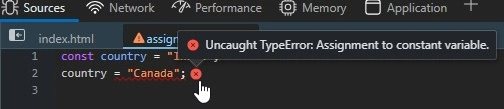
Cannot Be Redeclared: Once a variable is declared as const, it cannot be redeclared.
const country = "India";
const country = "Canada"; // ❌ Error: Identifier 'country' has already been declared.

Block Scope: const is limited to the block in which it is defined, meaning it is not accessible outside of that block.
{
  const country = "India";
}

console.log(country); // ❌ Error: Uncaught ReferenceError: country is not defined.
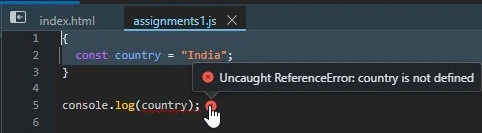
Works with Objects & Arrays: While you cannot reassign a new array to a const variable, you can modify the contents of the array, such as adding, removing, or changing elements.
const country = { name: "India" };
country.name = "Canada";
console.log(country.name);

country = { age: 30 }; // ❌ Error: Assignment to constant variable.

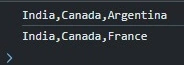
Changing the content of the array is possible in const.
const countryArray = ["India", "Canada", "Argentina"];
console.log(countryArray.toString());

countryArray[2] = "France";
console.log(countryArray.toString());
When to Use Const?
- When the value should never be reassigned (e.g., API URLs, configuration values).
- When using objects or arrays where only their contents might change.
- Helps prevent accidental reassignments and improves code safety.
Best Practice
Always use const unless you need to reassign a variable. If reassignment is needed, use let.
Join the conversation! Your thoughts help the community grow.