

Introduction
Selenium is a software-testing framework for web applications. It also provides a test domain-specific language (Selenese) to write tests in a number of popular programming languages, including C#, Groovy, Java, Perl, PHP, Python, Ruby, and Scala. The tests can then run against most modern web browsers. It is open-source software.
For details visit: https://www.seleniumhq.org/
In this article, we will start using Selenium C#.
Pre-requisites
- Visual Studio
- Web Browser – Chrome, Mozilla
Let’s start,
Step 1
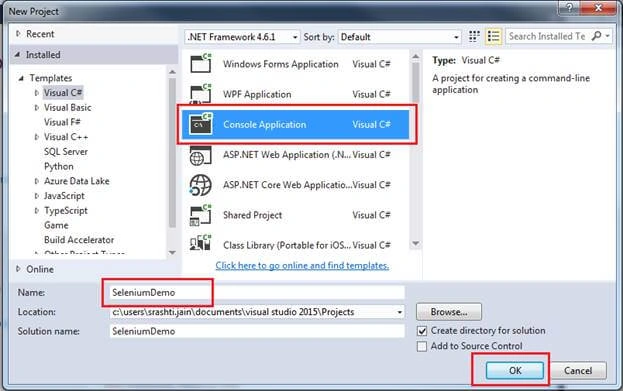
Create a console application in C#.
Step 2
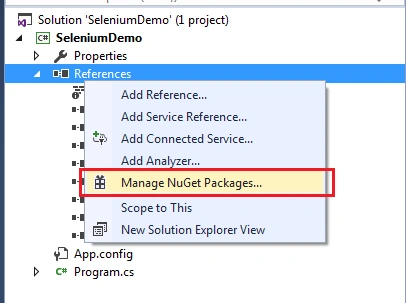
Click on Manage NuGet Packages
Step 3
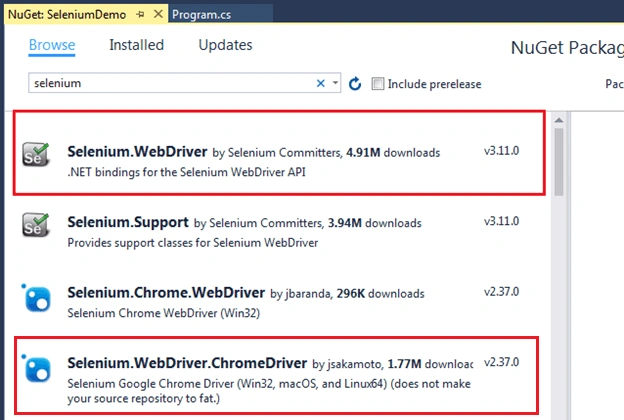
Add Selenium.WebDriver and Selenium.WebDriver.ChromeDriver
Step 4
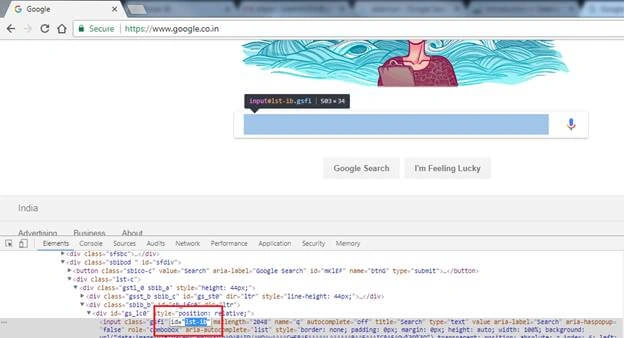
Now, get the Id of the search box and search button, so that we can use it in code.
Step 5
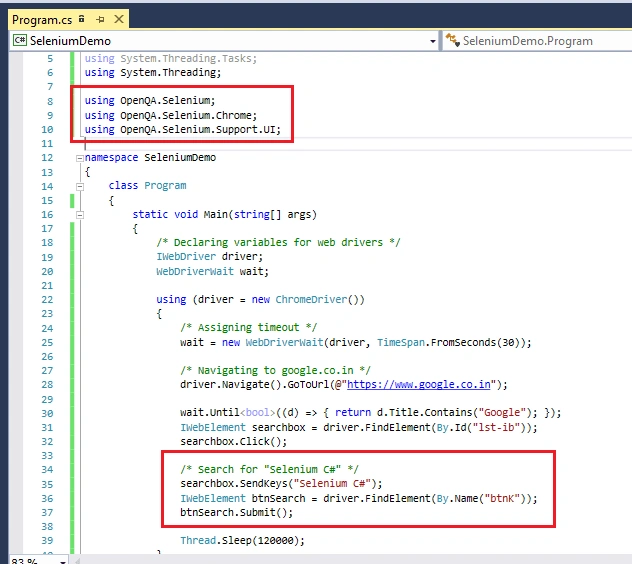
Now, add the code for automation.
Step 6
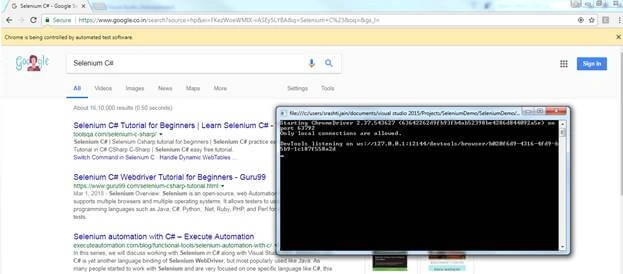
Run the Application
Conclusion
The above code is a very basic example of selenium automation. It’s really easy to work with Selenium using C#.
Pavan RamamurthyPosted Mar 31, 2021, 3:22 PM
Nice information
Khaja MoizuddinPosted Mar 12, 2019, 7:07 AM
Maybe build issue, it works in production too.
sunil kumarPosted Mar 12, 2019, 6:29 AM
My asp.net selenium project working fine localhost but not working production. why
Saravanakumar SekaranPosted Jun 27, 2018, 3:02 AM
Very nice article and very good article for freshers understand about selinium
Bhavesh JadavPosted Mar 28, 2018, 5:29 AM
Good explain.................................
Rafnas T PPosted Mar 25, 2018, 5:33 AM
Wow something new, keep sharing
Khaja MoizuddinPosted Mar 25, 2018, 4:38 AM
Good one, for Selenium beginners... :)
Shubham KumarPosted Mar 25, 2018, 4:35 AM
Its gives good idea for selenium automation.