

In this article, let's explore what Routing is and the uses of the router in Angular applications. Routing is a kind of process in which we can divide the UI of a web application with the help of a URL. With the help of Routing, we can build modern single-page applications in which the entire page is loaded only once, but with multiple views with the same page. I hope everyone will be aware of the concept of Single Page Applications. If not, we can take a quick overview. In Single Page Applications, once the web page has been loaded, the web application will interact with the users dynamically without loading the entire page every time when a user requests a specified data element.
We can also state about routing in this way too like, by using the Routing we can navigate from one component to another component within the same application. When an application has been loaded for the first time, the homepage or index page will be displayed first on the view, then based on the request from the user the page will be navigated from one to another.
Route and the path
The Route is like an object in which the information about the component is to be mapped with a specific path.
An example of routing with representing with the ID parameter,
{path: ‘/:id’, component: ComponentName}
Setting-up
Step 1
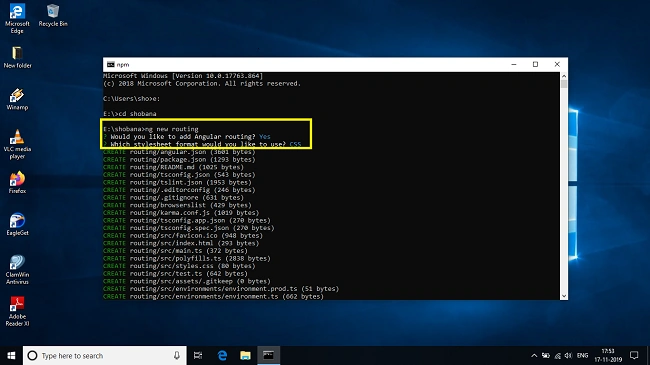
The first step is to create a new Angular project by using the following command in the terminal
ng new routing
Step 2
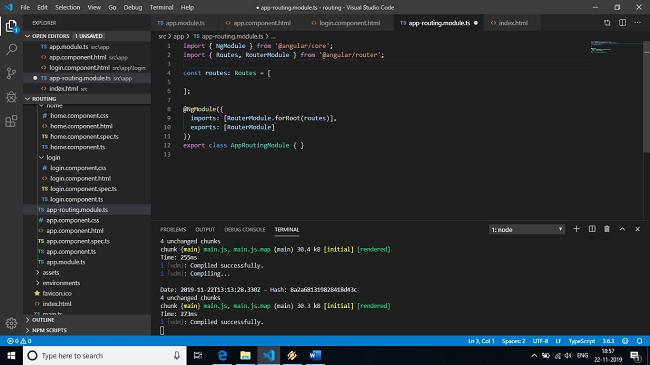
Now open the Angular project with the Visual Studio code, and open the app-routing.module.ts file and import the RouterModule inside of it.
Step 3
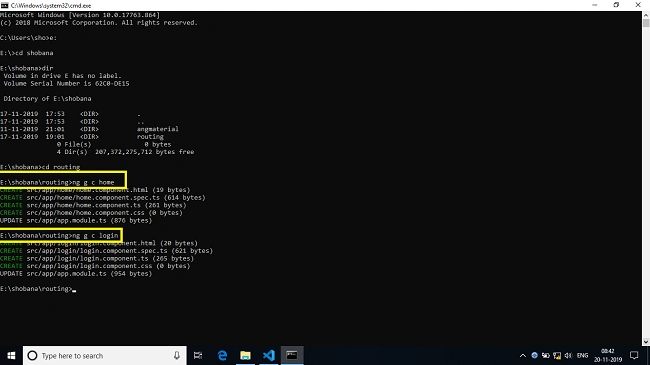
For a demonstration of routing in this article, we will create two components such as Home and Login using the following command in the terminal.
ng generate a component home
ng generate component login
Step 4
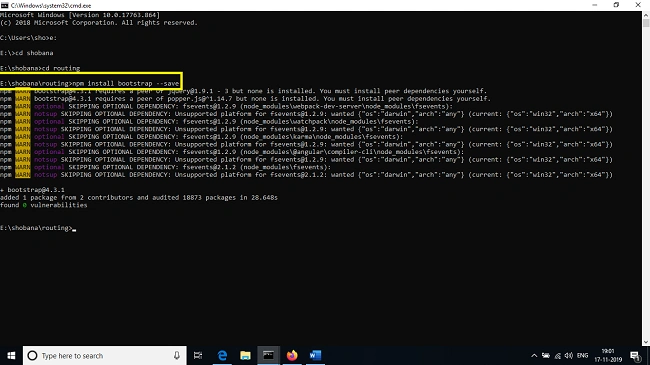
For a rich expression of UI in this article, we will use bootstrap for rich user interactive page so, for that switch to the terminal and execute the following command and then replace the following code inside the index.html file,
- <link rel="stylesheet" href="https://maxcdn.bootstrapcdn.com/bootstrap/4.0.0/css/bootstrap.min.css" integrity="sha384-Gn5384xqQ1aoWXA+058RXPxPg6fy4IWvTNh0E263XmFcJlSAwiGgFAW/dAiS6JXm" crossorigin="anonymous">
- <script src="https://code.jquery.com/jquery-3.2.1.slim.min.js" integrity="sha384-KJ3o2DKtIkvYIK3UENzmM7KCkRr/rE9/Qpg6aAZGJwFDMVNA/GpGFF93hXpG5KkN" crossorigin="anonymous"></script>
npm install bootstrap –save
Step 5
So far, we have created two components named home and log in. Now it’s time to add the routes in app-routing.module.ts, now open app-routing.module.ts file and add the following code inside of it.
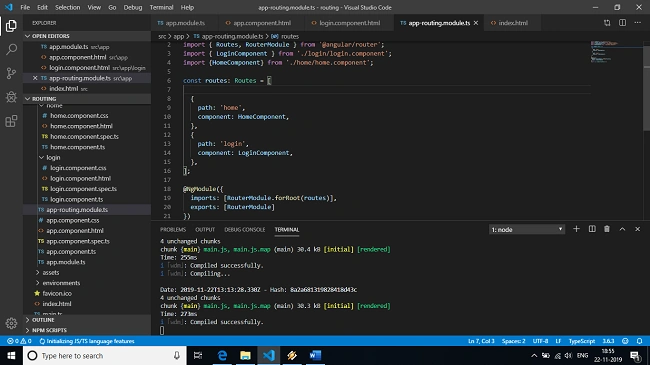
Step 6
So far, we have created two components and installed bootstrap Module, now open app.component.html file and replace the following code as mentioned below.
- <div class="container-fluid">
- <nav class="navbar navbar-expand-lg navbar-light bg-light">
- <a class="navbar-brand" href="#">Simple example for Angular routing</a>
- <div class="collapse navbar-collapse" id="navbarNav">
- <ul class="navbar-nav">
- <div>
- <li class="nav-item active">
- <nav>
- <a routerLink="/home" routerLinkActive="active">Home</a>
- </nav>
- </li>
- </div>
- <br>
- </ul>
- <li class="nav-item">
- <nav>
- <a routerLink="/login" routerLinkActive="active">Login</a>
- </nav>
- </li>
- </div>
- </nav>
- <router-outlet></router-outlet>
- </div>
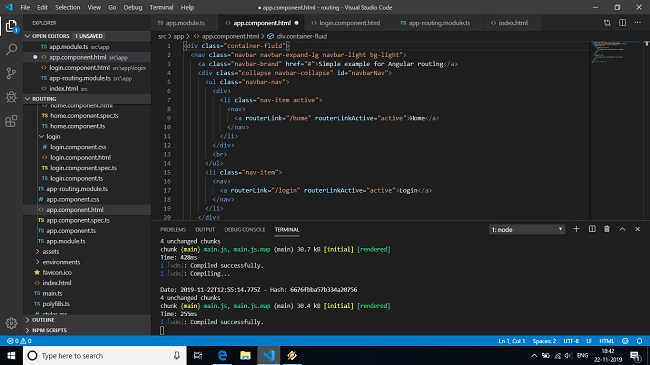
Step 7
Now comes the main part of our output, for that open the terminal and execute the following command to view the output in a browser.
ng serve -open
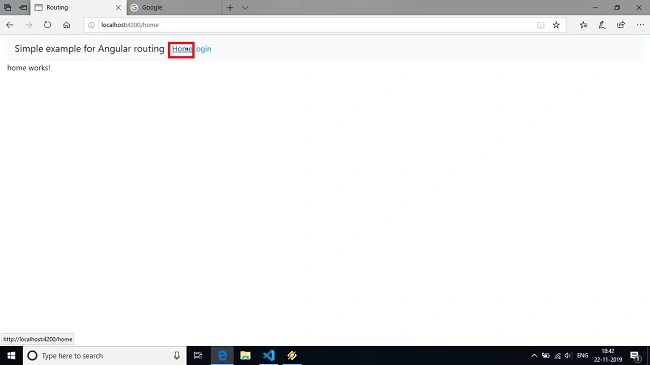
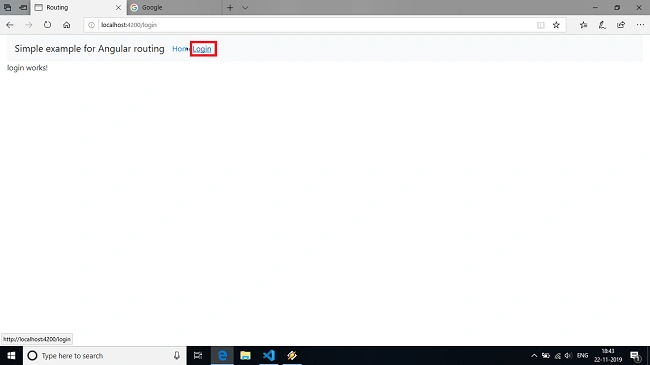
The program will be compiled successfully and we can view the output in a web browser. The output represents the output screen with some lines of content and pagination icons. We can switch from one page to another page so that the content of the consent page will be displayed in the browser.
Summary
In this article, we have seen about an overview of Angular Routing and navigating from one page to another page. I hope this article will be useful for you and in my next article we will be seeing about Angular services.
Mangai SubbuPosted Feb 8, 2021, 12:13 AM
Good article. Easy to understand
Hamid KhanPosted Dec 4, 2020, 2:02 PM
Good explanation.....................
Elavarasan RPosted Feb 1, 2020, 8:49 PM
Good Article, move forward Next.
Sourav Kumar DasPosted Nov 26, 2019, 3:26 AM
Nice informative article.
Mangesh GPosted Nov 25, 2019, 11:49 PM
Are there any changes in routing from 4 5,6,7 to 8 ? are there any breaking changes
Sundaram SubramanianPosted Nov 25, 2019, 11:33 PM
Great and very much informative
Onkar SharmaPosted Nov 25, 2019, 11:55 AM
Thanks for sharing this informative article...
Vidyadharran GPosted Nov 25, 2019, 11:05 AM
Nice article.... continue to contribute more :)