

DST Testing
Date and time are important parameters for any software. In case the software product/project is used across the world, it is necessary to display the data in the respective local time zone. This would be more effective for any business and is less likely to cut off the administration overhead. Date time internationalization is a very important concept which should be implemented with thoughtfulness; otherwise, it could lead to significant consequences in the software product. When coming into testing, I would say it is a bit tricky to test the date time localization and every tester may be confused on how to test the software end to end without leaving any loopholes. Did you face this situation?
In this article, I wanted to share my experience with date time internationalization testing with the tips and techniques which I have learned along the way. To start with, before testing any new concepts, it is always essential to do some groundwork. For this testing, we need to be very clear about the time zone concepts and DST changes.
What is standard time?
What is DST and which countries observe DST?
What is date time format?
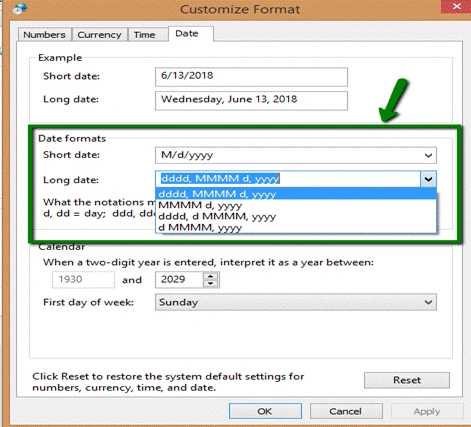
What are regional settings?
The same as the date time format, we need to consider the regional settings. This setting will influence how the date/time and other types of data appear when you are applying these options. Every country has a different kind of regional setting set by Windows OS by default. If the software is tested in one regional setting and left untested for other settings it may lead to a loophole in the software.
The below-represented points need to be considered during daylight savings testing which most likely covers all the scenarios.
- UTC
- UTC + with Daylight saving time zone
- UTC + without Daylight saving time zone
- UTC - with Daylight saving time zone
- UTC - without Daylight saving time zone
| Time Scenarios | Example Time Zone |
| UTC | UTC (Coordinated Universal Time), UTC + 00:00 Dublin, Edinburgh, Lisbon, London |
| UTC - with Daylight saving time zone | UTC -08:00 Pacific Time (US & Canada) |
| UTC - without Daylight saving time zone | UTC - 07:00 Arizona |
| UTC + with Daylight saving time zone | UTC + 01:00 Amsterdam, Berlin, Bern, Rome, Stockholm, Vienna |
| UTC + without Daylight saving time zone | UTC + 05:30 Chennai. Kolkata, Mumbai, New Delhi |
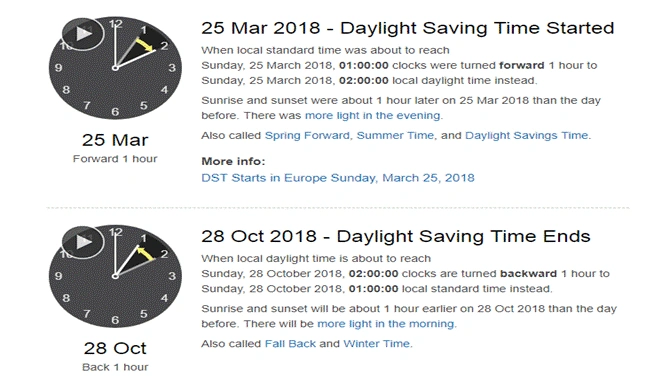
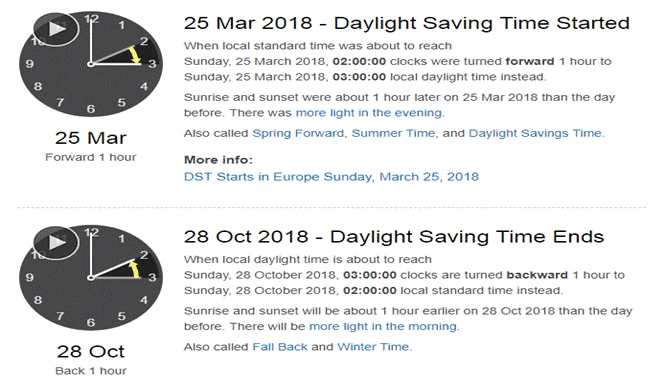
- Hyper-V Time Synchronization Service, startup set to "Manual"
- Windows Time Service, startup set to "Manual"
- Time settings set to actively synchronize with "time.windows.com" need to be disabled
I hope you find the article useful and that it gives you an overview of how to do the DST testing.
Priyavrat BhattPosted Feb 4, 2021, 12:51 PM
I am sorry but I don't think this article tackles DST 'testing' and is more on explaining what is DST and time zones. To test DST, the basic thumb rule is check all in your application that has a date input, specially if there are any scheduled events. Anything scheduled before DST change but executed first time after DST change. Also, if you have a setup that has multiple nodes, make sure you test these operations on a test setup that has at least 2 or more nodes (after ensuring that traffic is going on all nodes). Also test something like reports that shows data from before and after DST change.
Hadshana KamalanathanPosted Jul 22, 2018, 4:28 AM
Nice post..
Mekala Ramesh KumarPosted Jun 18, 2018, 8:32 PM
Thank you!!
Tridip BhattacharjeePosted Jun 18, 2018, 3:46 AM
Nice one....keep up the good job.