

You can see the CRUD operations using REST here. In this article, we are going to discuss how to join two lists in SharePoint 2013 using REST.
I have two lists in the Office 365 SharePoint site.
- ListA
- ListB
ListA contains two columns -> Title and Code.
ListB contains four columns including Lookup column -> Title, EmployeeName, Salary, Dept (looks up to ListA).
Find the below screenshots of ListA and ListB.
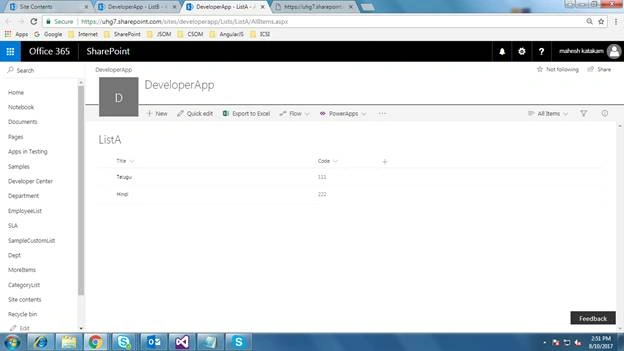
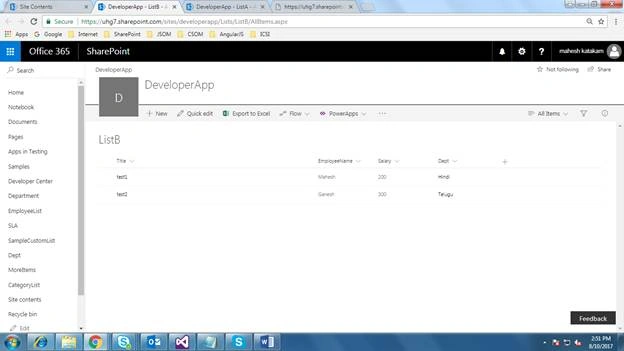
Now, I want to join these two Lists and query the ListB.
The REST query will looks like the below.
https://server/Sites/SiteName/__api/web/lists/GetByTitle('ListB')/items?$Select=ListBField1,ListBField2 LookUpColumnInListB/ListAField,LookUpColumnInListB/ListAFiled&$expand=LookUpColumn
In our example, the REST query looks like the following after these setting values.
https://servername/Sites/SiteName/__api/web/lists/GetByTitle('ListB')/items?$Select=Title,EmployeeName,Salary,Dept/Title,Dept/Code&$expand=Dept
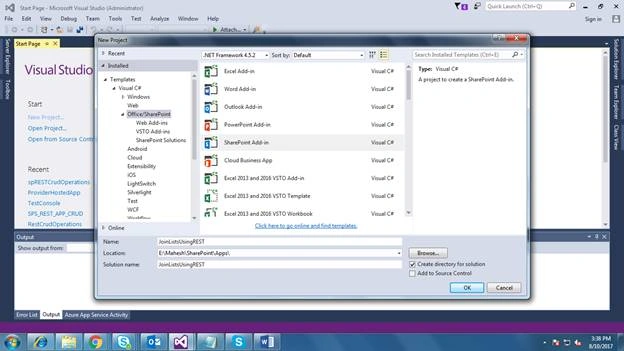
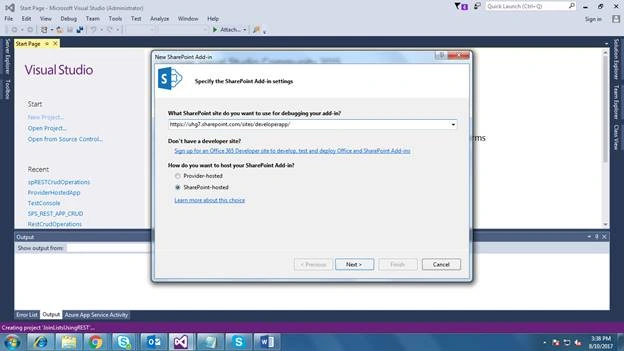
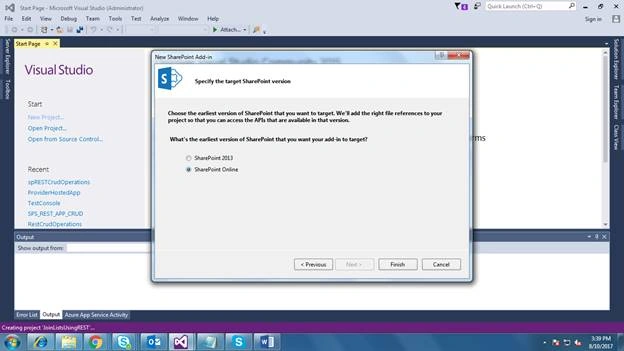
Once you create the project, you will find default pages and scripts under Project Solution.
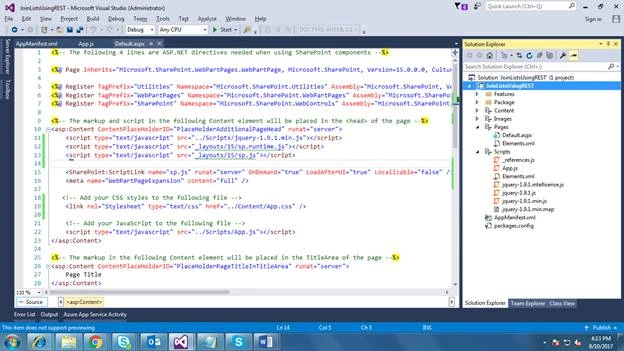
On the default.aspx page, we will make some changes to display the data.
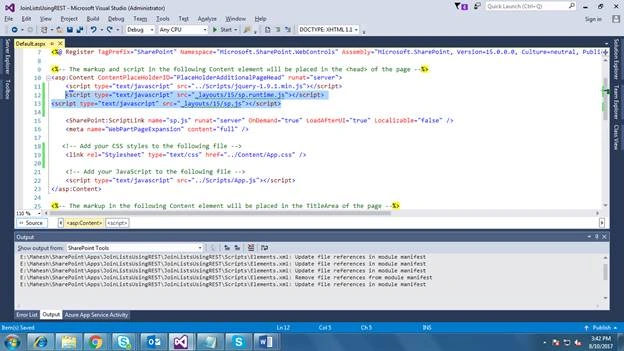
- Add the below script tags after the jQuery script tag.
- <script type="text/javascript" src="_layouts/15/sp.runtime.js"></script>
- <script type="text/javascript" src="_layouts/15/sp.js"></script>
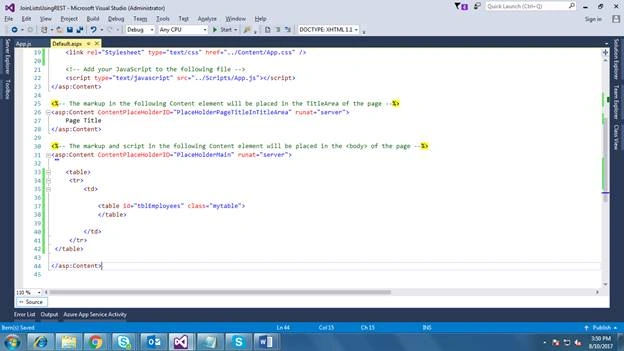
Write the below HTML code for User Interface under ContentPlaceHolderID tag.
- <table>
- <tr>
- <td>
- <table id="tblEmployees" class="mytable">
- </table>
- </td>
- </tr>
- </table>
- Now open the App.js file. Here, we will write one method to get the data from two lists using joins in REST.
Method name - GetEmployeeDetails()
Call this method in Document.ready function.
- $(document).ready(function () {
- GetEmployeeDetails();
- });
- function GetEmployeeDetails() {
- $.ajax({
- url: _spPageContextInfo.siteAbsoluteUrl + "/_api/web/lists/GetByTitle('" + listName + "')/items?$Select=Title,EmployeeName,Salary,Dept/Title,Dept/Code&$expand=Dept",
- type: "GET",
- headers: { "Accept": "application/json;odata=verbose" }, // return data format
- success: function (data) {
- var table = $("#tblEmployees");
- var html = "<thead><tr><th>Title</th><th>EmployeeName</th><th>Salary</th><th>DepartmentName</th><th>DepartmentCode</th></tr></thead>";
- for (var i = 0; i < data.d.results.length; i++) {
- var item = data.d.results[i];
- html += "<tr><td>" + item.Title + "</td><td>" + item.EmployeeName + "</td><td>" + item.Salary + "</td><td>" + item.Dept.Title + "</td><td>" + item.Dept.Code + "</td></tr>";
- }
- table.html(html);
- },
- error: function (error) {
- alert(JSON.stringify(error));
- }
- });
- }
Finally, App.js file looks like below.
- 'use strict';
- var listName = "ListB";
- ExecuteOrDelayUntilScriptLoaded(initializePage, "sp.js");
- function initializePage() {
- var context = SP.ClientContext.get_current();
- var user = context.get_web().get_currentUser();
- // This code runs when the DOM is ready and creates a context object which is needed to use the SharePoint object model
- $(document).ready(function () {
- GetEmployeeDetails();
- });
- function GetEmployeeDetails() {
- $.ajax({
- url: _spPageContextInfo.siteAbsoluteUrl + "/_api/web/lists/GetByTitle('" + listName + "')/items?$Select=Title,EmployeeName,Salary,Dept/Title,Dept/Code&$expand=Dept",
- type: "GET",
- headers: { "Accept": "application/json;odata=verbose" }, // return data format
- success: function (data) {
- //console.log(data.d.results);
- var table = $("#tblEmployees");
- var html = "<thead><tr><th>Title</th><th>EmployeeName</th><th>Salary</th><th>DepartmentName</th><th>DepartmentCode</th></tr></thead>";
- for (var i = 0; i < data.d.results.length; i++) {
- var item = data.d.results[i];
- //$("#tblEmployees").append(item.Title + "\t" + item.Salary + "\t" + item.Address + "<br/>");
- html += "<tr><td>" + item.Title + "</td><td>" + item.EmployeeName + "</td><td>" + item.Salary + "</td><td>" + item.Dept.Title + "</td><td>" + item.Dept.Code + "</td></tr>";
- }
- table.html(html);
- },
- error: function (error) {
- alert(JSON.stringify(error));
- }
- });
- }
- // This function prepares, loads, and then executes a SharePoint query to get the current users information
- function getUserName() {
- context.load(user);
- context.executeQueryAsync(onGetUserNameSuccess, onGetUserNameFail);
- }
- // This function is executed if the above call is successful
- // It replaces the contents of the 'message' element with the user name
- function onGetUserNameSuccess() {
- $('#message').text('Hello ' + user.get_title());
- }
- // This function is executed if the above call fails
- function onGetUserNameFail(sender, args) {
- alert('Failed to get user name. Error:' + args.get_message());
- }
- }
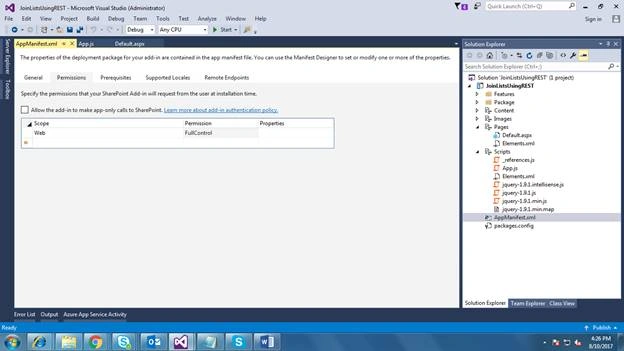
- Deploy the solution. Right click on solution and select Deploy.
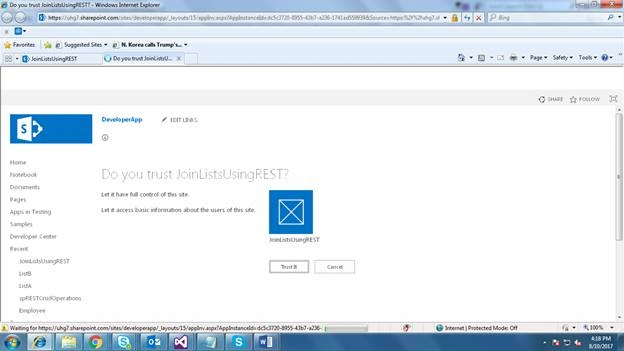
- Trust the App.
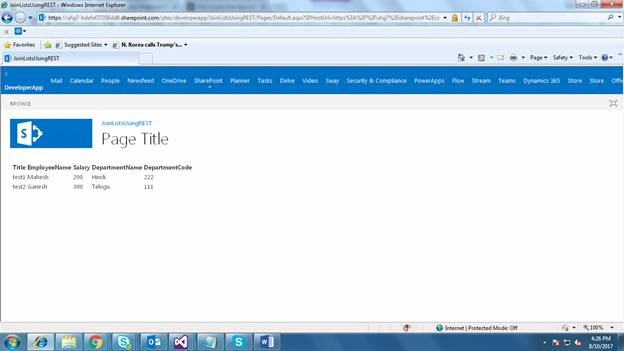
- You can see the data after joining the two lists, ListA and ListB. In this way, you can add more columns in Lists and query the columns in REST URL.
Try from your side and please let me know if you have any queries. I am attaching the code for your reference.
Mahmoud AlgoulPosted Dec 31, 2017, 3:38 AM
Nice article, thanks for sharing. what about insert multiple lists in one add form.
Tarun DPosted Aug 14, 2017, 1:18 AM
Good one Mahesh.. Thanks for sharing..