

Introduction
This article provides an introduction to the JColorChooser class in Java. This introduction will help you to understand the application of this class and its functioning. It provides an overview of the methods and constructors of this class.
JColorChooser class
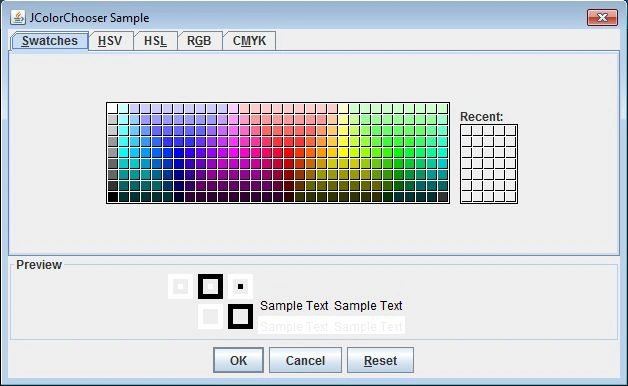
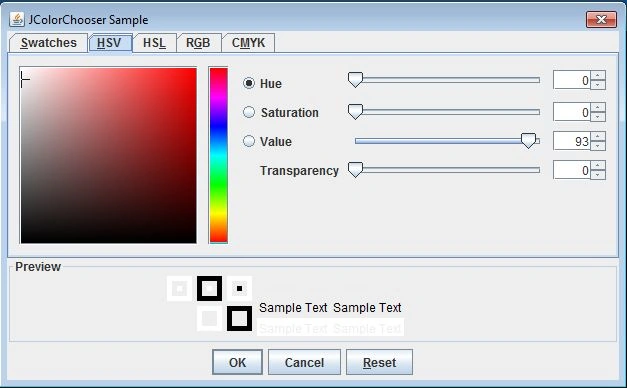
The JColorChooser class is a pre-defined class of the javax.swing package that shows a color dialog box. From this JColorChooser dialog box one can select a colour for specific purposes. JColorChooser is a new component of Swing, there is no equivalent class present in AWT. There are three patterns through which the user can choose a colour, they are:
- swatches
- HSB values and
- RGB values
Constructor of JColorChooser class
There are three constructors available for this JColorChooser pre-defined class of the javax.swing package.
- JColorChooser(): This constructor creates a color chooser pane with white color as the default.
- JColorChooser(Color defaultColor): This constructor creates a colour chooser pane with a default specified colour.
- JColorChooser(ColorSelectionModel model): This constructor creates a color chooser pane with a specified ColorSelectionModel.
Methods of the JColorChooser class
The methods commonly used in the JcolorChooser class are as follows:
- getColor(): This method is used to return the current color from the color chooser dialog box.
Syntax
public Color getColor();
- setChooserPanels(AbstractColorChooserPanel[] panels): This method specifies the panels that select a color value.
Syntax
public void setChooserPanels(AbstractColorChooser);
- setColor(): This method is an overloaded method
- setColor(Color color): This method sets the current color from the color chooser to the specified color. It will fire a PropertyChangeEvent for the property named "color".
Syntax
public void setColor(Color color);
- setColor(int): This method just sets the current colour from the colour chooser to the specified color.
Syntax
public void setColor(int e);
- setColor(int,int, int): This method sets the current color from the colour chooser to the specified RGB color. Ensure that the values of red, green and blue are between 0 and 255.
Syntax
public void setColor(int r,int g,int b);
- setSelectionModel(ColorSelectionModel newModel): This method sets the model containing the selected color.
Syntax
public void setSelectionModel(ColorSelectionModel newModel);
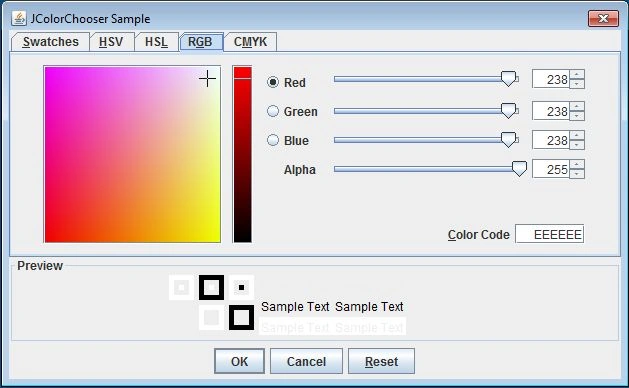
The class JColorChooser is illustrated below through a small application. The coding is as follows:
Source code
- import java.awt.*;
- import java.awt.event.*;
- import javax.swing.*;
- import javax.swing.*;
- class JColorChooserExample implements ActionListener
- {
- JButton button;
- void launchFrame()
- {
- JFrame f = new JFrame("JColorChooser Sample");
- f.setDefaultCloseOperation(JFrame.EXIT_ON_CLOSE);
- button=new JButton("Pick to Change Background");
- button.addActionListener(this);
- f.add(button, BorderLayout.CENTER);
- f.setSize(300, 200);
- f.setVisible(true);
- }
- public void actionPerformed(ActionEvent actionEvent)
- {
- Color initialBackground = button.getBackground();
- Color background = JColorChooser.showDialog(null,"JColorChooser Sample",initialBackground);
- if (background!= null)
- {
- button.setBackground(background);
- }
- }
- public static void main(String args[])
- {
- JColorChooserExample obj=new JColorChooserExample();
- obj.launchFrame();
- }
- }
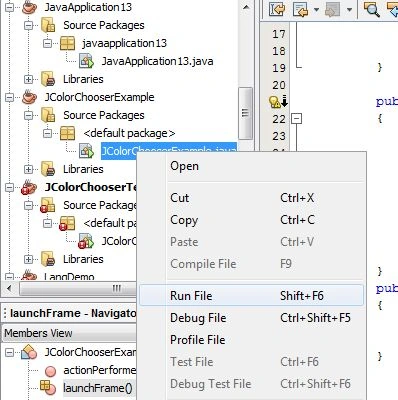
Run the code above
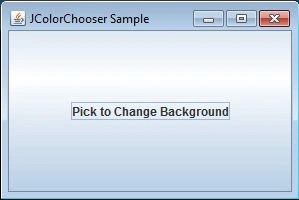
The screenshot is provided below for guidance:
Output
Join the conversation! Your thoughts help the community grow.