

Introduction
Mocha is one of the well-known frameworks for JavaScript unit testing. If you are very new to JavaScript unit testing, then please visit my previous article.
In the previous article, I covered the basic unit testing concept with Jasmine. Now, in this part, I am going to discuss one more framework, Mocha, and the assertion framework, chai.js.
Mocha is a testing JavaScript framework so it is hosted on node.js. It is easy to understand and also, the reporting feature of Mocha is good. So, without wasting time, we can start learning about it.
First, visit here for downloading and installing Mocha.
Two options are available here using npm.
- Local (only for the project)
npm install --save-dev mocha
- Globalnpm install --global mocha
Create a simple application using Mocha
I have installed Mocha globally.
Now create a folder and open that in any IDE/Editor, like Sublime Text or Visual Studio Code (Here, I have used Sublime Text).
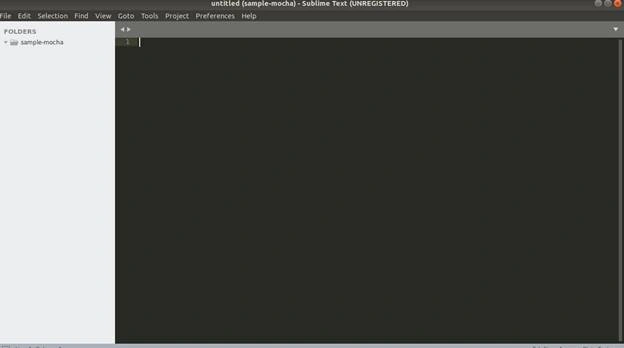
Create a test folder and inside that, add one file named first.test.js.
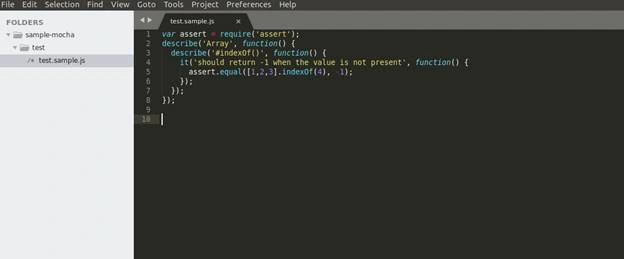
Open the terminal and use the command
mocha
Note
If you are using local Mocha installer, then instead of it, use ./node_modules/mocha/bin/mocha
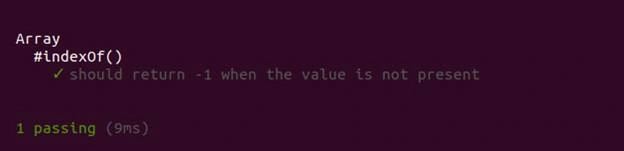
Also, you can change in package.json.
- "scripts": {
- "test": "mocha"
- }
Then, one can use the command to run the application - npm test
While writing a test case, we have got two keywords.
- Describe- Describe is a group of test cases that can be used to test a specific behavior or functionality of the JavaScript application. The describe function contains two parameters name and function. In this function, we can add one or many descriptions of its block.
- It- it is like an individual test case.
It is also having the same two params as describe - name of "it" feature, and function. This function contains the actual code alone with assertions. We will see what is an assertion in detail.
Test execution hooks
Hooks mean some methods where we can write the common code which executes before and after the test case.
- describe('calculator application', function() {
- before(function() {
- // runs before all tests in this block
- });
- after(function() {
- // runs after all tests in this block
- });
- beforeEach(function() {
- // runs before each test in this block
- });
- afterEach(function() {
- // runs after each test in this block
- });
- // test cases
- it('addition',function() {
- //addition test case logic
- });
- it('subtraction',function() {
- //subtraction test case logic
- });
- it('multiplication',function() {
- //multiplication test case logic
- });
- it('division',function() {
- //division test case logic
- });
- });
Assertions
The assertion module is a part of node.js module. This can be used not only for Mocha but for all other frameworks to validate the test case. Assertion has two main parameters - actual and expected. There are so many frameworks available to extend the node.js assertion and add some very good features so that we can implement a better assertion in our test case. One of the popular frameworks is chai.js.
Integrate chai.js in Mocha application
First, download and install chai.js.
npm install chai --save
Please visit here for a detailed understanding of chai.js.
Using the below line of code, you can import Chai assertion packages in your JavaScript test case.
- var assert = require('chai').assert;
The below line of code gives you some basic information on asserts.
- Var foo = 'bar', beverages = { tea: [ 'chai', 'matcha', 'oolong' ] };
- assert.typeOf(foo, 'string'); // without optional message
- assert.typeOf(foo, 'string', 'foo is a string'); // with optional message
- assert.equal(foo, 'bar', 'foo equal `bar`');
- assert.lengthOf(foo, 3, 'foo`s value has a length of 3');
- assert.lengthOf(beverages.tea, 3, 'beverages has 3 types of tea');
Assertion in chai.js in details
There are so many assertions available. Let us create and run the sample Mocha application with chai.js.
- var assert = require('chai').assert;
- describe('mocha testing with chai assert ', function() {
- it('test case for foo', function() {
- var foo = 'bar';
- assert.typeOf(foo, 'string'); // without optional message
- assert.typeOf(foo, 'string', 'foo is a string'); // with optional message
- assert.equal(foo, 'bar', 'foo equal `bar`');
- assert.lengthOf(foo, 3, 'foo`s value has a length of 3');
- });
- it('check beverages has 3 types of tea', function() {
- var beverages = { tea: [ 'chai', 'matcha', 'oolong' ] };
- assert.lengthOf(beverages.tea, 3, 'beverages has 3 types of tea');
- });
- });
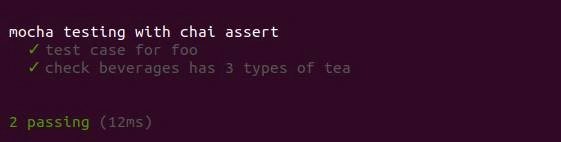
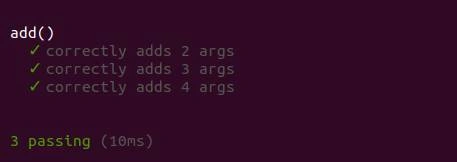
Generation of test cases dynamically
- var assert = require('chai').assert;
- function add() {
- return Array.prototype.slice.call(arguments).reduce(function(prev, curr) {
- return prev + curr;
- }, 0);
- }
- describe('add()', function() {
- var tests = [
- {args: [1, 2], expected: 3},
- {args: [1, 2, 3], expected: 6},
- {args: [1, 2, 3, 4], expected: 10}
- ];
- tests.forEach(function(test) {
- it('correctly adds ' + test.args.length + ' args', function() {
- var res = add.apply(null, test.args);
- assert.equal(res, test.expected);
- });
- });
- });
Summary
Mocha framework is used not only for unit testing but also, we can use it to implement a RESTful framework and an Automation framework using Selenium Webdriver.
Join the conversation! Your thoughts help the community grow.