

Data validation is most important for data driven applications. This article talks about the basics of validation in Silverlight 4.
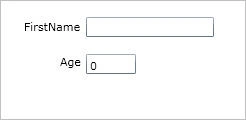
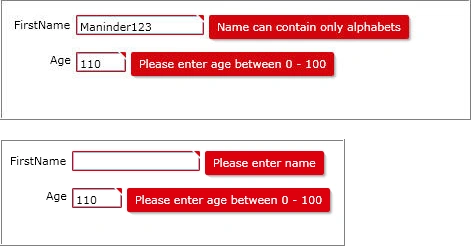
Following are some screen shots of how the sample application looks before and after the validation.
Before:
After:
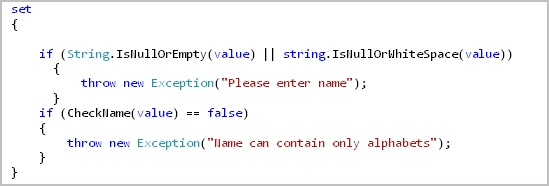
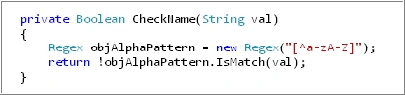
Following is an employee class which has two properties namely name and age. The properties of the employee class are validated whenever the user sets the properties. In this example, the following checks are made
For Name property : Name should not be empty and should contain only letters ("alphabets")
For Age property : Age should be between 0 - 100
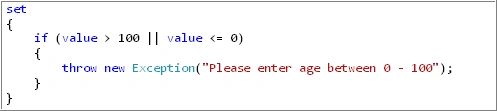
Following is the mainpage.xaml where you have to set the validation for the controls.
For textbox control accepting Name of employee

For textbox control accepting Age of employee

ankit patelPosted Nov 2, 2012, 5:40 AM
exception generating validation is not proper way .... validationondataerror porperty is proper
ankit patelPosted Oct 29, 2012, 4:51 AM
well i like this
ankit patelPosted Oct 29, 2012, 4:51 AM
test
renuPosted Feb 23, 2011, 8:15 AM
throw new exception(how to handle exceptiom)