

Object Oriented Programming (OOP) is a very important part of any language.
Now, here is some information about OOP.
CLASS
- A class is one type of grouping of objects.
- A class is a user-defined data type. A class must have a name.
- A class name is one word. For example Employee, Client, Car and so on and the first letter will be in upper case.
- A class file is saved with the .cs extension in C#.
- A class is a very important part of OOP. We see many types of classes in the preceding in this article.
- A class is declared with the class keyword.
Example
- namespace OPPS
- {
- class OppsDemo
- {
- static void Main(string[] args)
- {
- // declare variable, method
- }
- }
- }
Objects are used in classes. In this declare a variable and it refers to creating an object or creating an instances of the class.
A variable is declared with the var keyword.
Here is one example:
- class OppsDemo
- {
- static void Main(string[] args)
- {
- Demo d = new Demo();
- }
- }
Also create a null object inside a class.
- Demo d = null;
Now we declare a variable in the Employee class as in the following:
- class Employee
- {
- static void Main(string[] args)
- {
- string Name;
- int Age;
- }
- }
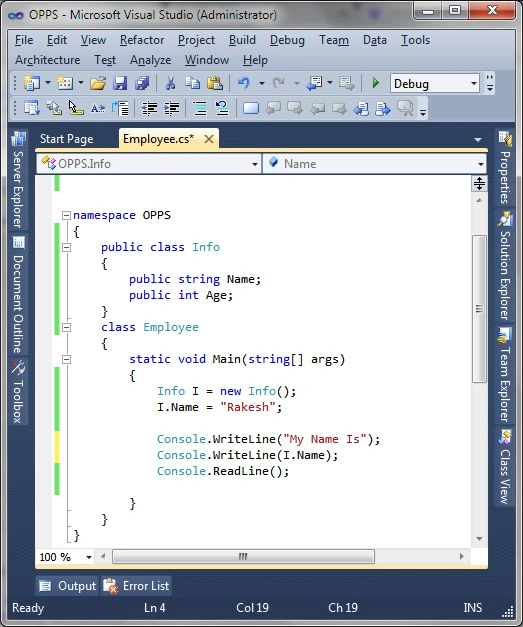
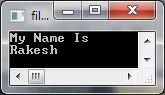
Output
Method
A method is one type code block with bracket { }. A method name display is unique because it's use in programmed. A program causes the statements to be executed by calling the method and specifying any required method arguments. A program causes the statements to be executed by calling the method and specifying any required method arguments. Also Pass arguments with method.
Method name declare in one word and first letter be Uppercase because method is one type action. It's a case sensitive.
- void Display()
- {
- }
Now we are see one calling method example,
- namespace OPPS
- {
- public class Addition
- {
- public int count(int a, int b)
- {
- int c;
- c = a + b;
- return c;
- }
- static void Main(string[] args)
- {
- int a = 10;
- int b = 5;
- int Result;
- Addition add = new Addition();
- //call method
- Result = add.count(a, b);
- Console.WriteLine("Addition Count:{0}",Result);
- Console.ReadLine();
- }
- }
- }
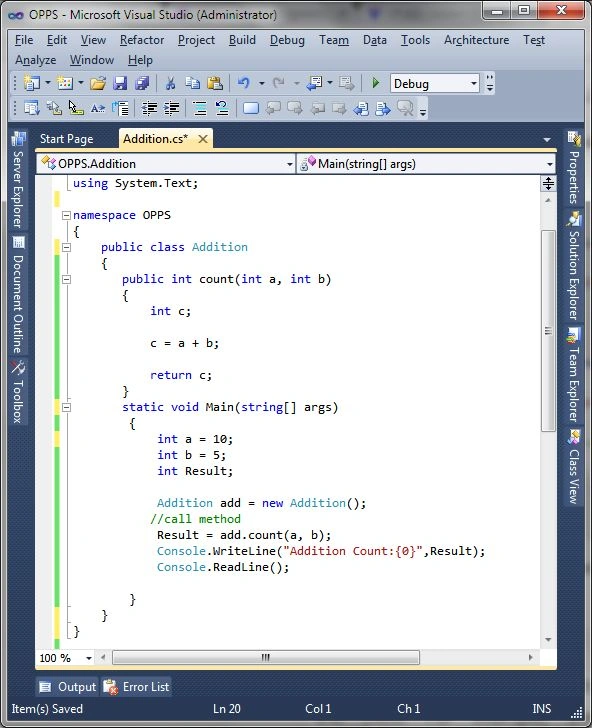
Output:

Now getting some information about Method type,
- Pass by Value
- Pass by References
1. Pass by Value
Now work with pass by value in method. This article provide basic example how to pass value with method.
In this method any value pass as parameter. Here given example:
- using System;
- using System.Collections.Generic;
- using System.Linq;
- using System.Text;
- namespace OPPS
- {
- public class PersonInfo
- {
- private void Info (string Name, string city)
- {
- Console.WriteLine("Person Information:");
- Console.WriteLine("------------------------------------");
- Console.WriteLine("Person Name:");
- Console.WriteLine(Name);
- Console.WriteLine("------------------------------------");
- Console.WriteLine("Person City:");
- Console.WriteLine(city);
- }
- static void Main(string[] args)
- {
- PersonInfo P_Info = new PersonInfo();
- string Name = "Rakesh Chavda";
- string city = "Ahmedabad";
- P_Info.Info(Name, city);
- Console.ReadLine();
- }
- }
- }

Output:
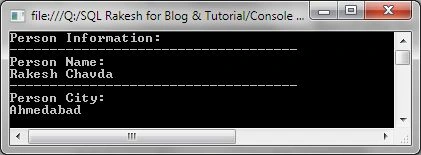
In this example see two type static method. One is entry point in application and other method is Info, it's pass two parameter name and city and display.
Passing value. in this method value store and after display.
2. Pass by References
In this method passing any variable pass by reference.
- using System;
- using System.Collections.Generic;
- using System.Linq;
- using System.Text;
- namespace OPPS
- {
- class Info
- {
- public string Name;
- public string city;
- }
- public class PersonInfo
- {
- static void Main(string[] args)
- {
- Info i = new Info();
- i.Name = "Rakesh";
- i.city = "Ahmedabad";
- Console.WriteLine("Person Name: {0}",i.Name);
- Console.WriteLine("Person City: {0}",i.city);
- Console.ReadLine();
- }
- }
- }

Output:

Here see class info string value declare as public. In side method declare object info and assign the both string value.
In this also reference value assign with ref keyword. Here give example,
- using System;
- using System.Collections.Generic;
- using System.Linq;
- using System.Text;
- namespace OPPS
- {
- public class PersonInfo
- {
- static void PersonAge1(ref int age) // 1st Person
- {
- age = 25;
- }
- static void PersonAge2(ref int age) // 2nd Person
- {
- age = 28;
- }
- static void Main(string[] args)
- {
- int age = 0;
- PersonAge1(ref age);
- Console.WriteLine("1st Person Age : {0} ",age);
- PersonAge2(ref age);
- Console.WriteLine("2st Person Age : {0} ",age);
- Console.ReadLine();
- }
- }
- }
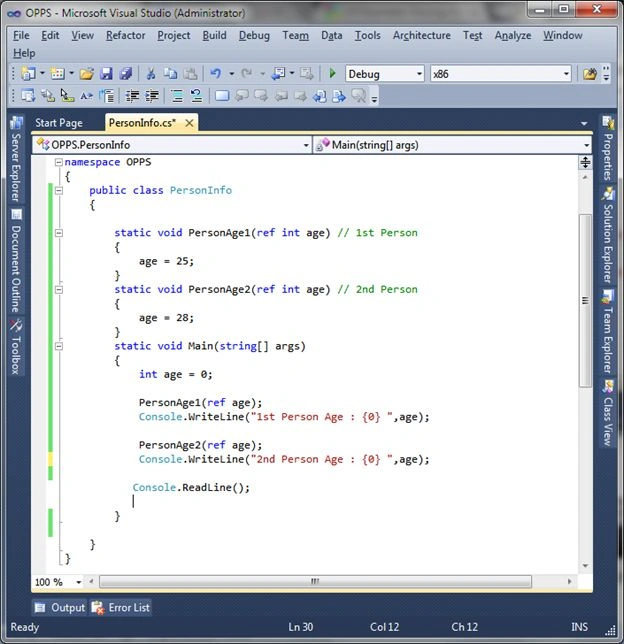
Output

Pass by Out reference
In this also the reference value is assigned with the out keyword. Here, see in this example, the difference between ref and out.
Both check on the programmed compile time with the ref and out keyword values. In this the out reference is necessary given any type set output in a program. And with the ref assigning an output value or not it passes a parameter.
- using System;
- using System.Collections.Generic;
- using System.Linq;
- using System.Text;
- namespace OPPS
- {
- public class PersonInfo
- {
- static void PersonAge1(ref int age) // 1st Person with ref
- {
- }
- static void PersonAge2(out int age) // 2nd Person with out
- {
- age = 28;
- }
- static void Main(string[] args)
- {
- int age = 0;
- PersonAge1(ref age);
- Console.WriteLine("1st Person Age : {0} ",age);
- PersonAge2(out age);
- Console.WriteLine("2nd Person Age : {0} ",age);
- Console.ReadLine();
- }
- }
- }
Output
It does not declare a value ref type so it is given a 0 value for the output.
But if it does not declare a value out type it is given an error at compile time.
That's in both the main and is different at the compiler level.
Encapsulation
Encapsulation is a type access modifier. Encapsulation is for accessing and the visibility of a class member. Here is the csharp supported access specifiers list.
- Public
- Private
- Protected
- Internal
- Protected Internal
Encapsulation is the main concept of data hiding or information hiding with the above list access modifier keywords. So, encapsulation is also known as data hiding. An access modifier keyword is set to the accessibility of the class, method, member funcation or member variable.
Now, we are getting some information about the access keyword one by one.
Public
The public access modifier keyword is a class variable or function that can be accessed by any other object or function. That us, any public member van be used from outside the class.
Example
- using System;
- using System.Collections.Generic;
- using System.Linq;
- using System.Text;
- namespace OPPS
- {
- public class PublicDemo
- {
- class Maths
- {
- // declare variable
- public int a;
- public int b;
- public int GetValue()
- {
- return a + b;
- }
- public void ShowResult()
- {
- Console.WriteLine("Value of A: {0}",a);
- Console.WriteLine("Value of B: {0}", b);
- Console.WriteLine("Result = {0}",GetValue());
- Console.ReadLine();
- }
- }
- static void Main(string[] args)
- {
- Maths m = new Maths();
- m.a = 5;
- m.b = 2;
- m.ShowResult();
- Console.ReadLine();
- }
- }
- }

Output
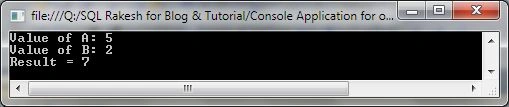
Here see, the a and b variables are declared as public and it's accessed with the Maths class as m. Also created the function GetValue() and ShowResult() access variables.
Private
In this access modifier a class variable and a function can be hidden from any other object and function. It is only accessed from the same class, not another; it's private.
Example
- using System;
- using System.Collections.Generic;
- using System.Linq;
- using System.Text;
- namespace OPPS
- {
- public class PublicDemo
- {
- class Maths
- {
- // declare variable
- private int a;
- private int b;
- public void InsertValue()
- {
- Console.WriteLine("Enter value of A:");
- a = Convert.ToInt32(Console.ReadLine());
- Console.WriteLine("Enter value of B:");
- b = Convert.ToInt32(Console.ReadLine());
- }
- public int GetValue()
- {
- return a + b;
- }
- public void ShowResult()
- {
- Console.WriteLine("=============================");
- Console.WriteLine("Value of A: {0}",a);
- Console.WriteLine("Value of B: {0}", b);
- Console.WriteLine("Result = {0}",GetValue());
- }
- }
- static void Main(string[] args)
- {
- Maths m = new Maths();
- m.InsertValue();
- m.ShowResult();
- Console.ReadLine();
- }
- }
- }

In this example a and b are declared as private so here the InsertValue() and GetValue() functions are created to access it.
Protected
The protected access specifier allows a class to hide its member variables and member functions from other class objects and functions, except child classes.
Example
- using System;
- using System.Collections.Generic;
- using System.Linq;
- using System.Text;
- namespace OPPS
- {
- public class MathsDemo
- {
- class Maths1
- {
- public int R;
- protected int J;
- }
- class Maths2 : Maths1
- {
- public int AddValue()
- {
- R = 5;
- J = 29;
- return R + J;
- }
- }
- static void Main(string[] args)
- {
- Maths2 m2 = new Maths2();
- m2.R = 5;
- m2.J = 29; //--------------------- Error -------------
- Console.WriteLine(m2.AddValue());
- Console.ReadLine();
- }
- }
- }
Internal
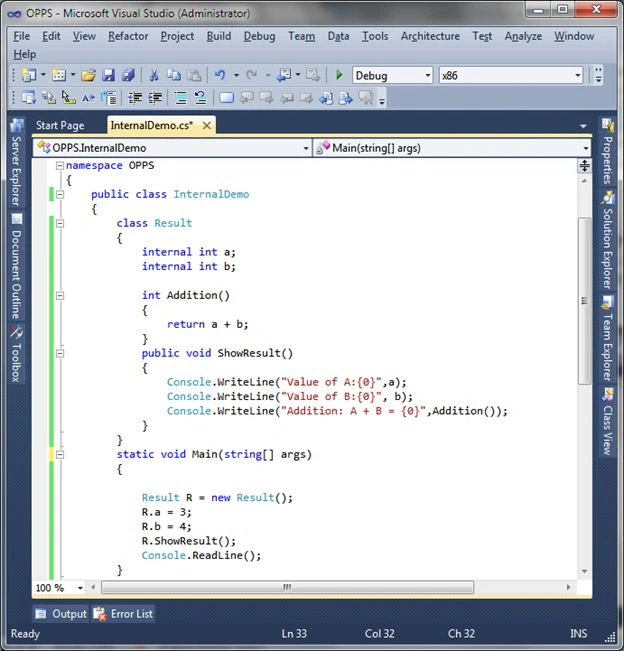
The internal access specifier allows a class to expose its member variables and member functions to other functions and objects. It can be accessed from any class or method defined with the application in which the member is defined. The default access specifier is internal for a class.
Example
- using System;
- using System.Collections.Generic;
- using System.Linq;
- using System.Text;
- namespace OPPS
- {
- public class InternalDemo
- {
- class Result
- {
- internal int a;
- internal int b;
- int Addition()
- {
- return a + b;
- }
- public void ShowResult()
- {
- Console.WriteLine("Value of A:{0}",a);
- Console.WriteLine("Value of B:{0}", b);
- Console.WriteLine("Addition: A + B = {0}",Addition());
- }
- }
- static void Main(string[] args)
- {
- Result R = new Result();
- R.a = 3;
- R.b = 4;
- R.ShowResult();
- Console.ReadLine();
- }
- }
- }
Output:

In this example see Addition() is not declared with any access modifier.
Protected internal
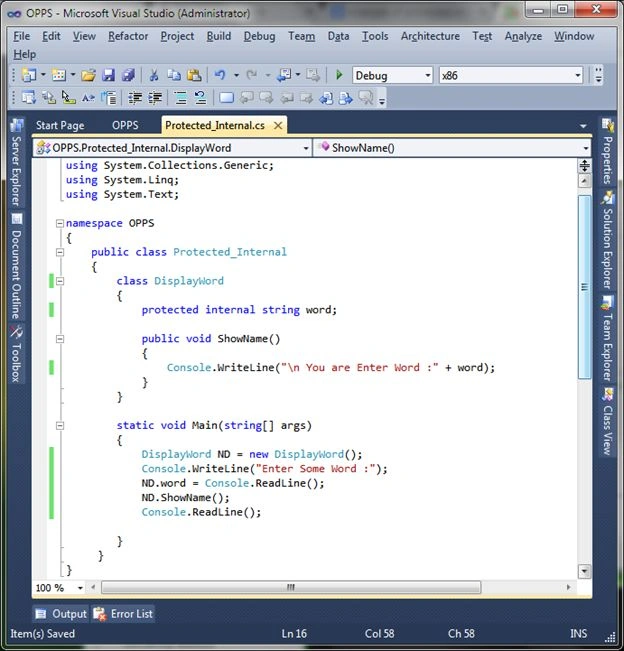
The protected internal access modifier allows a method or member variable to be accessible to a class and it's derived classes inside the same assembly or namespace within a file. The member cannot be accessed from a class in another assembly or a file.
In other words, the protected internal access specifier allows its members to be accessed in a derived class, containing a class or classes within the same application.
Example
- using System;
- using System.Collections.Generic;
- using System.Linq;
- using System.Text;
- namespace OPPS
- {
- public class Protected_Internal
- {
- class DisplayWord
- {
- protected internal string word;
- public void ShowName()
- {
- Console.WriteLine("\n You are Enter Word :" + word);
- }
- }
- static void Main(string[] args)
- {
- DisplayWord ND = new DisplayWord();
- Console.WriteLine("Enter Some Word :");
- ND.word = Console.ReadLine();
- ND.ShowName();
- Console.ReadLine();
- }
- }
- }
Output

Polymorphism
Polymorphism is different behavior in a different situation.
Polymorphism can be divided into the two parts, compile-time Polymorphism and run-time Polymorphism. It is known as static and dynamic Polymorphism.
Compile time / early binding / overloading / static binding
Run time / late binding / overriding / dynamic binding
In other words, any addition operation between two numeric values it's given a return numeric and after this addition operation between two string value it's given a string value. It is called simply Polymorphism.
Polymorphism is static or dynamic type and it's decided at run time and compile time. Polymorphism is used in method overloading and operator overloading.
Function Overloading (Compile time polymorphism)
Function overloading means, in simple words, the same (one) function but works in different situations.
The following is one example of function overloading.
Example
- using System;
- using System.Collections.Generic;
- using System.Linq;
- using System.Text;
- namespace OPPS
- {
- public class Polymorphism
- {
- void DataDisplay(int n)
- {
- Console.WriteLine("Display numaric value:{0} ", n);
- }
- void DataDisplay(string str)
- {
- Console.WriteLine("Display String Value:{0} ", str);
- }
- static void Main(string[] args)
- {
- Polymorphism P = new Polymorphism();
- P.DataDisplay(404);
- P.DataDisplay("CSharp");
- Console.ReadKey();
- }
- }
- }
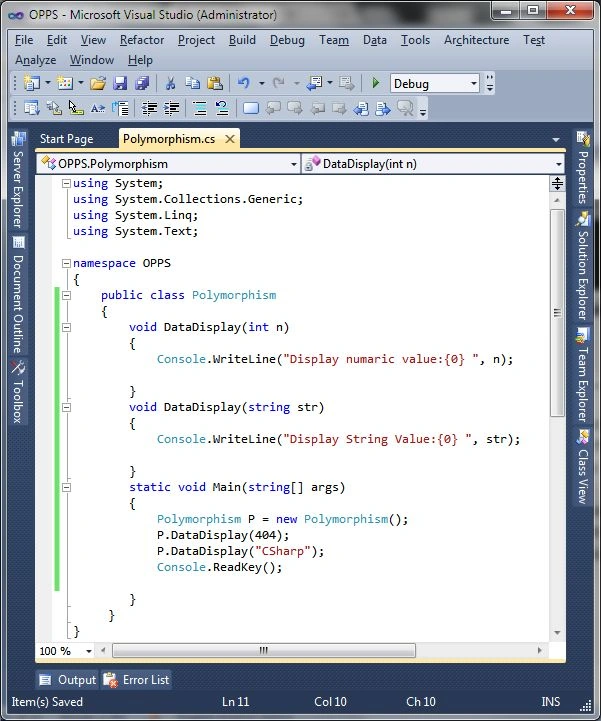
Output

Here in this example see DataDisplay() provides different output with different arguments.
But in this same DataDisplay() function.
Operator Overloading Example
- using System;
- using System.Collections.Generic;
- using System.Linq;
- using System.Text;
- namespace OPPS
- {
- class RectAngal
- {
- private int height;
- private int width;
- public void Rectheight(int h)
- {
- height = h;
- }
- public void Rectwidth(int w)
- {
- width = w;
- }
- public int RectArea()
- {
- return height * width;
- }
- public static RectAngal operator +(RectAngal rH, RectAngal rW)
- {
- RectAngal Rect = new RectAngal();
- Rect.height = rH.height + rH.height;
- Rect.width = rH.width + rW.width;
- return Rect;
- }
- }
- public class OperatorOverload
- {
- static void Main(string[] args)
- {
- int Area1, Area2;
- RectAngal R_Angal_1_Area = new RectAngal();
- RectAngal R_Angal_2_Area = new RectAngal();
- R_Angal_1_Area.Rectheight(5);
- R_Angal_1_Area.Rectwidth(4);
- R_Angal_2_Area.Rectheight(3);
- R_Angal_2_Area.Rectwidth(4);
- Area1 = R_Angal_1_Area.RectArea();
- Area2 = R_Angal_2_Area.RectArea();
- Console.WriteLine("Rectangal 1 Area :{0} ", Area1);
- Console.WriteLine("Rectangal 2 Area :{0} ", Area2);
- Console.ReadLine();
- }
- }
- }

Dynamic Polymorphism
Dynamic polymorphism is run time Polymorphism. It is also known as method overriding. Method overriding means having two or more methods with the same name and the same signature but with different implementations. In this method override so it is also called method overriding.
Method override uses the inheritance principle using the virtual and override keywords.
Example
- using System;
- using System.Collections.Generic;
- using System.Linq;
- using System.Text;
- namespace OPPS
- {
- class Person
- {
- public virtual void display()
- {
- Console.WriteLine(" Person ");
- }
- }
- class Student : Person
- {
- public override void display()
- {
- Console.WriteLine(" Student ");
- }
- }
- class Program
- {
- static void Main(string[] args)
- {
- Person P ;
- P= new Person();
- P.display();
- P = new Student();
- P.display();
- Console.ReadLine();
- }
- }
- }
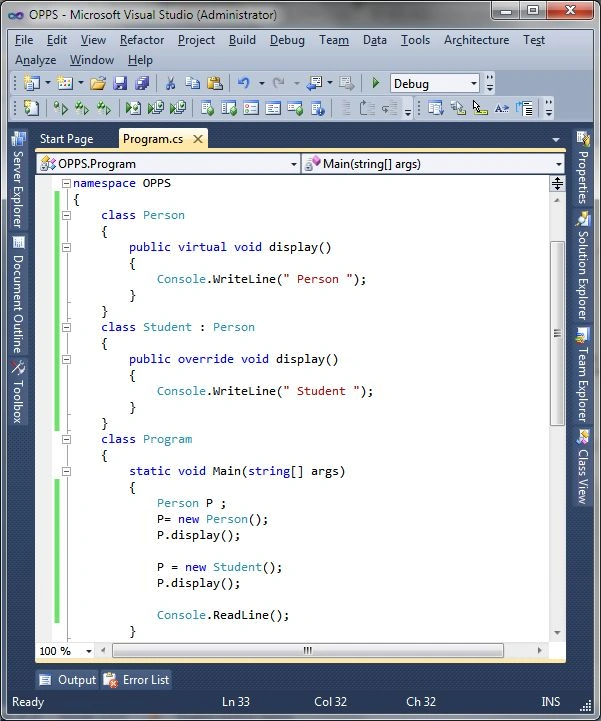
Output:

Abstract Class and Abstract Method
Abstract Class:
The abstract keyword can be used for class and method.
An abstract class cannot be instantiated as an object and is only provided for the purpose of deriving subclasses.Abstract class have some restriction,it's cannot be constructed. Abstract method have no body.
Declare Abstract Class:
- public abstract class className
- {
- }
Example
- using System;
- using System.Collections.Generic;
- using System.Linq;
- using System.Text;
- namespace OPPS
- {
- public abstract class BaseClass
- {
- public abstract string GetAbstractData();
- public virtual string GetVirtualData()
- {
- return "Base Virtual Data";
- }
- public string GetData()
- {
- return "Base Get Data";
- }
- }
- public class DerivedClass : BaseClass
- {
- public override string GetAbstractData()
- {
- return "Derived Abstract Data";
- }
- public override string GetVirtualData()
- {
- return "Derived Virtual Data";
- }
- public string GetData()
- {
- return "Derived Get Data";
- }
- }
- class Program
- {
- static void Main(string[] args)
- {
- BaseClass ABS = new DerivedClass();
- Console.WriteLine(ABS.GetAbstractData());
- Console.WriteLine(ABS.GetVirtualData());
- Console.WriteLine(ABS.GetData());
- DerivedClass DRD = new DerivedClass();
- Console.WriteLine(DRD.GetAbstractData());
- Console.WriteLine(DRD.GetVirtualData());
- Console.WriteLine(DRD.GetData());
- Console.ReadLine();
- }
- }
- }
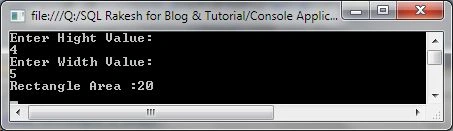
Dynamic Polymorphism with Abstract Class and virtual method:
Some keyword is used for inheritance in Object Oriented Programming language.
Abstract and virtual use in csharp. And also override any method using this.
Here given one example for Abstract class and virtual method.
Example
- using System;
- using System.Collections.Generic;
- using System.Linq;
- using System.Text;
- namespace OPPS
- {
- public abstract class BaseClass
- {
- public abstract string GetAbstractData();
- public virtual string GetVirtualData()
- {
- return "Base Virtual Data";
- }
- public string GetData()
- {
- return "Base Get Data";
- }
- }
- public class DerivedClass : BaseClass
- {
- public override string GetAbstractData()
- {
- return "Derived Abstract Data";
- }
- public override string GetVirtualData()
- {
- return "Derived Virtual Data";
- }
- public string GetData()
- {
- return "Derived Get Data";
- }
- }
- class Program
- {
- static void Main(string[] args)
- {
- BaseClass ABS = new DerivedClass();
- Console.WriteLine(ABS.GetAbstractData());
- Console.WriteLine(ABS.GetVirtualData());
- Console.WriteLine(ABS.GetData());
- DerivedClass DRD = new DerivedClass();
- Console.WriteLine(DRD.GetAbstractData());
- Console.WriteLine(DRD.GetVirtualData());
- Console.WriteLine(DRD.GetData());
- Console.ReadLine();
- }

Now, see one more outputs with this example but remove.
- GetVirtualData()
- GetData()
Output: 2

Sealed Class
A Sealed Class means, in normal words, your class is sealed or restricted from being inherited by any other class. A Sealed class is created with the sealed keyword with the class name.
A Sealed class cannot be derived from.
Example
- using System;
- using System.Collections.Generic;
- using System.Linq;
- using System.Text;
- namespace OPPS
- {
- class Program
- {
- public abstract class Triangle
- {
- private double W;
- private double H;
- public Triangle(double length = 0D, double height = 0D)
- {
- W = length;
- H = height;
- }
- public virtual double Area()
- {
- return W * H / 2;
- }
- public void Display(string D = "")
- {
- Console.WriteLine("Triangle {0}", D);
- Console.WriteLine("--------------------------");
- Console.WriteLine("Triangle Width: {0}", W);
- Console.WriteLine("Triangle Height: {0}", H);
- Console.WriteLine("Triangle Area: {0}", Area());
- }
- }
- sealed public class SealedDemo : Triangle
- {
- public SealedDemo(double Width, double Height): base(Width, Height)
- {
- }
- }
- static void Main(string[] args)
- {
- SealedDemo SD = new SealedDemo(5.3, 8.5);
- SD.Display(" OUTPUT");
- Console.ReadLine();
- }
- }
- }

Inheritance
Inheritance is one of the most important primary concepts of OOP. Inheritance provides existing code reusability in a programming language.
Implement Base class and Derived Class. And Initialize Base Class from Derived Class. C# supports single class inheritance only.
Example
- using System;
- using System.Collections.Generic;
- using System.Linq;
- using System.Text;
- namespace OPPS
- {
- class RectangleValue //Base Class
- {
- protected int height, width;
- public void Rect_Hight(int h)
- {
- height = h;
- }
- public void Rect_Width(int w)
- {
- width = w;
- }
- }
- class Rectangle : RectangleValue // RectangleValue Resue
- {
- public int RectangleArea()
- {
- return (height * width);
- }
- }
- class Inheritance
- {
- static void Main(string[] args)
- {
- Rectangle R = new Rectangle();
- R.Rect_Hight(5);
- R.Rect_Width(8);
- Console.WriteLine("RectAngle Area:{0}", R.RectangleArea());
- Console.ReadLine();
- }
- }
- }

In this see the preceding example RectangleValue class create one time and use in other class for finding Rectangle Area. C# is not support multiple inheritance.
So in C# provide multi inheritance using interface.
Interface
Interface like one type of class but not implement, but only declare with any method or properties. Program easily maintain with interface. Here give interface inheritance example.using with the preceding example.
Example
- using System;
- using System.Collections.Generic;
- using System.Linq;
- using System.Text;
- namespace OPPS
- {
- class RectangleValue //Base Class
- {
- protected int height, width;
- public void Rect_Hight(int h)
- {
- height = h;
- }
- public void Rect_Width(int w)
- {
- width = w;
- }
- }
- public interface TriAngle
- {
- int TriAngleArea(int area);
- }
- class Rectangle : RectangleValue, TriAngle // using interface class
- {
- public int RectangleArea()
- {
- return (height * width);
- }
- public int TriAngleArea(int area)
- {
- return area/2;
- }
- }
- class Inheritance
- {
- static void Main(string[] args)
- {
- int area;
- Rectangle R = new Rectangle();
- R.Rect_Hight(5);
- R.Rect_Width(8);
- area = R.RectangleArea();
- Console.WriteLine("RectAngle Area:{0}", R.RectangleArea());
- Console.WriteLine("TriAngle Area:{0}", R.TriAngleArea(area));
- Console.ReadLine();
- }
- }
- }
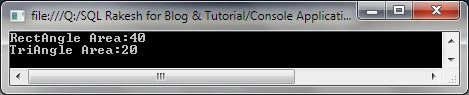
Constructor And Destructor
Constructor
A constructor is one method of initializing a class.
A constructor has no return type. A constructor is called automatically by the object of the class and it initializes the class member.
- using System;
- using System.Collections.Generic;
- using System.Linq;
- using System.Text;
- namespace OPPS
- {
- class Constructor
- {
- class DefaultConstructor
- {
- int a, b;
- public DefaultConstructor()
- {
- a=5;
- b=10;
- }
- public void OutPut()
- {
- Console.WriteLine("Value of A = {0}",a);
- Console.WriteLine("Value of B = {0}", b);
- }
- }
- static void Main(string[] args)
- {
- DefaultConstructor DC = new DefaultConstructor();
- DC.OutPut();
- Console.ReadLine();
- }
- }
- }
- using System;
- using System.Collections.Generic;
- using System.Linq;
- using System.Text;
- namespace OPPS
- {
- class Constructor
- {
- class PerameterConstructor
- {
- int a, b;
- public PerameterConstructor(int i, int j) // Pass parameter
- {
- a=i;
- b=j;
- }
- public void OutPut()
- {
- Console.WriteLine("Value of A = {0}",a);
- Console.WriteLine("Value of B = {0}", b);
- }
- }
- static void Main(string[] args)
- {
- PerameterConstructor DC = new PerameterConstructor(5,3); // Pass parameter value
- DC.OutPut();
- Console.ReadLine();
- }
- }
- }
- using System;
- using System.Collections.Generic;
- using System.Linq;
- using System.Text;
- namespace OPPS
- {
- class Constructor
- {
- class CopyConstructor
- {
- int a, b;
- public CopyConstructor(int i, int j)
- {
- a=i;
- b=j;
- }
- public CopyConstructor( CopyConstructor c)
- {
- a = c.a;
- b = c.b;
- }
- public void OutPut()
- {
- Console.WriteLine("Value of A = {0}",a);
- Console.WriteLine("Value of B = {0}", b);
- }
- }
- static void Main(string[] args)
- {
- CopyConstructor CC = new CopyConstructor(5,3);
- CopyConstructor copy = new CopyConstructor(CC);
- CC.OutPut();
- Console.WriteLine("------- VALUE COPY ----------");
- copy.OutPut();
- Console.ReadLine();
- }
- }
- }
- namespace OPPS
- {
- class Static
- {
- class Base
- {
- static Base()
- {
- Console.WriteLine("Base");
- }
- public Base()
- {
- Console.WriteLine("Base");
- }
- }
- class Derived : Base
- {
- static Derived()
- {
- Console.WriteLine("Derived");
- }
- public Derived()
- {
- Console.WriteLine("Derived");
- }
- }
- static void Main(string[] args)
- {
- Console.WriteLine("Static Demo");
- new Derived();
- Console.ReadLine();
- }
- }
- }
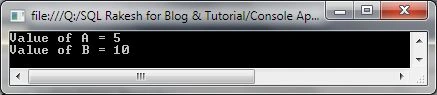
I. Default Constructor
If no parameter is passed in the constructer then it's called the default constructor.
Example
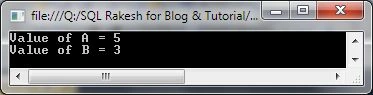
II. Parameterized Constructor
In a Parameterized Constructor at least one parameter is passed to the constructor.
Example
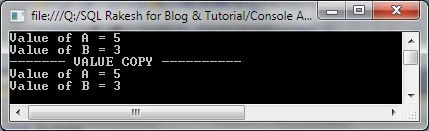
III. Copy Constructor
A Copy Constructor is a constructor that creates a new object by making a copy of an existing object.
Example
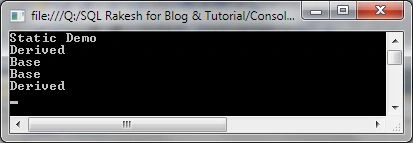
IV. Static Constructor
Static constructors are also called class constructors. A static constructor is triggered to run immediately before the first static method on its class is called, or immediately before the first instance of its class is created. A static constructor cannot be a parameterized constructor.
Example
Private Constructor
A private constructor cannot be inherited. And a private constructor class is accessed with a private access modifier. It is not possible to directly create the class object.
Example
- using System;
- using System.Collections.Generic;
- using System.Linq;
- using System.Text;
- namespace OPPS
- {
- class Private
- {
- public class PageHit
- {
- private PageHit()
- {
- }
- public static int currentCount;
- public static int IncrementCount()
- {
- return currentCount++;
- }
- }
- static void Main(string[] args)
- {
- PageHit.currentCount = 20;
- PageHit.IncrementCount();
- Console.WriteLine("Number of time Page Hit: {0}", PageHit.currentCount);
- Console.ReadLine();
- }
- }
- }

In this example see PageHit.currentCount = 20 and when you run program +1 count and given output 21.
Destructor
A destructor is used to destroy a class. Any one class has only one destructor.
A destructor is a method in the class with the same name as the class preceded with the ~ symbol.
Command:
~ ClassName()
{
}
Example
- using System;
- using System.Collections.Generic;
- using System.Linq;
- using System.Text;
- namespace OPPS
- {
- public class DemoClass
- {
- public DemoClass()
- {
- Console.WriteLine("Create Class");
- }
- ~DemoClass()
- {
- Console.WriteLine("Class Destroyed");
- }
- }
- class Destructor
- {
- public static void DC_Create()
- {
- DemoClass DC = new DemoClass();
- }
- static void Main(string[] args)
- {
- DC_Create();
- GC.Collect();
- Console.ReadLine();
- }
- }
- }
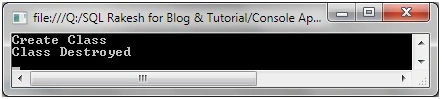
gaurav duttPosted Apr 26, 2016, 4:27 AM
It's good...
Anil KesanaPosted Jun 4, 2015, 1:15 PM
excellent presentation
RAJEEV KUMARPosted Jun 3, 2015, 8:32 AM
good one buddy
Santhakumar MunuswamyPosted Jun 2, 2015, 3:13 PM
Thanks for nice article
Dominique CejaPosted Jun 2, 2015, 10:23 AM
Great article
Dinesh BeniwalPosted Jun 2, 2015, 7:43 AM
Well written thanks for sharing ;)
Jaycer FdoPosted Jun 2, 2015, 7:29 AM
Nice article
Former memberPosted Jun 2, 2015, 5:07 AM
Nice article
NitinPosted Jun 2, 2015, 5:04 AM
nice
Pankaj Kumar ChoudharyPosted Jun 2, 2015, 4:53 AM
Really Nice Article Sir.........
Sibeesh VenuPosted Jun 2, 2015, 3:52 AM
Good one.
Atul GuptaPosted Jun 2, 2015, 3:23 AM
Informative!
Abhishek JaiswalPosted Jun 2, 2015, 3:05 AM
Very Well explained!! :)