

Introduction
Before moving to key players/concepts of AngularJS, please read my previous articles:
- Introduction
to AngularJS – Day 1
- Introduction
to AngularJS – Day 2
- Introduction
to AngularJS – Day 3
- Introduction
to AngularJS – Day 4
- Introduction
to AngularJS – Day 5
- Introduction
to AngularJS – Day 6
- Introduction
to AngularJS – Day 7
- Introduction
to AngularJS – Day 8
- Introduction
to AngularJS – Day 9
- Introduction
to AngularJS – Day 10
- Introduction
to AngularJS – Day 11
- Introduction
to AngularJS – Day 12
- Introduction
to AngularJS – Day 13
- angular.copy
It creates a copy of an object or an array. We just have to pass two parameters to this function, first for source and second is destination to copy. There are two ways to use this function as follows:
Syntax: angular.copy (source, destination); or
destination = angular.copy (source);
Example:
app.jscopy.html- /// <reference path="angular.min.js" />
- var app = angular.module("myApp", []);
- app.controller("myController", function ($scope) {
- $scope.copy = function () {
- $scope.copy_text = angular.copy($scope.enter_text);
- };
- });
Output:- <!DOCTYPE html>
- <html ng-app="myApp">
- <head>
- <title>AngularJS Built-in Functions</title>
- <meta charset="utf-8" />
- <script src="app/angular.min.js"></script>
- <script src="app/app.js"></script>
- </head>
- <body ng-controller="myController">
- Enter text to copy : <input type="text" ng-model="enter_text" /><br />
- <input type="button" value="Copy Text" ng-click="copy()" /><br />
- <h4>Copied text is {{copy_text}}</h4>
- </body>
- </html>
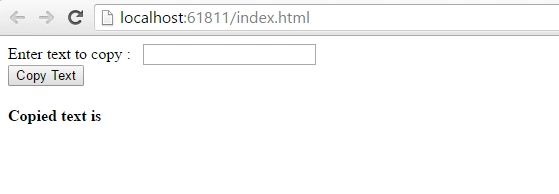
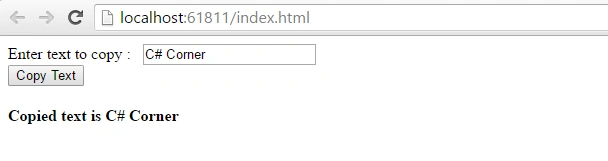
After entering text into textbox, click on ‘Copy Text’ button, it will show output as follows:
- angular.equals
This function returns a result as true or false. It takes two parameters, it compares two values or objects are equivalent or not. It supports types, values, objects.
Syntax: angular.equals(obj1, obj2);
Example:
app.js
equal.html- /// <reference path="angular.min.js" />
- var app = angular.module("myApp", []);
- app.controller("myController", function ($scope) {
- $scope.equal = function () {
- $scope.result = angular.equals($scope.first_text, $scope.second_text);
- };
- });
Output:- <!DOCTYPE html>
- <html ng-app="myApp">
- <head>
- <title>AngularJS Built-in Functions</title>
- <meta charset="utf-8" />
- <script src="app/angular.min.js"></script>
- <script src="app/app.js"></script>
- </head>
- <body ng-controller="myController">
- <h2>AngularJS equal Function</h2>
- Enter First Text <input type="text" ng-model="first_text" /><br /><br />
- Enter Second Text <input type="text" ng-model="second_text" /><br /><br />
- <input type="button" value="Check" ng-click="equal()" />
- <h3>Text is equal or not: {{result}}</h3>(This function returns result in true or false).
- </body>
- </html>
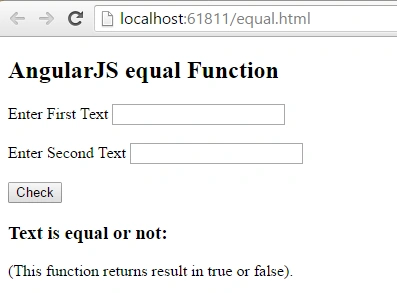
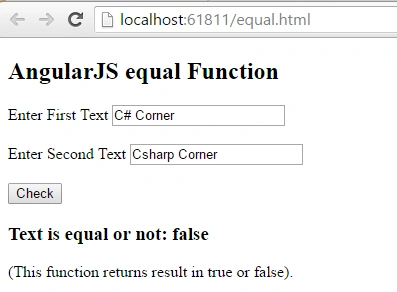
Enter the text in both the textboxes and click on ‘Check’ button, it will show output as follows:
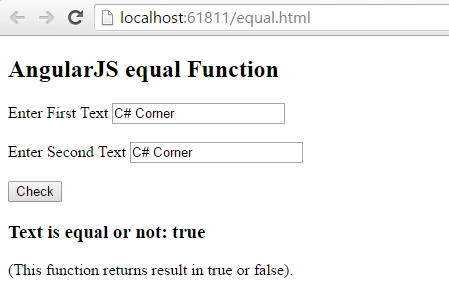
The above entered text is equal so value returned by function is true, for false check the following output:
- angular.fromJson
This function deserializes a JSON string. This function takes only one parameter; i.e., JSON string data.
Syntax : $scope.result = angular.fromJson(str_json);
aap.js:
fromJson.html- /// <reference path="angular.min.js" />
- var app = angular.module("myApp", []);
- app.controller("myController", function ($scope) {
- $scope.fromJson = function () {
- var str_json = '{"author_name":"Jeetendra Gund","technology":"AngularJS","site":"C# Corner"}';
- $scope.result = angular.fromJson(str_json);
- };
- });
Output:- <!DOCTYPE html>
- <html ng-app="myApp">
- <head>
- <title>AngularJS Built-in Functions</title>
- <meta charset="utf-8" />
- <script src="app/angular.min.js"></script>
- <script src="app/app.js"></script>
- </head>
- <body ng-controller="myController">
- <h2>AngularJS fromJson Function</h2>
- <input type="button" value="fromJson" ng-click="fromJson()" />
- <h3>Author Name : {{result.author_name}}</h3>
- <h3>Technology : {{result.technology}}</h3>
- <h3>Author At : {{result.site}}</h3>
- </body>
- </html>
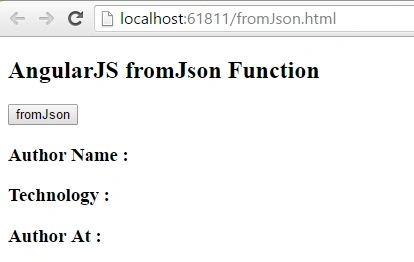
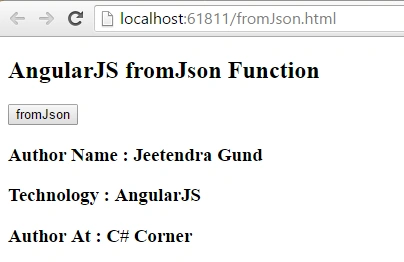
After clicking on ‘fromJson’ button you can see the data fetched from JSON string format and displays objects as follows:
- angular.toJson
This function converts or serializes the pass string to JSON-formatted string.
Syntax: $scope.result = angular.toJson($scope.str_json);
app.js
toJson.html- /// <reference path="angular.min.js" />
- var app = angular.module("myApp", []);
- app.controller("myController", function ($scope) {
- $scope.toJson = function () {
- $scope.result = angular.toJson($scope.str_json);
- };
- });
Output:- <!DOCTYPE html>
- <html ng-app="myApp">
- <head>
- <title>AngularJS Built-in Functions</title>
- <meta charset="utf-8" />
- <script src="app/angular.min.js"></script>
- <script src="app/app.js"></script>
- </head>
- <body ng-controller="myController">
- <h2>AngularJS toJson Function</h2>
- Enter First Name : <input type="text" ng-model="str_json.firstName" /><br /><br />
- Enter Last Name : <input type="text" ng-model="str_json.lastName" /><br /><br />
- Enter City : <input type="text" ng-model="str_json.city" /><br /><br />
- <input type="button" value="toJson" ng-click="toJson()" />
- <h3>Json format string : </h3> {{result}}
- </body>
- </html>
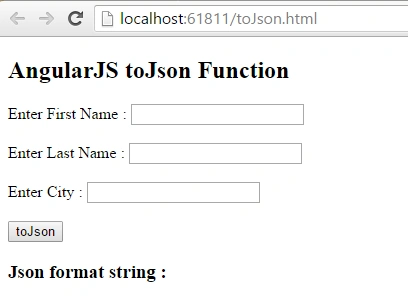
Enter the text in textboxes firstName, lastName and city, and click on ‘toJson’ button; you can see the result is in JSON formatted string as follows: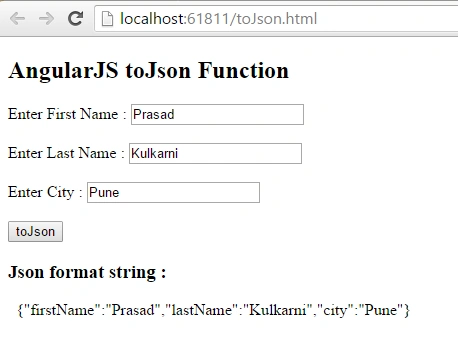
- angular.isArray
This function is used to check if pass value or object is array or not. It takes only one parameter and returns true or false result.
Syntax: $scope.result = angular.isArray(obj);
app.js
isArray.html- /// <reference path="angular.min.js" />
- var app = angular.module("myApp", []);
- app.controller("myController", function ($scope) {
- $scope.first_val = [{ 'name': 'Varsha' }, { 'name': 'Monika' }];
- $scope.second_val = 'Jeetendra';
- $scope.isArray = function () {
- $scope.first_res = angular.isArray($scope.first_val);
- $scope.second_res = angular.isArray($scope.second_val);
- };
- });
Output:- <!DOCTYPE html>
- <html ng-app="myApp">
- <head>
- <title>AngularJS Built-in Functions</title>
- <meta charset="utf-8" />
- <script src="app/angular.min.js"></script>
- <script src="app/app.js"></script>
- </head>
- <body ng-controller="myController">
- <h2>AngularJS isArray Function</h2>
- <h3>First Value : {{first_val}} </h3>
- <h3>Second Value : {{second_val}}</h3>
- <input type="button" ng-click="isArray()" value="Check isArray" />
- <h3>First Result : {{first_res}}</h3>
- <h3>Second Result : {{second_res}}</h3>
- </body>
- </html>
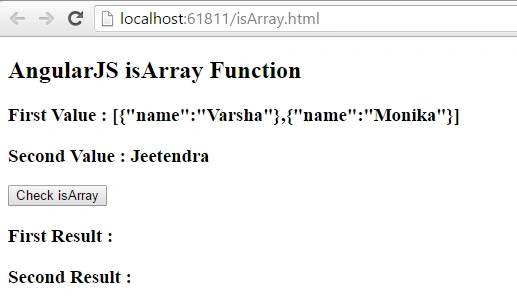
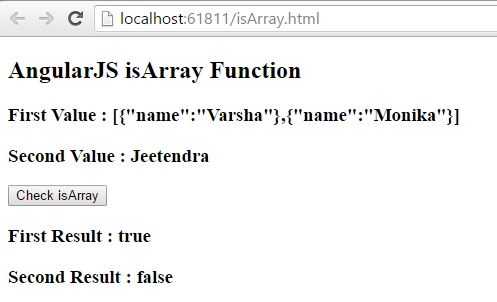
- In the above screenshot you can see initially we assign two values for ‘isArray’ function. First one is array and second one is simple string, after clicking on ‘isArray’ button you can see output as follows:
- angular.extend
This function extends first object with second object and generates third object. It takes three parameters, first one is for result and other two are objects to extend.
Syntax: angular.extend(res_obj, Obj1,Obj2);
app.js:
extend.html- /// <reference path="angular.min.js" />
- var app = angular.module("myApp", []);
- app.controller("myController", function ($scope) {
- $scope.first_obj = { 'name1': 'Varsha', 'name2': 'Monika' };
- $scope.second_obj = { 'name3': 'Prasad', 'name4': 'Makarand' };
- $scope.extend = function () {
- $scope.res_obj = {};
- angular.extend($scope.res_obj, $scope.first_obj, $scope.second_obj);
- };
- });
Output:- <!DOCTYPE html>
- <html ng-app="myApp">
- <head>
- <title>AngularJS Built-in Functions</title>
- <meta charset="utf-8" />
- <script src="app/angular.min.js"></script>
- <script src="app/app.js"></script>
- </head>
- <body ng-controller="myController">
- <h2>AngularJS extend Function</h2>
- <h3>First Object : {{first_obj}} </h3>
- <h3>Second Object : {{second_obj}}</h3>
- <input type="button" ng-click="extend()" value="Extend" />
- <h3>Result : {{res_obj}}</h3>
- </body>
- </html>
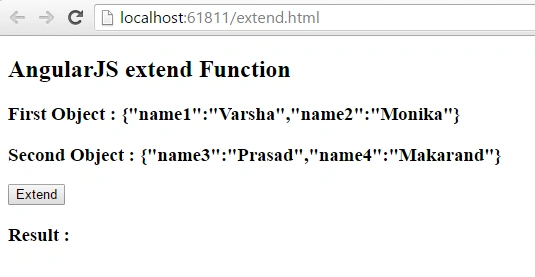
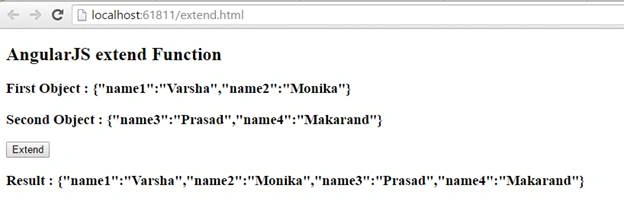
In the above screenshot you can see we created two lists of string that we are passing to function ‘extend’ and after clicking ‘Extend’ button you can see the output as third list is created using these two lists as follows:
Great, we learned some built-in functions of AngularJS with example successfully.
Summary
I hope that beginners as well as students understood the functions in AngularJS with examples. If you have any suggestions regarding this article, then please contact me. Stay tuned for other concepts of AngularJS coming soon!
Thanks for reading. Learn it! Share it!
Read more articles on AngularJS:
Gowtham RajamanickamPosted Apr 27, 2016, 2:22 AM
good one...
Jeetendra GundPosted Apr 25, 2016, 4:48 AM
Thanks all...
Vivek KumarPosted Apr 23, 2016, 8:56 AM
Good one
NitinPosted Apr 22, 2016, 11:44 PM
Nice
Vignesh ManiPosted Apr 22, 2016, 5:31 PM
Good one
Pradeep SahooPosted Apr 22, 2016, 1:37 PM
Well demonstrated ... Thanks for sharing
Upendra Pratap ShahiPosted Apr 22, 2016, 1:35 PM
nice one....
Gowtham KPosted Apr 22, 2016, 12:57 PM
Good One, Thanks for sharing:)
Kuppurasu NagarajPosted Apr 22, 2016, 11:48 AM
Nice Sharing..
Prasham SabadraPosted Apr 22, 2016, 8:34 AM
Thanks Jitendra!
Debasis SahaPosted Apr 22, 2016, 4:33 AM
Good One..
Gowtham RajamanickamPosted Apr 22, 2016, 4:28 AM
very good
Gowtham RajamanickamPosted Apr 22, 2016, 4:28 AM
..