

Introduction
In this article, we discuss Annotation in Java.
What is Annotation in Java?
Annotation is a tag that represents the metadata (data about data). It is attached to a class, interface, method or field to indicate some additional information that can be used by the Java compiler and JVM.
Annotations, a form of metadata, provide data about a program that is not part of the program itself. Annotations have no direct effect on the operation of the code they annotate.
Some uses of Annotations
- Runtime processing
- At runtime, some annotations are available to be examined.
- Provide information for the compiler.
- It can be used by the compiler to detect errors or suppress warnings.
- Deployment-time and Compile-time processing.
- Software tools can process annotation information to generate code, XML files, and so forth.
Built-In-Annotations
Several built-in annotations are available in Java. Some annotations are applied to Java code and some to other annotations.
Built-In-Annotation that are applied in Java code
- @Deprecated
- @Override
- @SuppressWarnings
Built-In Annotations that are applied in other annotations
- @Documented
- @Target
- @Retention
- @Inherited
Understanding Built-In Annotations that are applied in Java code
Let's understand Built-In annotation first.
@override
- This annotation provides assurance about the overriding, in other words, that the subclass overrides the parent correctly.
- If it does not override correctly then it produces a compile-time error.
- Sometimes, due to some silly mistakes like spelling mistakes etcetera, an error is generated. So to avoid the error use @Override annotation.
Example
- class Parent {
- void doSomework() {
- System.out.println("Do some work");
- }
- }
- class Children extends Parent {
- @Override
- void doSomework() {
- System.out.println("No work should be done");
- }
- }
- class Check {
- public static void main(String args[]) {
- Parent prnt = new Children();
- prnt.doSomework();
- }
- }
Output
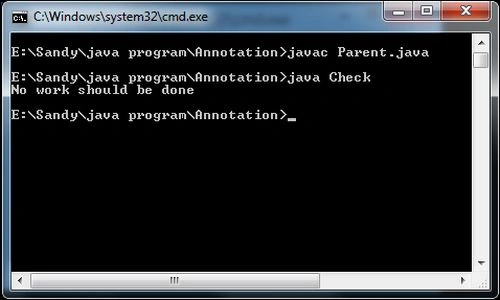
@SuppressWarnings
This annotation is used to suppress warnings issued by the compiler.
Example
- import java.util.*;
- class Test {
- @SuppressWarnings("unchecked")
- public static void main(String[] args) {
- ArrayList arylst = new ArrayList();
- arylst.add("Jaun");
- arylst.add("Paul");
- arylst.add("San");
- for (Object o: arylst)
- System.out.println(o);
- }
- }
Output

@Deprecated
@Deprecated marks methods as deprecated, so the compiler understands it and produces a warning and it shows a message to us that it will be removed in the future. So it is not a good approach to use such type of methods.
Example
- class Main {
- void main() {
- System.out.println("hello main");
- }
- @Deprecated
- void child() {
- System.out.println("hello Child");
- }
- }
- class Test1 {
- public static void main(String args[]) {
- Main mn = new Main();
- mn.child();
- }
- }
Output
At compile-Time
It shows an error at compile-time as shown below:

At Run-Time
But at run-time it runs well, as in the following:

Join the conversation! Your thoughts help the community grow.