

One of the latest and most impactful features from the latest release to land in Power Apps: Power FX Functions! This game-changer allows you to define your reusable functions using the familiar Power FX language, opening up a world of possibilities for cleaner, more modular, and efficient app development. With Power Fx functions, you can implement custom, reusable logic that can be used in apps, flows, ensuring consistency in logic across the environment.
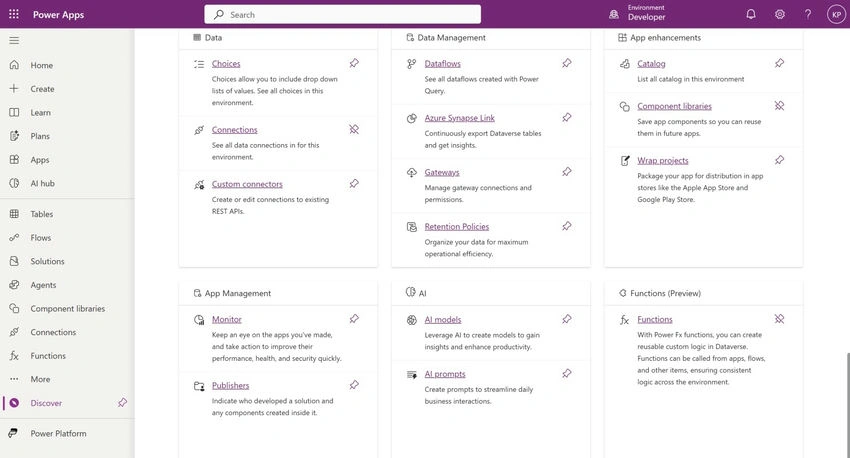
Where to locate the Power Fx function?
- Discover Functions in the Environment.
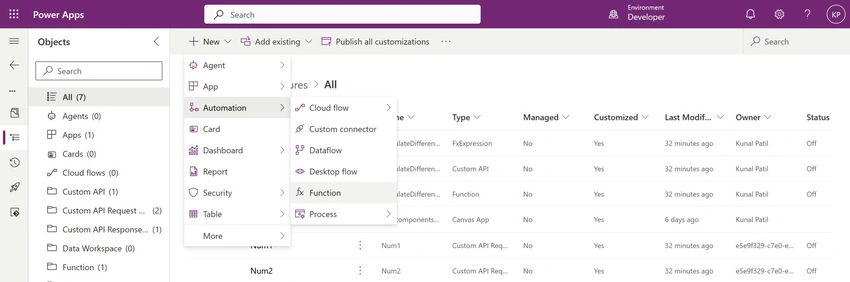
- Solution - Automation - Function
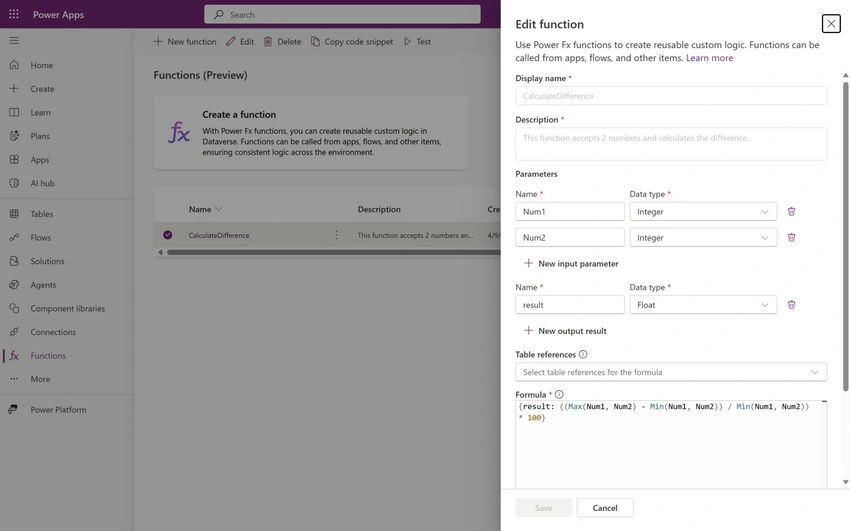
How to create/edit Power Fx function?
Our Use Case: Calculating Percentage Difference.
Imagine you have two values, perhaps the original price and the discounted price of a product, or the sales figures from two different months. You want to easily display the percentage difference between these two numbers.
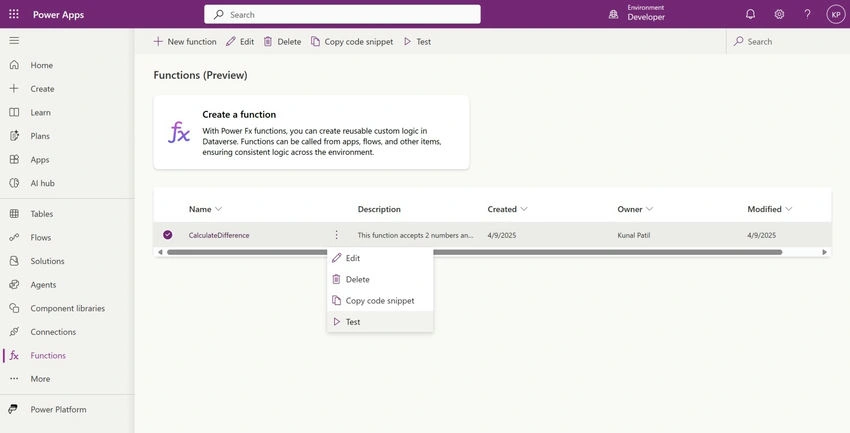
How to test your function?
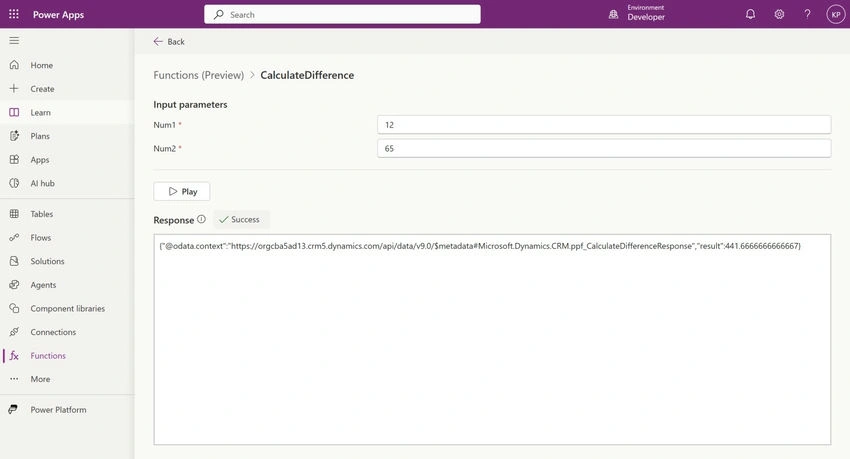
How to use Power Fx function in Power Apps?
Imagine you have two values, perhaps the original price and the discounted price of a product, or the sales figures from two different months. You want to easily display the percentage difference between these two numbers.
Our Use Case: Calculating Percentage Difference. Simple Screen: accepts 2 numbers and calculates the difference.
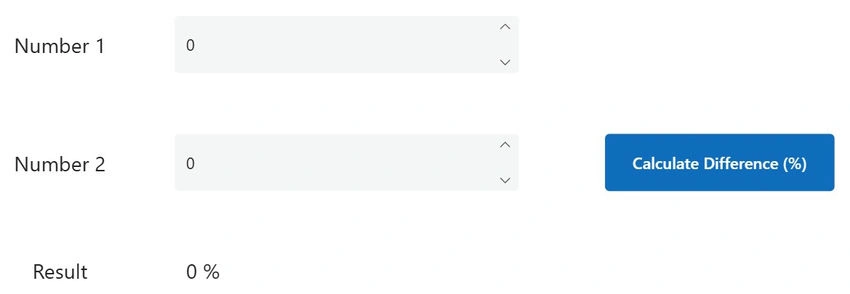
How to call your Power Fx Function?
Set(
    calculatedResult,
    Environment.ppf_CalculateDifference(
        {
            Num1: txtNumber1.Value,
            Num2: txtNumber2.Value
        }
    )
)
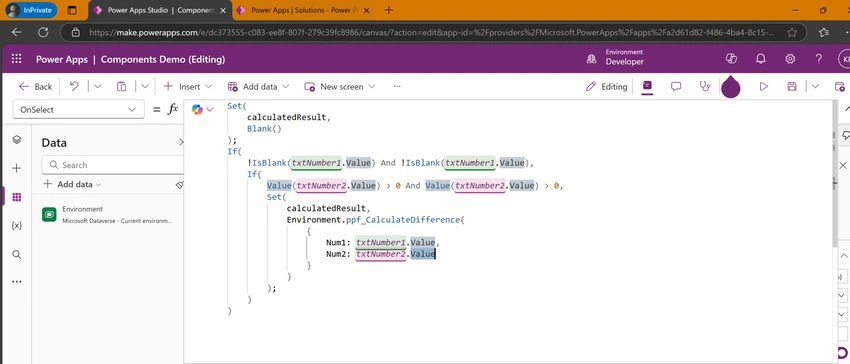
Potential Benefits of Using Power FX Functions
- Reusability: You only need to define the calculation logic once, and then you can use the function in multiple screens, controls, and even other functions within your app.
- Modularity: Your app becomes more organized and easier to understand as you break down complex logic into smaller, reusable functions.
- Maintainability: If you need to update the logic in the future, you only need to modify the function definition in one place, rather than updating it across your entire app.
- Readability: Using descriptive function names makes your formulas more self-explanatory and easier for other developers (or your future self!) to understand.
Conclusion
The new Power FX Function feature is a fantastic addition to Power Apps, empowering developers to write cleaner, more efficient, and maintainable code. This simple example of calculating percentage difference is just the tip of the iceberg. I encourage you to explore this feature and think about other common calculations or logic you can encapsulate into reusable functions.
Join the conversation! Your thoughts help the community grow.