

What is IntervalMatch function in QlikView?
The Interval Match is one of the functions in QlikView that can be used to match a numeric value in a single table, such as date, timestamp, score, percent or any number, to an interval or duration in a second table. The IntervalMatch function discreet data to one or more dimensions that are changing over time. It can be us for resolving slowly changeing dimensions by linking the specific key fields to the appropriate numeric intervals. It can be used with LOAD, Inline and SQL select statements.
Note
A major and important point is that when we apply the IntervalMatch function to tables, it is necessary that the tables have numeric values.
Advantage
There are given many advantages of the IntervalMatch function.
- Save time: It saves the time of the QlikView application because joins are not used with the IntervalMatch function.
- Save memory: It saves the memory of the QlikView application because it avoids loading all the possible numeric values into a fact table.
- It avoids the case statements concepts.
The following is the procedure to be used to use the IntervalMatch function in a QlikView application.
Step 1: Open the QlikView application
In the first step you need to open the QlikView application then go to File -> New then this window will be opened.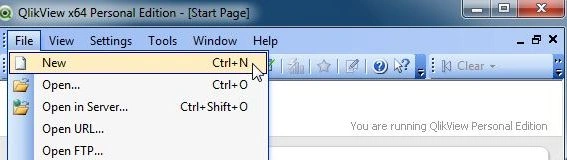
Step 2: Open Edit Script
The second step is to open the edit script window from File -> Edit Script.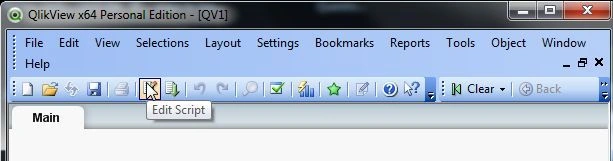
Then this window will be opened.
Step 3: Load tables
The next step is to load the tables.
Here I am using an inline load. A LOAD or SQL statement can also be used. It totally depends on your preference.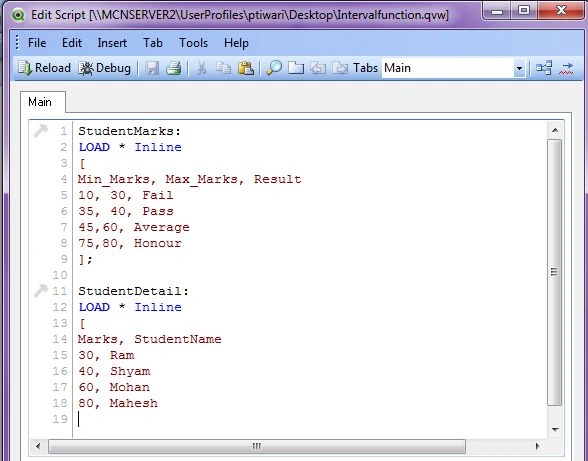
Step 4: Save file
The next step is to save our QlikView file.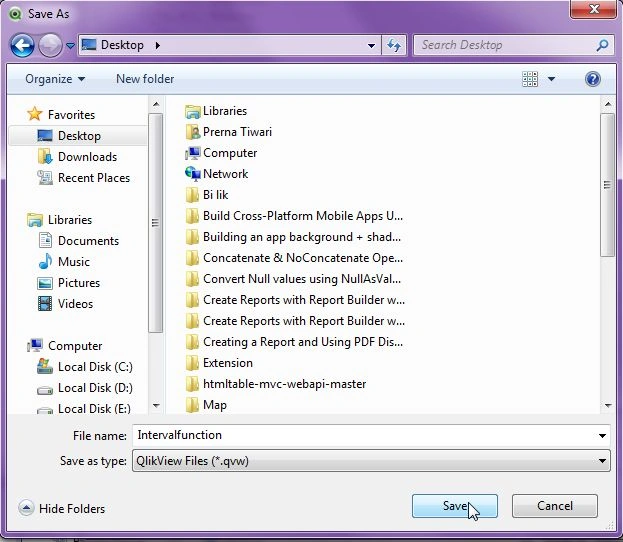
Step5: Reload the edit script
The next step is to reload the code of the edit script.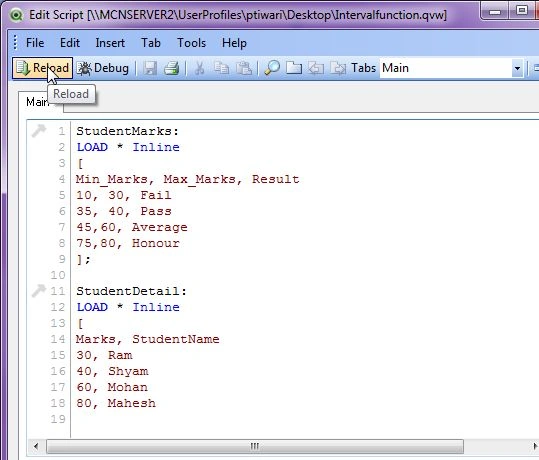
Step 6: Sheet property window
The sheet property window will be opened and click on the OK button.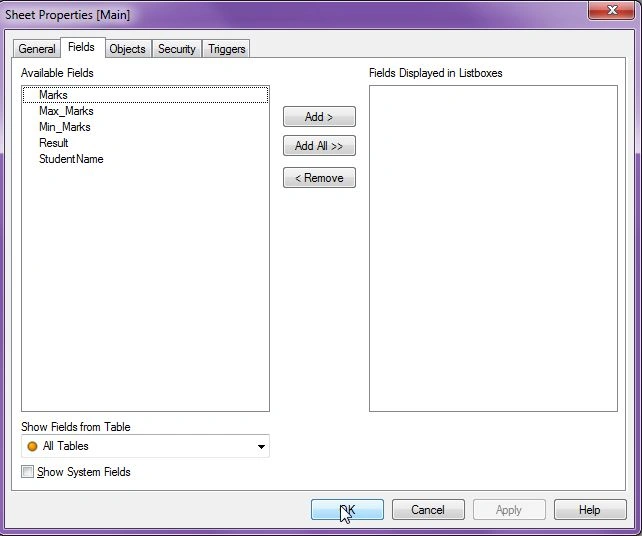
Step 7: Open edit script again and apply IntervalMatch function
The next step is to open the edit script again and apply the IntervalMatch function in the edit script and reload this code.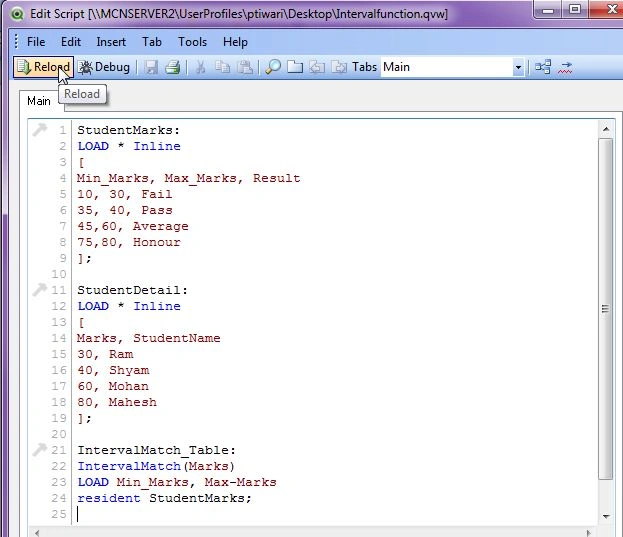
- StudentMarks:
- LOAD * Inline
- [
- Min_Marks, Max_Marks, Result
- 10, 30, Fail
- 35, 40, Pass
- 45,60, Average
- 75,80, Honour
- ];
- StudentDetail:
- LOAD * Inline
- [
- Marks, StudentName
- 30, Ram
- 40, Shyam
- 60, Mohan
- 80, Mahesh
- ];
- IntervalMatch_Table:
- IntervalMatch(Marks)
- LOAD Min_Marks, Max-Marks
- resident StudentMarks;
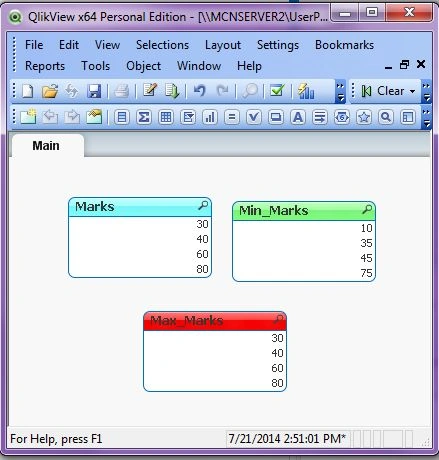
The sheet property window will be opened. Here you can see the Marks field is matched from the IntervalMatch function and two fields are loaded.
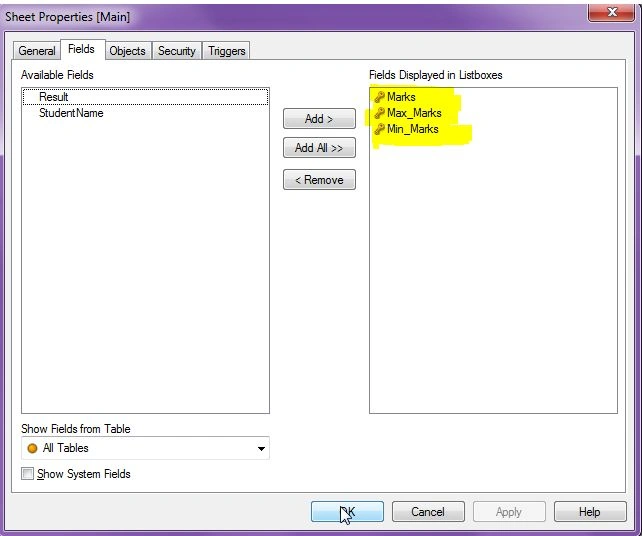
Now you will see this result.
Summary
This article describes what the IntervalMatch function is in QlikView and describes how it will be used in tables.
Hussain ShaikPosted May 23, 2018, 3:00 AM
Ur teaching level is very high and easy way thanks!!!!
Shamim UddinPosted Sep 7, 2016, 10:08 PM
Nice Article
Kesava ReddyPosted Oct 28, 2014, 3:26 PM
Good one.. well Explained
Gaurav KataraPosted Jul 22, 2014, 1:26 AM
nice article and well explained.... :)